1. Introduction to Qwen Version of Universal Migration
-
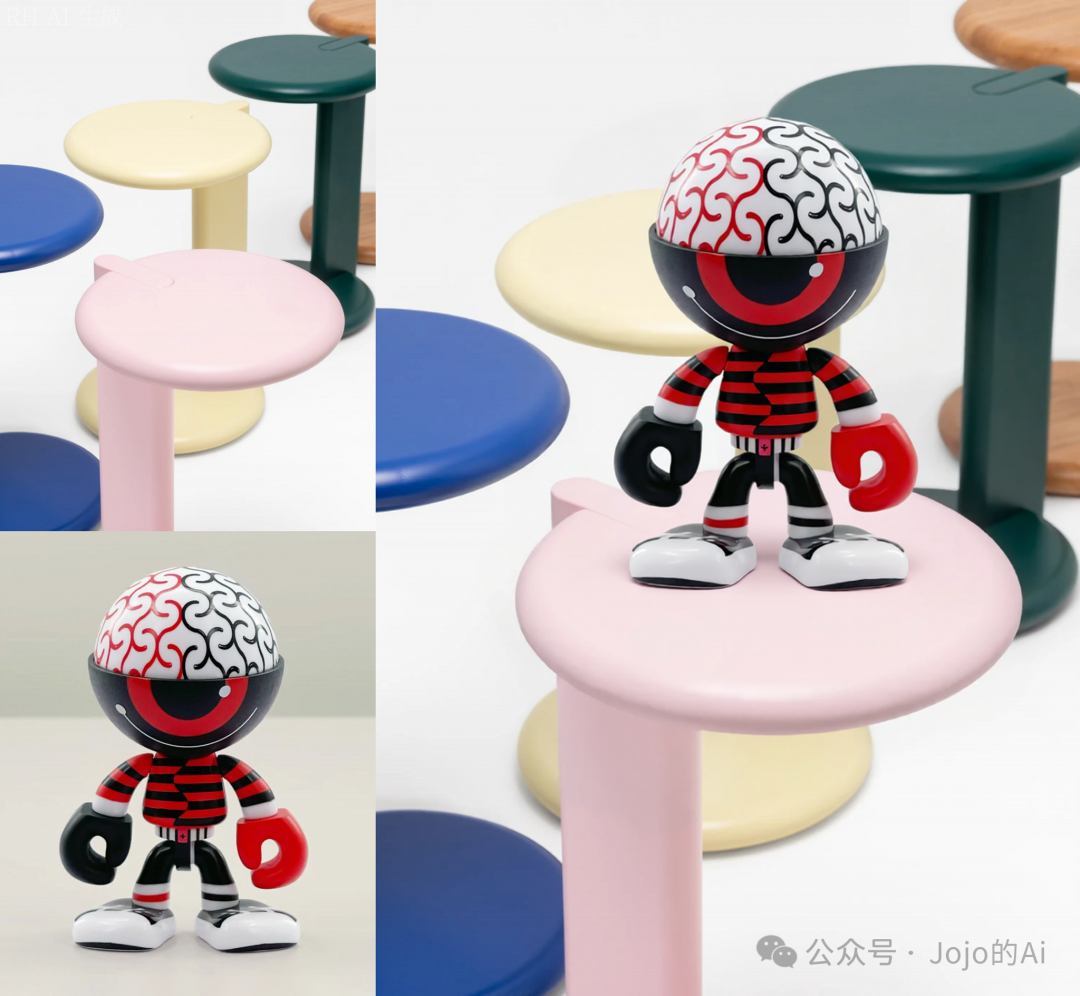
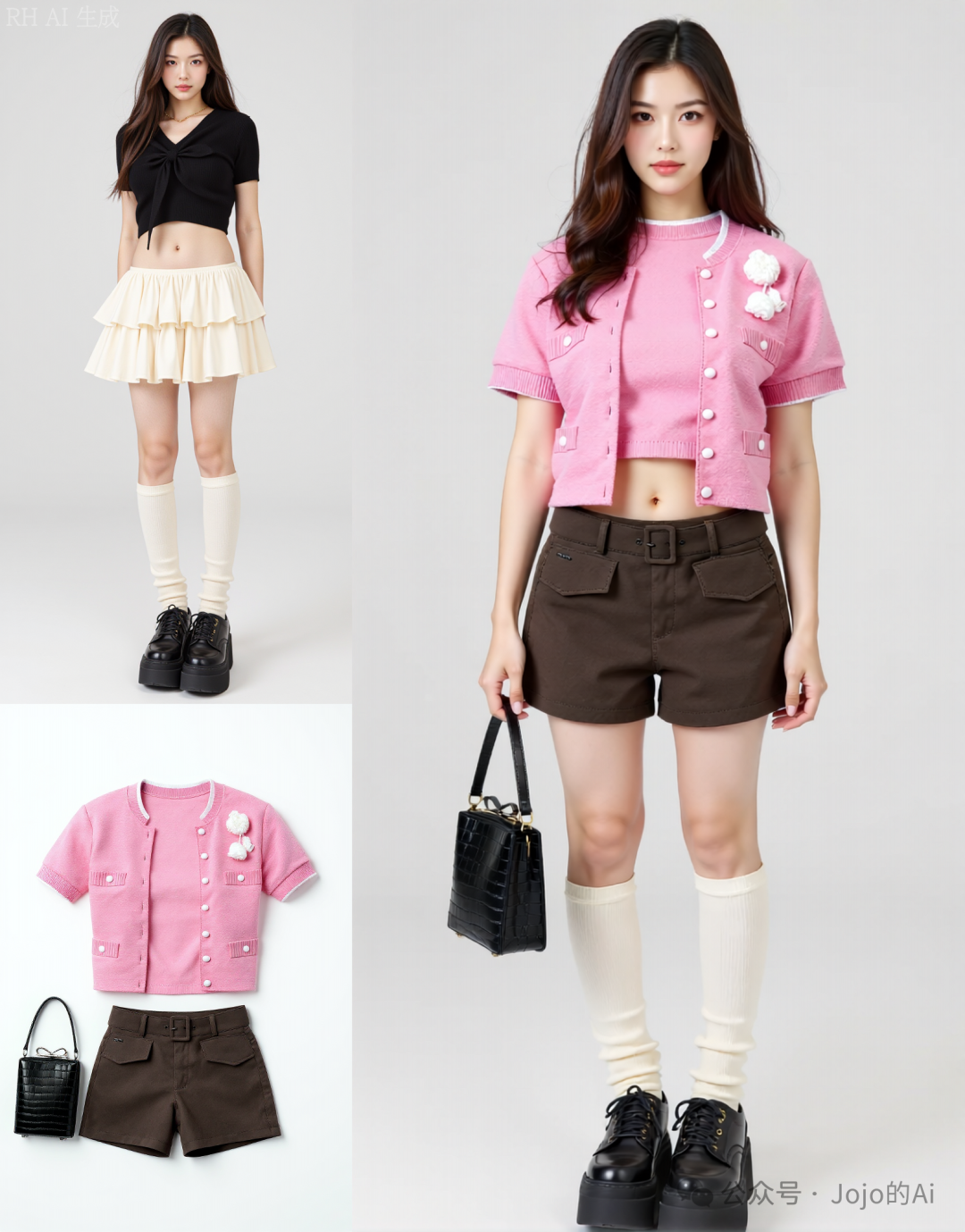
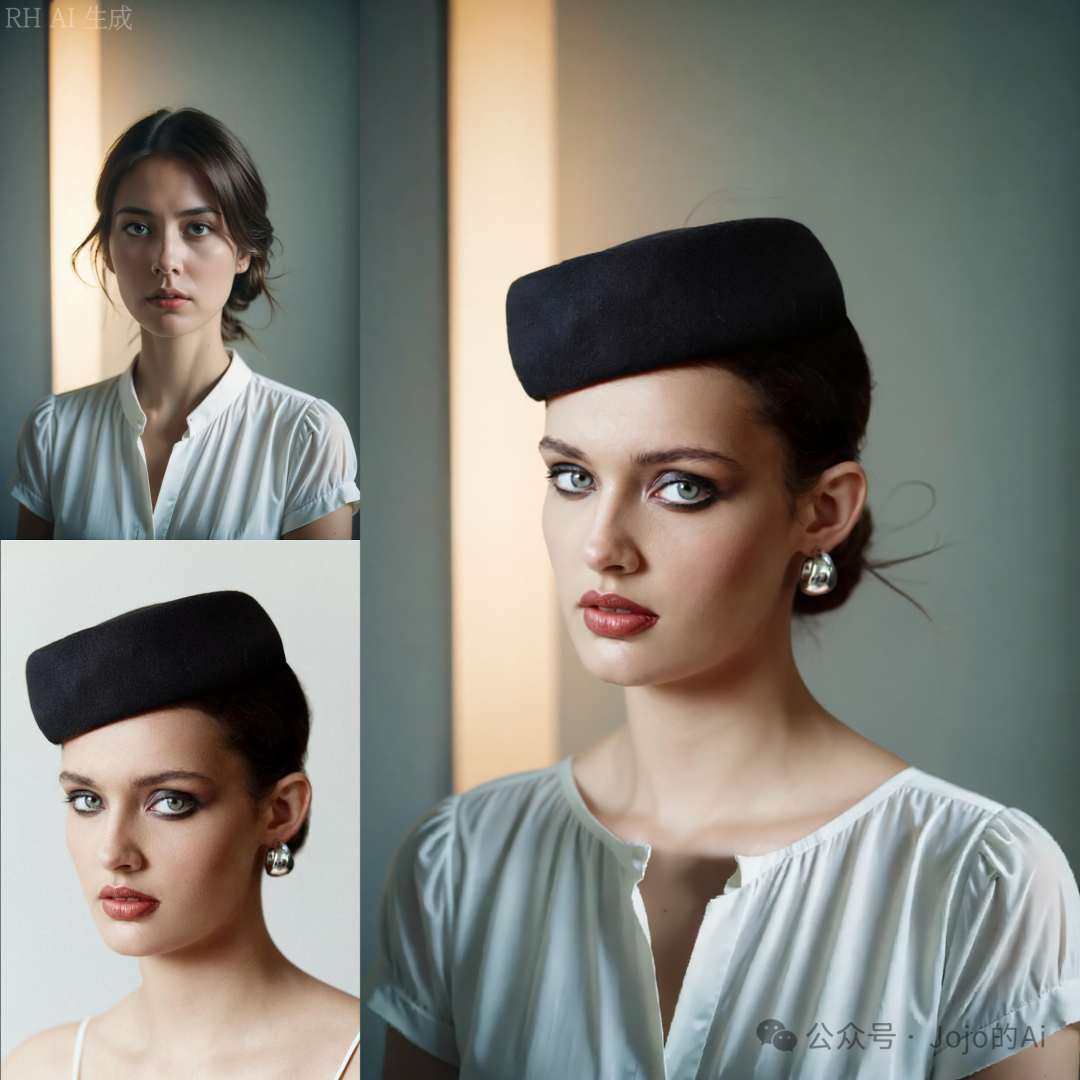
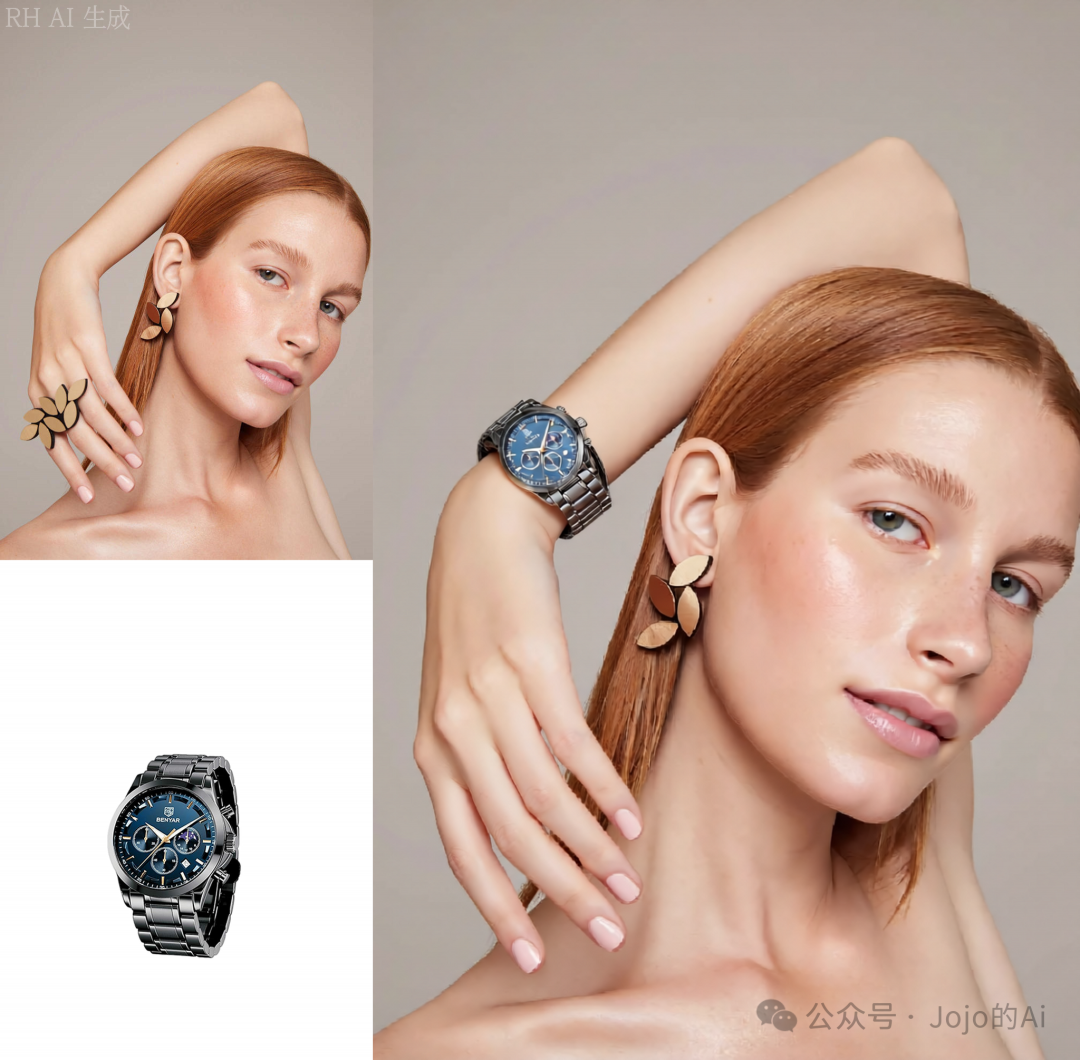
The Kontext Universal Migration has been upgraded to the Qwen Image Edit version, inheriting features such as one-click outfit and item changes, and an ultra-high card draw rate. It further enhances generation stability and detail performance, resulting in smoother effects and superior image quality, reaching commercial-grade standards, and is available for a limited time.
-
This version is based on the Qwen model, which is free compared to the once-popular but paid Banana model, and the fusion effect is excellent.
2. Related Installation
-
The model address is https://civitai.com/models/1883974/put-it-hereqweneditv01-full-functional-enhancements-while-maintaining-consistency-remove-grease, namely Put it here_QwenEdit V0.1.
-
The accompanying LoRA is suitable for the Qwen Edit model, with a high fusion success rate, and it will automatically adjust lighting during fusion. It needs to be used in conjunction with the Qwen-Image Edit model, which will be provided at the end of the article via a cloud disk.
3. Usage Instructions
-
Core Process
-
C Station: Put it here_QwenEdit_V0.1, full functional enhancements while maintaining consistency! Remove grease – v1.0 | Qwen LoRA | Civitai
-
Cloud Disk: Link: https://pan.quark.cn/s/bdcfdb7183d2

-
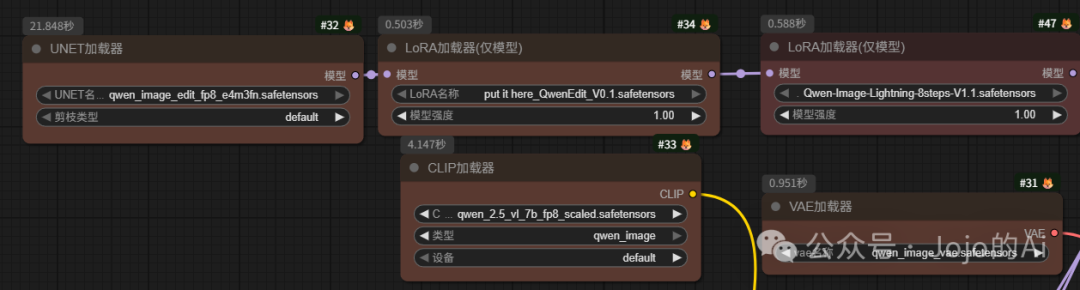
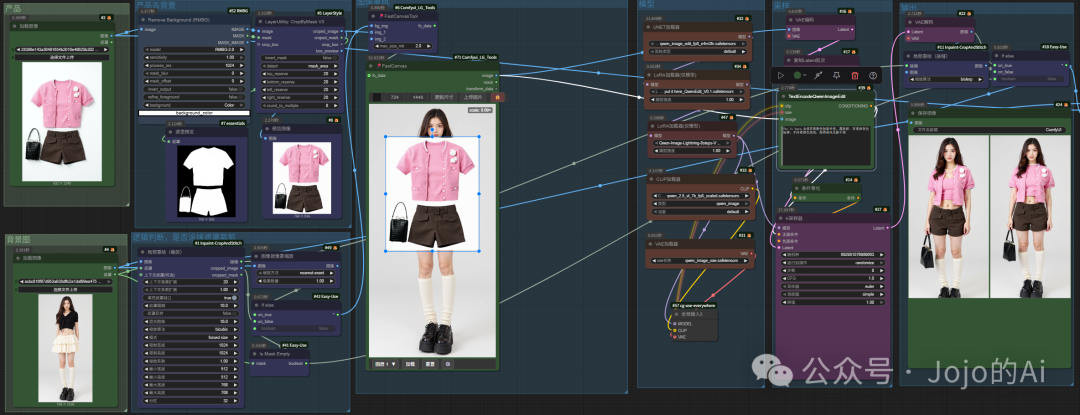
Model Loading: Load UNET loader, LoRA loader (model only), CLIP loader, VAE loader, and other related models. Using the edit fp8 model combined with 8-step acceleration can improve image generation speed.
LoRA download address: Put it here
-
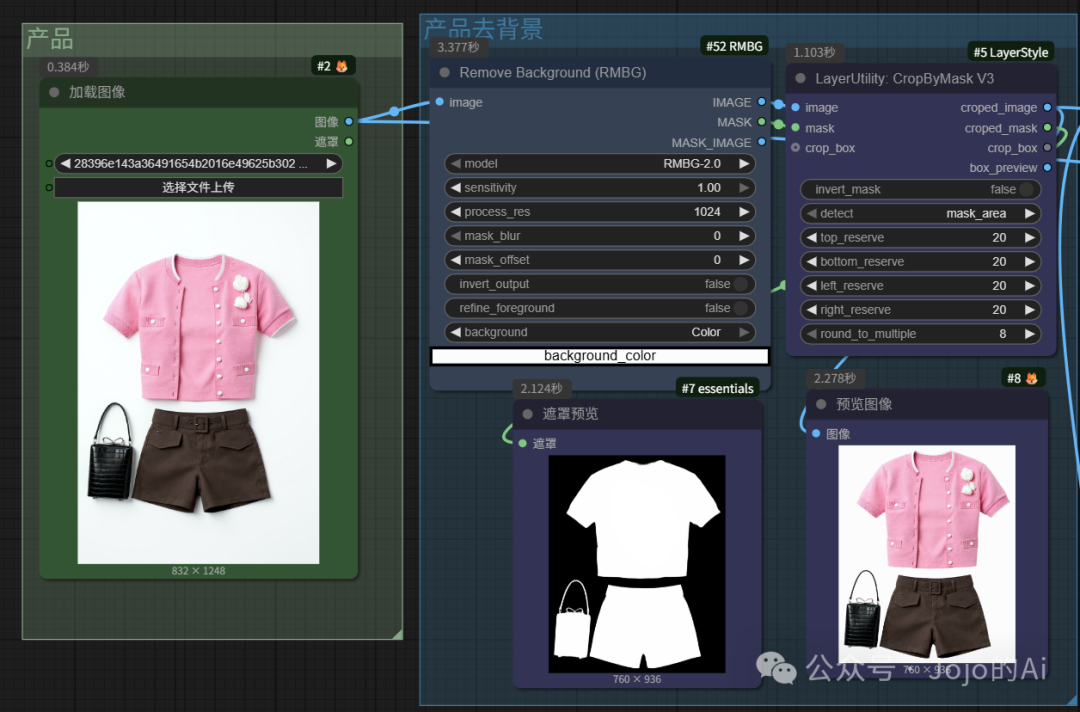
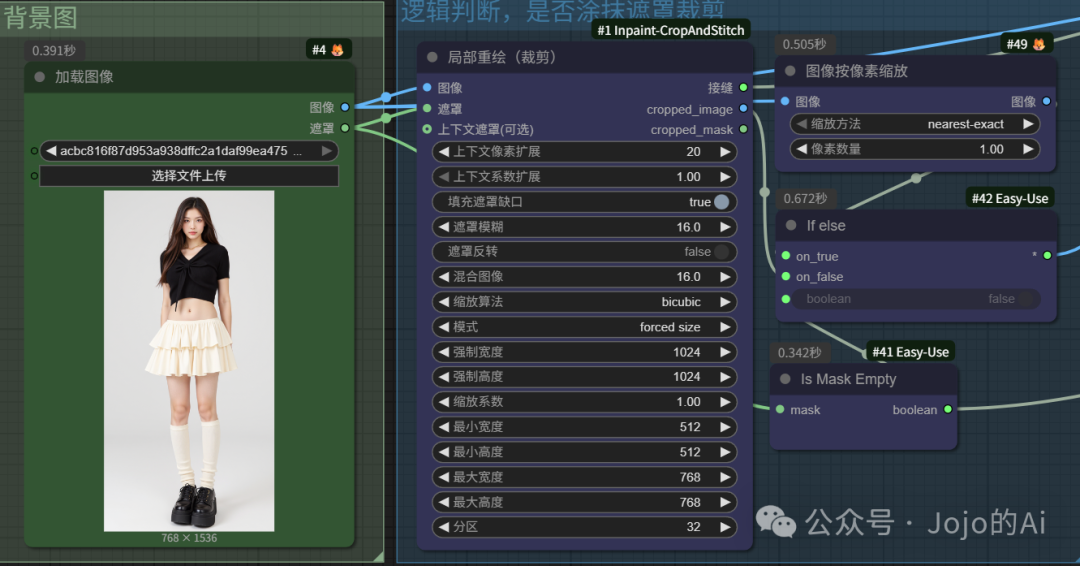
Image Processing: Involves logical judgments on whether to mask and crop, pixel scaling of images, background removal, etc. The background image should be scaled to around 1024 for the best effect. Product images can have their backgrounds removed and choose to add a white or transparent background, then mask and crop for integration.
-
IsMaskEmpty+ifelse Tutorial: https://articles.zsxq.com/id_0teimkbco16s.html
-
Collage Processing: First click reset, then click load. After loading the image, move the product image position and scale size. Once fixed, execute the subsequent steps. This is a very important step.
-
Comfyui_LG_Tools Combination Image Tutorial: https://articles.zsxq.com/id_2he29kh28shs.html
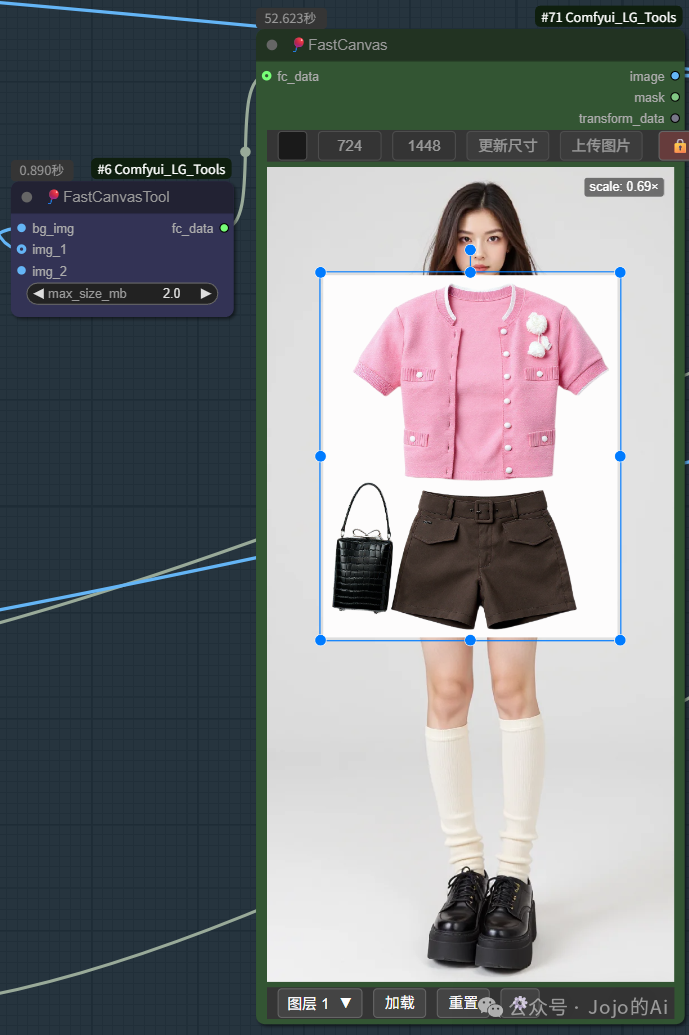
-
Sampling Output: The prompt has a fixed template “Put it here, custom prompt, maintain the style and light of the painting unchanged, use the accelerated model, total steps 10, CFG=1.
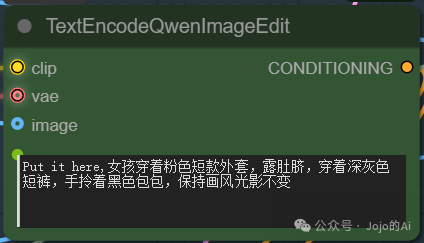
-
Advanced Version: When the original image is too large, you can extract a local mask by cropping and pass it to fastCanvas to integrate the product.
-
Output:
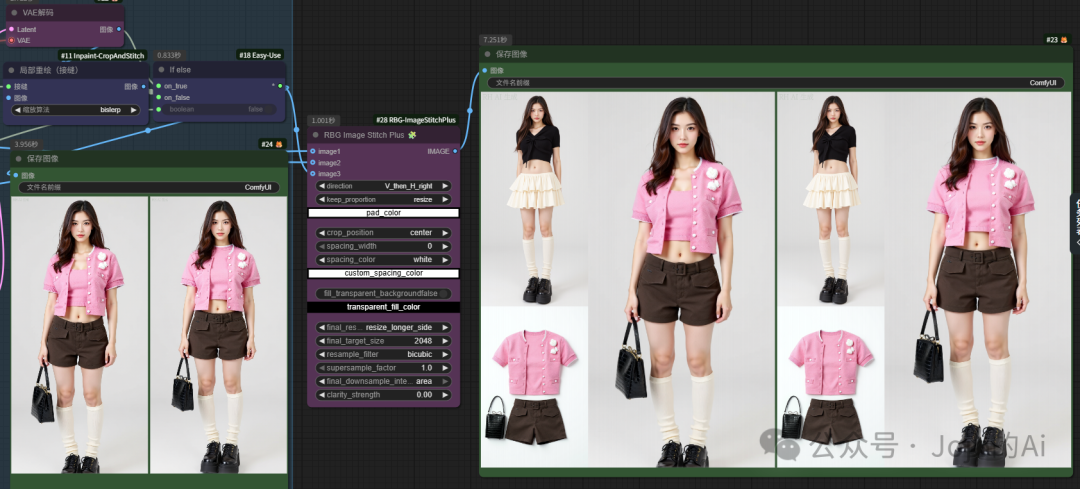
Node Details: RBGImageStitchPlus
This node in ComfyUI is used for image stitching, capable of combining multiple images into a new image according to set rules. Below are the details of each parameter:
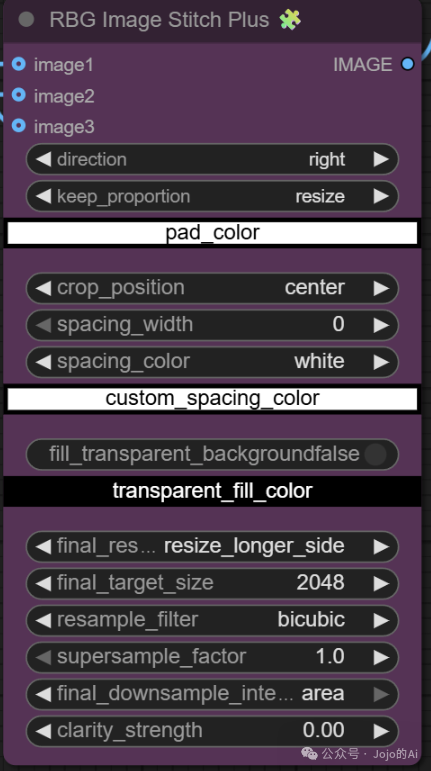
-
Direction Options
Combination Stitching Options
Grid Stitching Options
-
<span>Grid_2x2</span>: Stitches images in a 2-row 2-column grid format, forming a 2×2 image matrix. -
<span>H_then_V_down</span>: First stitches horizontally, then stitches vertically downwards, meaning stitch horizontally first, then vertically down. -
<span>H_then_V_up</span>: First stitches horizontally, then stitches vertically upwards, meaning stitch horizontally first, then vertically up. -
<span>V_then_H_right</span>: First stitches vertically, then stitches horizontally to the right, meaning stitch vertically first, then horizontally to the right. -
<span>V_then_H_left</span>: First stitches vertically, then stitches horizontally to the left, meaning stitch vertically first, then horizontally to the left. -
<span>right</span>: Indicates that the image is stitched to the right horizontally. -
<span>down</span>: Indicates that the image is stitched downwards vertically. -
<span>left</span>: Indicates that the image is stitched to the left horizontally. -
<span>up</span>: Indicates that the image is stitched upwards vertically. -
<span>direction</span>: Stitching direction, -
<span>keep_proportion</span>: Proportion keeping method,<span>resize</span>indicates that during stitching, the image will be scaled to maintain an appropriate ratio, ensuring the stitched image is proportionally coordinated. -
<span>pad_color</span>: Fill color, used to specify the color for filling blank areas during stitching (e.g., due to size mismatches). -
<span>crop_position</span>: Cropping position,<span>center</span>indicates that cropping is based on the center of the image to determine the reference position for cropping. -
<span>spacing_width</span>: Spacing width, sets the gap width between stitched images. A value of<span>0</span>indicates no gap between images. -
<span>spacing_color</span>: Spacing color,<span>white</span>indicates that the spacing area between images is filled with white, and a custom spacing color can also be specified. -
<span>fill_transparent_background</span>: Whether to fill the transparent background,<span>false</span>indicates not to fill the transparent background. If true, it will fill the transparent area with the color specified by<span>transparent_fill_color</span>. -
<span>final_res...resize_longer_side</span>: Method for adjusting the longer side of the final image, used to determine the strategy for scaling the longer side of the final stitched image. -
<span>final_target_size</span>: Final target size, adjusts the stitched image to have the longer side of<span>2048</span>(this value can be modified as needed). -
<span>resample_filter</span>: Resampling filter,<span>bicubic</span>is a commonly used resampling algorithm for image scaling operations, allowing for smoother image scaling. -
<span>supersample_factor</span>: Supersampling factor, a value of<span>1.0</span>indicates the multiple of supersampling, affecting the quality of image sampling. -
<span>final_downsample_inte...area</span>: Final downsampling method,<span>area</span>indicates using area downsampling for image downsampling processing. -
<span>clarity_strength</span>: Clarity strength,<span>0.00</span>indicates no enhancement of image clarity, and the larger the value, the more pronounced the enhancement effect on image clarity.
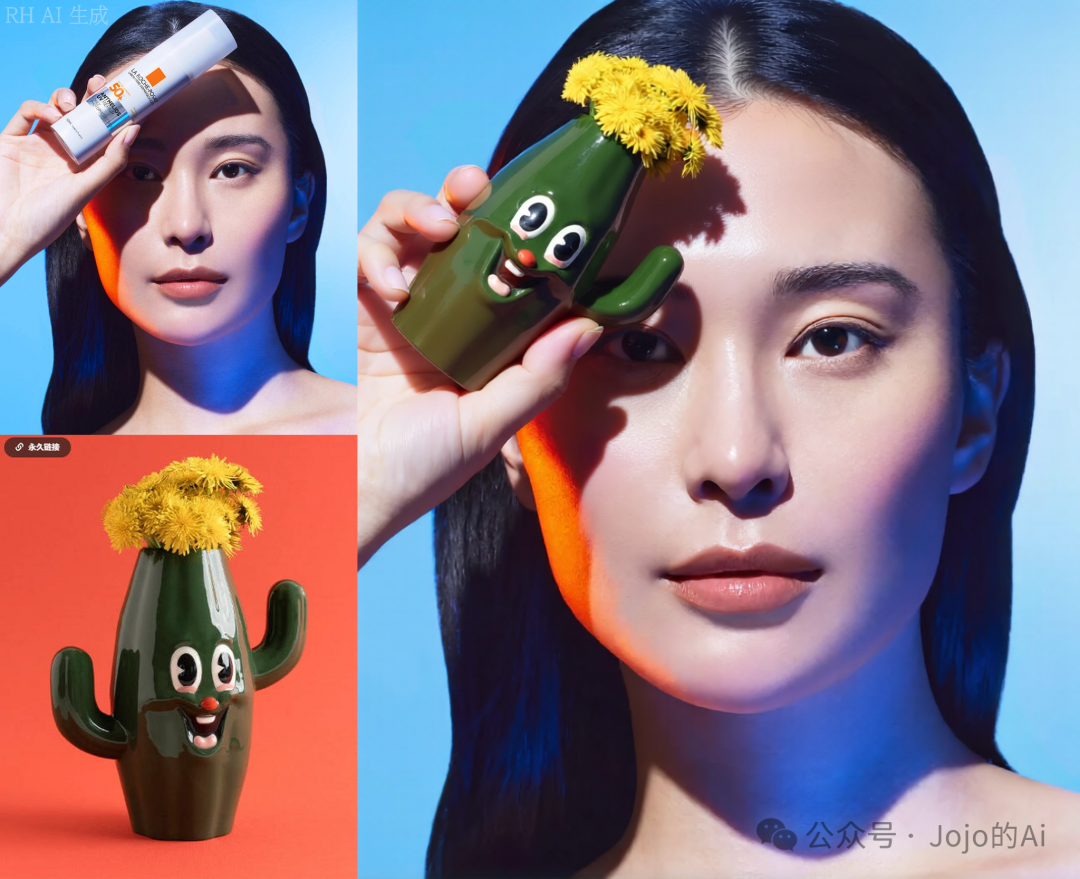
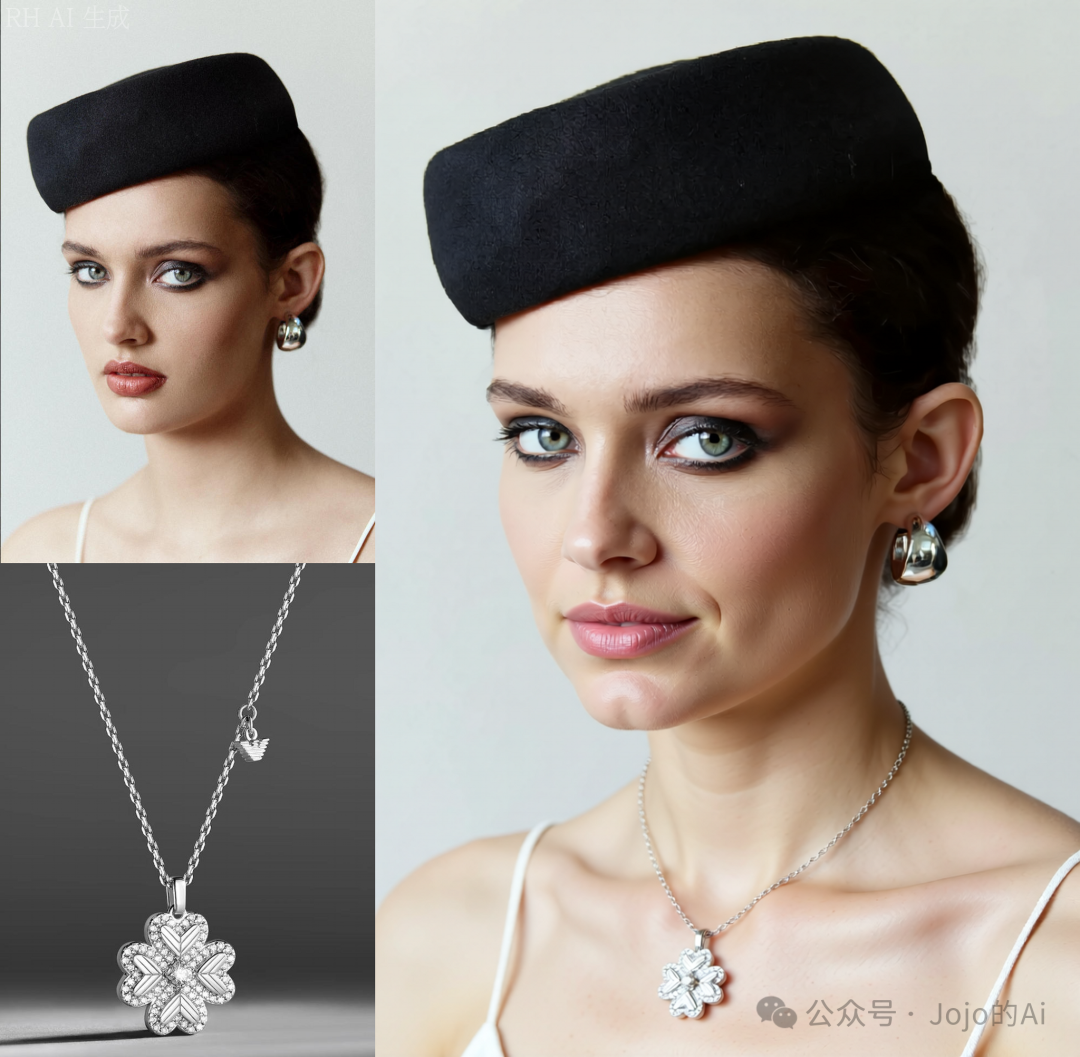
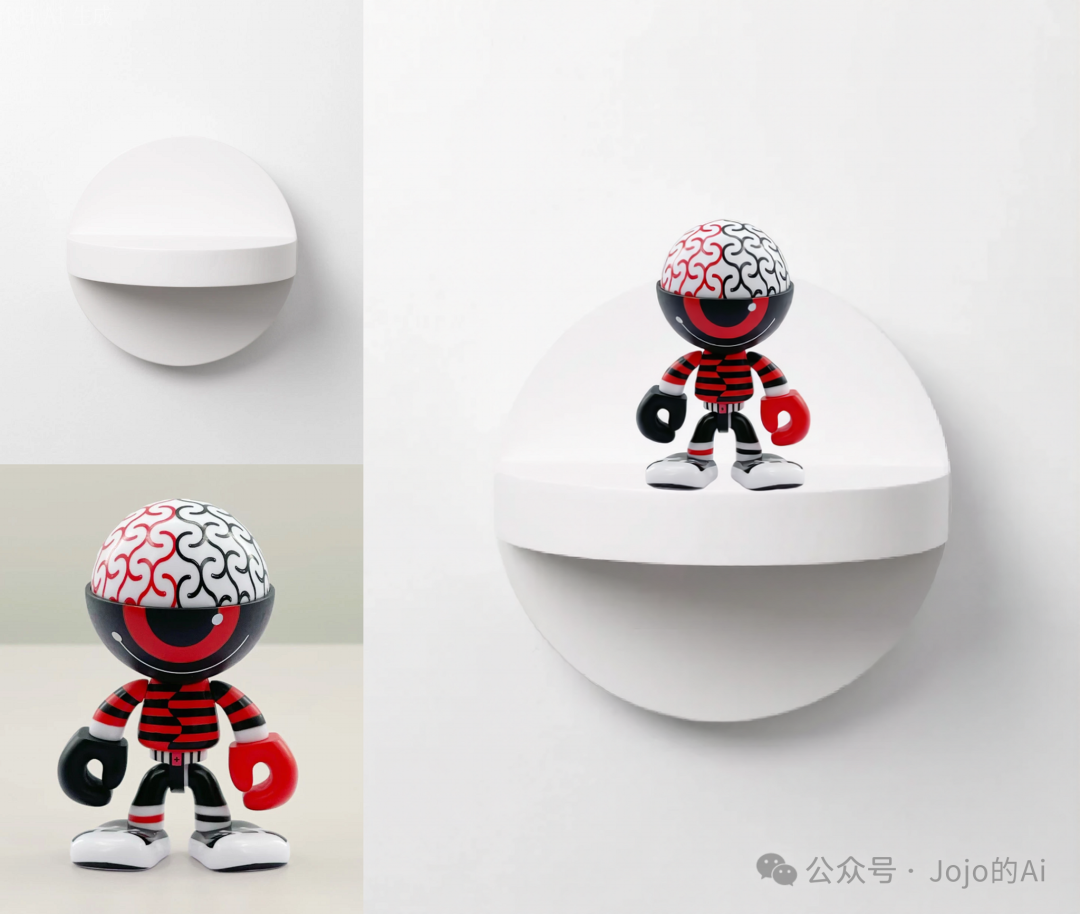
Case Preview

Workflow Download:
RunningHUB Online Experience:
https://www.runninghub.cn/post/1970483967868760065
Workflow Download: Link: https://pan.quark.cn/s/6050f465baf0
For more tutorials, follow Knowledge Planet: https://wx.zsxq.com/group/51115158542814