Hello everyone, I am Chen Jianhao, and everyone calls me Engineer Chen. I usually enjoy pondering technical issues and organize the pitfalls and fragmented thoughts I encounter at work into articles. Occasionally, I also share some work insights and life reflections.
oVirt 4.4.3 open sourcevirtualization platform: Importing OVA virtual machines (Copying OVA files from Node C to Node A and importing the virtual machine on Node A)
We will copy the exported virtual machine to the host where it needs to be imported,10.11.38.2 directory, as shown below:
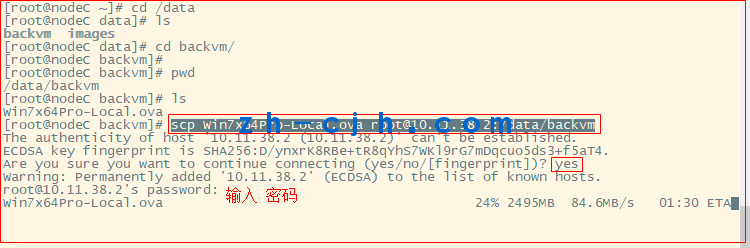

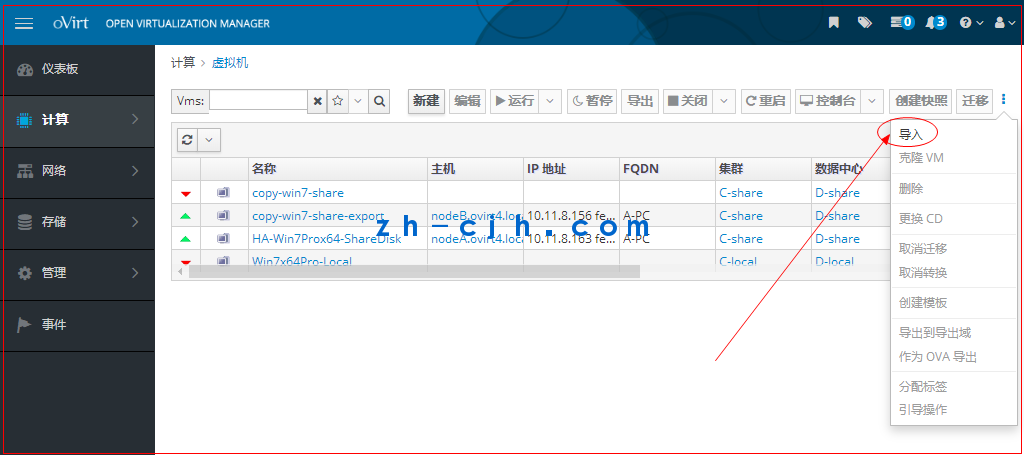
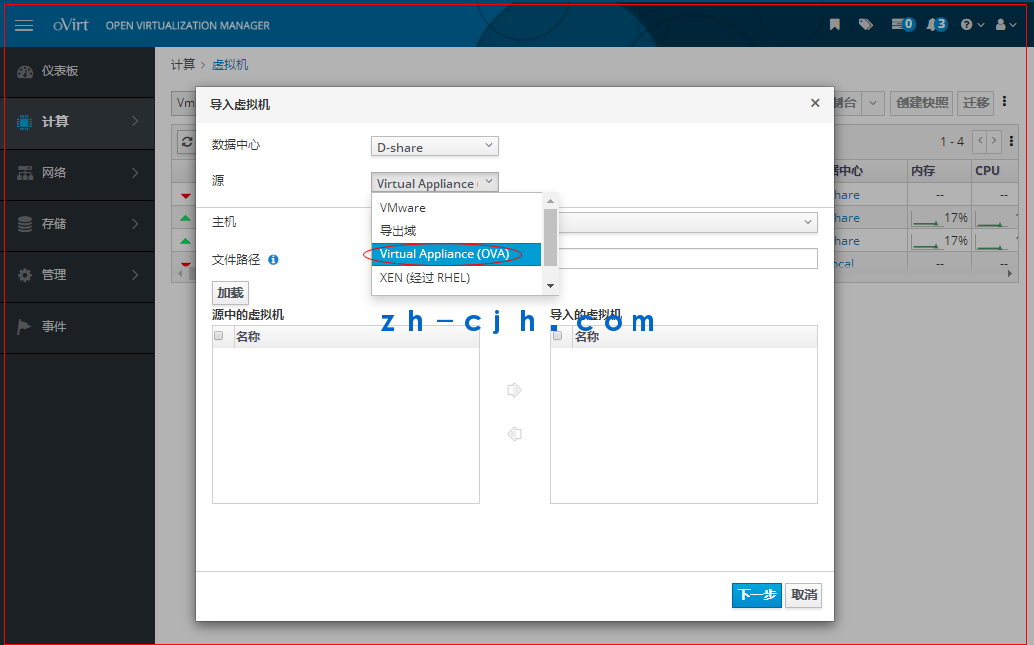
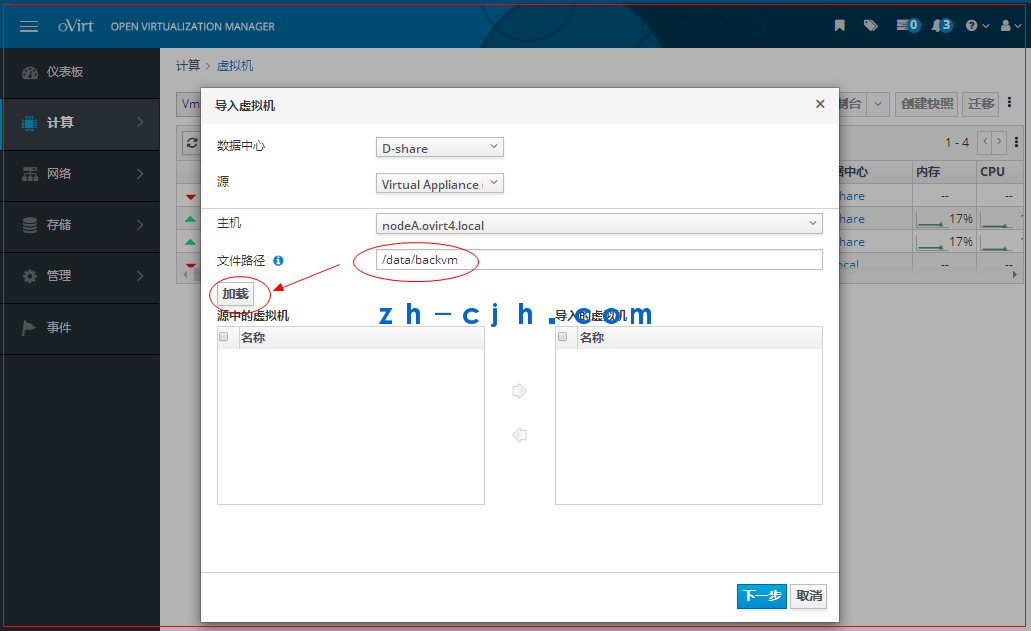
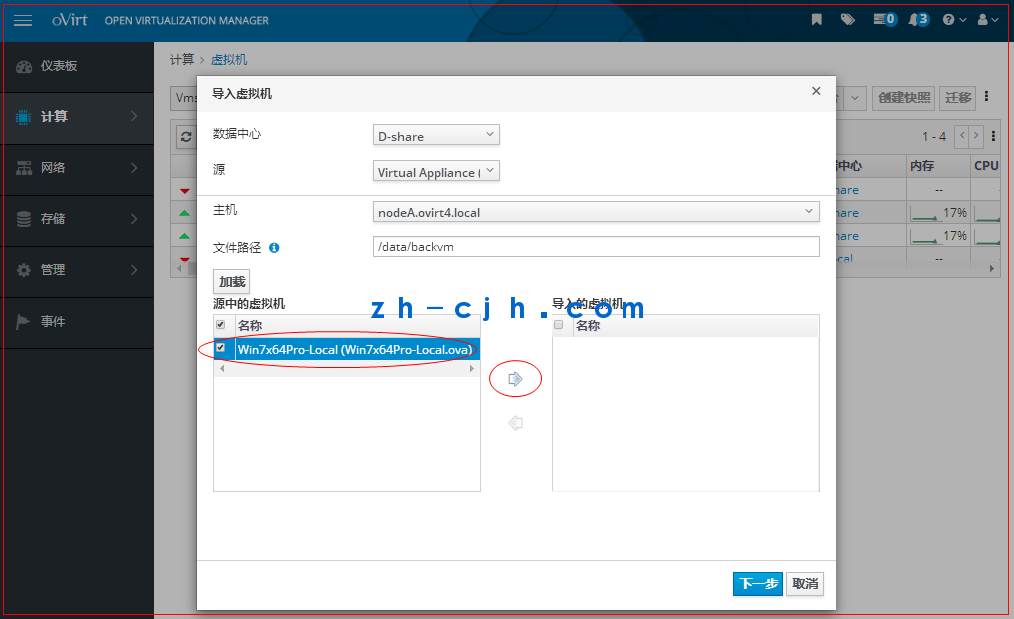
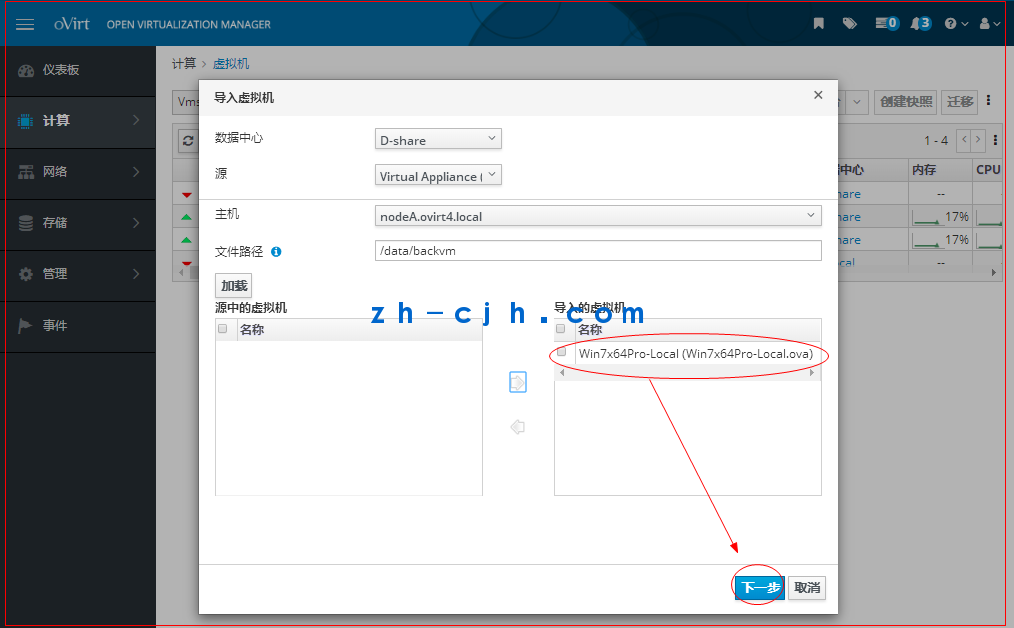
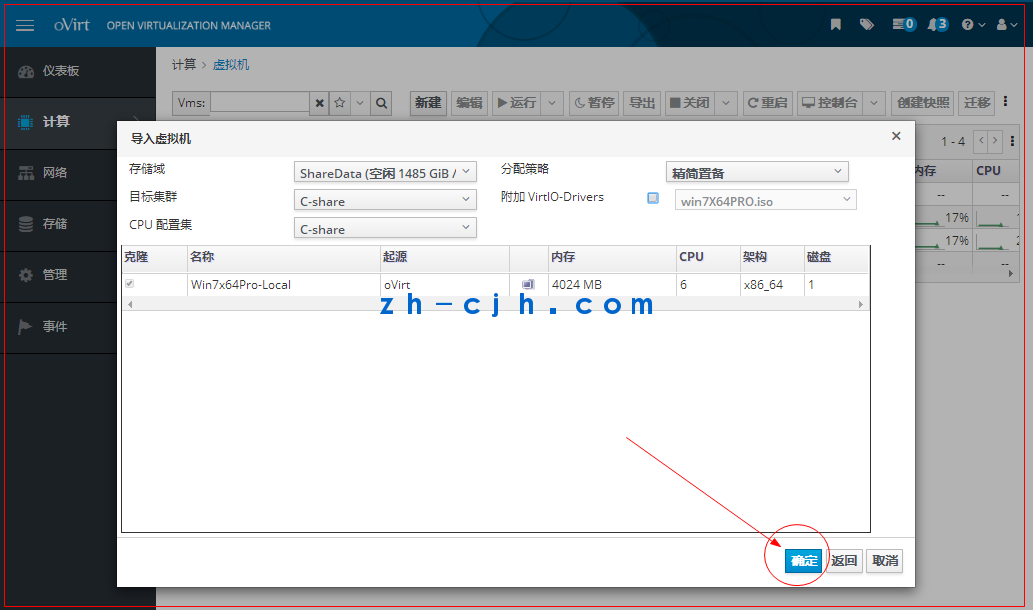
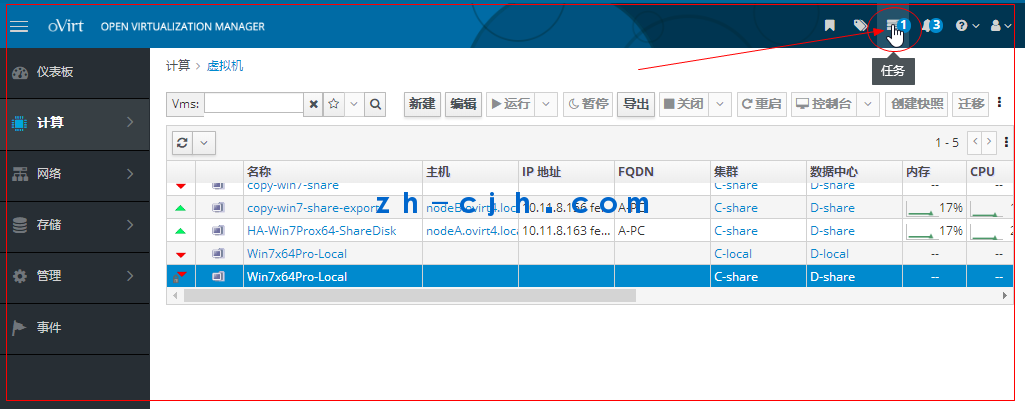
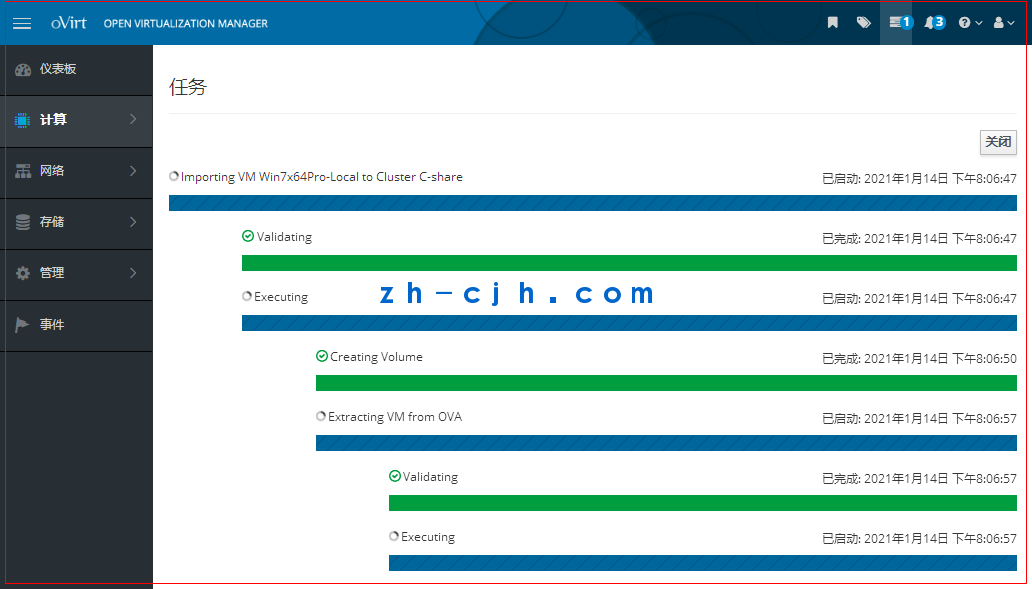
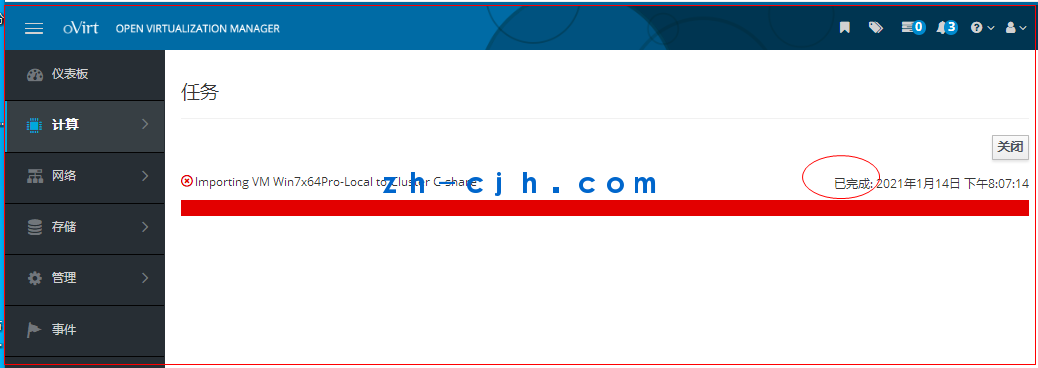
Restart the import virtual machine, change the nameof the OVA file and then proceed with the import
[root@nodeA ~]# cd /data/
[root@nodeA data]# ls
backvm images
[root@nodeA data]# cd backvm/
[root@nodeA backvm]# ls
Win7x64Pro-Local.ova
[root@nodeA backvm]#
[root@nodeA backvm]# mv Win7x64Pro-Local.ova Win7x64Pro-import.ova
[root@nodeA backvm]# ls
Win7x64Pro-import.ova
[root@nodeA backvm]# pwd
/data/backvm
[root@nodeA backvm]#
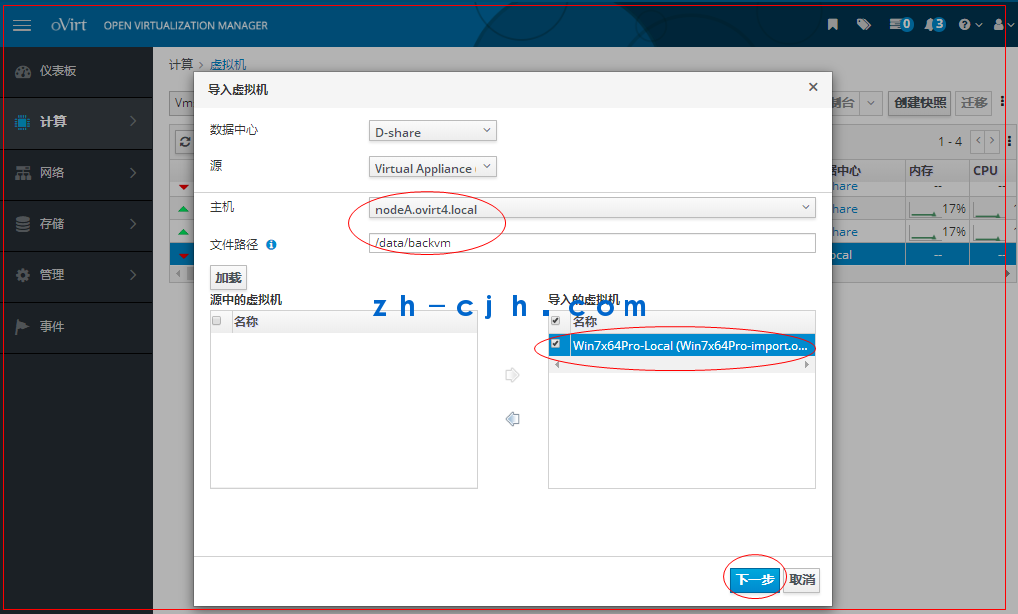
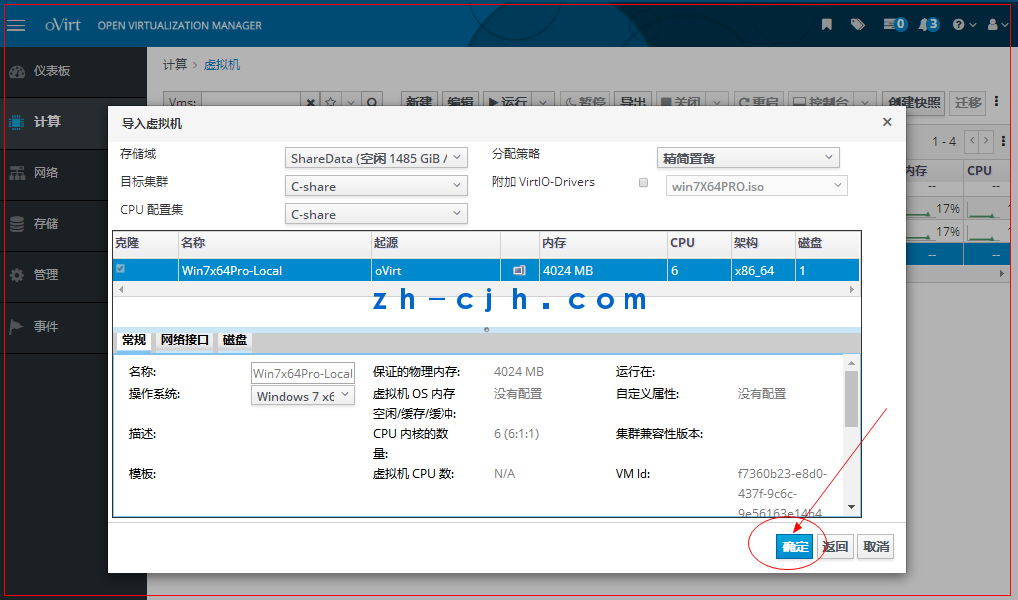
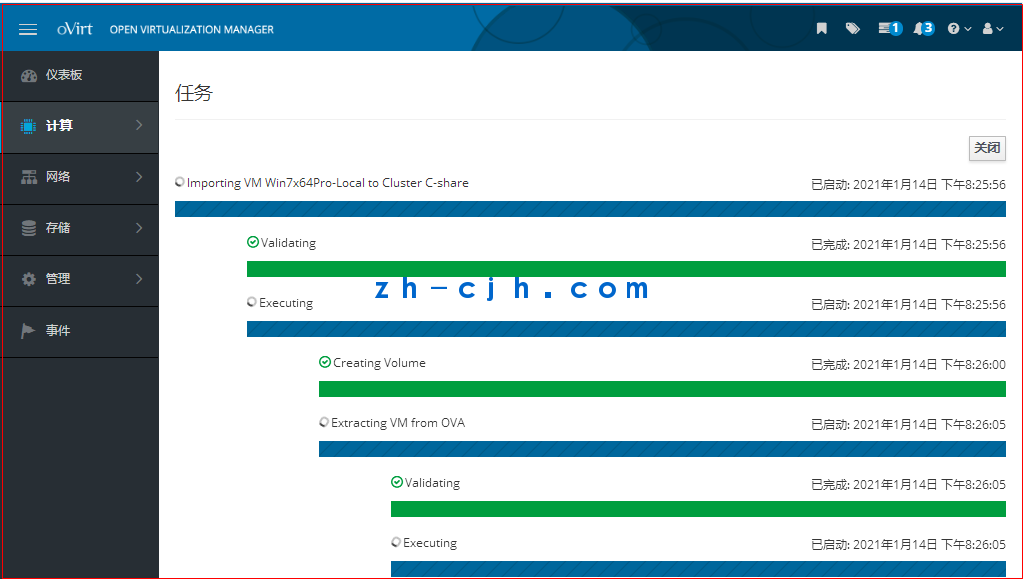
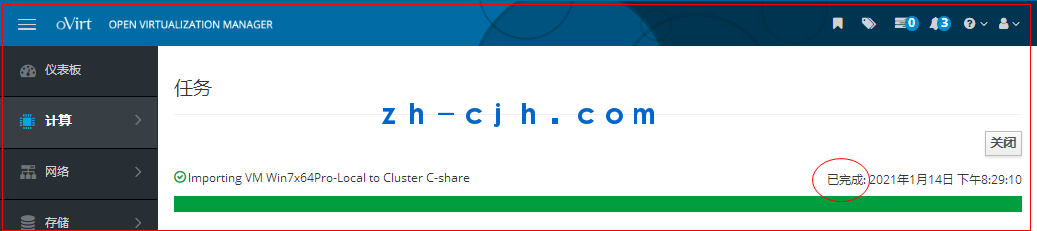
The virtual machine has been successfully imported
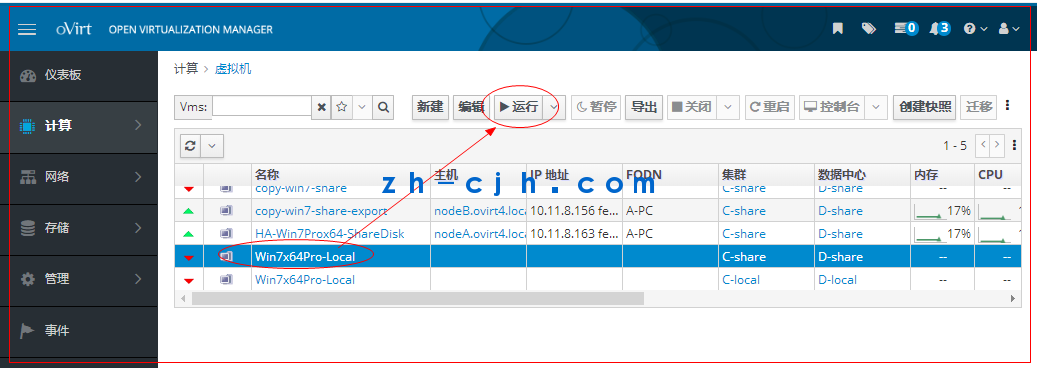
The virtual machine can successfully start
This article is complete.
Article link summary: September 1, 2025
Chen Jianhao’s personal statement:
1. The resources of this public account are continuously updated.2. The resources of this public account are mostly original, with some sourced from other paid resource platforms or collected from the internet. If there is any infringement, please contact us for timely handling.3. Most of the screenshots in this public account’s articles come from experimental testing environments. Please do not imitate them in production environments to avoid catastrophic consequences.
4. Everyone is welcome to engage in technical exchanges. Add me on WeChat, please note your region and name.