Click the blue text
PLC Automation Exchange
Follow us
In industrial automation projects, stable communication between PLCs and various devices (HMI, inverters, instruments, robots, etc.) is key to ensuring efficient system operation. The Mitsubishi FX5U, as a high-performance compact PLC, offers a wealth of communication features. This article will delve into the four main communication methods of the FX5U and their core instructions, helping you easily handle various communication scenarios.1. Introduction: Why is Communication So Important?Modern automation systems are no longer islands but networks composed of numerous devices. As the control core, the PLC needs to exchange data with upper-level computers, vision sensors, robotic arms, and other devices. Choosing the right communication method is like selecting the correct “language” for devices, which can greatly enhance system integration efficiency and operational stability.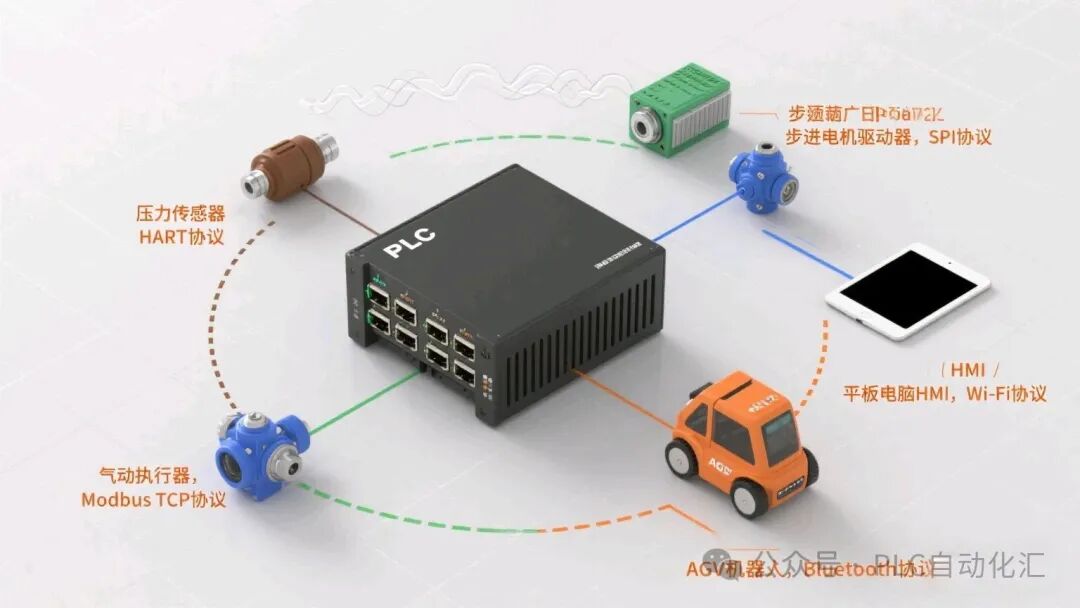 2. Overview of the Four Communication MethodsThe FX5U primarily provides the following four communication methods, each suitable for different scenarios:Communication Method Physical Interface Typical Protocol Applicable Scenarios Programming ComplexitySLMP Protocol Built-in Ethernet Port SLMP (Mitsubishi proprietary) Communication with Mitsubishi HMI, PLC, GX Works3 ★★☆☆☆Modbus RTU Built-in Serial Port (RS485/422) Modbus RTU Connects to inverters, instruments, and other slave devices ★★★☆☆No Protocol Communication Built-in Serial Port (RS485/422) Custom Protocol Connects to serial devices with custom protocols ★★★★☆Socket Communication Built-in Ethernet Port TCP/UDP Raw Data Communicates with non-standard TCP/IP devices ★★★★★3. In-Depth Core Instructions and Applications1. Ethernet SLMP Protocol – The “Mother Tongue” of the Mitsubishi FamilyApplicable Scenarios: The preferred protocol for communication with Mitsubishi touch screens, GX Works3 software, and other Mitsubishi PLCs.Core Instructions:MC instruction family· MC.REQ: General request instruction (most core)· MC.READ: Dedicated read instruction· MC.WRITE: Dedicated write instructionConfiguration Steps:1. Set the PLC’s IP address in GX Works3 (Parameters → FX5UCPU → Module Parameters → Ethernet Port) 2. Set the target device to the same subnet 3. Use MC instructions for data exchangeProgramming Example:
// Read 10 words from the target device (192.168.1.10) D100-D109LD M100MC.READ D100 // Status storage word K1 // Network number K16#0A01 // Target station number (10.1 → 192.168.1.10) K4999 // Port number D200 // Local storage address K10 // Number of words to read D0 // Soft element type (D register) K100 // Starting address (D100)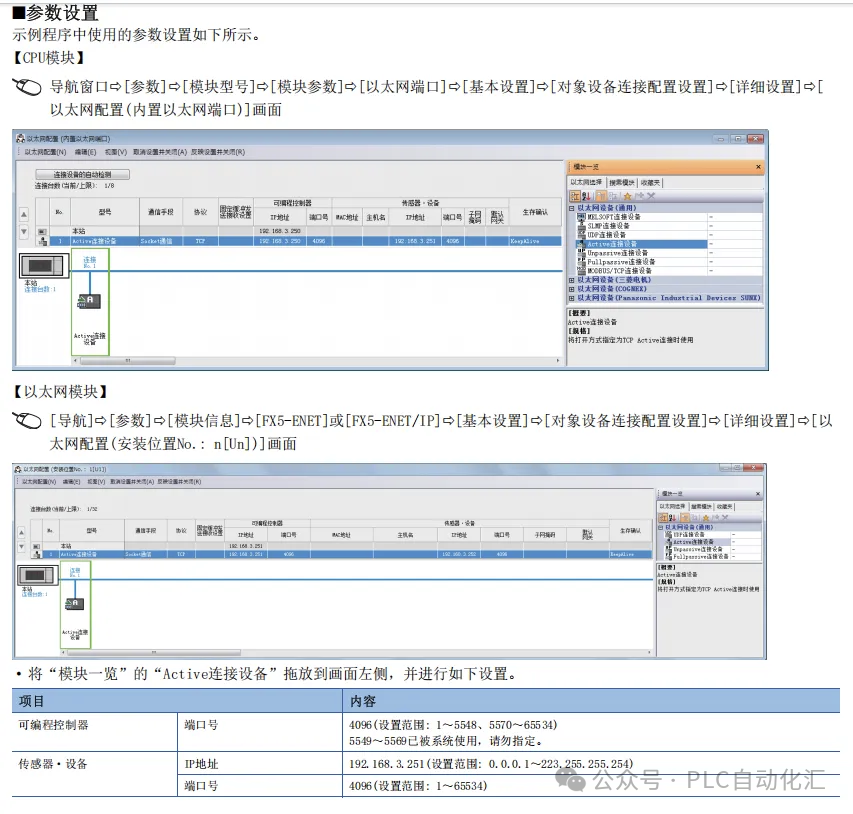 2. Modbus RTU – The “Universal Language” of the IndustryApplicable Scenarios: Connects to slave devices such as inverters, temperature controllers, and power instruments that support the Modbus protocol.Core Instructions:ADPRW (One-stop read/write instruction)Key Parameters:· S1: Slave station number· S2: Function code (H03 read holding register/H06 write single register)· S3: Register address (40001 corresponds to K0)· S4: Number of read/write points· D: Local data storage addressConfiguration Steps:1. Set serial port parameters (Parameters → FX5UCPU → Module Parameters → Serial Communication) 2. Select protocol “Modbus RTU Master” 3. Set baud rate, parity, etc. (must match the slave device)Programming Example:
// Read registers 40001-40005 from device with station number 1LD M200ADPRW D300 // Status storage word K1 // Slave station number H03 // Function code: read holding register K0 // Register address (40001) K5 // Read 5 registers D400 // Local storage address K1000 // Timeout (1000ms)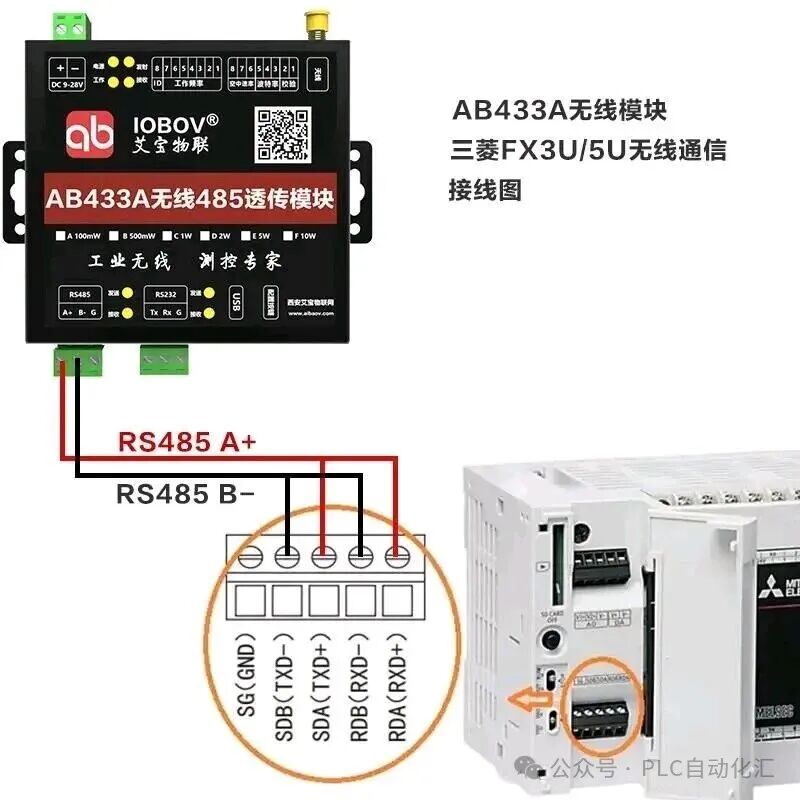 3. No Protocol Communication – Highly Flexible “Custom Language”Applicable Scenarios: Communication with devices using custom protocols (such as certain brands of barcode scanners, printers, etc.).Core Instructions:RS2/RS (Serial Data Send/Receive)Features:· Complete control over message format· Requires self-handling of checks, timeouts, etc.· Highest flexibility but most complex programmingProgramming Example:
// Send custom message through CH2 portLD M300RS2 D500 // Starting address of data to send K5 // Send 5 bytes D600 // Receiving storage address K10 // Size of receiving buffer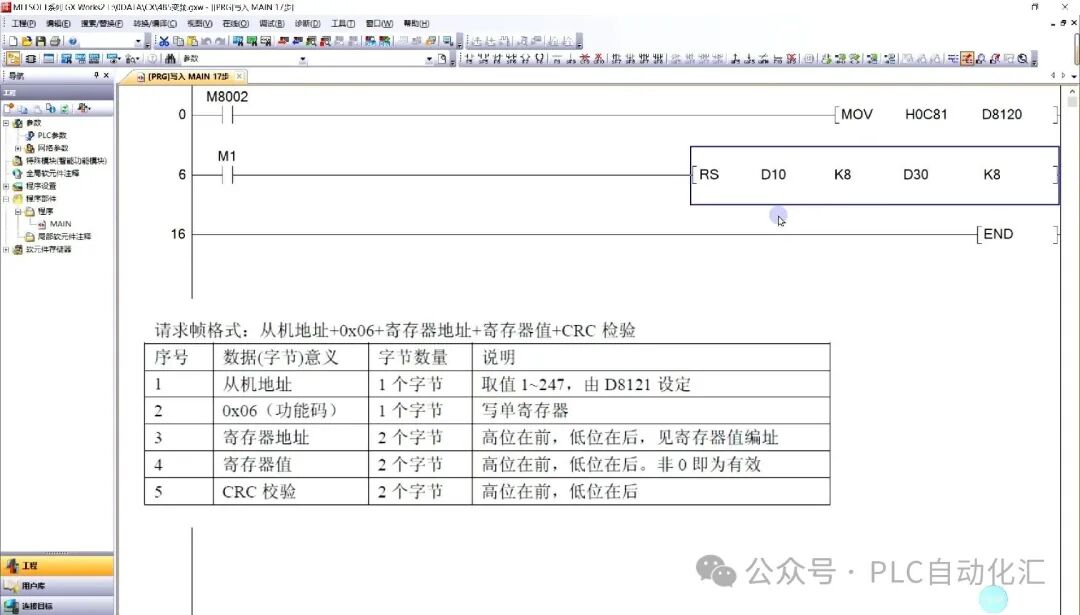 4. Socket Communication – The “World Language” of the InternetApplicable Scenarios: Communication with non-Mitsubishi devices that support TCP/IP (such as custom software on PCs, smart cameras, etc.).Core Instruction Family:· SP.SOCOPEN: Open Socket connection· SP.SOCSND: Send data· SP.SOCRCV: Receive data· SP.SOCCLOSE: Close connectionFeatures:· Can connect to any device that supports TCP/IP· Requires handling of network connection management· Highest programming complexity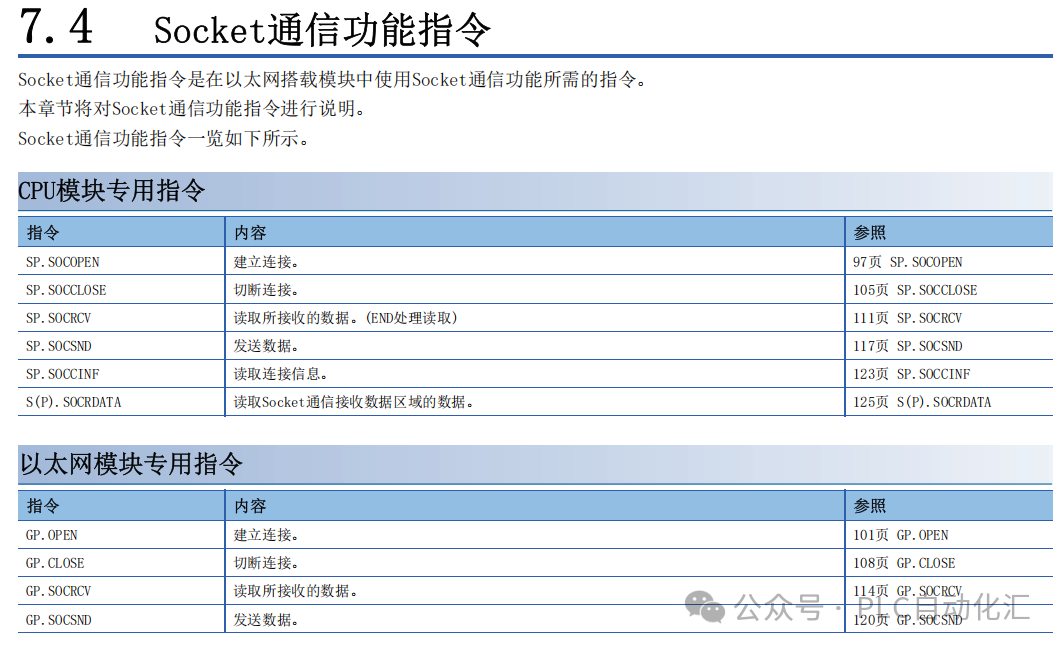
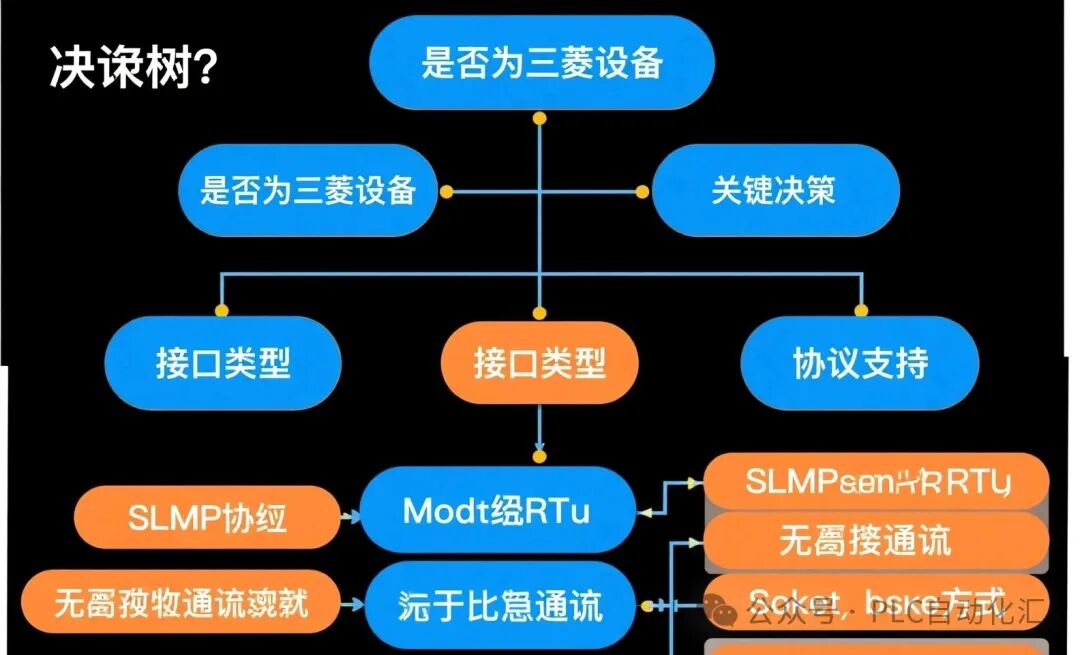
 4. Practical Selection GuideQuestion: Which communication method should I choose?1. If using Mitsubishi family devices → Choose SLMP protocol (MC instructions)2. If using industrial instruments/inverters → Choose Modbus RTU (ADPRW instructions)3. If using non-standard serial devices → Choose No Protocol Communication (RS2 instructions)4. If using non-standard network devices → Choose Socket Communication (SP.SOC instruction family)
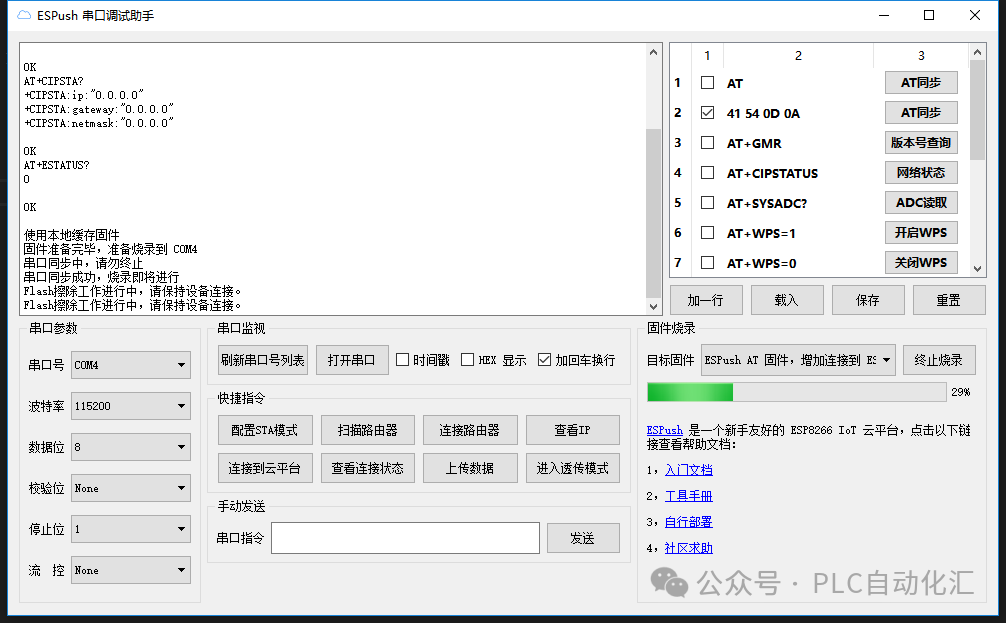
 5. Debugging Tips and Precautions1. Wiring Check: RS485 must be correctly connected with A/B lines, and terminal resistors are essential.2. Parameter Consistency: Baud rate, parity, and other parameters must be completely consistent with the target device.3. Timeout Settings: Reasonable timeout settings can prevent program hangs.4. Error Handling: Always monitor the instruction execution status word and handle error codes promptly.5. Use Tools: Utilize serial port debugging assistants, network debugging assistants, and other tools to test devices first.
 6. ConclusionMastering the communication functions of the FX5U is an essential skill for industrial automation engineers. Through this article, we hope to help you:· Understand the differences and applicable scenarios of the four communication methods· Master the usage of core instructions· Quickly select the correct communication scheme in practical projectsRemember: There is no best communication method, only the most suitable communication method!Interactive Topic: What interesting problems or challenges have you encountered in FX5U communication applications? Feel free to share your experiences in the comments!References:· “MELSEC iQ-F FX5 User Manual (CPU Module Instruction Chapter)”· “MELSEC iQ-F FX5 Serial Communication User Manual”Copyright Notice: This article is a technical sharing article, please indicate the source when reprinting. Some images in the text are sourced from the internet and are for illustration purposes only; copyright belongs to the original authors.Feel free to share, bookmark, like, and discuss your valuable experiences with Mitsubishi FX5U communication in the comments!
If you want to learn Siemens SCL programming, you can purchase the first book below; if you want to learn ladder diagrams, you can purchase the second book, which has detailed examples from basics to entry level.
Your support is the motivation for my creation. Thank you all, and I wish you success and happiness in your work!
Recommended Reading:
- Using All Your Might! Nine Steps to Ensure Stable Operation of Siemens PLCs
- Siemens S7-1500 PLC Troubleshooting: Transforming into an Industrial “Doctor” to Quickly “Cure” Production Line Downtime!
- [10-Year Siemens PLC Veteran Upgrade Path] From Screwing in Modules to Mastering Communication Architecture: My Blood and Tears Technical Stack Guide
- The “Three Weapons” of Servo Motors: Detailed Explanation of Position/Speed/Torque Control (Including Siemens SCL Practical Code)
- Core Secrets of Siemens PLC Programming: What are FB, FC, DB, OB? You will understand after reading this!
- Why Can’t Siemens PLC Engineers with a Monthly Salary of 20,000 Retain Employees? The “Career Burnout” Behind High Salaries is Devouring This Industry!
- Siemens PLC Programming: Ladder Diagram vs SCL, Which One is for You? A Comprehensive Beginner’s Guide + Practical Code!
- Say Goodbye to “Spaghetti Code”! Siemens PLC Sequential Programming “Three-Step Method” Doubles Efficiency Without Pitfalls!
- Siemens SCL Communication Heartbeat Monitoring: A Practical Guide to Industrial Heartbeat Programs
- Siemens S7-1200 and Weintek Tag Communication: Say Goodbye to Manual Address Filling, This “Smart Translator” Makes Debugging Three Times Faster!
- Siemens SCL Practical: A Step-by-Step Guide to Writing Station Control Function Blocks
- Siemens S7-1200 Mixed Programming Practical: The Golden Combination Rules of SCL and LAD
- Electrical Automation Encirclement: Ten Years of Hard Work Resulting in This Heartfelt Industry Experience Summary
- Siemens SCL Workstation Control Program: Start/Stop Control + Three-Color Light + Buzzer Alarm
- Mitsubishi FX3U PLC Dual Pump Constant Pressure Water Supply Explained: Intelligent Switching Between Variable Frequency and Power Frequency + Safety Emergency Stop System
- Electrical Automation Professional Graduation Guide:
- Employment Directions and Salary Prospects Fully Analyzed
- Electrical Automation College Graduates: Starting Salaries Comparable to Undergraduates? Full Disclosure of Technical Counterattack Roadmap!
- Siemens S7-200 SMART Flexible Port Communication Explained: Introduction to Flexible Serial Communication Solutions
- Siemens SCL Full-Function Servo Control Ultimate Solution: 8 Motion Modes + 5 Levels of Safety Protection
- Let Data Speak! A Scientific Guide for Choosing Majors for Science vs. Humanities Students (Including Employment Salary & Trend Analysis)
Sharing Lets More People See

Like
Bookmark
Share