
This article provides the generation of geomagnetic data, the true values of magnetic force, and the simulated measurement values, along with a MATLAB program for calculating the coordinates of the test point based on geomagnetic laws. The geomagnetic model and measurement errors can be adjusted as needed.
Table of Contents
- Demonstration of Results
- MATLAB Example
- Complete Code
Demonstration of Results
Geomagnetic Distribution Map: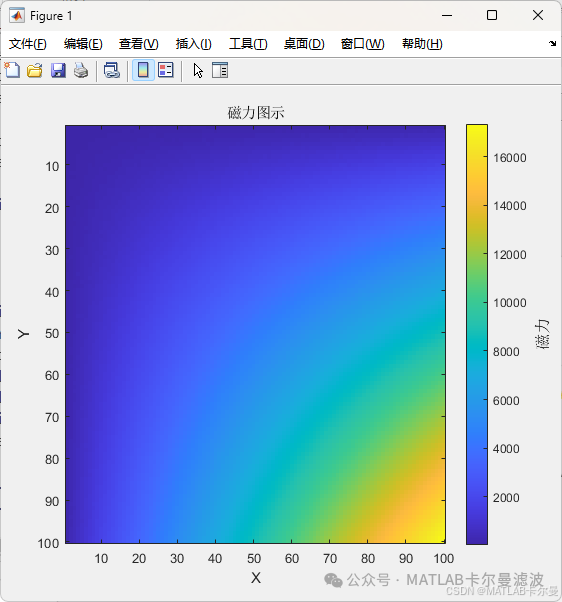 Similarity Distribution of Matching: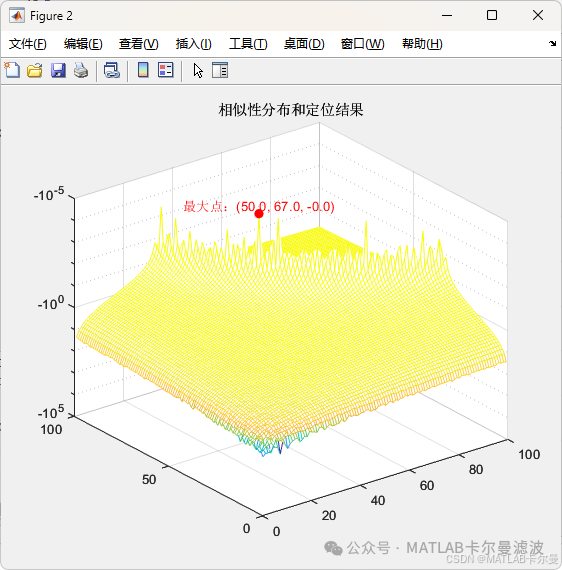
Positioning Result Map: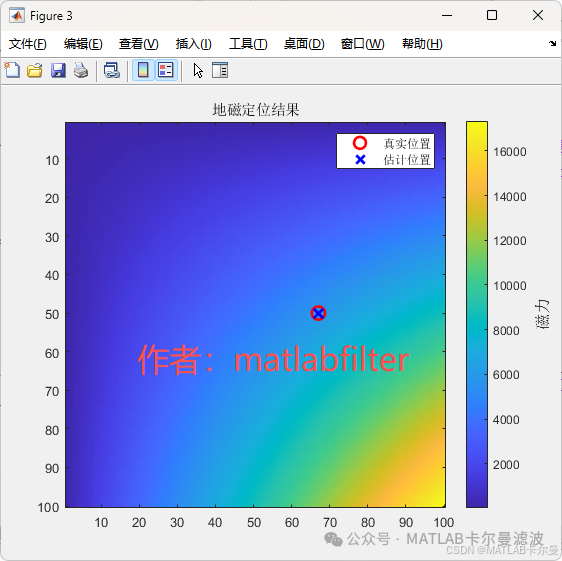
MATLAB Example
Program Structure Diagram: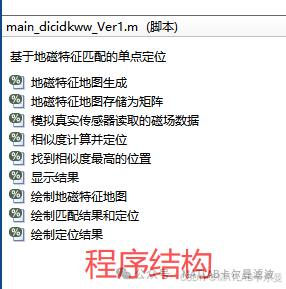
Below is a simple MATLAB example demonstrating how to use geomagnetic data for positioning. This example assumes that geomagnetic field data and location data are already available.
% Single-point positioning based on geomagnetic feature matching
% For paid consultation or customization, please contact V: matlabfilter (only this one, others are pirated stores)
% 2025-09-10/Ver1

clear; clc; close all;
rng(0);
%% Generation of Geomagnetic Feature Map
% Assume the map size is 10x10, randomly generate geomagnetic features for each point
mapSize =100;% Map size
Bx =rand(mapSize, mapSize)*10+[1:mapSize]'*[1:mapSize];% X-direction magnetic field component
By =rand(mapSize, mapSize)*30+[1:mapSize]'*[1:mapSize];% Y-direction magnetic field component
Bz =rand(mapSize, mapSize)*50+[1:mapSize]'*[1:mapSize];% Z-direction magnetic field component

%% Store Geomagnetic Feature Map as Matrix
m_magneticMap =sqrt(Bx.^2+ By.^2+ Bz.^2);% Magnetic field strength - true distribution matrix
Complete Code
Download Link:
https://mall.bilibili.com/neul-next/detailuniversal/detail.html?isMerchant=1&page=detailuniversal_detail&saleType=10&itemsId=13138722&loadingShow=1&noTitleBar=1&msource=merchant_share
Or click on “Read the original text” at the end of the article to jump.
<span>If you need assistance or have requirements for navigation and positioning filter-related code customization, please contact the author via WeChat below.</span>