1. IntroductionThis method is suitable for: Amesim version 20 and above, Matlab version 20 and above, VS versions 15-19, all on 64-bit Windows systems. The installation disks for the three software can be different.To simplify the subsequent process, it is recommended to install the VS software first; there is no specific order required for Matlab and Amesim. If not installed in this order, it is advised to uninstall and then reinstall.
This tutorial uses VS2017, Amesim2504, and Matlab2025a, all installed on the C drive.
Ensure that Amesim and Matlab software can run normally.
2. Installing VS
VS2017 download link:https://pan.baidu.com/s/1rGGwPEUXdho4kiRdaiGKVQ Extraction code: 9ufh
Select these options, leave the rest as default, and then download and install. The installation takes about 20 minutes (depending on internet speed). After installation, check if it can be opened normally; no cracking is required.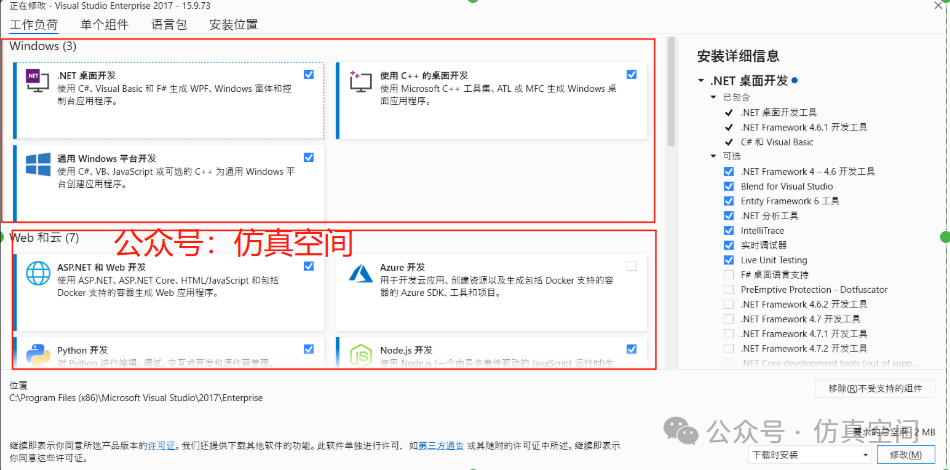 3. Installing AmesimAmesim2504 installation tutorial:https://www.simrooms.net/nd.jsp?id=163.1 Amesim2504 After installation, it will automatically recognize the Microsoft Visual C++ compiler.3.1.1Other Amesim versions will also recognize the Microsoft Visual C++ compiler, as shown in the following image.
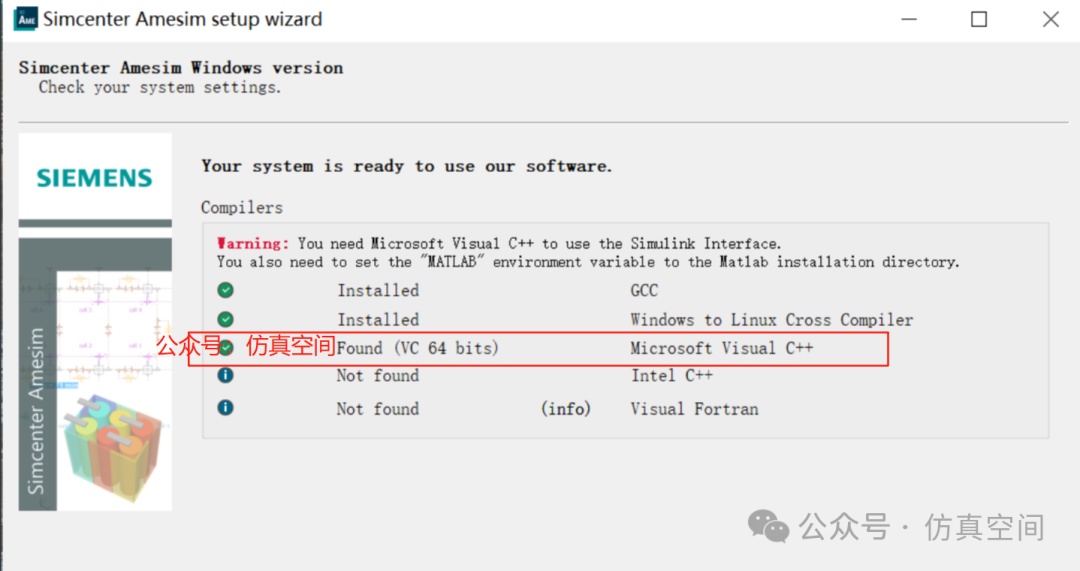
3.2After installing Amesim2504, a file named vcvars64_vc140.bat will be located in the following path.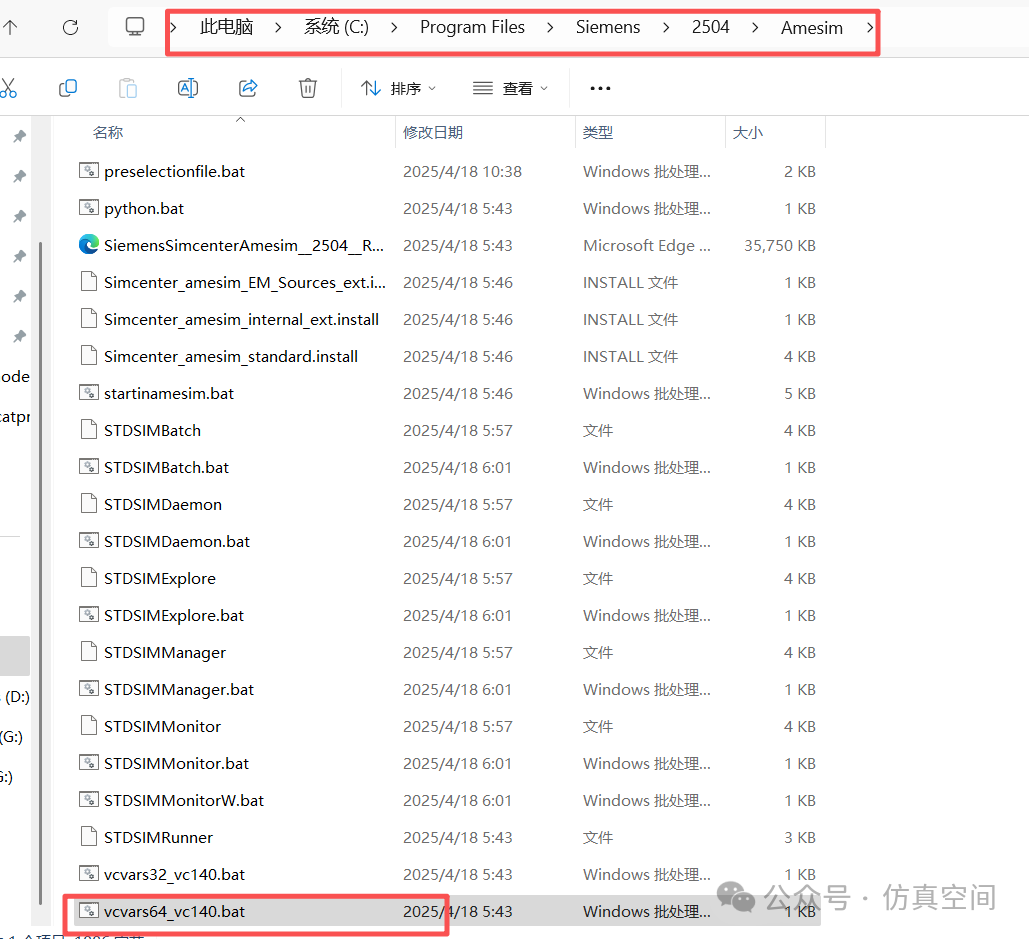
Other versions of Amesim will not have this; you need to create one. First, create a text file on the desktop named vcvars64_vc140.txt. The content should be as follows (just copy this part).
@echo off
call “C:\Program Files (x86)\Microsoft Visual Studio\2019\Community\VC\Auxiliary\Build\vcvars64.bat”
 Then change the file extension to .bat, and paste this file into the appropriate directory.3.3Ensure that the environment variables are set as follows (copy the installation path you used).
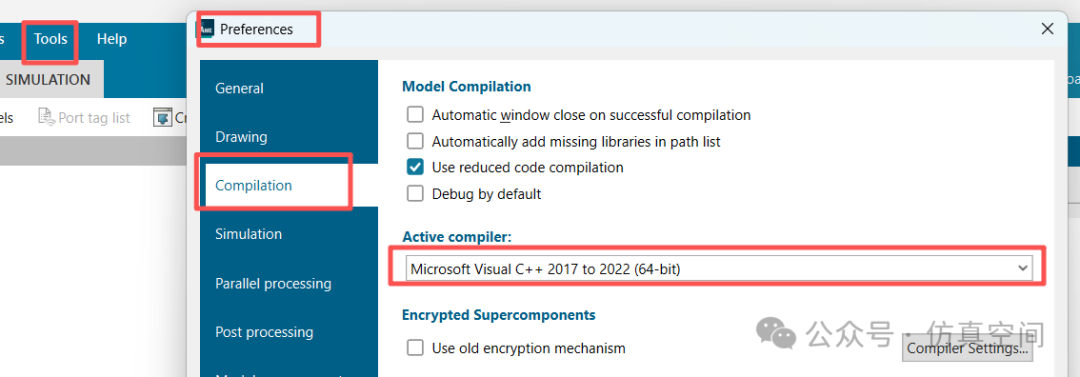
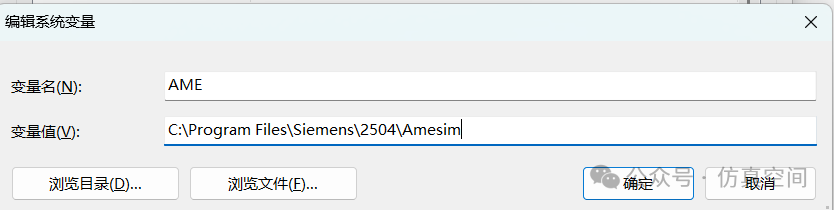 3.4Open the Amesim software and switch the compiler.
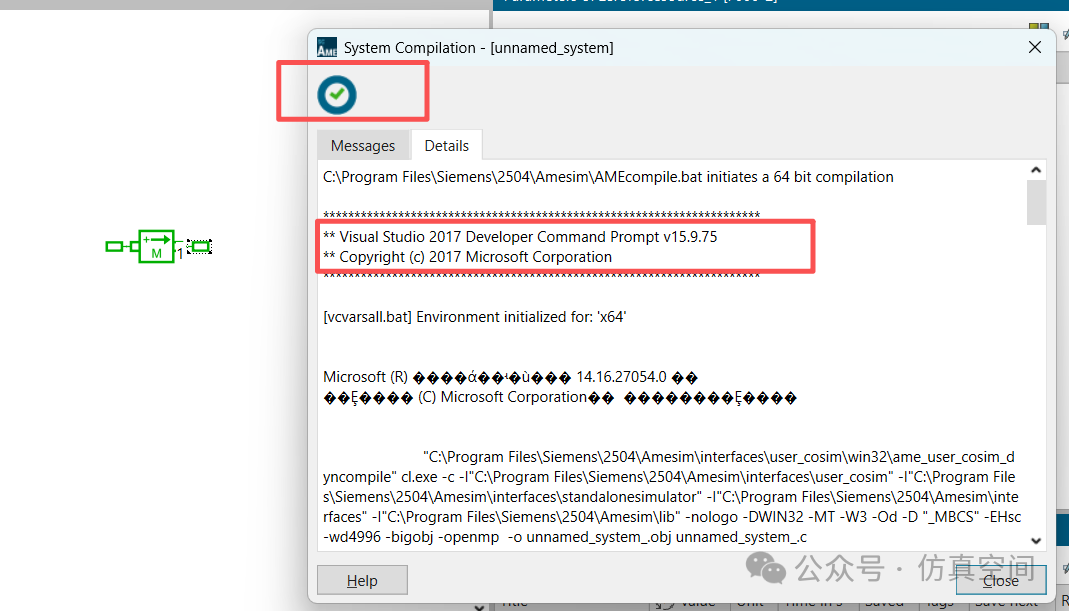
 Create a new model or open an existing model to compile (ensure it can compile).
 4. Installing Matlab
Matlab2025a installation tutorial: https://www.simrooms.net/nd.jsp?id=21
4.1Open Matlab and set it as follows. In the MATLAB command line, enter the commandmex -setup (copy and paste the command) to set up the compiler.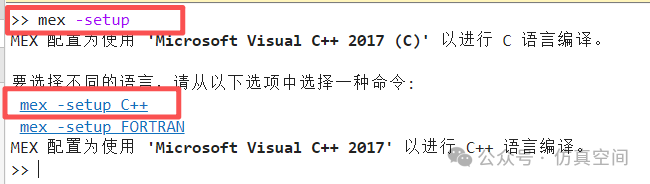
4.2
Ensure that the environment variables are set as follows (copy the installation path you used).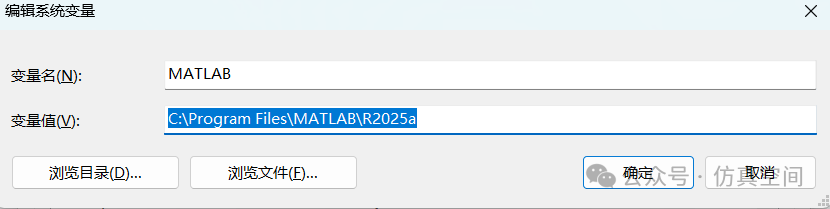
5. Co-Testing
-
Open Amesim and create the following model, an accumulation model.
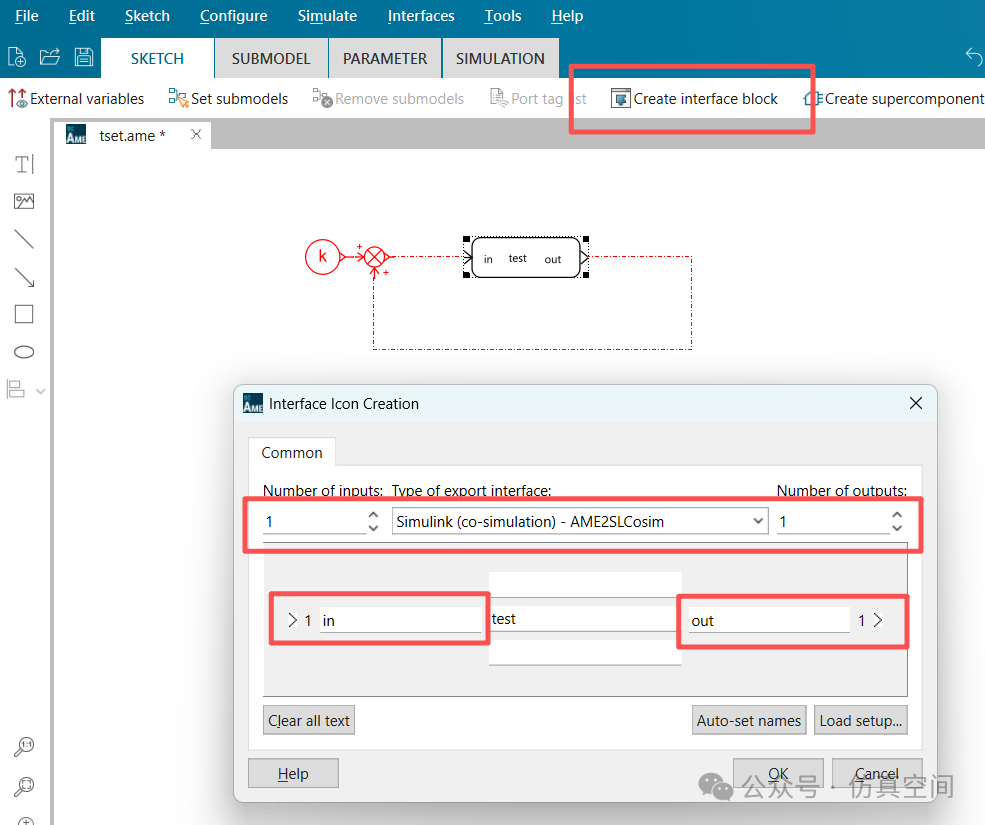
The model should be saved in an English path, and after compilation, it will generate the following model.

After running in Amesim, Matlab software will automatically open, and then create a Simulink model.
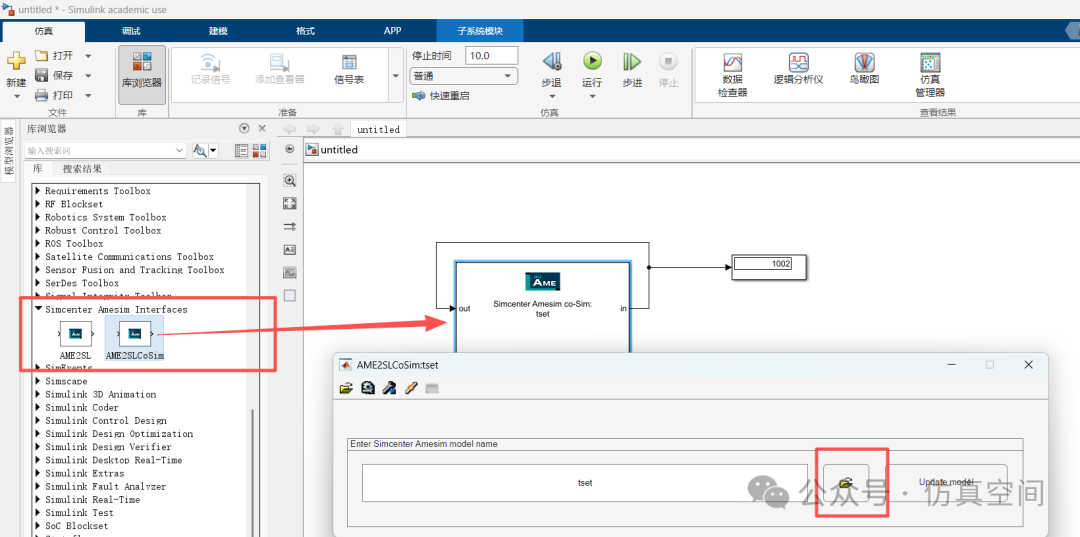
Find Simcenter Amesim Interfaces in the library and build the following model.
Open Amesim and create the following model, an accumulation model.
The model should be saved in an English path, and after compilation, it will generate the following model.
After running in Amesim, Matlab software will automatically open, and then create a Simulink model.
Find Simcenter Amesim Interfaces in the library and build the following model.
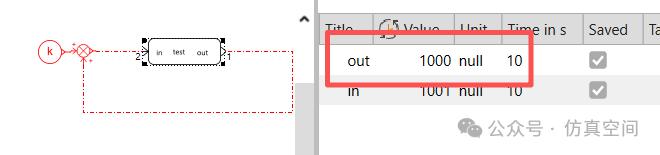
After the calculation is complete, the Amesim result is 1000 (simulation time 10s, interaction 0.01s).
Personal suggestion: Setting up co-simulation between high version Amesim and Simulink involves many steps and can be cumbersome. It is recommended to use the FMU universal interface for co-simulation, which does not require setting up software interfaces and does not require installing VS, providing stable co-simulation without errors.
If you wish to join the discussion group, please reply with: Join Group in the public account backend.