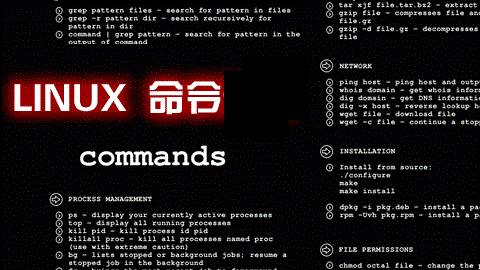
Linux is a free and freely distributable Unix-like operating system, based on POSIX and UNIX, and supports multi-user, multi-tasking, multi-threading, and multi-CPU. It can run major UNIX tool software, applications, and network protocols. It supports both 32-bit and 64-bit hardware. Linux inherits the Unix design philosophy centered on networking and is a stable multi-user network operating system.
Linux commands are used to manage the Linux system. In Linux, whether it’s the central processing unit, memory, disk drives, keyboard, mouse, or users, everything is treated as a file. The commands for system management are at the core of its normal operation, similar to the previous DOS commands. There are two types of Linux commands: built-in Shell commands and regular Linux commands.
|
Command |
Description |
|
Online Query and Help Commands (2) |
|
|
man |
View command help and dictionary; for more complex needs, use info, though it’s less commonly used. |
|
help |
View help for built-in Linux commands, such as the cd command. |
|
File and Directory Operations (18) |
|
|
ls |
Stands for list; lists the contents of a directory and their attributes. |
|
cd |
Stands for change directory; switches from the current working directory to a specified one. |
|
cp |
Stands for copy; copies files or directories. |
|
find |
Means to find; used to search for directories and files within them. |
|
mkdir |
Stands for make directories; creates a directory. |
|
mv |
Stands for move; moves or renames files. |
|
pwd |
Stands for print working directory; shows the absolute path of the current working directory. |
|
rename |
Used to rename files. |
|
rm |
Stands for remove; deletes one or more files or directories. |
|
rmdir |
Stands for remove empty directories; deletes empty directories. |
|
touch |
Creates a new empty file or changes the timestamp of an existing file. |
|
tree |
Displays the contents of a directory in a tree structure. |
|
basename |
Displays the file or directory name. |
|
dirname |
Displays the path of a file or directory. |
|
chattr |
Changes the extended attributes of a file. |
|
lsattr |
Views the extended attributes of a file. |
|
file |
Displays the type of a file. |
|
md5sum |
Calculates and verifies the MD5 checksum of a file. |
|
View Files and Content Processing Commands (21) |
|
|
cat |
Stands for concatenate; used to connect multiple files and print to the screen or redirect to a specified file. |
|
tac |
tac is cat spelled backward; the command displays file content in reverse. |
|
more |
Displays file content page by page. |
|
less |
Displays file content page by page; the opposite usage of more. |
|
head |
Displays the head of file content. |
|
tail |
Displays the tail of file content. |
|
cut |
Splits each line of a file by a specified delimiter and outputs. |
|
split |
Splits a file into different segments. |
|
paste |
Merges file content by line. |
|
sort |
Sorts the text content of a file. |
|
uniq |
Removes duplicate lines. |
|
wc |
Counts the number of lines, words, or bytes in a file. |
|
iconv |
Converts the encoding format of a file. |
|
dos2unix |
Converts DOS format files to UNIX format. |
|
diff |
Stands for difference; compares the differences between files, commonly used for text files. |
|
vimdiff |
A command-line visual file comparison tool, commonly used for text files. |
|
rev |
Reverses the output of file content. |
|
grep/egrep |
Filters strings. |
|
join |
Merges two files by matching fields. |
|
tr |
Replaces or deletes characters. |
|
vi/vim |
Command-line text editor. |
|
File Compression and Decompression Commands (4) |
|
|
tar |
Packs and compresses files. |
|
unzip |
Extracts files. |
|
gzip |
Gzip compression tool. |
|
zip |
Compression tool. |
|
Information Display Commands (11) |
|
|
uname |
Displays information related to the operating system. |
|
hostname |
Displays or sets the current system’s hostname. |
|
dmesg |
Displays boot information, used for diagnosing system faults. |
|
uptime |
Displays system uptime and load. |
|
stat |
Displays the status of a file or filesystem. |
|
du |
Calculates disk space usage. |
|
df |
Reports filesystem disk space usage. |
|
top |
Displays real-time system resource usage. |
|
free |
Views system memory. |
|
date |
Displays and sets system time. |
|
cal |
Views calendar and time information. |
|
File Search Commands (4) |
|
|
which |
Finds binary commands by searching the environment variable PATH. |
|
find |
Traverses the disk to find files or directories. |
|
whereis |
Finds binary commands by searching the environment variable PATH. |
|
locate |
Finds commands from the database (/var/lib/mlocate/mlocate.db); uses updatedb to update the database. |
|
User Management Commands (10) |
|
|
useradd |
Adds a user. |
|
usermod |
Modifies attributes of an existing user. |
|
userdel |
Deletes a user. |
|
groupadd |
Adds a user group. |
|
passwd |
Modifies user password. |
|
chage |
Modifies user password expiration. |
|
id |
Views user’s uid, gid, and associated user groups. |
|
su |
Switches user identity. |
|
visudo |
Special command to edit the /etc/sudoers file. |
|
sudo |
Executes commands allowed in the sudoers file as another user (default root). |
|
Basic Network Operation Commands (11) |
|
|
telnet |
Remote login using the TELNET protocol. |
|
ssh |
Remote login using the SSH encryption protocol. |
|
scp |
Stands for secure copy; used to copy files between different hosts. |
|
wget |
Command-line file downloader. |
|
ping |
Tests network connectivity between hosts. |
|
route |
Displays and sets the routing table of the Linux system. |
|
ifconfig |
Views, configures, enables, or disables network interfaces. |
|
ifup |
Starts the network card. |
|
ifdown |
Stops the network card. |
|
netstat |
Views network status. |
|
ss |
Views network status. |
|
Deep Network Operation Commands (9) |
|
|
nmap |
Network scanning command. |
|
lsof |
Stands for list open files; lists files that are currently opened by the system. |
|
|
Sends and receives emails. |
|
mutt |
Email management command. |
|
nslookup |
Interactive command to query Internet DNS servers. |
|
dig |
Finds DNS resolution processes. |
|
host |
Command to query DNS. |
|
traceroute |
Tracks the route of data transmission. |
|
tcpdump |
Command-line packet capture tool. |
|
Disk and Filesystem Commands (16) |
|
|
mount |
Mounts a filesystem. |
|
umount |
Unmounts a filesystem. |
|
fsck |
Checks and repairs the Linux filesystem. |
|
dd |
Converts or copies files. |
|
dumpe2fs |
Exports ext2/ext3/ext4 filesystem information. |
|
dump |
Backup tool for ext2/3/4 filesystems. |
|
fdisk |
Disk partition command, suitable for partitions under 2TB. |
|
parted |
Disk partition command, no disk size limit, commonly used for partitions under 2TB. |
|
mkfs |
Formats and creates a Linux filesystem. |
|
partprobe |
Updates the kernel’s disk partition table information. |
|
e2fsck |
Checks ext2/ext3/ext4 type filesystems. |
|
mkswap |
Creates a Linux swap partition. |
|
swapon |
Enables the swap partition. |
|
swapoff |
Disables the swap partition. |
|
sync |
Writes data from memory buffers to disk. |
|
resize2fs |
Resizes ext2/ext3/ext4 filesystem. |
|
System Permissions and User Authorization Commands (4) |
|
|
chmod |
Changes file or directory permissions. |
|
chown |
Changes the owner and group of a file or directory. |
|
chgrp |
Changes the user group of a file. |
|
umask |
Displays or sets the permission mask. |
|
View System User Login Information Commands (7) |
|
|
whoami |
Displays the current effective user name, equivalent to executing id -un. |
|
who |
Displays information about users currently logged into the system. |
|
w |
Displays a list of users logged into the system and the commands they are executing. |
|
last |
Displays users who logged into the system. |
|
lastlog |
Displays the last login information of all users in the system. |
|
users |
Displays a list of all users currently logged into the system. |
|
finger |
Finds and displays user information. |
|
Built-in Commands and Others (19) |
|
|
echo |
Prints variables or directly outputs specified strings. |
|
printf |
Formats output results to standard output. |
|
rpm |
Command to manage rpm packages. |
|
yum |
Automates and simplifies the management of rpm packages. |
|
watch |
Periodically executes a given command and displays the output in full screen. |
|
alias |
Sets a system alias. |
|
unalias |
Removes a system alias. |
|
date |
Views or sets system time. |
|
clear |
Clears the screen. |
|
history |
Views the history of executed commands. |
|
eject |
Ejects the CD drive. |
|
time |
Calculates the execution time of commands. |
|
nc |
Powerful networking tool. |
|
xargs |
Converts standard input into command line arguments. |
|
exec |
Calls and executes commands. |
|
export |
Sets or displays environment variables. |
|
unset |
Removes variables or functions. |
|
type |
Determines whether another command is a built-in command. |
|
bc |
Command-line scientific calculator. |
|
System Management and Performance Monitoring Commands (9) |
|
|
chkconfig |
Manages Linux system startup items. |
|
vmstat |
Virtual memory statistics. |
|
mpstat |
Displays statistics for each available CPU. |
|
iostat |
Statistics for system IO. |
|
sar |
Comprehensively obtains performance data for CPU, run queues, disk I/O, paging (swap), memory, CPU interrupts, and networking. |
|
ipcs |
Reports the status of inter-process communication facilities in Linux; displays information including message lists, shared memory, and semaphore information. |
|
ipcrm |
Deletes one or more message queues, semaphore sets, or shared memory identifiers. |
|
strace |
Diagnoses and debugs Linux user space tracing. It monitors the interaction between user space processes and the kernel, such as system calls, signal delivery, and process state changes. |
|
ltrace |
Tracks library function calls of processes; shows which library functions are called. |
|
Shutdown / Restart / Logout and View System Information Commands (6) |
|
|
shutdown |
Shuts down the system. |
|
halt |
Shuts down the system. |
|
poweroff |
Turns off the power. |
|
logout |
Logs out of the current shell. |
|
exit |
Exits the current shell. |
|
Ctrl+d |
Shortcut key to exit the current shell. |
|
Process Management Related Commands (15) |
|
|
bg |
Resumes a command that has been paused in the background (executes in the background). |
|
fg |
Brings a command from the background to the foreground to continue running. |
|
jobs |
Views how many commands are currently running in the background. |
|
kill |
Terminates a process. |
|
killall |
Terminates processes by their name. |
|
pkill |
Terminates processes by their name. |
|
crontab |
Command for scheduled tasks. |
|
ps |
Displays a snapshot of processes. |
|
pstree |
Displays processes in a tree structure. |
|
nice/renice |
Adjusts the priority of program execution. |
|
nohup |
Runs a specified command ignoring hangup signals. |
|
pgrep |
Finds processes matching conditions. |
|
runlevel |
Views the current run level of the system. |
|
init |
Switches run levels. |
|
service |
Starts, stops, restarts, and shuts down system services, and can display the current status of all system services. |
You Might Like
Linux Mind Map
Recommended Linux Book, at least I like it
Basics of Linux Intrusion Detection