Goodbye SCP! Real-Time File Sharing Between Linux Machines: An NFS Practical Guide

Goodbye SCP! Real-Time File Sharing Between Linux Machines: An NFS Practical Guide

1. Introduction: Why is NFS the “Preferred Solution” for Cross-Machine Sharing in Linux? In daily work, have you encountered these issues: transferring large files with SCP takes a long time, frequent logins with FTP are troublesome, and multiple Linux servers need to share configuration files but struggle to synchronize? In fact, these problems can be … Read more

Lesson 3 of Red Hat Enterprise Linux Operating System – Common Commands

Lesson 3 of Red Hat Enterprise Linux Operating System - Common Commands

This article is based on notes taken during a freshman Linux class, aimed at helping students review after class. The content is derived from the book “Linux Network Operating System Configuration and Management” edited by Teacher Xia Liqin. I hope everyone can learn together and make progress. 1. Usage of Directory Operation Commands 1. View … Read more

Introduction to Linux System Users and Permissions

Introduction to Linux System Users and Permissions

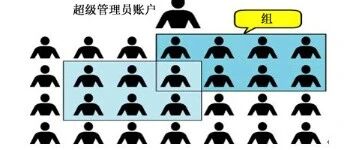
1. Root User (Super Administrator) Whether it is Windows, macOS, or Linux operating systems, a multi-user permission management system is employed. In the Linux system, the account with the highest privileges is called root (super administrator). The root user has the highest level of system operation permissions, while ordinary users’ permissions are usually subject to … Read more

Linux Basics: Elevating Permissions and the sudo Mechanism

Linux Basics: Elevating Permissions and the sudo Mechanism

Introduction In Linux systems, not all operations can be performed by regular users. Some critical operations (such as installing software, modifying system configurations, and managing services) require superuser (root) privileges. However, operating directly as root is highly risky; a single mistake can lead to system failure. Therefore, Linux provides a safer solution—sudo. With the <span>sudo</span> … Read more

Common and Advanced Commands for Viewing Logs in Linux

In Linux, viewing and analyzing logs is a core operation for daily maintenance or testing. Below are common and advanced commands for viewing logs and their usage scenarios. 1. Common commands for viewing historical logs 1) Regularly search for log information containing specific keywords in designated log files. 1) Ignore case sensitivity, allowing for matches … Read more

Summary of Commonly Used Linux Commands for Operations and Maintenance Personnel

Click on "Programmer Interview", select "Star🔝" As operations and maintenance personnel, these commonly used commands are essential. Mastering these commands will significantly improve work efficiency. 1. File and Directory The cd command is used to switch the current directory. Its parameter is the path to the directory to switch to, which can be an absolute … Read more

14 Ansible One-Liners to Automate Daily DevOps Tasks

14 Ansible One-Liners to Automate Daily DevOps Tasks Handle quick fixes, checks, and cleanup operations without writing a full playbook. If you frequently use Ansible, you know how it can quickly save hours of tedious work, but not every small task requires a full playbook. Sometimes, a single Ansible command can handle a task faster … Read more

Complete Guide to Linux Users and Groups: From Creation to Permissions

Linux User and Group Management: From Creation to Permission Control1. Basics of the Linux User System2. Core User Management Commands3. User Group Management Commands4. Password Management5. User Information Query Commands6. Configuration File Details7. Password Policies and Security8. Practical Cases9. Best Security Practices10. Troubleshooting11. Summary Linux User and Group Management: From Creation to Permission Control In … Read more

Linux System Notes

Linux System Notes Basic Commands Find IP address: ifconfig View all files in the current directory (including hidden files): ls -a or ll Check memory usage: df -h Check memory usage of each file in the current directory: du -sh ./* Check if a specific process is running, for example, Nginx, ps -ef|grep nginx Kill … Read more

Linux User and Group Management

🐧 Linux System User and Group Management This chapter mainly explains the methods of Linux user and group management, including account addition, modification, deletion, password management, group management, and related system file structures. This knowledge is fundamental for system maintenance, security control, and permission management. 🧭 1. Management of Linux System User Accounts Linux is … Read more