Xilinx® Kria KV260 Vision AI Starter Kit, is a member of the Kria Adaptive System Module (SOM) and Developer Kit product family. It consists ofK26 System Level Module(SOM), carrier card, and cooling solutions. The SOM on the kit is based on theZynq UltraScale+ MPSoC architecture paired with4 GB DDR4 memory, enabling rapid development of hardware-accelerated applications for machine vision and industrial communication and control.
The official website provides a series of reference designs, this article mainly introduces the defect detection design. The defect detection acceleration application is a machine vision application that automatically detects defects in mangoes using computer vision library functions and classifies them in a high-speed factory pipeline. The focus is on two aspects: how to build and compile the source code project to generate image files and how to quickly run thedemo project.
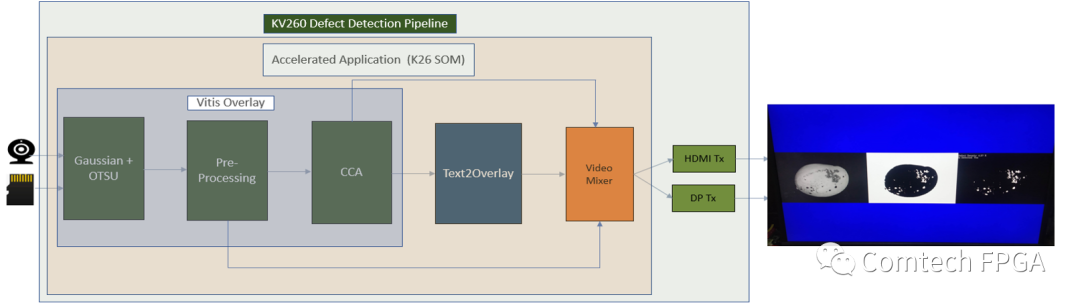
1. Build Project and Compile
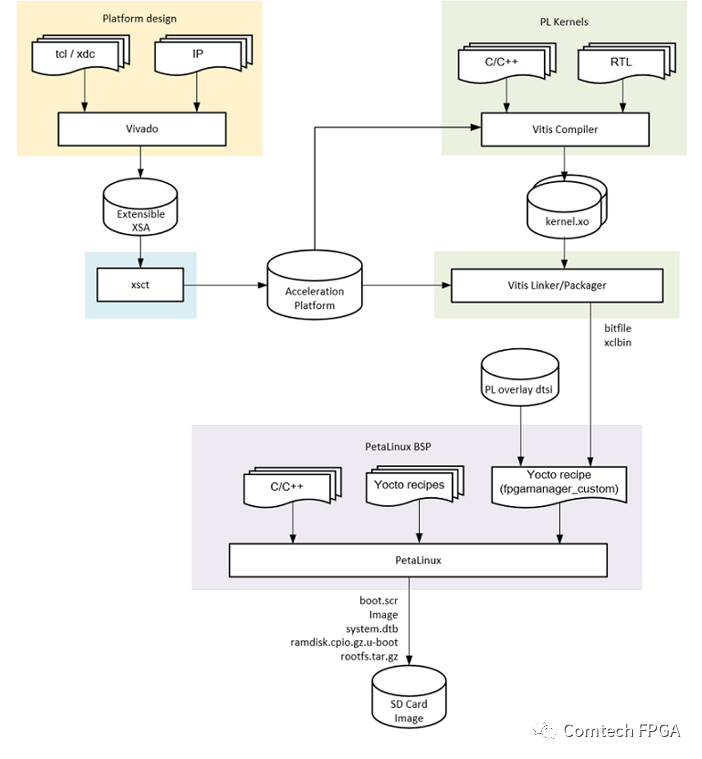
a. Download the reference project source code, when pulling the project code, it will also default to pulling the Vitis_Libraries repository into the overlays directory;

b. Generate thexsa file, the make platform command will also generate a Vitis platform project for software development, after successful compilation, a folder namedxilinx_kv260_ispMipiRx_vmixDP_202110_1 will be generated in the platforms directory.
$cd $working_dir/
$make platform PFM=kv260_ispMipiRx_vmixDP
1) Environment Preparation
It is necessary to install the 2021.1 version of the petalinux tools and related offline packages. The download link is “https://www.xilinx.com/support/download/index.html/content/xilinx/en/downloadNav/embedded-design-tools.html”, if you are not familiar with petalinux, you can refer to UG1144.
2) Install the update package, here it includes the wait parameter, otherwise, some network environments may encounter errors.

3) Download the BSP package xilinx-k26-starterkit-v2021.1-final.bsp
https://www.xilinx.com/member/forms/download/xef.html?filename=xilinx-k26-starterkit-v2021.1-final.bsp
$petalinux-create-t project -s xilinx-k26-starterkit-v2021.1-final.bsp
$cd xilinx-k26-starterkit-2021.1
2. Deploy and Run on KV260
a. Deploy the image file to the TF card
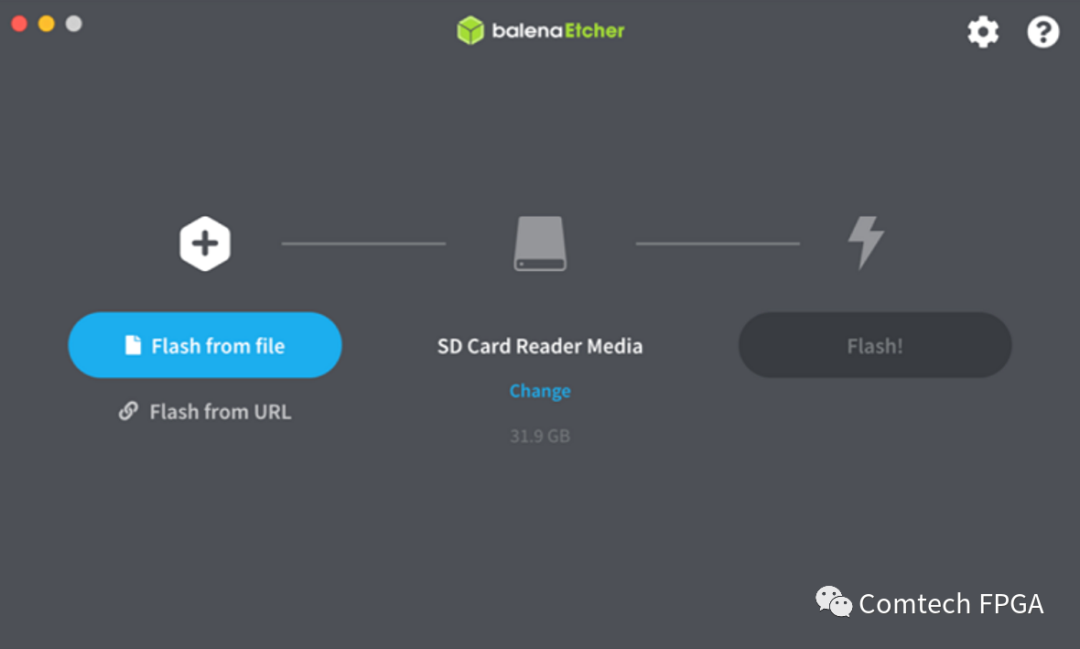
Use the balenaEtcher tool to select the compiled image file petalinux-sdimage.wic or you can directly download the pre-compiled image file. The download link is as follows:
https://www.xilinx.com/member/forms/download/xef.html?filename=petalinux-sdimage-2021.1-update1.wic.xz
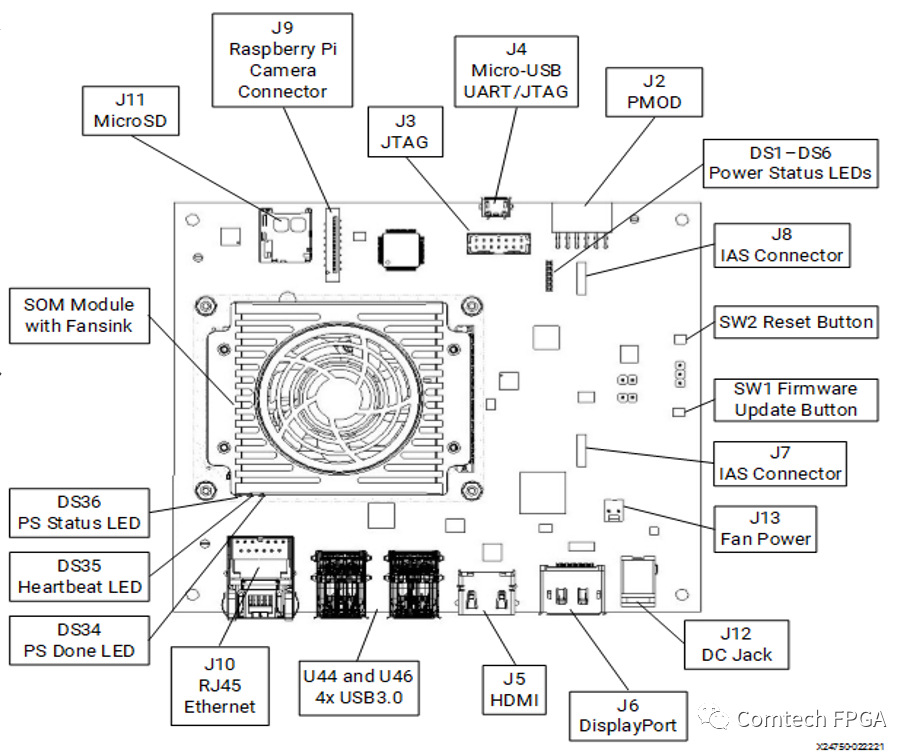
1) microSD: Insert the SD card into the J11 slot;
2) Display: Before booting, connect a 4k monitor to the board using the DP or HDMI port;
3) UART/JTAG : To interact and view boot time information, ensure the circuit board is powered off, then connect the micro-USB cable to J4;
4) Network Connection: Connect an Ethernet cable from the SOM board’s J10 to a local network with DHCP enabled.
Log in using the petalinux username. The first login requires setting a password as prompted.
$xilinx-k26-starterkit-202X_Y login: petalinux
d. Prepare Test Files
Convert the original image into a file with only the 8BPP grayscale channel.
1) Download the compressed package of test images, the download link is as follows:
http://www.cofilab.com/wp-content/downloads/DB_Mango.rar
2) Create a conversion script on kv260 named convert_jpeg_y8.sh with the following content:
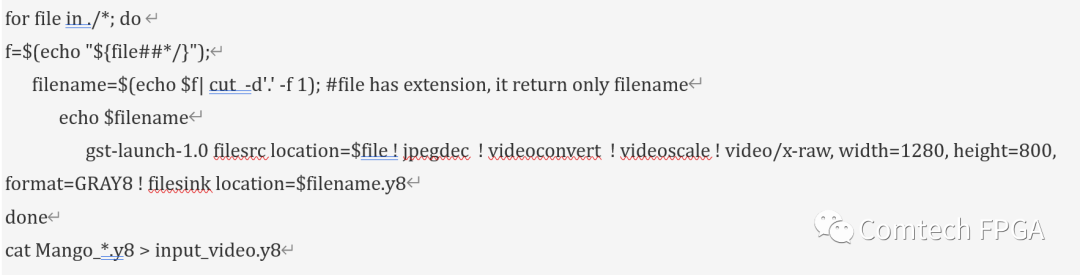
3) Grant executable permissions to the conversion script;
$chmod +x convert_jpeg_y8.sh
4) Extract the DB_Mango.rar compressed package and copy it to the KV260;
5) Run the conversion script to generate input_video.y8
$./convert_jpeg_y8.sh >& file.txt
e) Run the defect detection program
1) Create a run script start_defect.sh, with the following content:
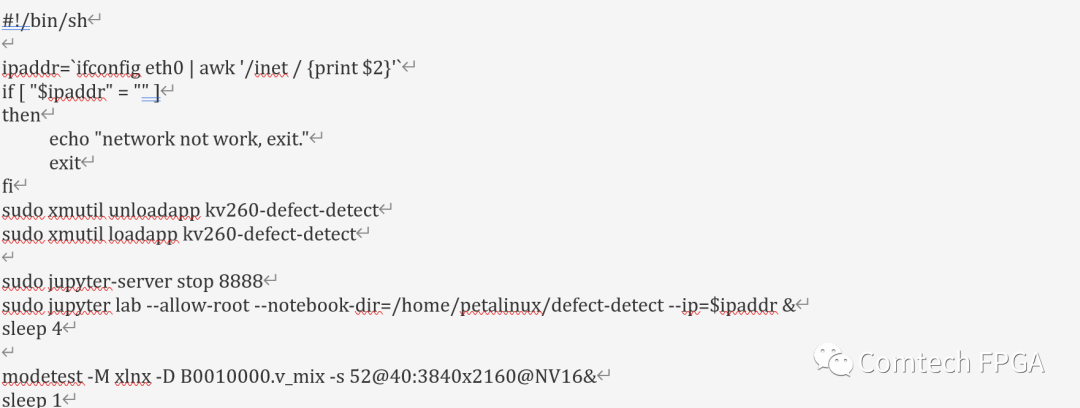
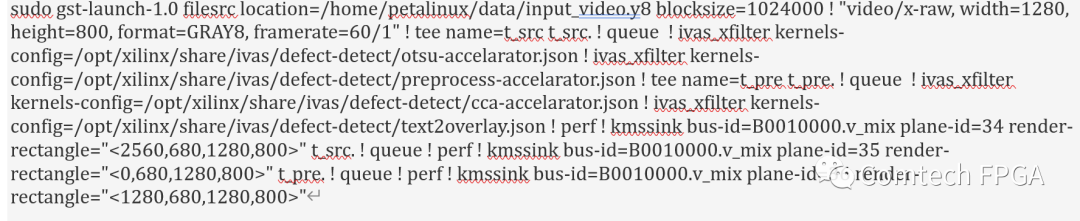
2) Grant executable permissions
$chmod +x start_defect.sh
3) Run the script, the output will be as shown in the image
$./start_defect.sh
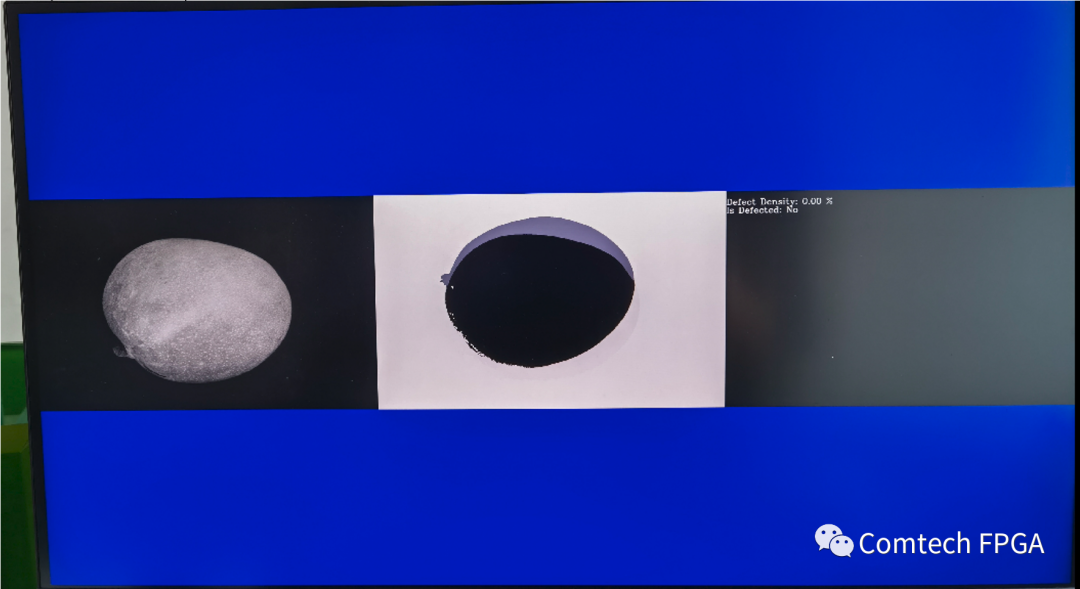
If interested engineers can refer to the above process to complete the verification of this reference design on KV260, and they can also make corresponding changes according to their project requirements, thus applying it to specific projects.
If you have any questions in this area, please feel free to contact:
[email protected]
[email protected]