
 Software Download
Keil uVision5 MDK (32/64) Download Link:
https://pan.baidu.com/s/1oQMAx4Dhlu6BXJtJ7a1L_w
Extraction Code: 022u
[How to Download Files]: Download Tutorial Manual!!
If you encounter any issues during installation, you can consult QQ: 657947089 or reply to WeChat customer service with the issues you encountered, and experts will do their best to assist you.
Software Introduction
Keil uVision is a C language software development system for 51 series compatible microcontrollers produced by Keil Software in the USA. It uses syntax close to traditional C language for development, and compared to assembly language, C language has obvious advantages in functionality, structure, readability, and maintainability, making it easy to learn and use, greatly improving work efficiency and project development cycle. It can also embed assembly language, allowing you to embed it in critical positions, achieving efficiency close to that of assembly.
Installation Steps
1. Unzip the software zip file
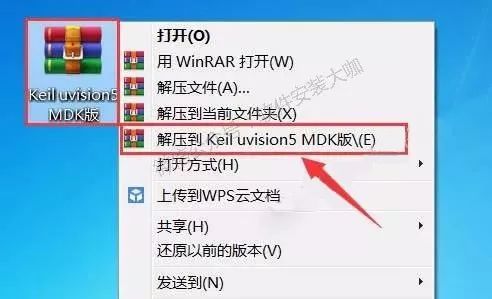
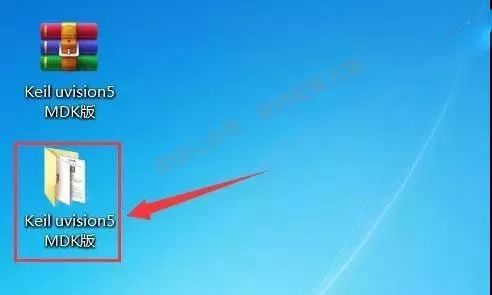
2. Double-click to open the unzipped 【Keil uVision5 MDK】 folder.
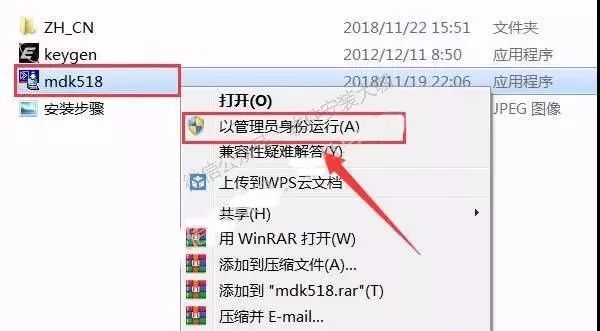
3. Select the 【mdk518】 executable file, right-click and choose 【Run as administrator】.
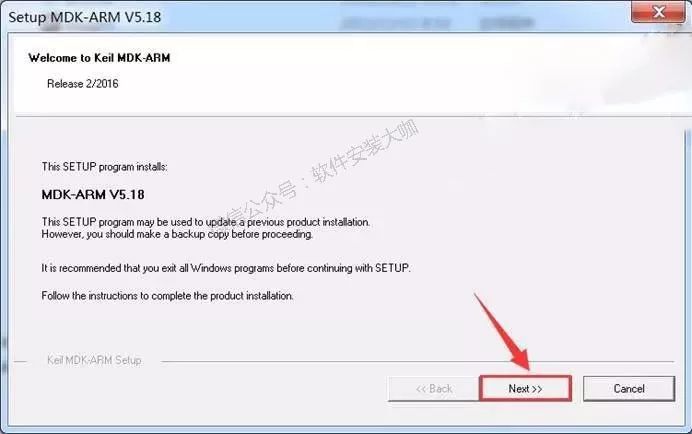
4. Click 【Next>>】.
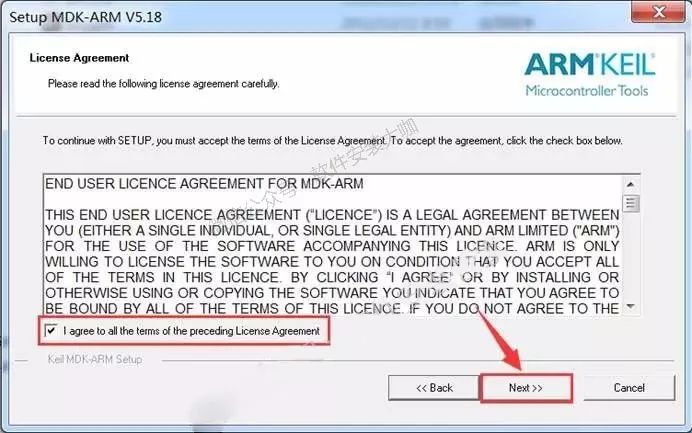
5. Check 【I agree all the…】 and then click 【Next>>】.
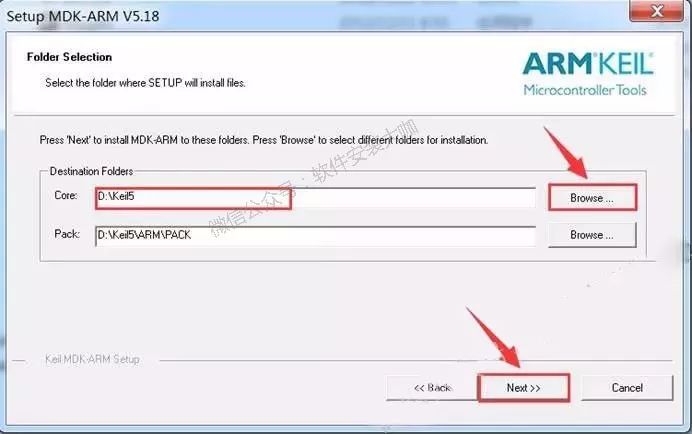
6. Click 【Browse】 to change the installation path of the software. It is recommended to install it on a disk other than C. You can create a 【keil5】 folder on D drive and then click 【Next>>】.
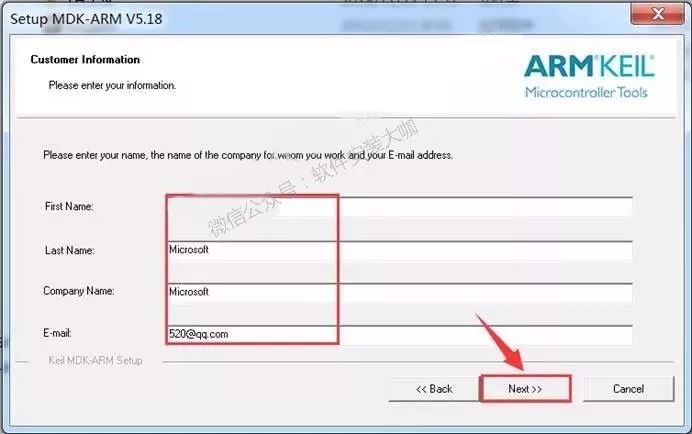
7. Fill in the information and click 【Next>>】.
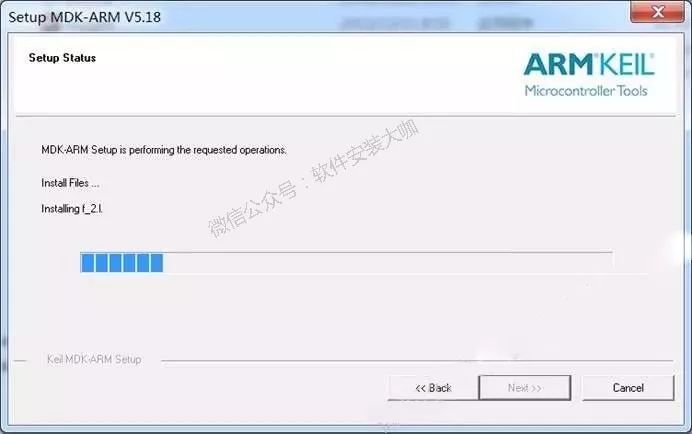
8. During installation.
9. Click 【Install】.
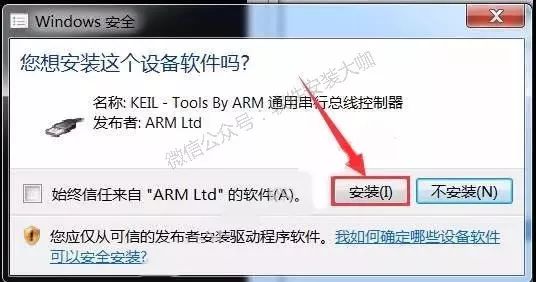
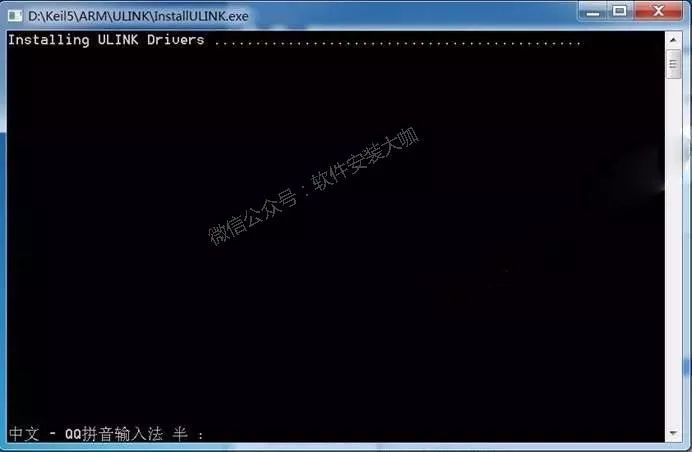
10. Wait.
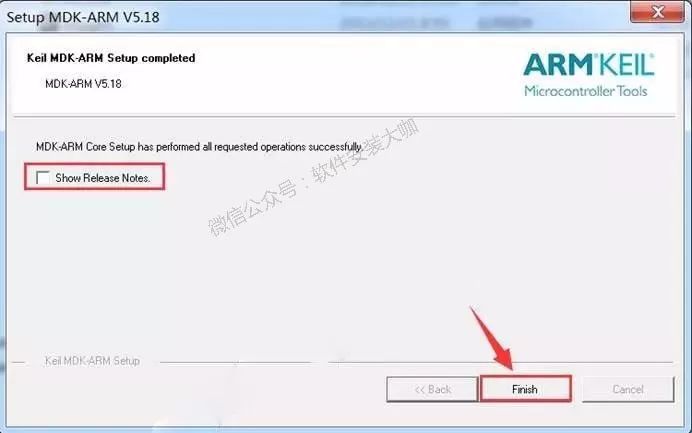
11. Uncheck, then click 【Finish】.
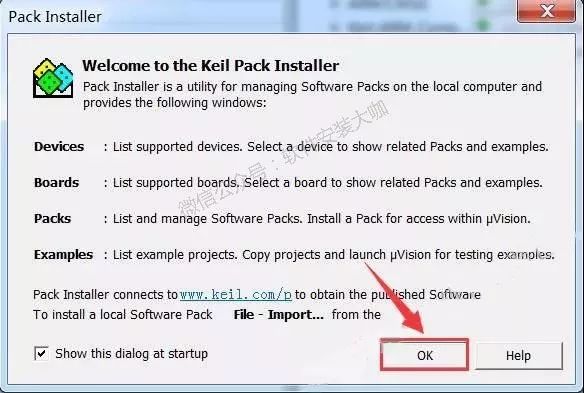
12. Click 【OK】.
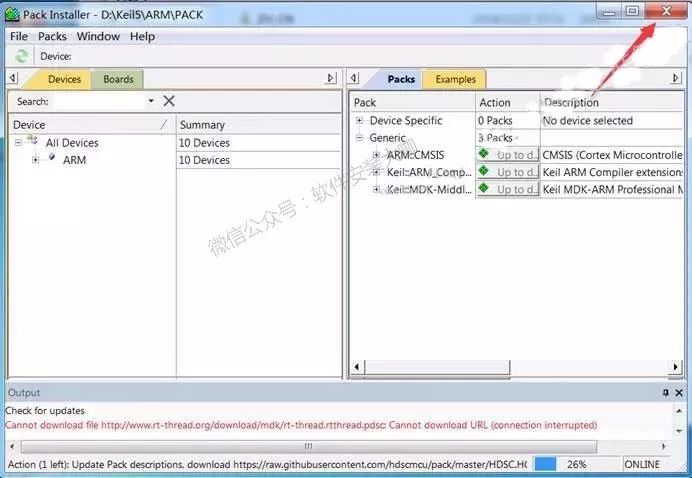
13. Click the close button in the upper right corner of the software to exit.
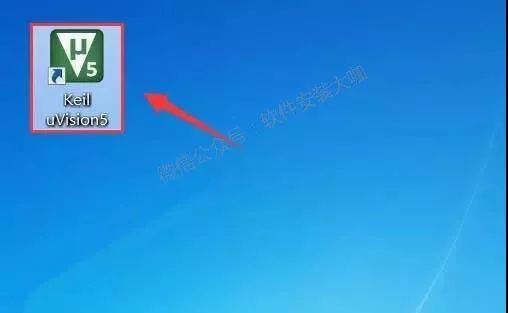
14. Double-click to open 【Keil uVision5】 on the desktop.
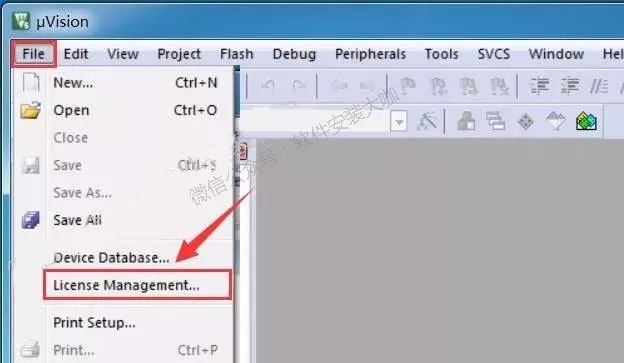
15. Click 【License Management】 under the 【File】 menu.
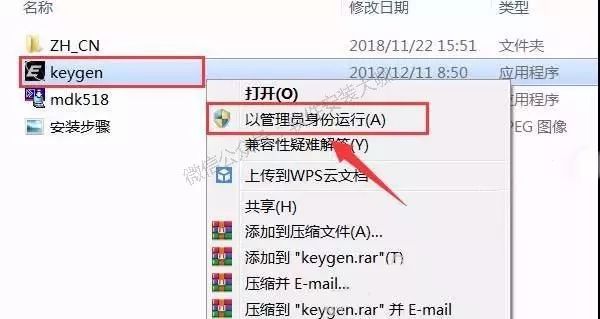
16. Open the previously unzipped 【Keil uVision5 MDK】 folder, select the 【keygen】 executable file, right-click and choose 【Run as administrator】.
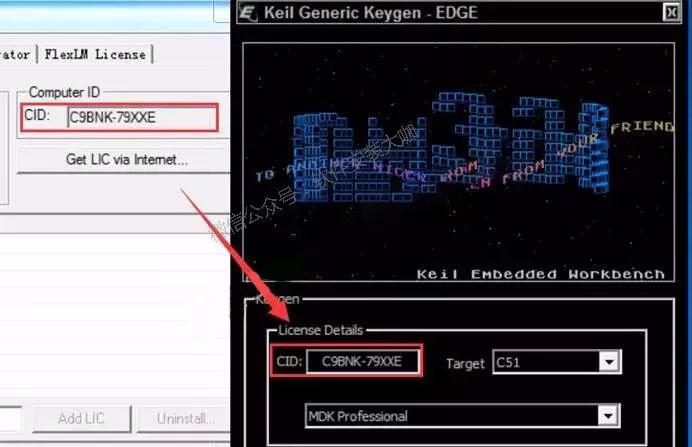
17. Use the shortcut Ctrl+C to copy the 【CID】 from the software license manager, then use Ctrl+V to paste it into the 【CID】 box in the keygen.
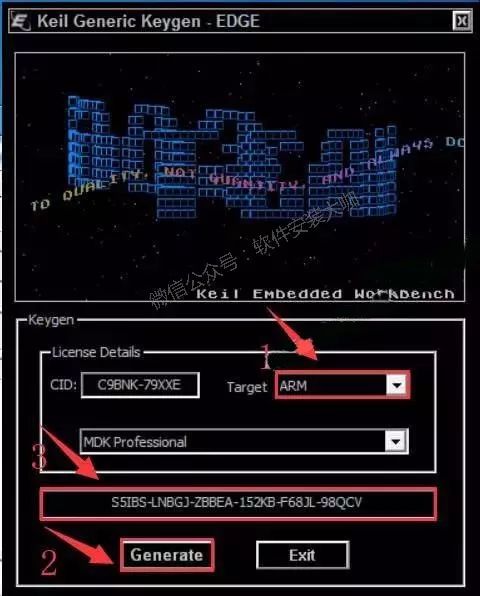
18. First, select 【ARM】 in 【Target】, click 【Generate】, then use Ctrl+C to copy the activation code generated in the box above.
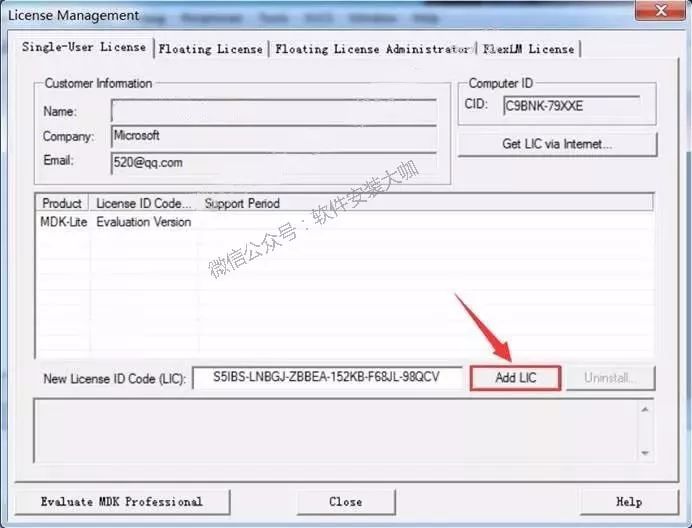
19. In the 【LIC】 box, use Ctrl+V to paste, then click 【Add Lic】.
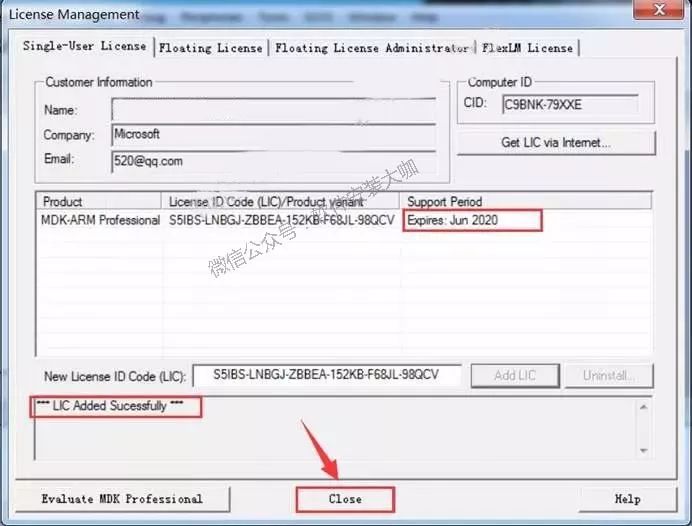
20. Click 【Close】.
21. Double-click to open the 【ZH_CN】 folder inside the previously unzipped 【Keil uVision5 MDK】 folder.
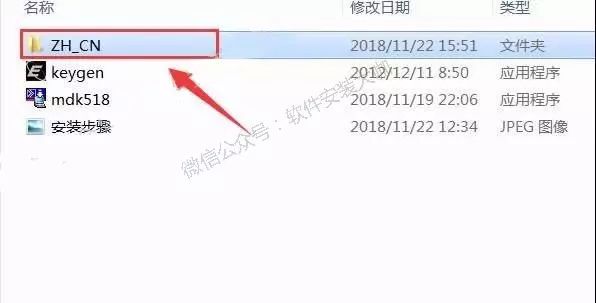
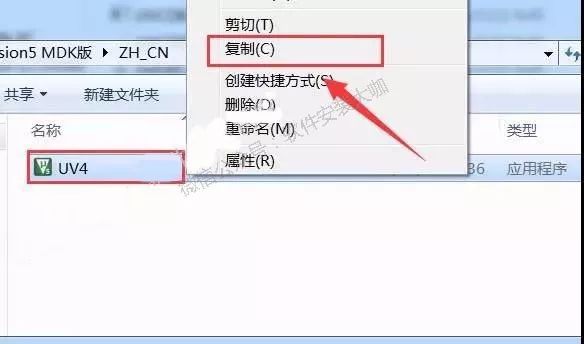
22. Select the 【UV4】 file, right-click and select 【Copy】.
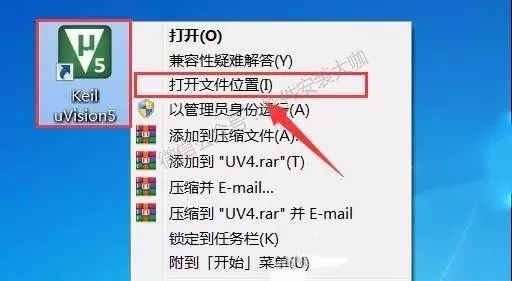
23. Select 【Keil uVision5】, right-click and select 【Open file location】.
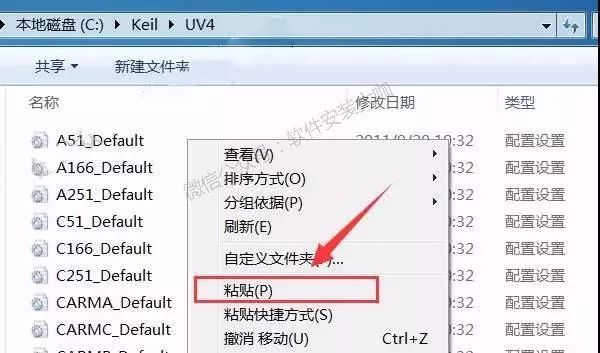
24. Right-click in the blank space and select 【Paste】.
25. Click 【Copy and Replace】.
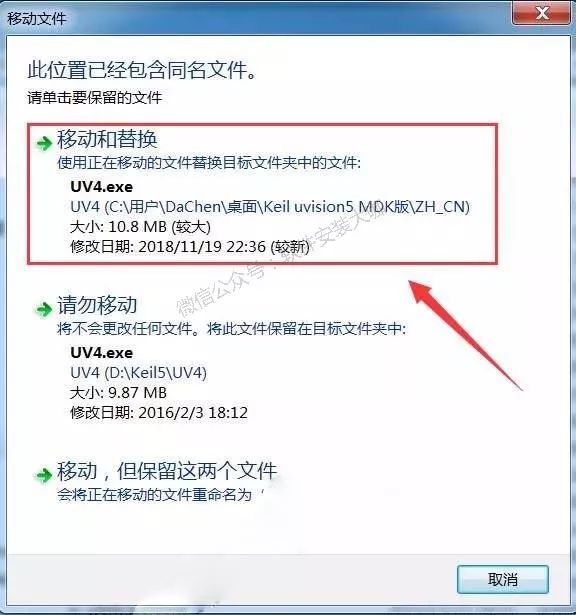
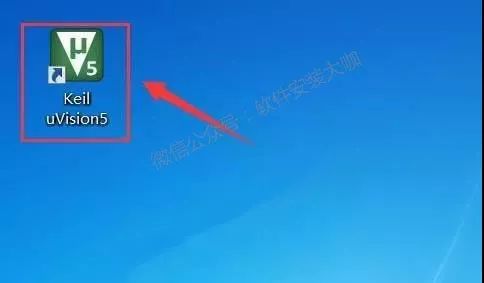
26. Double-click to open 【Keil uVision5】 on the desktop.
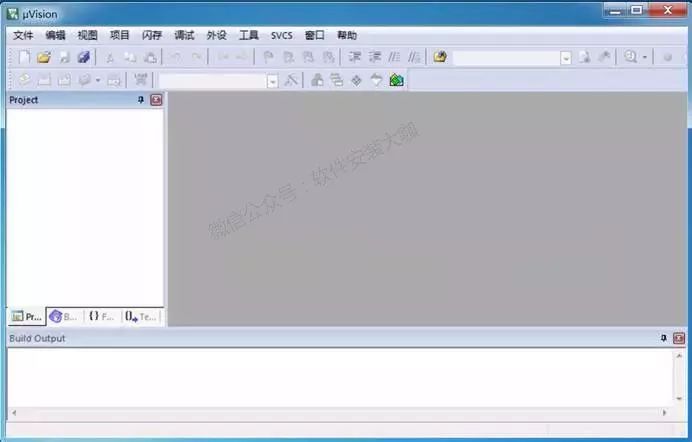
27. Installation complete.
Keil Features
- Perfect support for Cortex-M, Cortex-R4, ARM7 and ARM9 series devices.
- Industry-leading ARM C/C++ toolchain.
- Deterministic Keil RTX, a small footprint real-time operating system (with source code).
- μVision5 IDE integrated development environment, debugger, and simulation environment.
- TCP/IP network suite provides various protocols and applications.
- Provides USB device and USB host stack with standard driver classes.
- Offers comprehensive GUI library support for embedded systems with graphical user interfaces.
- ULINKpro can analyze running applications in real-time and record every execution of Cortex-M instructions.
- Complete code coverage information about program execution.
- Execution analysis tools and performance analyzers optimize programs.
- A large number of project examples help you quickly familiarize yourself with the powerful built-in features of MDK-ARM.
- Complies with CMSIS (Cortex Microcontroller Software Interface Standard).
End

Download Adobe 2020 Full Suite Activation Chinese Version for Free!
Free PPT Templates for 【Workplace, College Students】 Download!
Free Installation Package + Installation Tutorial for 【CAD 2020】 Software!
Free Installation Package + Installation Tutorial for 【Photoshop 2020】 Software!
Free Installation Package + Installation Tutorial for 【Office 2019】 Software!
Installation Tutorial for 【Sketchup 2018】 Software!
Free Installation Package + Installation Tutorial for 【Unigraphics NX 11.0】 Software!



Scan to Follow Latest Updates
Software Installation Expert