Yesterday afternoon, my brother came to complain again, saying that his bedroom’s video streaming was always buffering, and he was so frustrated that he almost wanted to smash the router. I asked him to send me a photo of the router’s placement, and sure enough, the problem was right there—his router was stuffed in the corner of the living room TV cabinet, surrounded by various power strips and clutter.
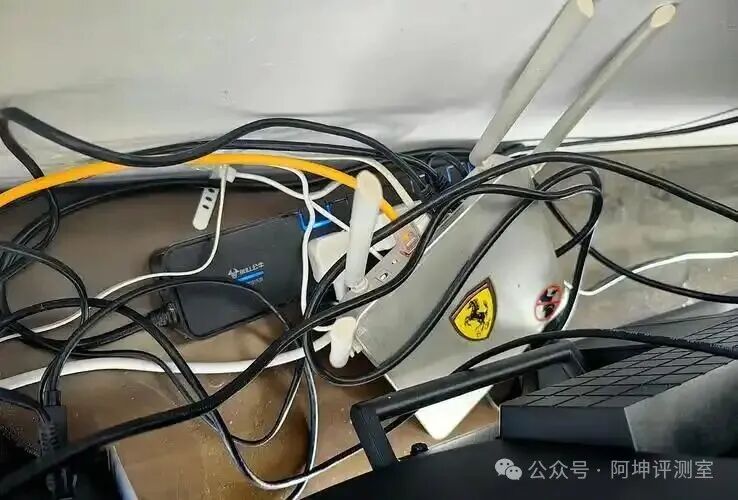
Have you ever encountered this situation? Clearly, you have a hundred megabit or gigabit broadband, but the Wi-Fi signal in certain rooms is weak enough to make you anxious. Before you rush to argue with the service provider, based on A-Kun’s experience, in nine out of ten cases, it’s because your router’s “seat” is not positioned correctly. The router is like a small speaker; if you lock it in a “small black room,” no matter how hard it shouts, the sound won’t travel far. Here are the most common “death spots”—how many does your home have?
- Hidden in a “concealed” corner: TV cabinet/weak current box
This is the most common mistake! For aesthetic reasons, people tend to hide routers and optical modems, which are considered “ugly gadgets.” But you should know that the router’s signal primarily propagates in a straight line as electromagnetic waves. If you stuff it into a metal weak current box or hide it behind a thick TV cabinet, it’s like putting a mask on this “small speaker”; the signal is significantly weakened when it tries to pass through walls. Correct approach: Try to place the router in the center of the living room, on an open shelf or table. If conditions are limited, keep it away from tall obstacles to ensure an open front. - Lying flat on the ground
Wi-Fi signals are somewhat similar to ripples in water, spreading out from the antenna. If you throw the router directly on the floor, a significant portion of the signal is absorbed and reflected by the floor, which is a waste. Correct approach: Place the router at a height of about 1 to 1.5 meters from the ground, such as on a high cabinet or bookshelf. This height is generally parallel to devices like phones and tablets in the living room and bedroom, allowing the signal to transmit along the optimal path. - Surrounded by “bad neighbors”
There are also some “enemies” that need to be kept at a distance from the router.
Large appliances: Such as refrigerators, air conditioners, microwaves, and televisions. These devices contain metal components and generate strong electromagnetic interference when operating, which can severely disrupt Wi-Fi signals.
Metal objects: Powerful “signal killers.” Do not place the router in a metal weak current box, behind a metal coffee table, or behind large decorative items.
Glass containers: Such as fish tanks. Water has a very noticeable attenuation effect on Wi-Fi signals; don’t let your Wi-Fi signal swim in the fish tank before reaching your phone.
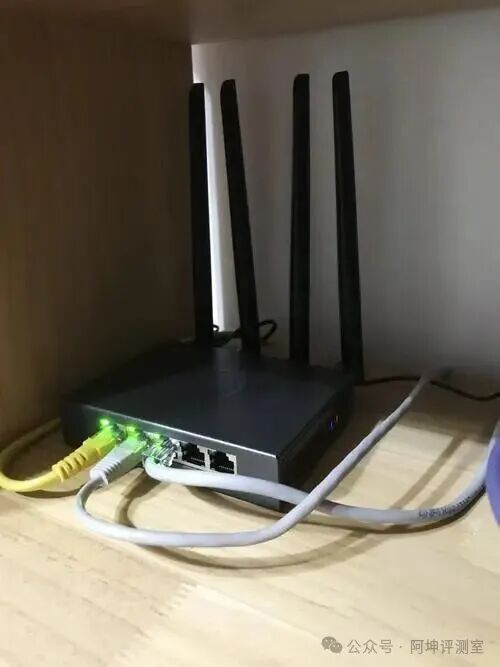
To summarize, the golden rule for choosing a router’s location can be summed up in nine words: Place it centrally, position it high, avoid interference. You might want to follow this method and give your router a new “throne” at home. Often, such a small adjustment can lead to an immediate improvement in signal strength, possibly more effective than spending money on an expensive router. Where is your router placed? Do you have any quirky experiences with Wi-Fi? Feel free to share and discuss!
I hope A-Kun’s article is helpful to you.