The ADALM2000 Active Learning Module is an affordable USB-powered software-defined instrument. This article mainly introduces the key features and setup methods of the ADI ADALM2000.
01
What is ADALM2000?
The ADI Active Learning Module 2000, abbreviated as “ADALM2000”, is an affordable USB-powered software-defined instrument that elevates the functionality of the ADALM1000 (M1K) Active Learning Module to a higher level. The M2K features a built-in 12-bit ADC and DAC operating at a rate of 100 MSPS, providing the capabilities of high-performance laboratory equipment in a palm-sized device, enabling electrical engineering students and enthusiasts to explore signals and systems in the tens of MHz range without the costs and bulk associated with traditional laboratory equipment, making it a “portable electronic laboratory”.
Equipment Typically Required for Electronic Circuit Evaluation
When validating and debugging circuits, various instruments such as oscilloscopes, power supplies, and spectrum analyzers are typically required. These devices are often large, take up considerable space, and setting up a testing environment can be cumbersome. With the ADALM2000, you can easily complete various circuit evaluation tasks by simply connecting it to a computer with dedicated software.
Analog and Digital Functions Combined
The ADALM2000 is equipped with various evaluation functions required for electronic circuits. The following figure (Figure 1) illustrates the functional modules of the ADALM2000:
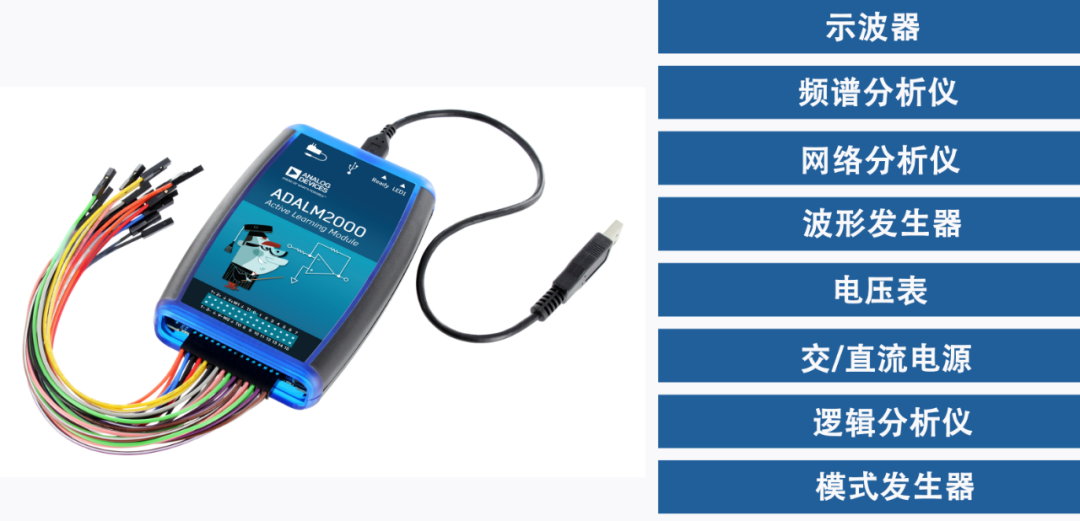
Figure 1: Functional Diagram of ADALM2000
The ADALM2000 features a 2ch / 12bit / 100MSPS ADC and a 2ch / 12bit / 150MSPS DAC, which can be used in conjunction with specified software to achieve high-performance laboratory capabilities. Additionally, it is equipped with 16 digital I/O channels that support SPI and I2C protocol analysis. These functions allow for extensive evaluations using a single instrument, such as power evaluation, characterization of operational amplifiers and other analog circuits, FFT analysis, and logic analysis.
Compact, Portable, and Fully Functional
The ADALM2000 is not only feature-rich but also palm-sized and does not require an AC power source, as it can be powered via USB. It can be used simply by connecting it to a PC via USB. Therefore, users can conduct experiments in laboratories, classrooms, at their desks, or even in cafes, truly embodying the concept of a “mobile laboratory”.
Target Audience
-
Electronic engineering students and junior engineers who wish to deepen their understanding through practical circuit observation
-
Engineers who need to quickly prototype and debug circuits using oscilloscopes or logic analyzers
-
Engineers who require circuit evaluation and experimentation in various locations
02
Unboxing the ADALM2000
The following figure (Figure 2) shows the unboxing of the ADALM2000. The kit is packaged in a box measuring 12cm x 17cm, and the main module has actual dimensions of 11.5cm x 7cm, making it very compact and even able to fit into a shirt pocket. The kit includes the following components:
-
ADALM2000 main module
-
USB-A to USB-micro-B connection cable
-
2 types of ADALM2000 jumper wires
-
Header socket
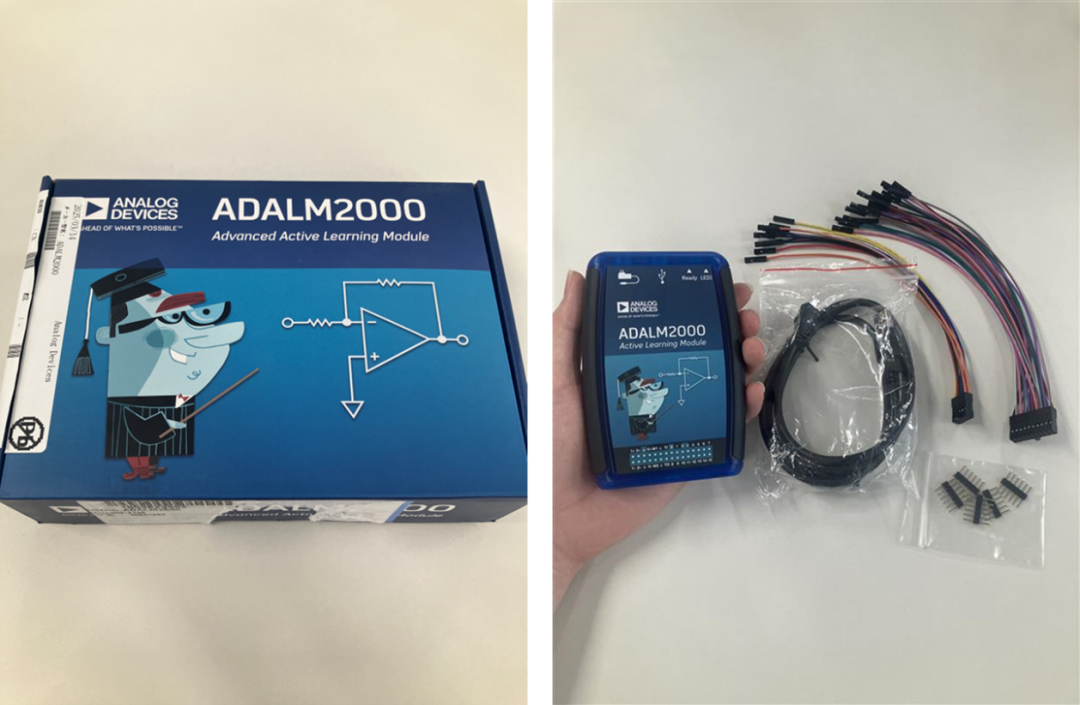
Figure 2: Unboxing the ADALM2000: Packaging Box (Left), Kit Components (Right)
ADALM2000 Analog Parts Kit
ADI provides several practical tutorials based on the ADALM2000, covering various applications of its integrated circuits. Users can also opt for the Analog Parts Kit ADALP2000, as shown in the following figure (Figure 3), which includes over 30 components, including not only passive components but also operational amplifiers, accelerometers, power management chips, and other core products.
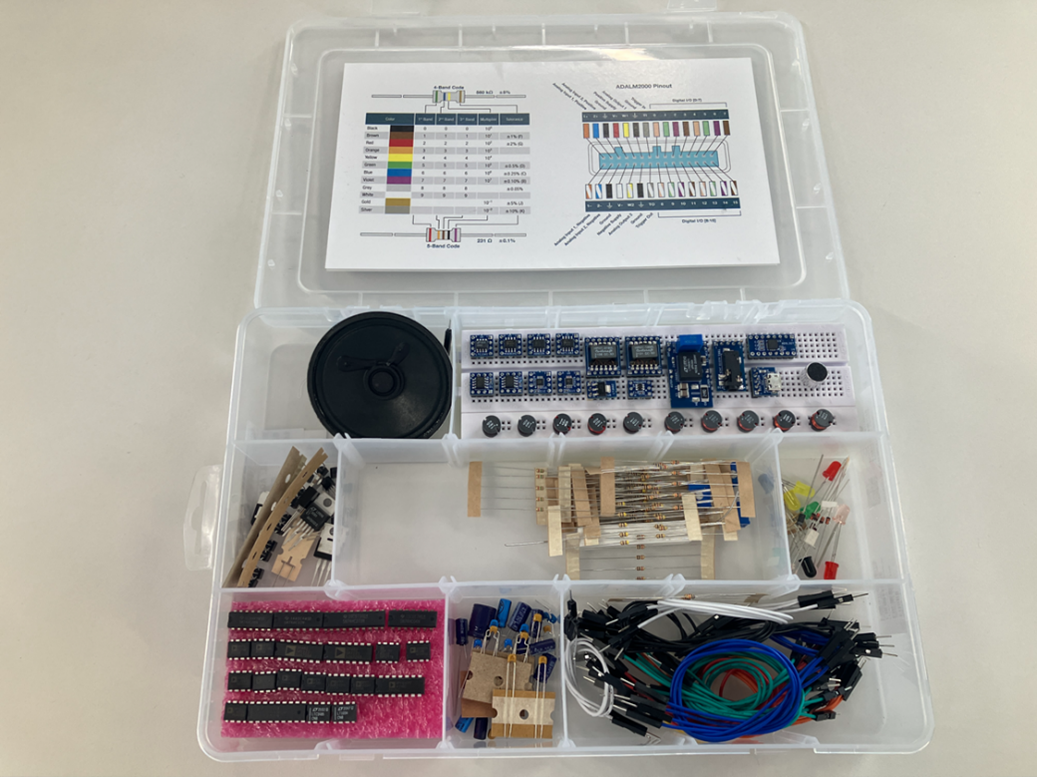
Figure 3: Analog Parts Kit ADALP2000
03
Device Preparation and Usage Method
Software Installation
Before using the ADALM2000, it is necessary to install the USB driver (compatible with Windows, Linux, and MAC) and the dedicated software Scopy. Scopy is a user graphical interface (GUI) that integrates multifunctional measurement tools, replacing many traditional measuring instruments with a single unit and providing a portable measurement environment suitable for evaluating electronic circuits.
The above software is provided free of charge and can be downloaded and installed via the following links:
-
USB Driver:
https://github.com/analogdevicesinc/plutosdr-m2k-drivers-win/releases
-
Scopy Software:https://github.com/analogdevicesinc/scopy/releases/tag/v1.4.1
* It is recommended to restart the computer after installation is complete.
Hardware Setup
After completing the software installation, take out the ADALM2000 main unit, USB cable, and jumper wires. As shown in the following figure (Figure 4), connect the PC to the main module using the USB cable. When the ready light on the main module lights up and LED1 blinks, it indicates that the connection is complete. After the connection is established, launch Scopy and click the connection button on the Scopy screen to start using it. The entire hardware setup process is simple and quick, taking up very little space. After completing the above steps, users can begin their experiments. The specific operational procedures will be introduced in subsequent articles.
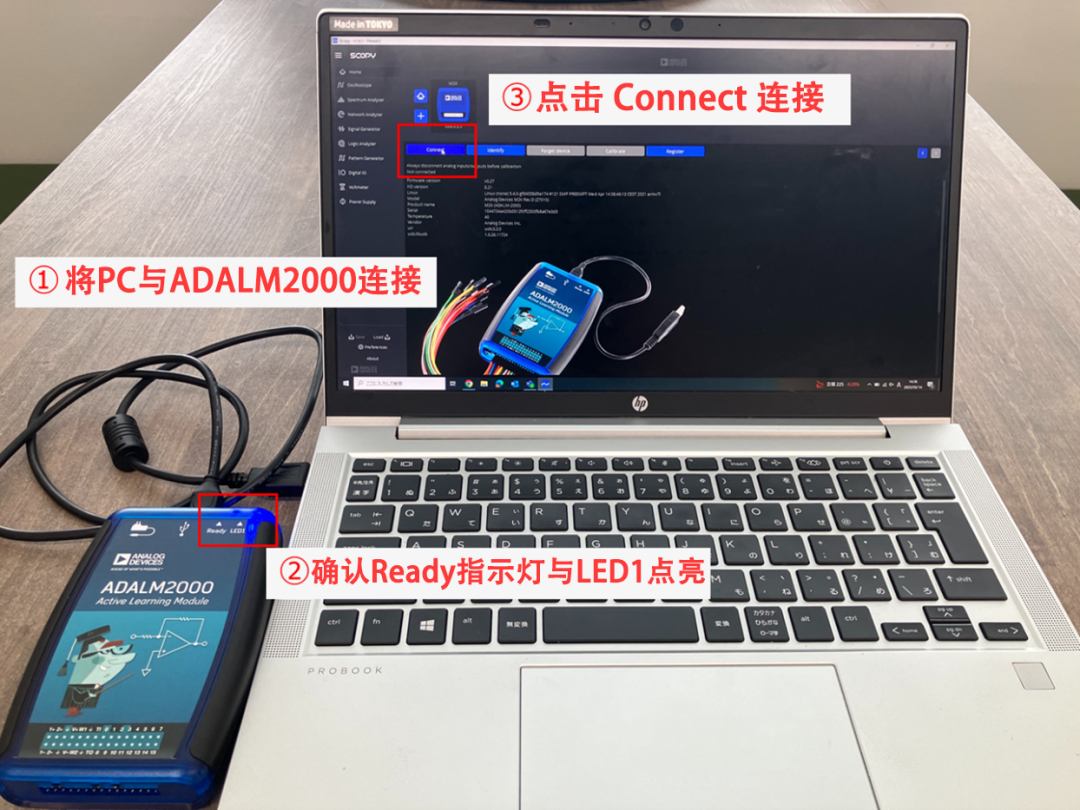
Figure 4: Hardware Setup Steps for ADALM2000
04
Conclusion
In this article, we introduced the features and setup methods of the ADI ADALM2000. The ADALM2000 is a portable measurement module with various functions for electronic circuit evaluation. With the free dedicated software, users can complete multiple evaluation tasks simply by connecting via USB, making it ideal for electronic learning, circuit debugging, and mobile experimentation needs.
For more information about ADI products and solutions, please contact the local office of Junlong Technology or leave a message directly on WeChat, or you can email [email protected]. Junlong Technology is willing to provide you with more detailed technical answers.