Installing the QT Development Environment on Linux
0. Downloading the Installation Package
You can download all versions of QT from the following website:
https://download.qt.io/
This demonstration installs version 5.9.0, which is a long-term support version, so navigate to archive/qt/5.9/5.9.0
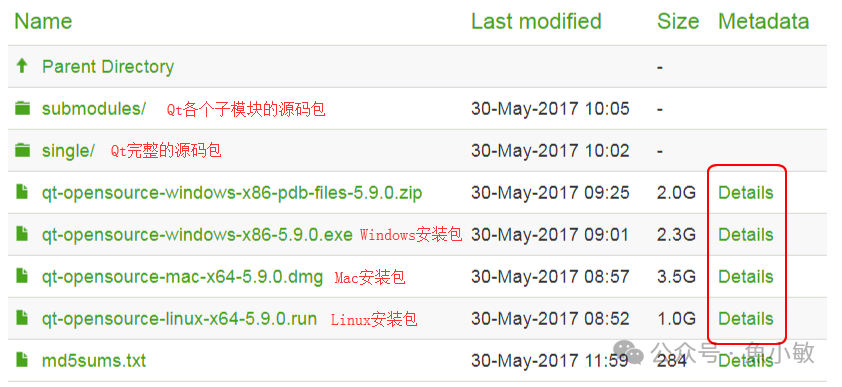
Here, we are on Linux, so select the Linux version of the installation package, click the file name to download and save the file. If the download is slow, it is recommended to use download tools like Xunlei.
Installation package download link: https://download.qt.io/archive/qt/5.9/5.9.0/qt-opensource-linux-x64-5.9.0.run
1. Installation
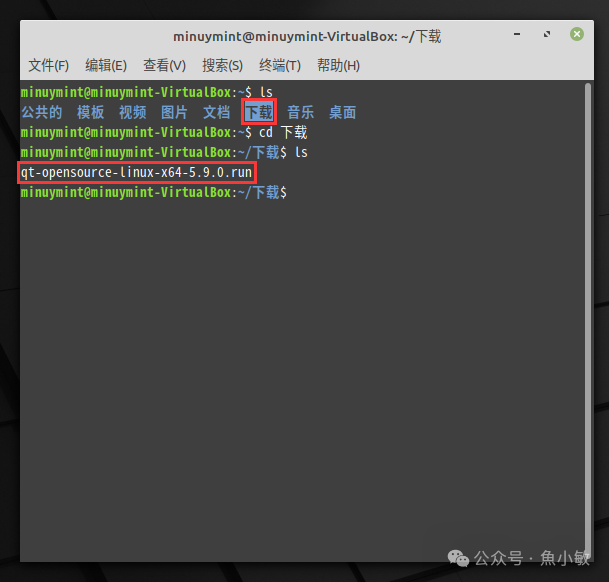
After the download is complete, open the terminal and navigate to the download directory, usually in the ~/Downloads folder (if you cannot type Chinese, you can use the ls command to list and copy it).
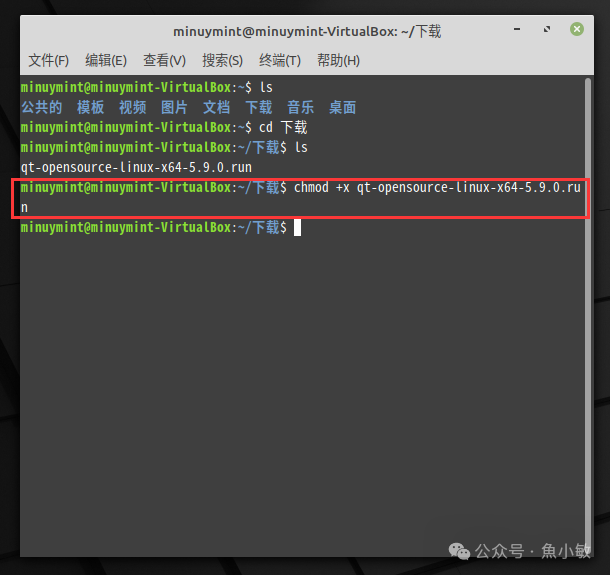
Assign execution permissions to the installation package
Command:
<span>chmod +x qt-opensource-linux-x64-5.9.0.run</span>
Run the installer to enter the installation interface
Command:
<span>./qt-opensource-linux-x64-5.9.0.run</span>
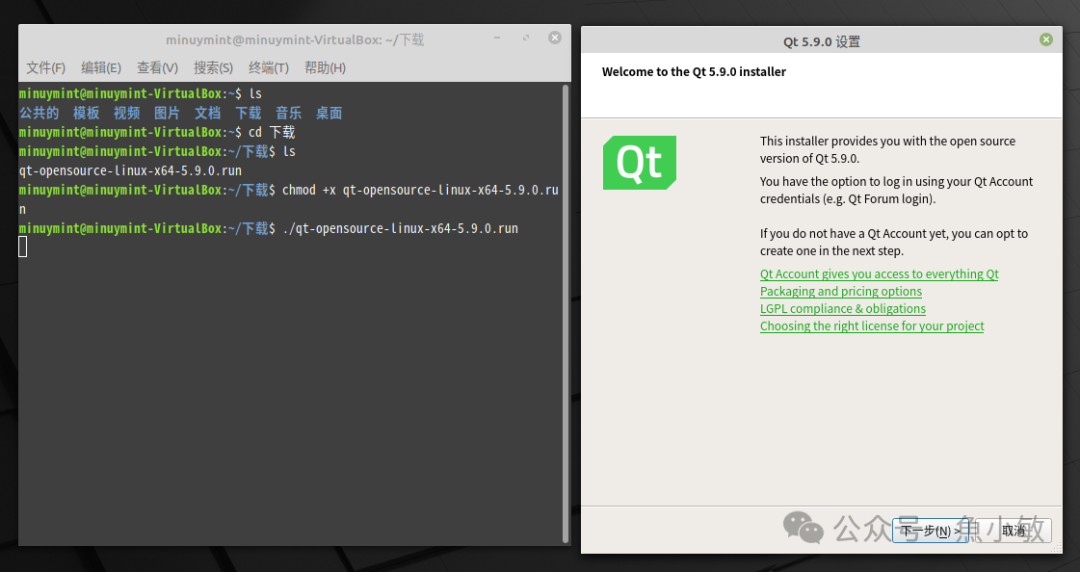
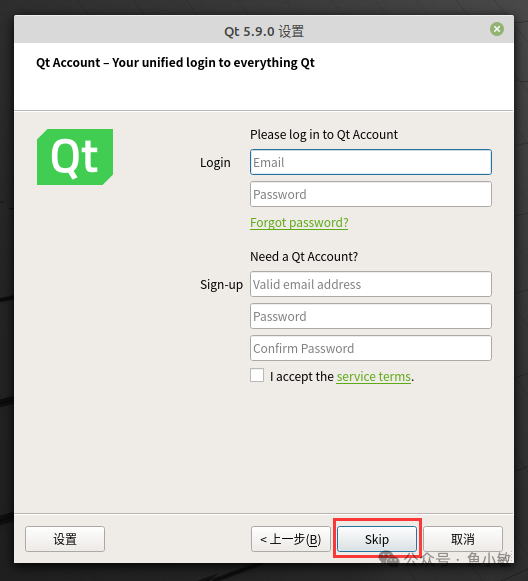
You will need to log in, but you can click Skip to bypass this step
Select the installation components, check the components you need to install according to your requirements, but it is recommended to select as follows (select all components with QT and gcc)
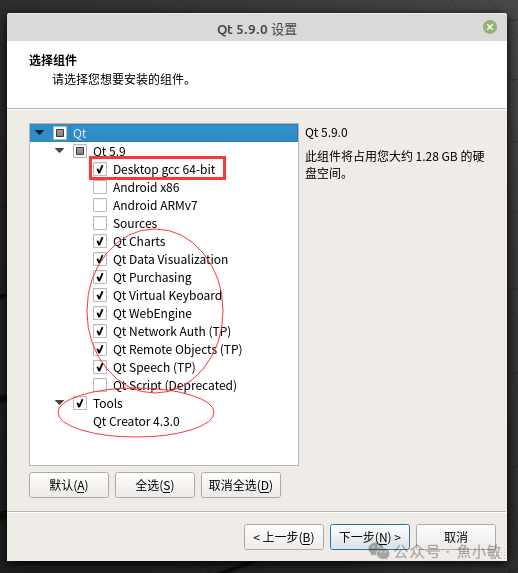
Then follow the wizard step by step to complete the installation~
2. Error Resolution
Generally, after installation, you may encounter two issues
One prompt indicates an error when executing qmake
15:50:56: Could not determine which "make" command to run. Check the "make" step in the build configuration.
Error while building/deploying project planets-qml (kit: Desktop Qt 5.9.0 GCC 64bit)

When executing step "qmake"
The other prompt indicates that lGL cannot be found
../../../../5.9/gcc_64/include/QtGui/qopengl.h:139:13: fatal error: GL/gl.h: No such file or directory
  139 | #   include <GL/gl.h>
      |             ^~~~~~~~~
compilation terminated.
make: *** [Makefile:1009: main.o] Error 1
15:55:01: Process "/usr/bin/make" exited with code 2.
Error while building/deploying project planets-qml (kit: Desktop Qt 5.9.0 GCC 64bit)
When executing step "Make"
The reason is that the corresponding software is not installed.
To resolve the first error:
sudo apt install cmake g++To resolve the second error:
sudo apt install libgl1-mesa-dev3. Results
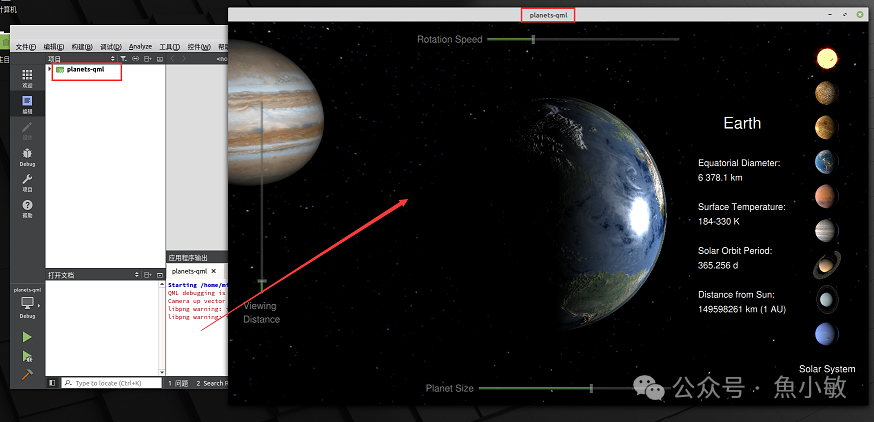
After executing the above operations, you can compile and run the example normally:
4. References:
http://c.biancheng.net/view/3851.html
http://c.biancheng.net/view/3886.html
http://c.biancheng.net/view/3858.html
https://blog.csdn.net/aaa123524457/article/details/82668194