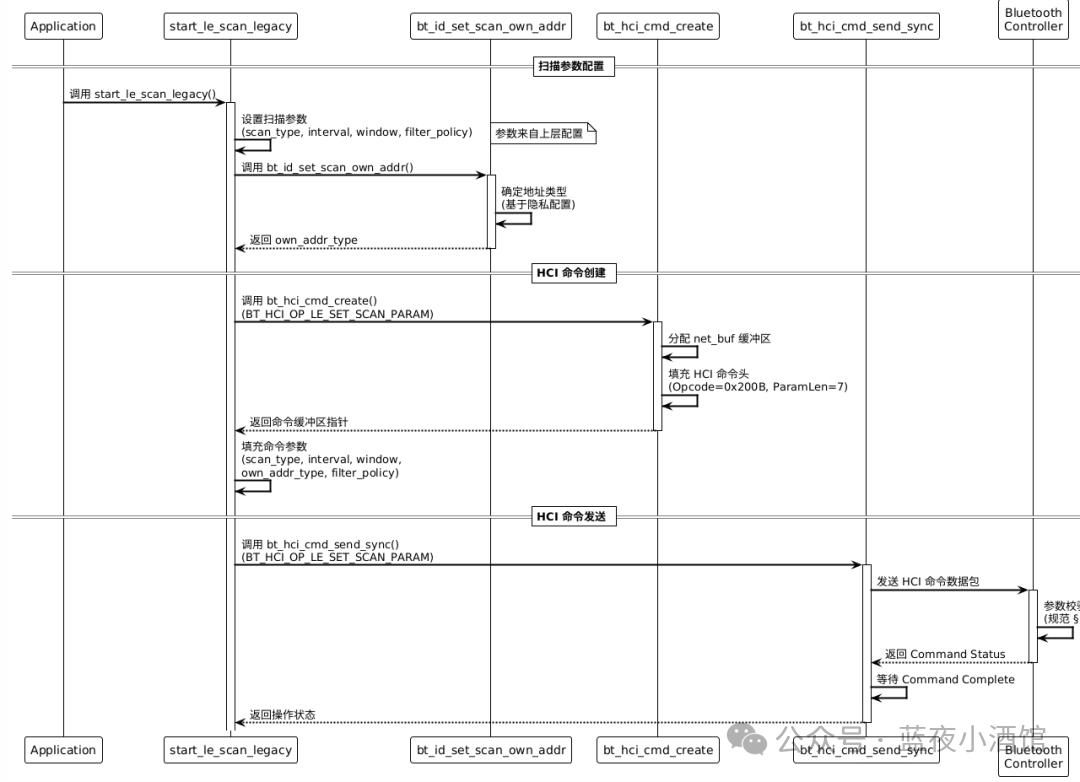
1. Protocol Interpretation
 The HCI_LE_Set_Scan_Parameters command is used to set the scanning parameters.
1.1 Command Parameters
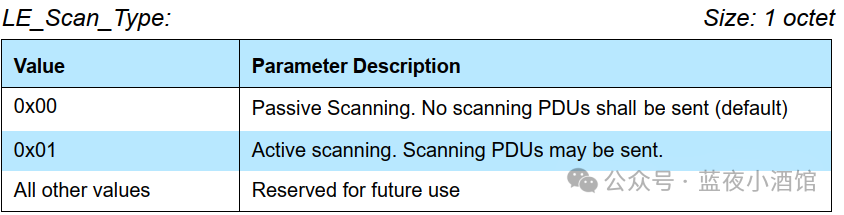
LE_Scan_Type indicates whether the scan is active or passive.
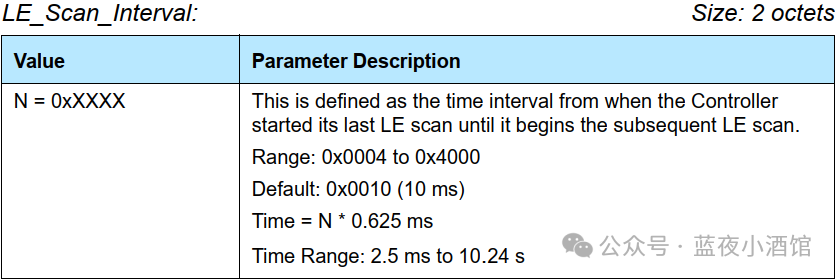
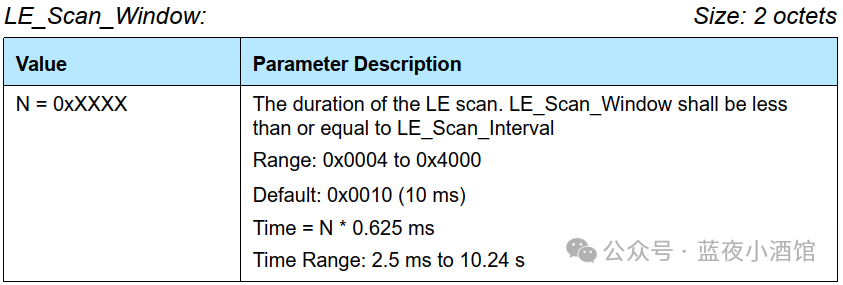
The LE_Scan_Interval and LE_Scan_Window parameters are recommendations from the Host on how long (LE_Scan_Window) and how frequently (LE_Scan_Interval) the Controller should scan. The LE_Scan_Window parameter shall always be set to a value smaller or equal to the value set for the LE_Scan_Interval parameter. If they are set to the same value scanning should be run continuously.LE_Scan_Interval: emphasizes how long to perform a scan
LE_Scan_Window: emphasizes the duration of each scan.
LE_Scan_Window <= LE_Scan_Interval
When LE_Scan_Window=LE_Scan_Interval, it indicates that the controller is continuously scanning. The power consumption is highest at this time.
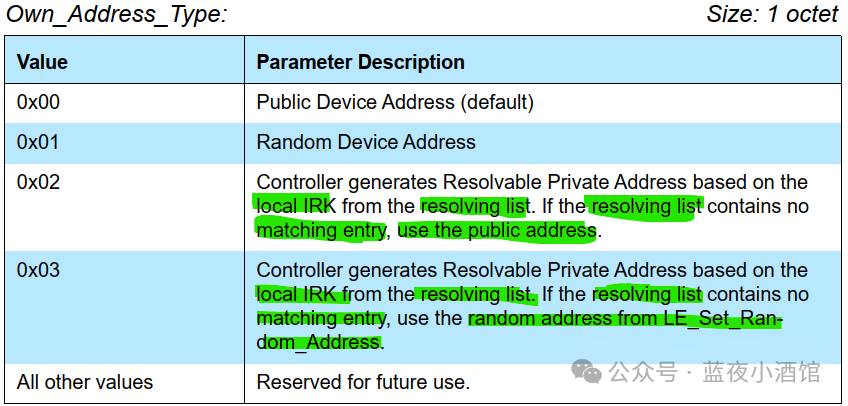
- 0x00: Force the device to use a public address; the device must have a public address
- 0x01: Force the use of a preset static random address; LE_Set_Random_Address must be called in advance
- 0x02: Generate RPA using the local IRK. If there is no matching entry in the resolving list, use the public address.
- 0x03: Generate RPA using the local IRK. If there is no matching entry in the resolving list, use the address set by LE_Set_Random_Address.
Explanation of matching entry is as follows:
- There is a non-zero local IRK
- The device identity information is complete: identity address type, either a public address (0x00) or a static random address (0x01); identity address
- The resolving list entry must be enabled by the commandLE Add Device To Resolving List command and must not be removed or disabled
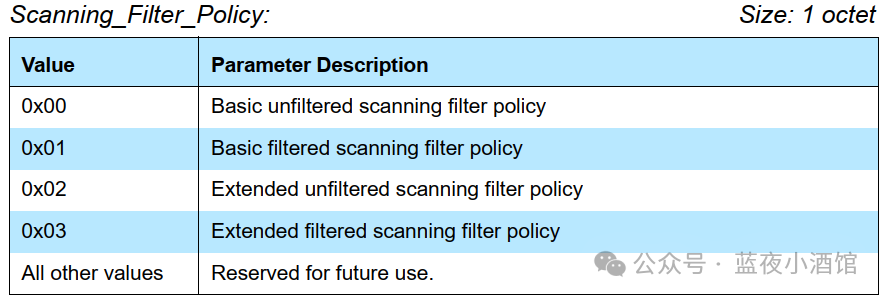
Scanning_Filter_Policy determines how the scanner handles received broadcast packets
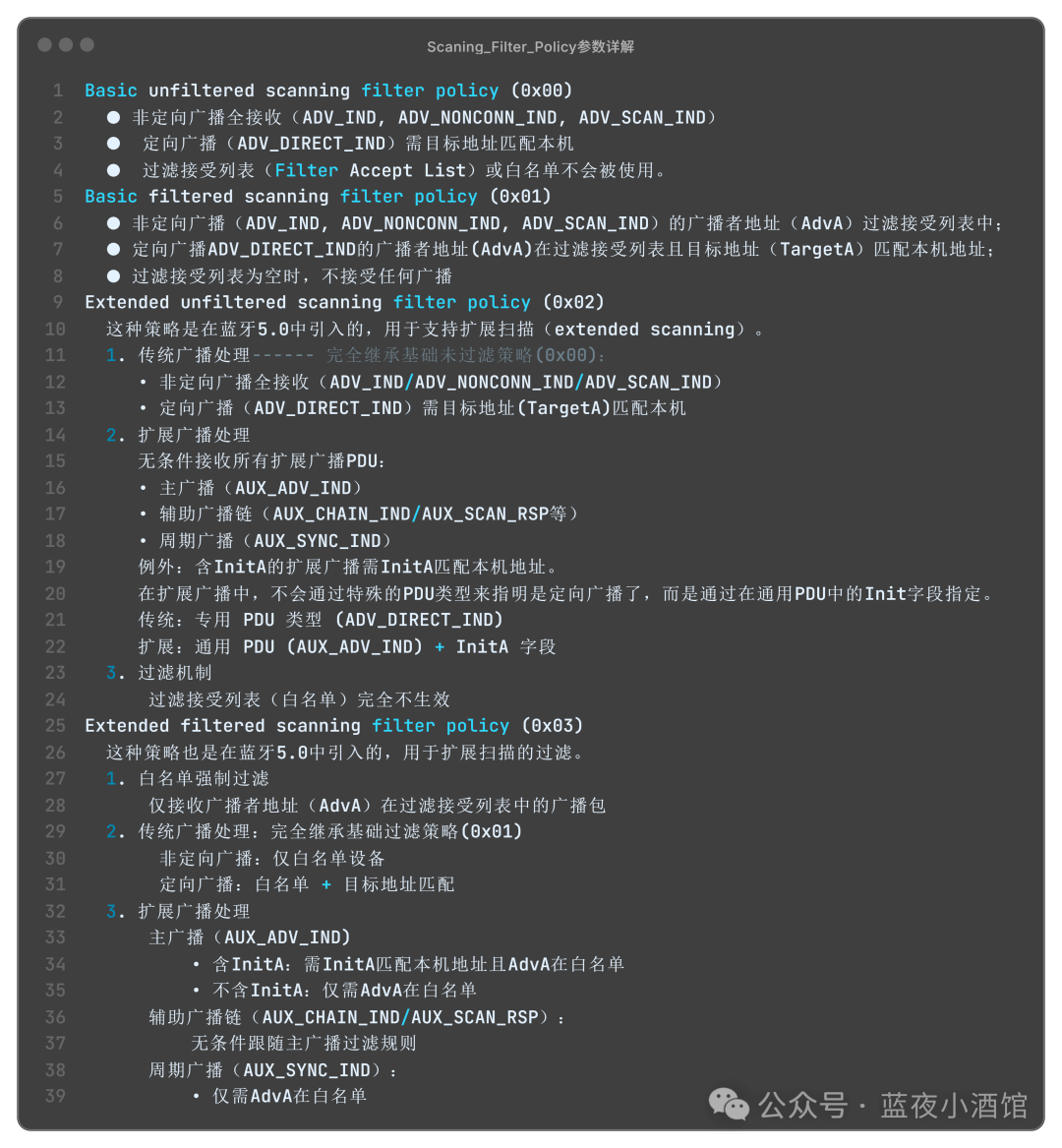
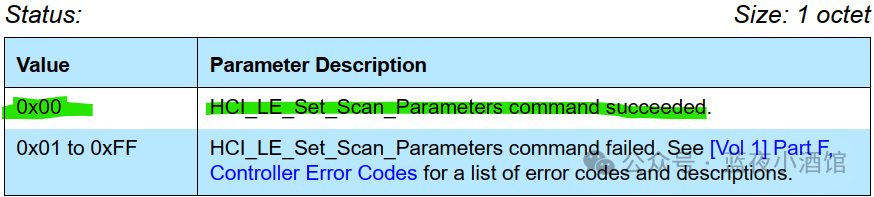
1.2 Return Parameters

2. Data Structure
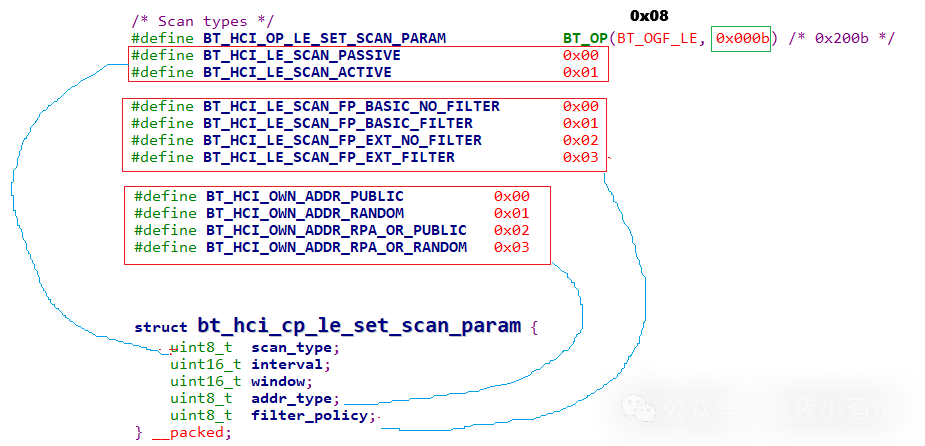
In the code, this is actually assigning values to the structure struct bt_hci_cp_le_set_scan_param, which we will analyze in detail next.
3. Code Interpretation
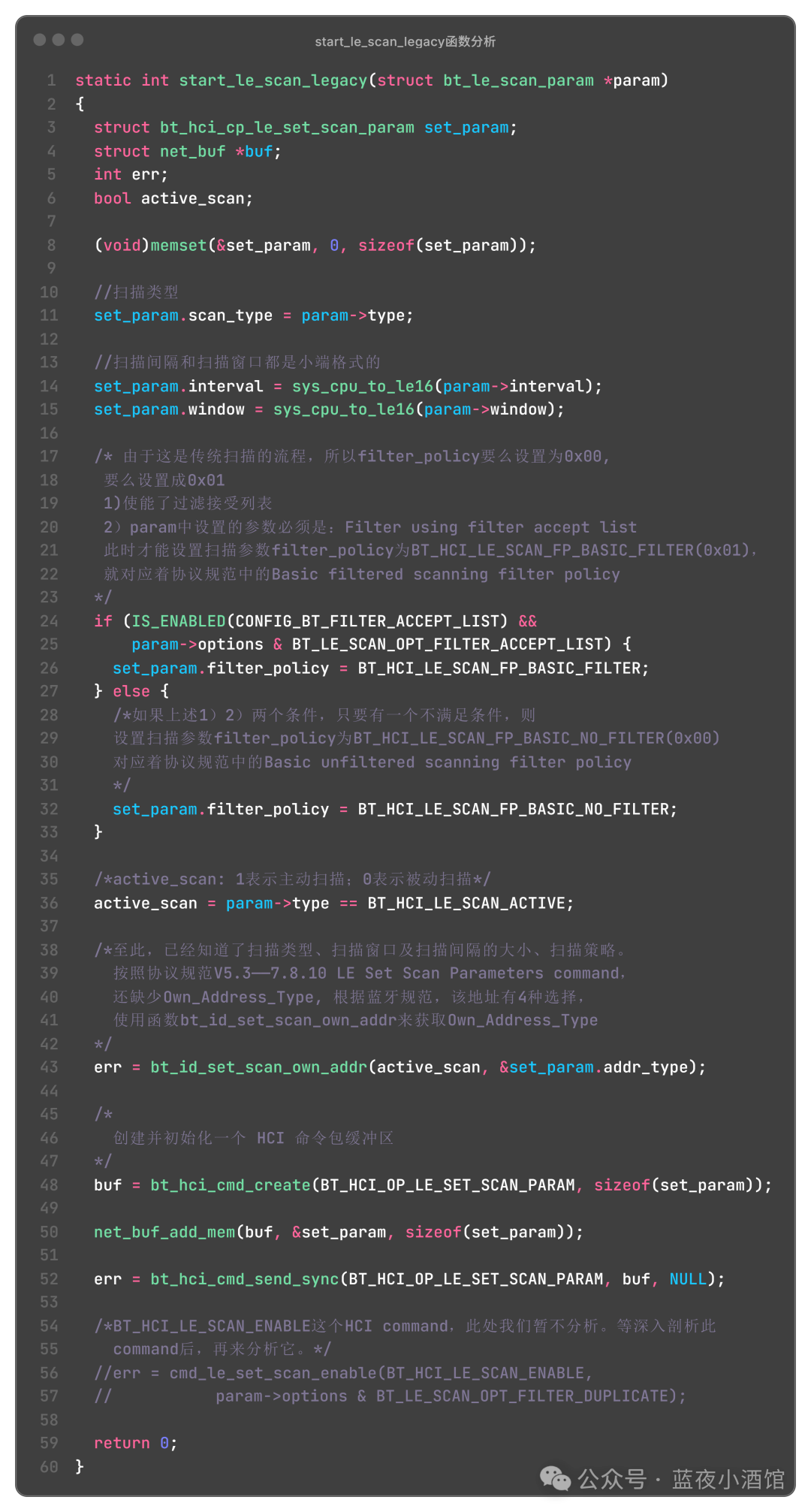
3.1 bt_hci_cmd_create Function
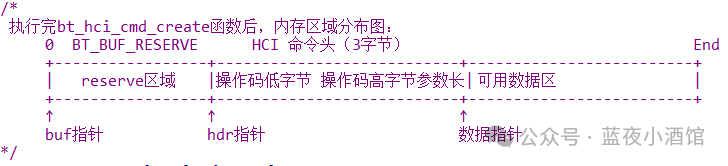
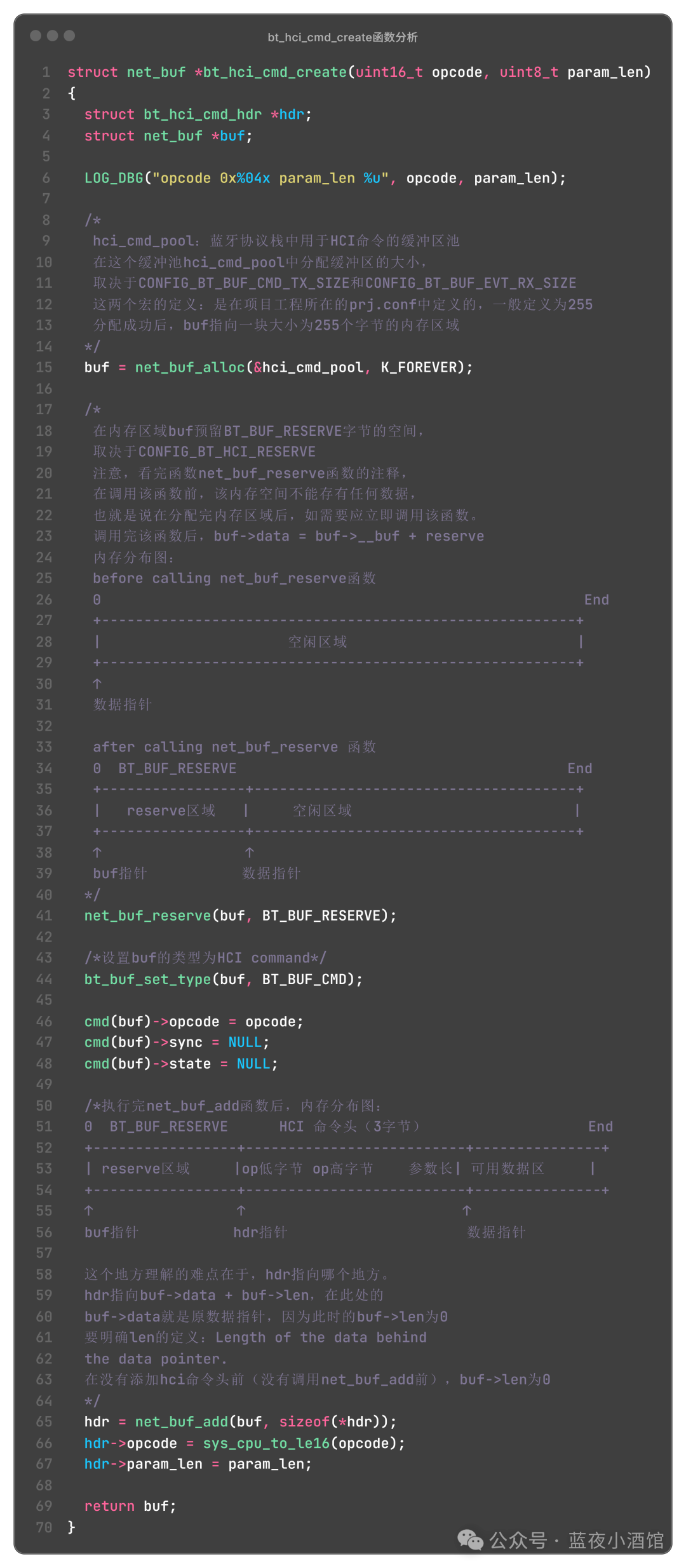
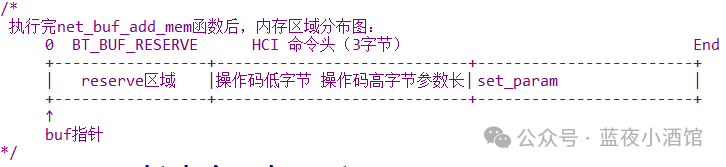
3.2 net_buf_add_mem Function
After creating the buf in 3.1, add the parameters for traditional scanning.
net_buf_add_mem(buf, &set_param, sizeof(set_param));
The internal distribution diagram is shown below
3.3 bt_hci_cmd_send_sync
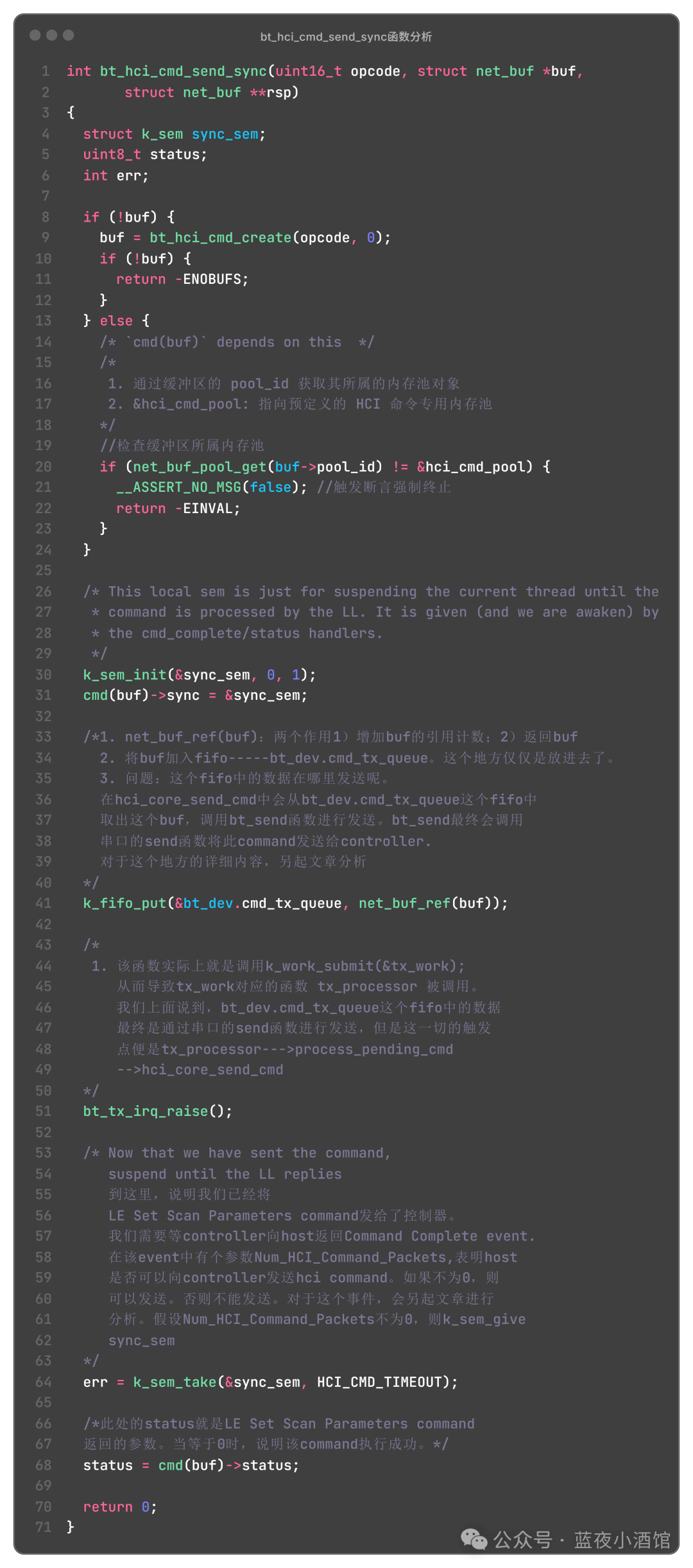
This article mainly analyzes how to send traditional scanning parameters to the controller. The following flowchart describes the process; note that we will not analyze the command to enable the controller, so this part is not included in the flowchart.