IntroductionOn the Raspberry Pi, you can use the built-in htop command to monitor CPU and memory usage in real-time via the terminal, but it does not provide any information about GPU and memory usage.Recently, I attempted to display some images using the GPU, but I couldn’t be sure if the program was actually utilizing the GPU for acceleration, so I needed to monitor real-time GPU information.System EnvironmentHardware: Raspberry Pi 5System: Introduction to NVTOPNVTOP (https://github.com/Syllo/nvtop) is software that supports monitoring GPU usage across various platforms, currently supporting:
- AMD (Linux amdgpu driver)
- Apple (limited M1 & M2 support)
- Huawei (Ascend)
- Intel (Linux i915/Xe drivers)
- NVIDIA (Linux proprietary drivers)
- Qualcomm Adreno (Linux MSM driver)
- Broadcom VideoCore (Linux v3d driver)
It can be seen that the Raspberry Pi (Broadcom VideoCore) is also supported.Installing NVTOPYou can install nvtop directly using apt, but this method installs a very outdated version (v3.0.1) that does not function properly.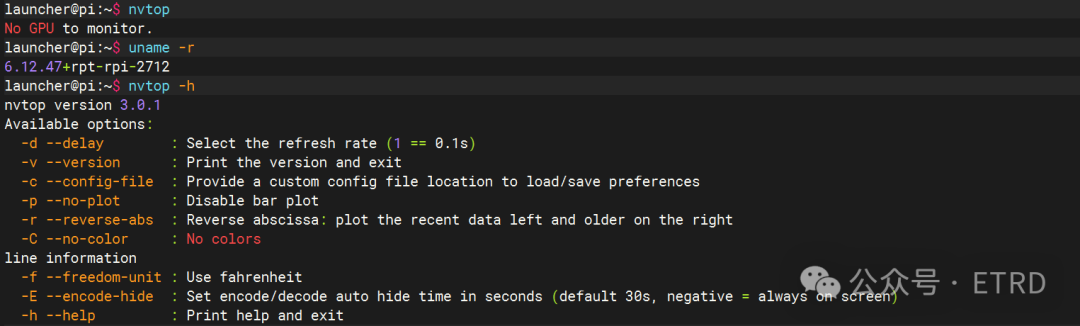 The latest version on GitHub has reached v3.2.0, so to install the latest software, you can use snap for installation.1. Install snap
sudo apt update
sudo apt install snapd
2. Restart the system
sudo reboot3. Update itself
sudo snap install snapd4. Install nvtop
sudo snap install nvtop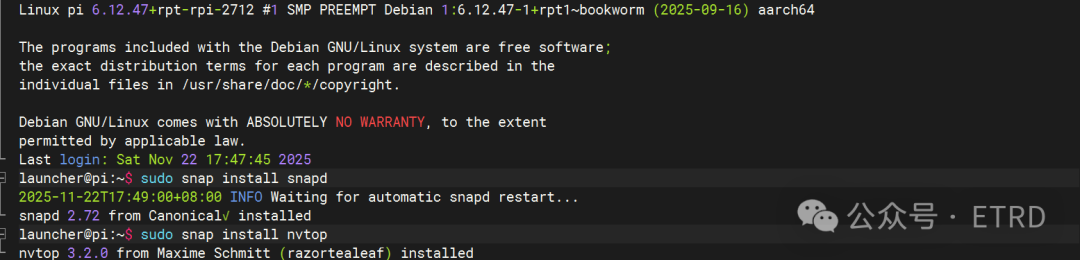
You can see that the software installed using this method is the current latest version.
Using NVTOPRun the command directly in the terminal to bring up the monitoring interface:
nvtop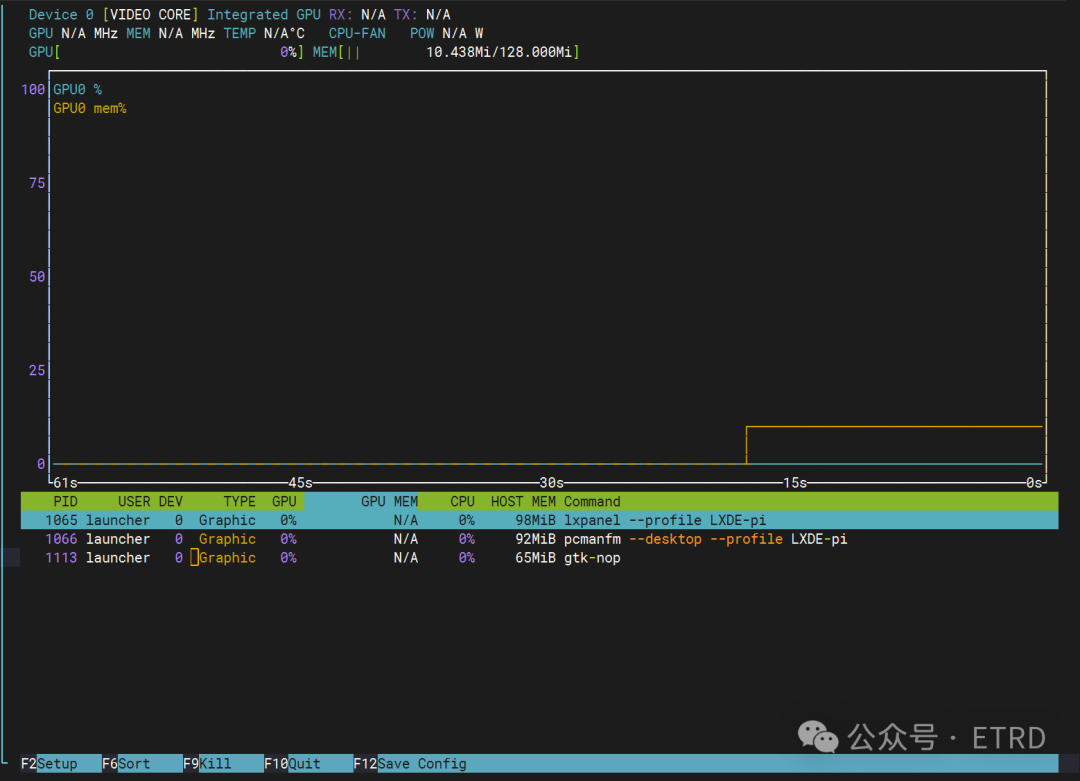 The current GPU usage is 0%, and memory usage is 10MiB. At this point, I will run my code to display images using the GPU:
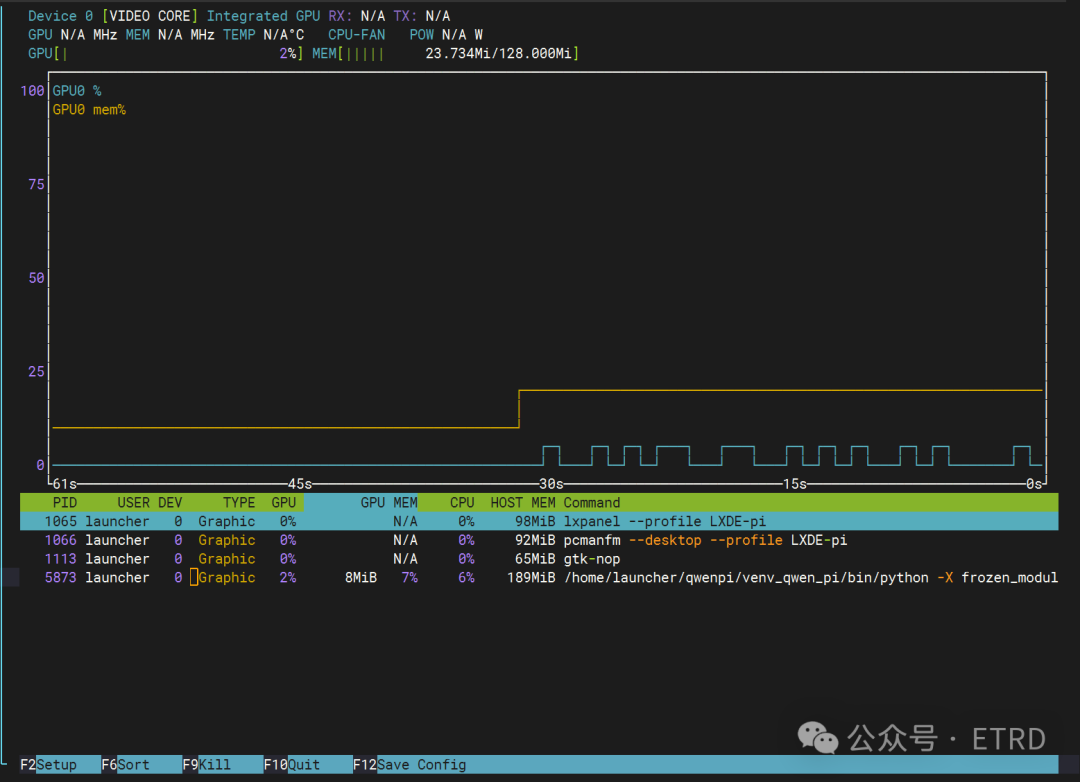 You can see that the GPU usage has increased to 2%, and memory usage has increased to 23MiB. The details below show the programs that I am running.ConclusionThis article introduced the method of installing NVTOP on the Raspberry Pi 5 to monitor GPU and memory usage, which can also be applied to other Raspberry Pi series.