This Article Overview
Recently, the MultiTalk project, open-sourced by Sun Yat-sen University, Meituan, and Hong Kong University of Science and Technology, is a novel framework for audio-driven multi-person dialogue video generation. Given a multi-stream audio input, a reference image, and a prompt, MultiTalk generates a video that features interactions following the prompt, with lip movements synchronized to the audio.
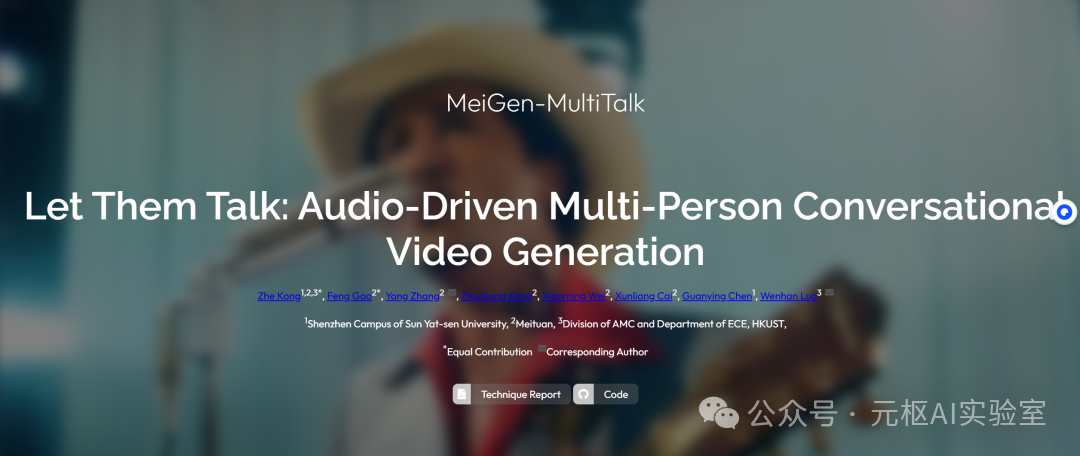
First, let’s take a look at some official examples:
This digital human model is incredibly powerful; it can generate not only single-person speaking videos but also multi-person dialogue videos that are emotionally on point and extremely realistic. The singing video below is so well done that it is almost indistinguishable from a generated video using just a single image and a segment of audio, showcasing that the digital human tool has reached a new level of effectiveness.
Model Design Diagram
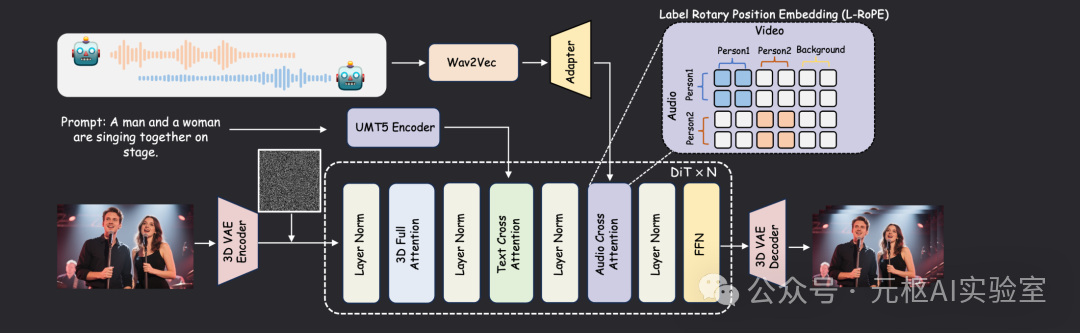
The model framework includes an additional audio cross-attention layer to support audio conditioning. To achieve the generation of multi-person dialogue videos, we propose a Label-Rotated Positional Embedding (L-RoPE) for multi-stream audio injection.
Practical Case: Sharing the Digital Human Installation Process
1. Create a conda environment and install PyTorch and xformers
conda create -n multitalk python=3.10
conda activate multitalk
pip install torch==2.4.1 torchvision==0.19.1 torchaudio==2.4.1 --index-url https://download.pytorch.org/whl/cu121
pip install -U xformers==0.0.28 --index-url https://download.pytorch.org/whl/cu121
2. Install Flash-attn
pip install ninja
pip install psutil
pip install packaging
pip install flash_attn
3. Install other project dependencies
pip install -r requirements.txt
conda install -c conda-forge librosa
4. Install FFmpeg
conda install -c conda-forge ffmpeg5. Use huggingface-cli to download models
huggingface-cli download Wan-AI/Wan2.1-I2V-14B-480P --local-dir ./weights/Wan2.1-I2V-14B-480P
huggingface-cli download TencentGameMate/chinese-wav2vec2-base --local-dir ./weights/chinese-wav2vec2-base
huggingface-cli download TencentGameMate/chinese-wav2vec2-base model.safetensors --revision refs/pr/1 --local-dir ./weights/chinese-wav2vec2-base
huggingface-cli download MeiGen-AI/MeiGen-MultiTalk --local-dir ./weights/MeiGen-MultiTalk
6. Link or copy the MultiTalk model to the Wan2.1-I2V-14B-480P directory
mv weights/Wan2.1-I2V-14B-480P/diffusion_pytorch_model.safetensors.index.json weights/Wan2.1-I2V-14B-480P/diffusion_pytorch_model.safetensors.index.json_old
sudo ln -s {Absolute path}/weights/MeiGen-MultiTalk/diffusion_pytorch_model.safetensors.index.json weights/Wan2.1-I2V-14B-480P/
sudo ln -s {Absolute path}/weights/MeiGen-MultiTalk/multitalk.safetensors weights/Wan2.1-I2V-14B-480P/
For Windows, simply download the model and place it in this directory; for Mac, use commands to move it.
7. For model usage, refer to the official documentation for setup instructions.
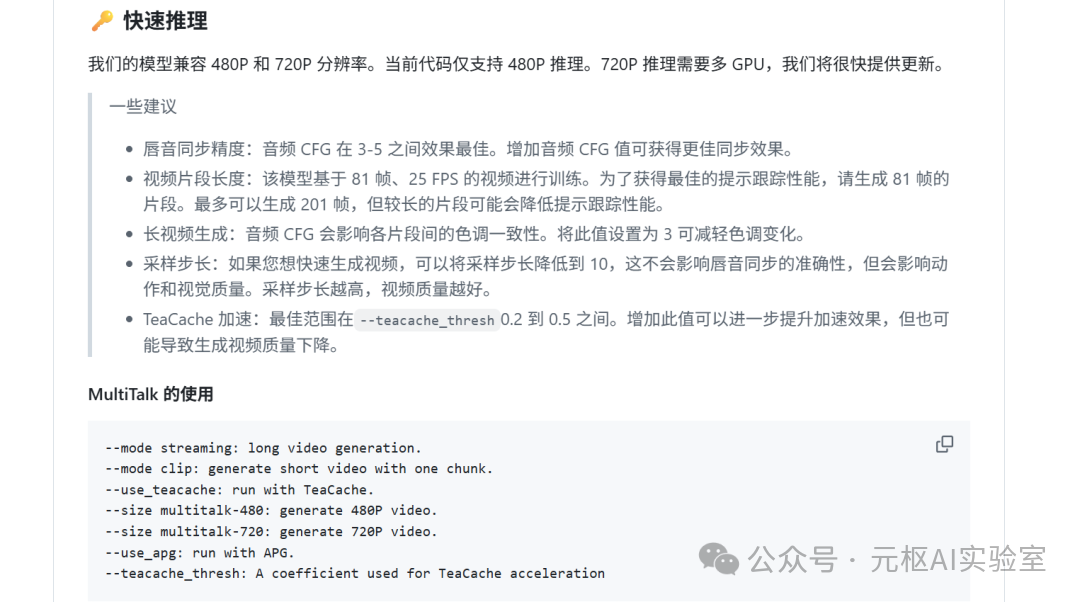
8. Run using a single GPU
python generate_multitalk.py \
    --ckpt_dir weights/Wan2.1-I2V-14B-480P \
    --wav2vec_dir 'weights/chinese-wav2vec2-base' \
    --input_json examples/single_example_1.json \
    --sample_steps 40 \
    --mode streaming \
    --use_teacache \
    --save_file single_long_exp
For more running methods, refer to the official documentation.
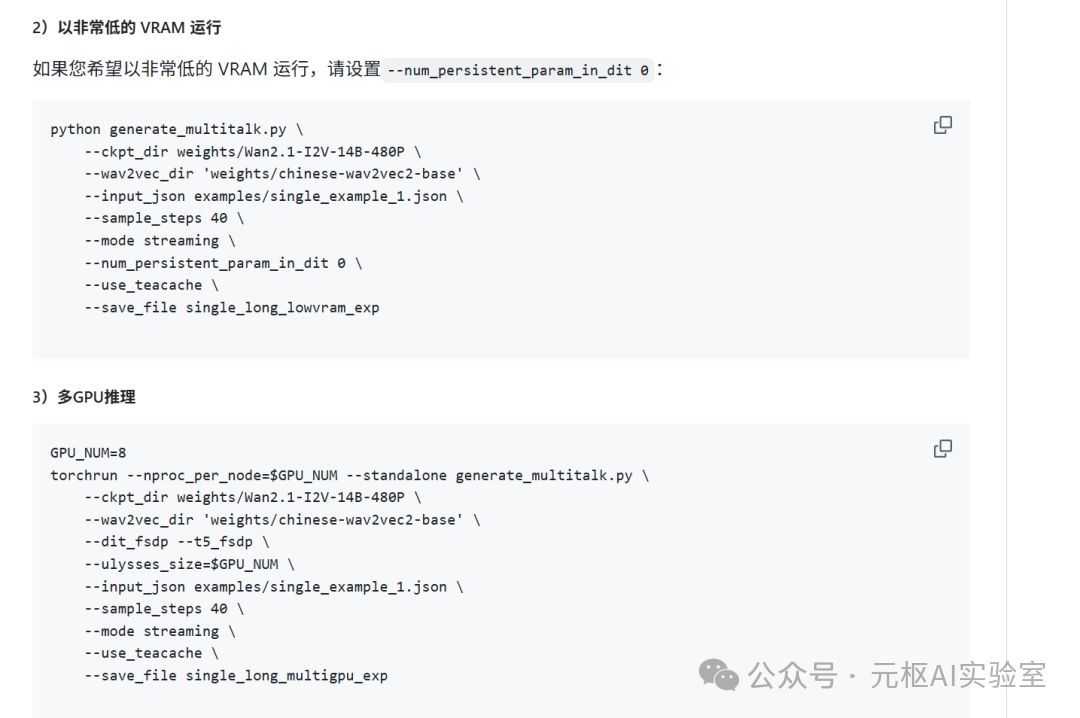
Data on video generation speed without configuration is as follows:
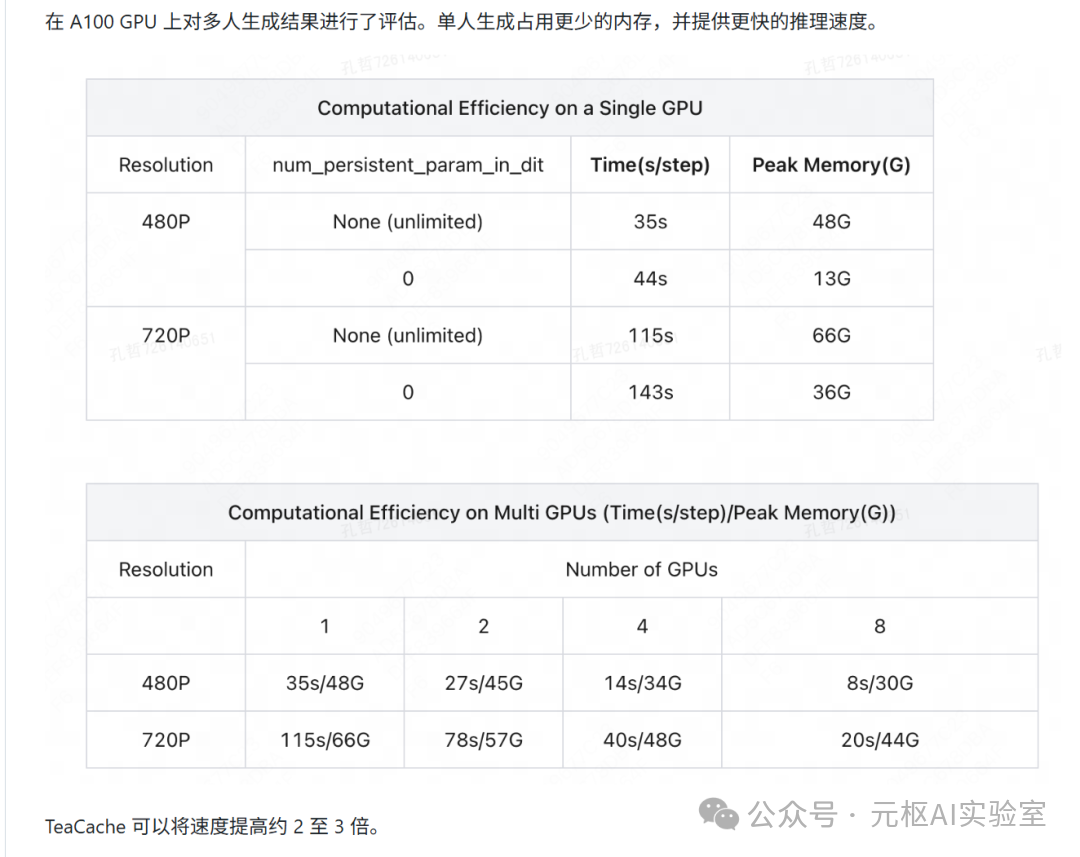 GitHub:https://github.com/MeiGen-AI/MultiTalkProject Address:
https://meigen-ai.github.io/multi-talk/
Conclusion
From last year to now, digital humans have evolved from realistic talking heads to full-body motion synchronization, capable of generating high naturalness single-person videos. However, multi-person dialogue has faced significant challenges, as matching each person with corresponding audio is extremely difficult. With the open-sourcing of MultiTalk, the issue of multi-person dialogue has been addressed.
This signifies that digital human technology is maturing and will provide strong support for fields such as virtual broadcasting and film production.
If your computer configuration allows, I recommend deploying it to try it out.
I have created a public community channel; feel free to join if you need tools or AI resources, and I hope everyone can actively share to co-create a shared platform.

 If you find this article helpful, please give it a like, share, or forward. If you want to receive updates promptly, you can also star my profile ⭐. Thank you for reading my article, and see you next time.
#ai #ai tools #Fengzhixin#ai cases #digital human