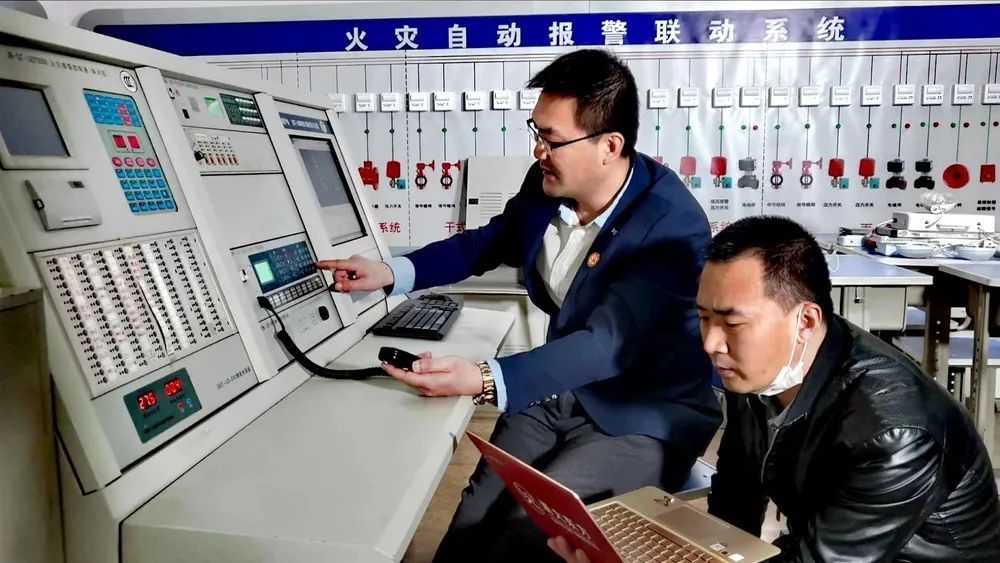
After a fire occurs, lowering the fire curtain can control the spread of fire and smoke; lowering the fire elevator to the first floor can provide conditions for firefighters to access the building… How are these operations carried out in the fire control room? This article is aimed at firefighters and fire facility operators, explaining the manual operation of the “bus control panel.”
Key skill number eight for intermediate fire facility operators: Able to start the alarm device through the bus-type fire linkage controller, manually start the pressurized air supply outlet, pressurized air supply fan, smoke exhaust valve, smoke exhaust fan, release the fire curtain, close the normally open fire door, cut off non-fire power supply, and lower the elevator.
01
Bus Control Concept
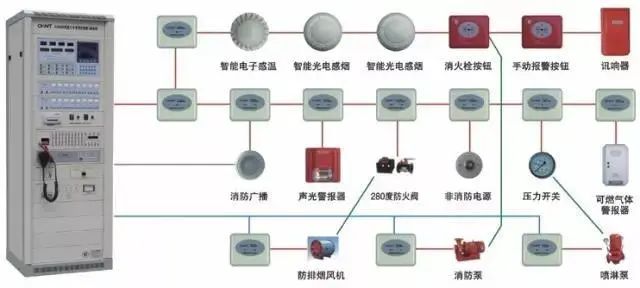
Bus control refers to connecting fire linkage modules on the bus. When the fire linkage controller receives a fire signal and meets the preset logic, it sends out a start signal to complete the fire linkage control function through the control modules connected on the bus.
02
Working Principle of Bus Control Panel
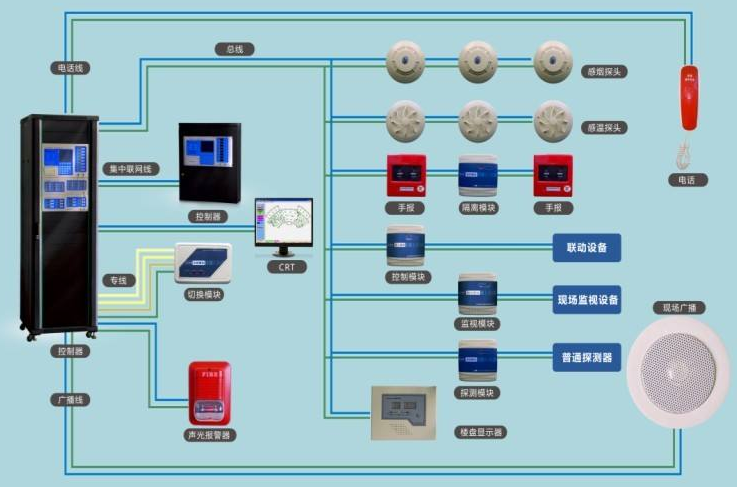
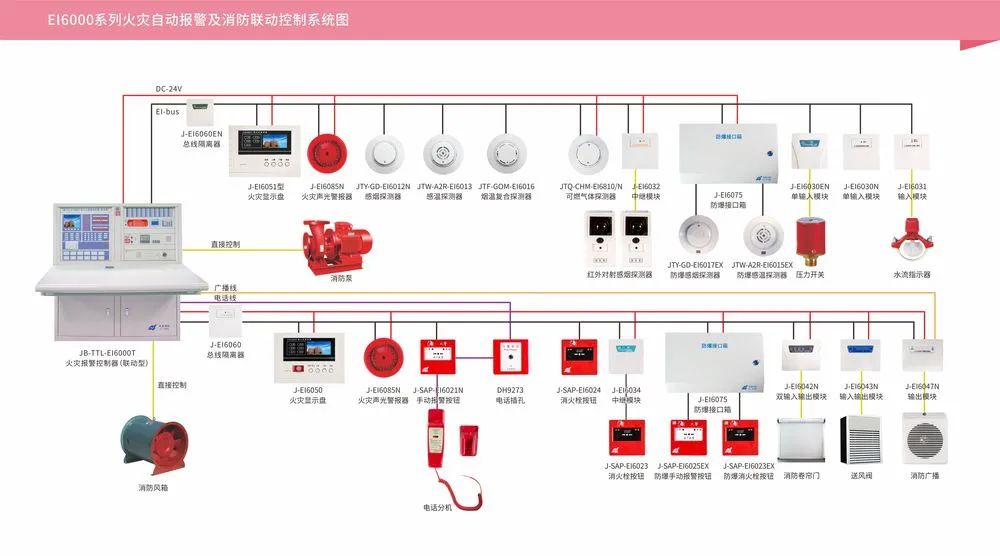
The current fire alarm control systems mainly use bus control panels, whose signal lines consist of two wires, sharing a bus for both signal and power supply, responsible for communication and power supply of fire detectors, manual fire alarm buttons, and various modules, as shown in the diagram (bus control panel connection method) below:
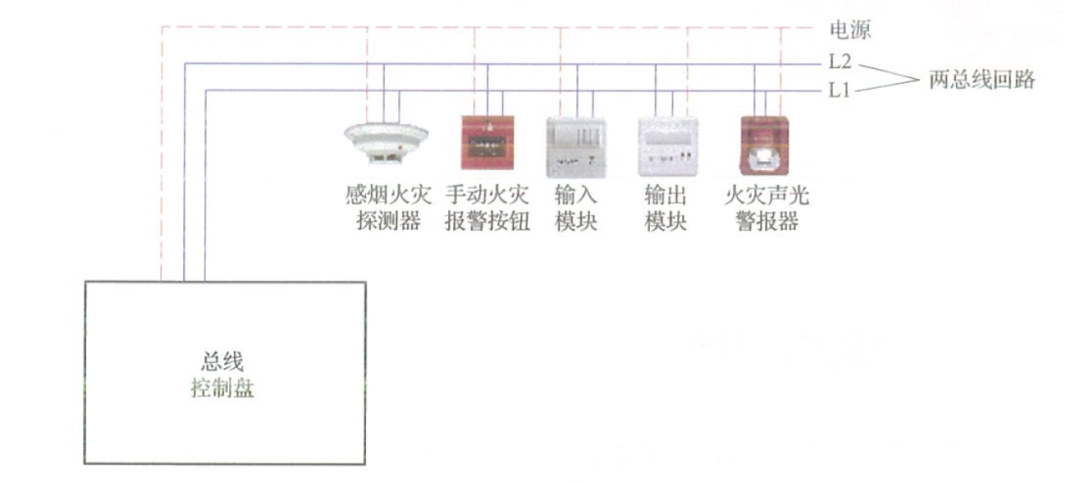
Each button on the bus control panel corresponds to a bus control module, and the control of fire equipment is realized by the control module. That is, the fire linkage controller automatically controls the actions of fire equipment according to preset logic and timing through the control module or manually operates the buttons on the bus control panel to make the corresponding module act to control the actions of the fire equipment.
For some controlled fire equipment that needs timely operation, it can be controlled through the bus control panel, as shown in the diagram (control method of bus control panel on fire equipment) below.
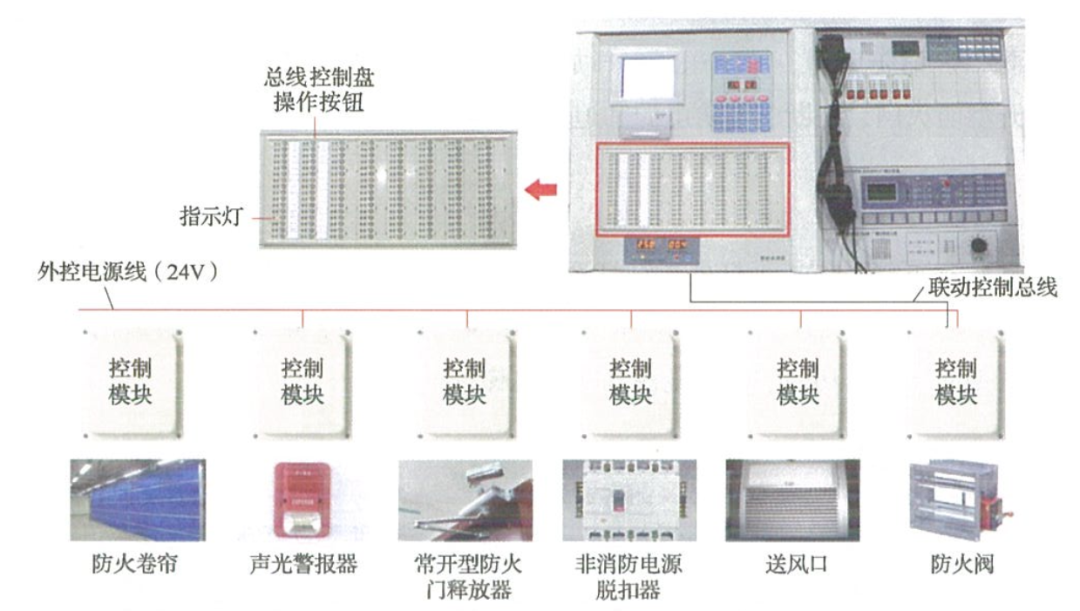
The bus control panel has the function of manually controlling each controlled fire equipment. A centralized fire alarm controller (linkage type) can set multiple bus control panels. The bus control panel provides a convenient manual operation method for starting and stopping controlled fire equipment, which can replace cumbersome menu operations.
03
Operation Method of Bus Control Panel
Each operation button on the bus control panel corresponds to a control output, controlling the start of fire sound and light alarms, fire broadcasts, pressurized air supply outlets, pressurized air supply fans, smoke exhaust valves, smoke exhaust fans, fire curtains, normally open fire doors, non-fire power sources, and elevators. You can press the target operation button to start the corresponding fire equipment as needed.
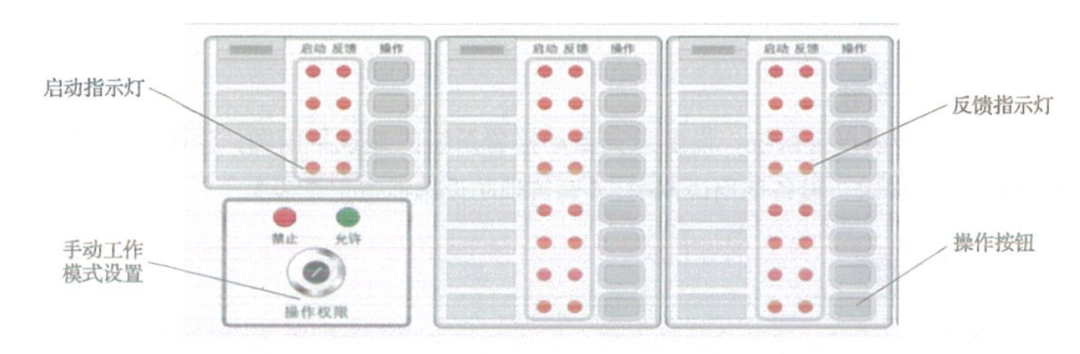
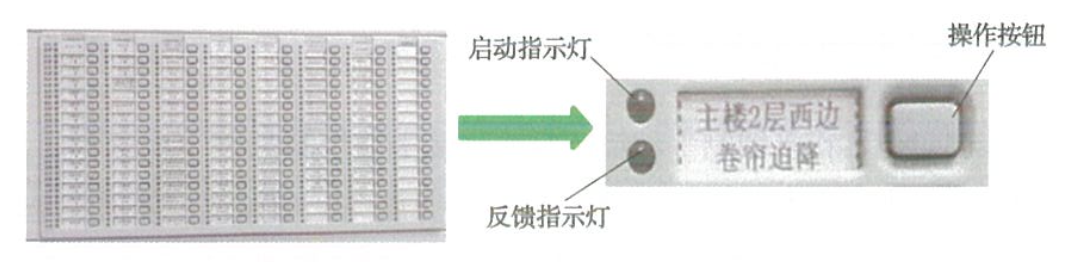
The operation panel of the bus control panel is equipped with multiple manual control units, each unit includes an operation button and two status indicator lights. Each operation button can control various types, zones, and specific equipment through logical programming. Each operation button corresponds to a start indicator light and a feedback indicator light, used to indicate the button status and display the equipment operation status. Some bus control panels are equipped with a manual lock for selecting manual working mode, which can be set to manual allow and manual prohibit two working states, as shown in the diagram (manual control unit of bus control panel) below.
1. “Allow” State
In this state, the working indicator light is in the green light running state, and the fire sound and light alarm, fire broadcast, pressurized air supply outlet, pressurized air supply fan, smoke exhaust valve, smoke exhaust fan, release of the fire curtain, closure of the normally open fire door, cut off non-fire power supply, and lowering of the elevator can be manually started through the bus control panel.
2. “Prohibit” State
In this state, the working indicator light is in the red light running state, and the fire sound and light alarm, fire broadcast, pressurized air supply outlet, pressurized air supply fan, smoke exhaust valve, smoke exhaust fan, release of the fire curtain, closure of the normally open fire door, cut off non-fire power supply, and lowering of the elevator cannot be manually started through the bus control panel.
3. “Start” State
If the “Start” indicator light is flashing, it indicates that the manual control unit of the bus control panel has issued a start command and is waiting for feedback; if the “Start” indicator light is on, it indicates that the on-site equipment has successfully started.
4. “Feedback” State
If the “Feedback” indicator light is off, it indicates that the on-site equipment start information has not been fed back; if the “Feedback” indicator light is on, it indicates that the on-site equipment has successfully started and has fed back the start information.
04
Operating the Bus Control Panel
Preparation for Operation
1. Bus control panel.
2. Fire automatic alarm system, setting of the architectural floor plan of the fire automatic alarm system, fire equipment linkage logic explanation or design requirements, equipment user manual, and “Building Fire Facility Inspection Record Form”.
Operation Procedure
Take the control operation of manually starting the fire curtain on the west side of the 2nd floor of a main building as an example.
Step 1
Turn on the power switch. After connecting the power, the working indicator light of the bus control panel should be in an illuminated state.
Step 2
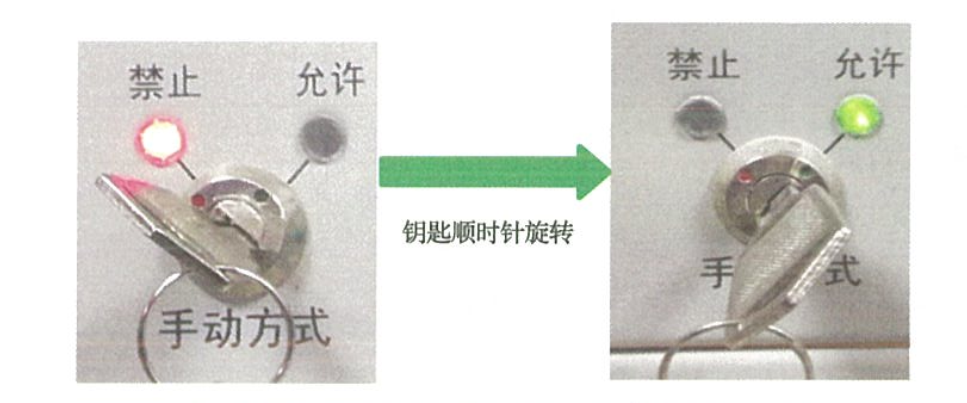
If the panel has a manual lock, before operation, switch the manual working mode operation permission to “Allow” state using the panel key. At this time, the “Allow” indicator light is on, as shown in the diagram below.
Step 3
Refer to the fire equipment address code and coding position table, and find the manual control unit for controlling the fire curtain on the bus control panel, as shown in the diagram below.
Step 4
Press the operation button for the fire curtain on the west side of the 2nd floor of the main building, and check the action status of the fire curtain on-site. If the “Start” indicator light is flashing, it indicates that the manual control unit of the bus control panel has issued a start command and is waiting for feedback; when the “Start” indicator light is on, it indicates that the on-site fire curtain has successfully started, as shown in the diagram below where the “Start” indicator light changes from flashing to steady.

When the “Feedback” indicator light is on, it indicates that the on-site fire curtain has successfully started and has fed back the start information. As shown in the diagram below, the “Feedback” indicator light is on, indicating successful start and feedback of the start information.