1. IntroductionTo avoid issues during automated execution caused by different Python or library versions, reduce the threshold for testers, protect core business logic and test code, and facilitate the use by testers, generating an .exe executable file can better address these problems.2. How to Use PyInstaller to Generate an .exe File (No Python Environment Required)1. Install PyInstaller, then execute the executable file
# Install PyInstaller
pip install pyinstaller -i 'https://pypi.tuna.tsinghua.edu.cn/simple'
# After installation, enter in the terminal, run.py is your executable file name
pyinstaller run.py
2. After execution, the run.exe executable file is generated in the dist directory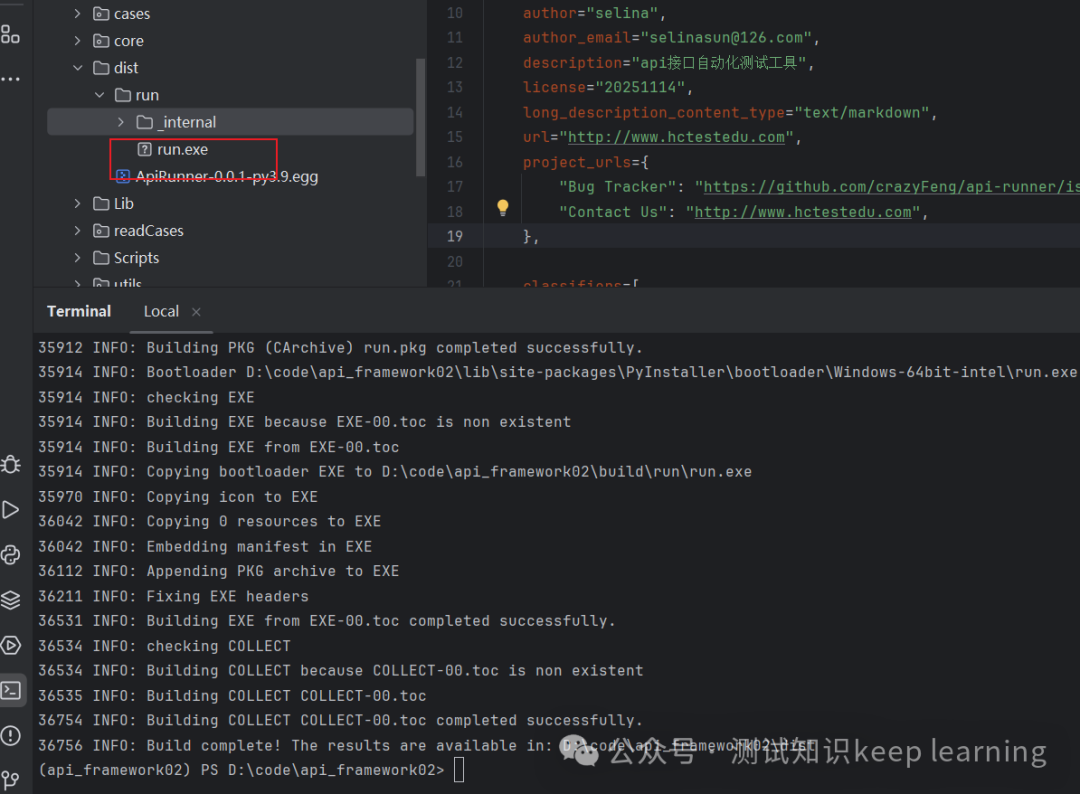 3. How to Use setuptools to Generate an .exe File (Python Environment Required)1. Create a new file in the automation script directory and input the script content
import setuptools
"""Package into an executable module"""
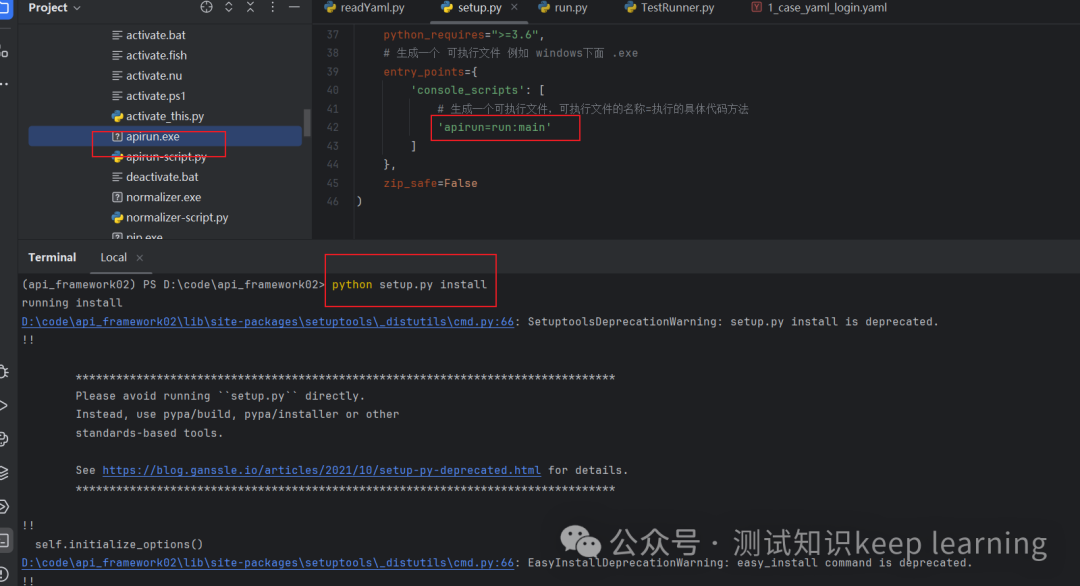
setuptools.setup(    # Project description, write according to your needs    name="ApiRunner",    version="0.0.1",    # Author's name    author="selina",    # Your email    author_email="[email protected]",    # Automation framework name    description="API interface automation testing tool",    license="20251114",    long_description_content_type="text/markdown",    # Automation website address    url="http://XXX.XXXXXXX.com",    project_urls={        "Bug Tracker": "https://github.com/crazyFeng/api-runner/issues",        "Contact Us": "http://XXX.XXXXXXX.com",    },    classifiers=[        "Programming Language :: Python :: 3",        "License :: OSI Approved :: GNU General Public License (GPL)",        "Operating System :: OS Independent",    ],    # Dependencies to install -- tool dependencies    install_requires=[        "pytest",        "pytest-html",        "jsonpath",        "PyYAML",        "pyyaml-include",        "requests"    ],    packages=setuptools.find_packages(),    python_requires=">=3.6",    # Generate an executable file, for example, .exe on Windows    entry_points={        'console_scripts': [            # Generate an executable file, the name of the executable file = the specific code method executed, modify this method according to your file directory and method            'apirun=run:main'        ]    },    zip_safe=False)
2. Execute python setup.py install in the Terminal areaAfter execution, a Scripts folder will be generated, which will contain the apirun.exe executable file, and this file can be double-clicked to execute like other .exe files