In Linux systems, the default software download sources are often located abroad, which can lead to frequent issues with downloading or updating software. Are you troubled by this? Follow me to replace the download source with a domestic one and resolve your worries.
1. Yum: Resolving Dependency Issues 1. First, you need to configure the software installation source: The directory is: /etc/yum.repos.d. Here, modify the software download source by opening a *.repo file.
2. mv /etc/yum.repos.d/* /tmp/a Move the existing download sources to back them up. This prepares for creating a new source. Alternatively, you can directly use rm -rf /etc/yum.repos.d/* to delete them, or compress and back them up.
3. Write a local yum configuration file cd /etc/yum.repos.d vim /etc/yum.repos.d/aliyun.repo [aliyun] Name=aliyun Description=Baseurl=http://aliyun.com Gpgcheck=0 4. yum install -y package1 package2 Install multiple packages.
5. yum list package1 Check the installation status of the package.
6. yum remove package1 Uninstall the software.
Aliyun Source: (Update) **https://developer.aliyun.com/mirror/** Before updating: First, back up all files in the /etc/yum.repos.d/ directory. Move all repo files from the original directory to the home directory, mv *.repo /home/yum, then go to the Aliyun official website to find the CentOS 7 yum source.
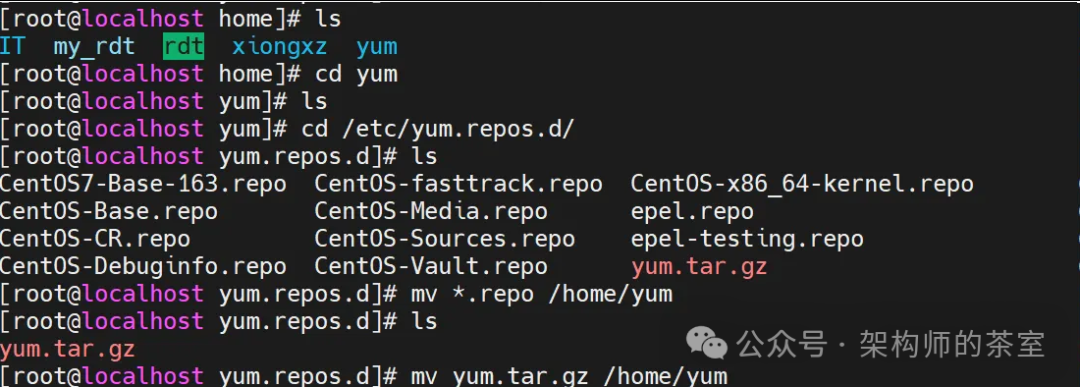 Now the yum.repos.d directory is empty. Go to the Aliyun website: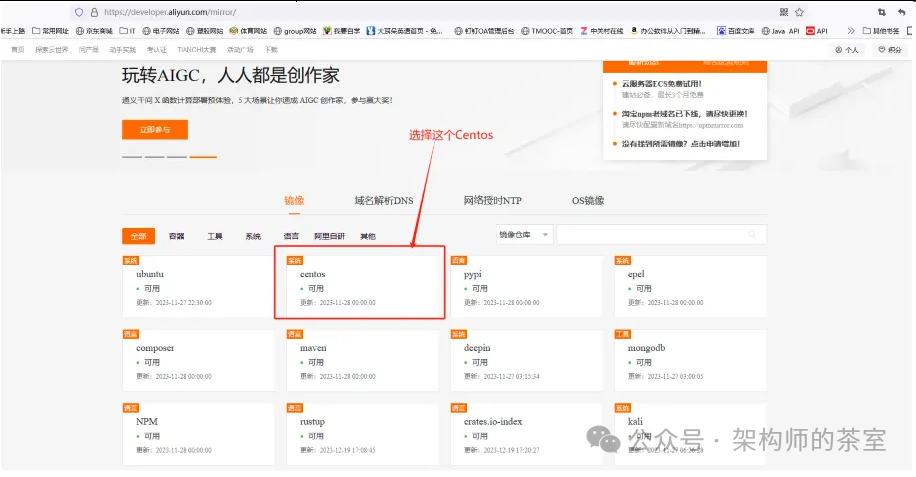
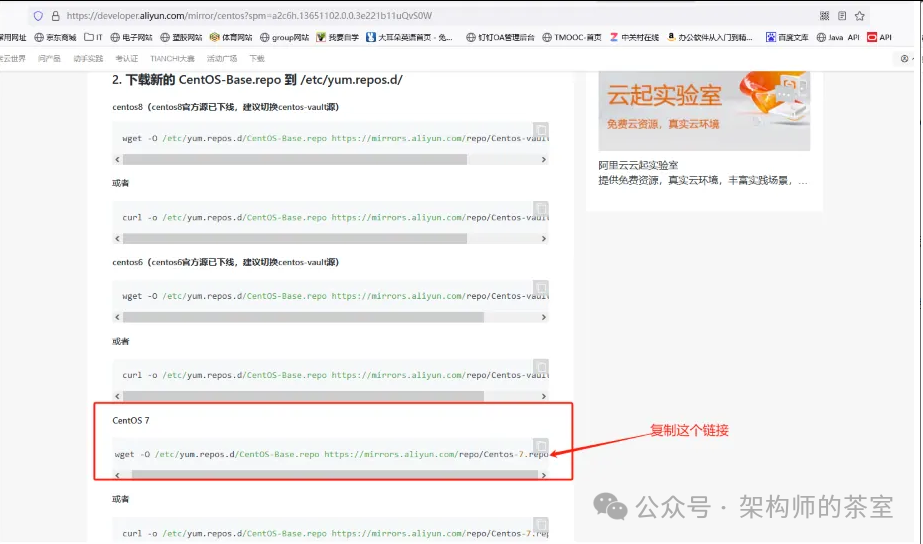 Update Aliyun Source: This link is for the basic package of Aliyun source.
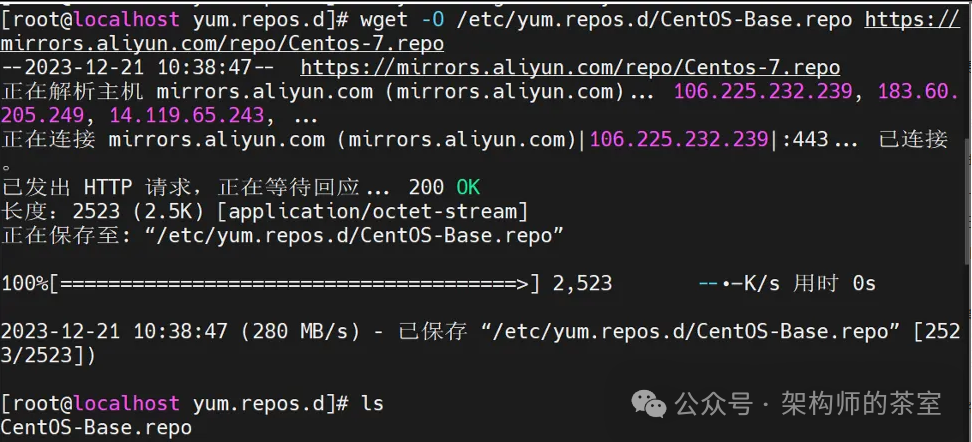 Update Extension Packages: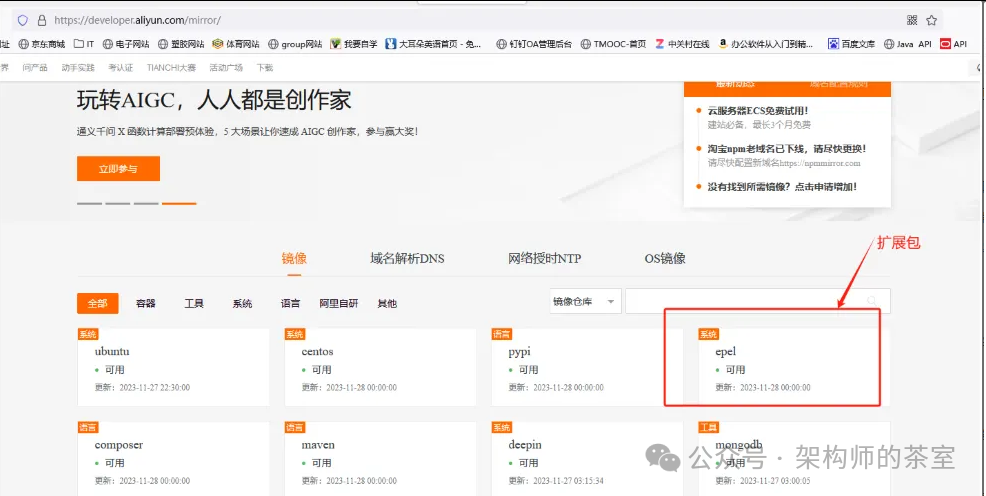
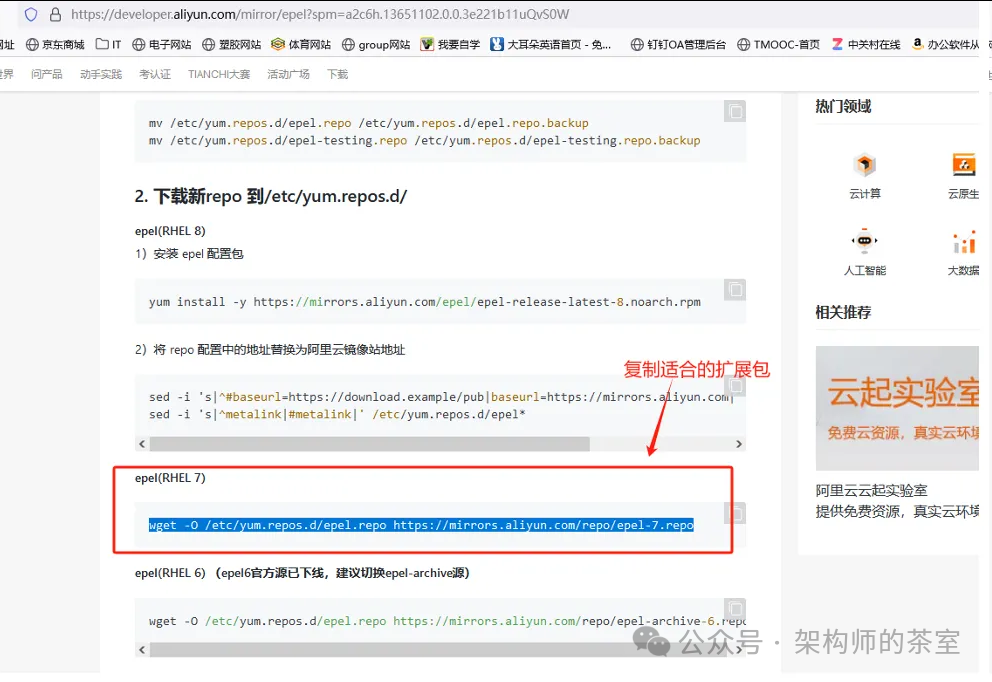
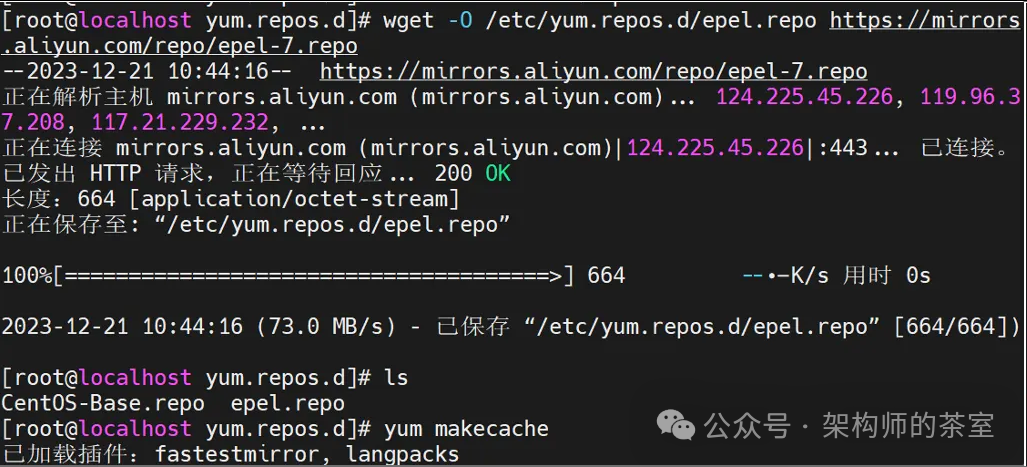 At this point, the source has been updated to a domestic source. If you are still unfamiliar, follow my steps to operate. Follow me for more IT knowledge sharing.