✦₊ Click the card above to follow for more updates 🌷
This article details the complete process of compiling ESP-IDF in a Windows environment using WSL2, setting up the ESP32-P4 development environment, and ultimately achieving the on-board LED white light flashing.
This demonstration uses the latest WT9932P4-TINY development board, which is equipped with the ESP32-P4 chip. It is compact, with a simplified interface, suitable for entry-level embedded development needs, and the operation steps are clear and reproducible, allowing beginners to quickly get started!

Preparation
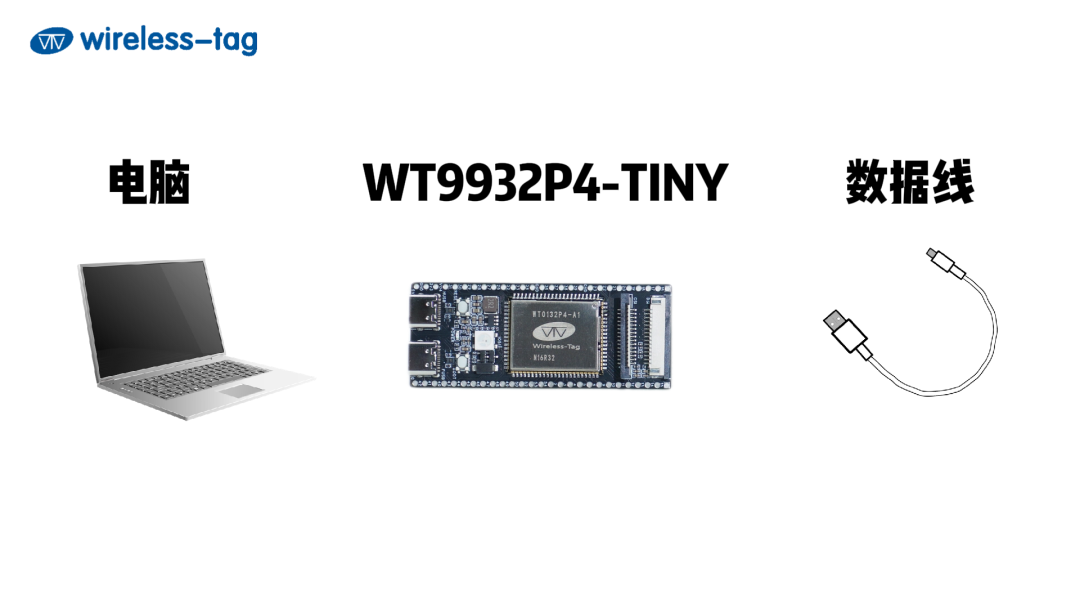
Before setting up the environment, we need to prepare the following equipment:
-
1×WT9932P4-TINY development board
-
1×USB data cable (Type A to Type C)
-
1×Computer

Installing the ESP-IDF Development Environment
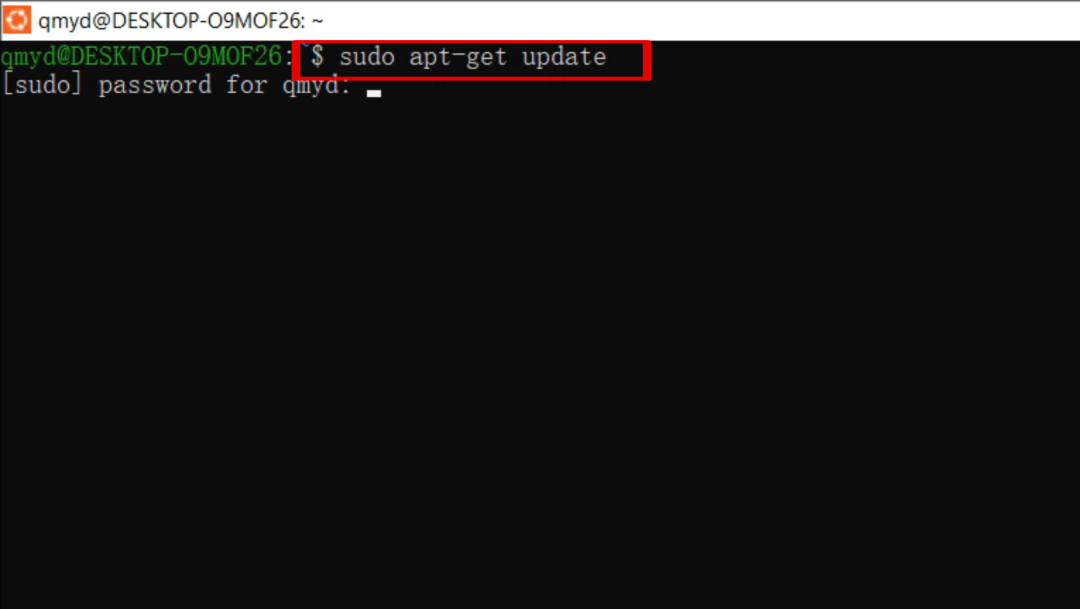
1. Open PowerShell as an administrator and execute in the CMD terminalwsl.exe -d Ubuntu, open the Ubuntu terminal, and first enter sudo apt-get update to update the application market.
2. Next, install the required software packages. Users can copy the command directly to avoid manual input errors:
sudo apt-get install git wget flex bison gperf python3 python3-pip python3-venv cmake ninja-build ccache libffi-dev libssl-dev dfu-util libusb-1.0-0
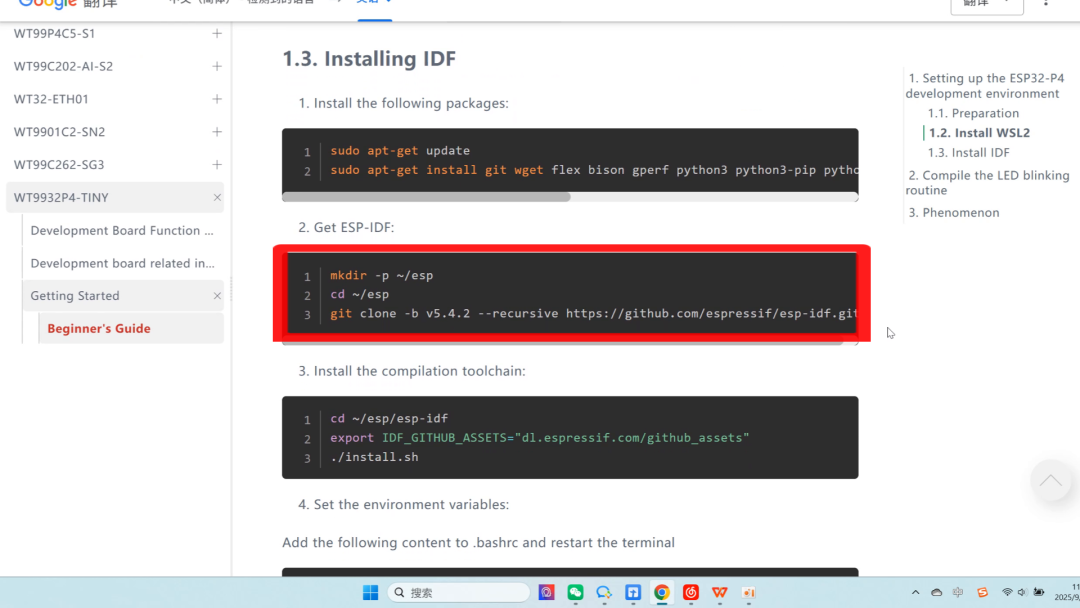
3. Create the path ~/esp and clone the ESP-IDF repository to your local machine. The download speed may vary depending on whether the user is using a VPN, please check your network connection.
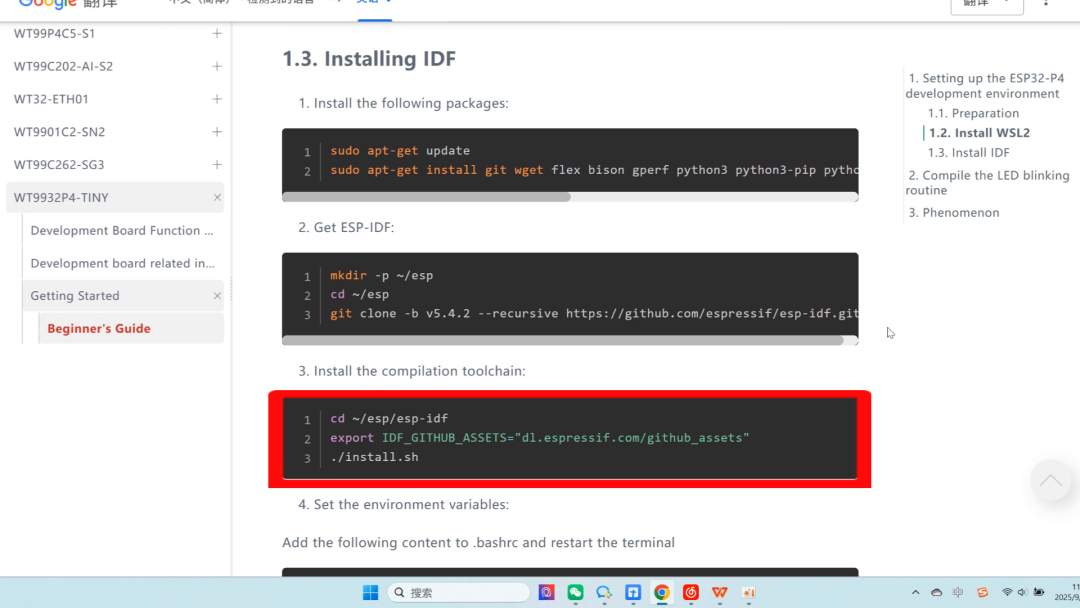
4. Executecd esp-idf to enter the ESP-IDF directory, and execute the following command to install the compilation toolchain:
“cd ~/esp/esp-idf export IDF_GITHUB_ASSETS=”dl.espressif.com/github_assets”
(This command is for changing the source, which is only necessary for domestic users, to improve download speed.)
5. Set environment variables: Add the following content to .bashrc
“alias get_idf=’. $HOME/esp/esp-idf/export.sh’”
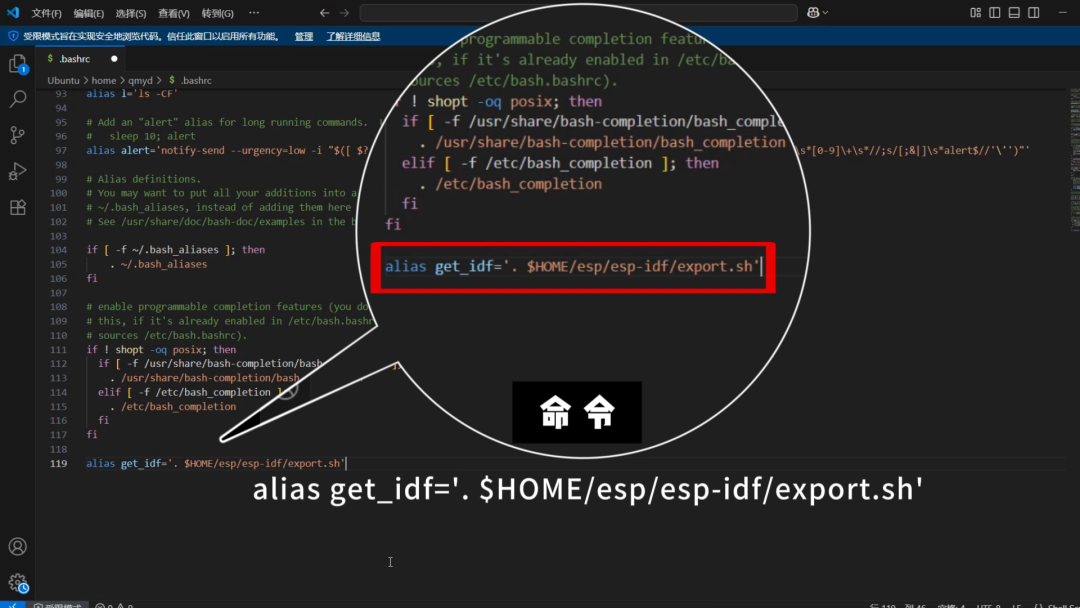
6. Press Ctrl+O to save, hit Enter to confirm, Ctrl+X to exit, and restart the terminal.

Mounting WSL-USB-GUI to WSL
1. Connect the USB cable to the FUSB interface of the WT9932P4-TINY and the computer’s USB port. Open the USB device mounting tool download link:
https://gitlab.com/alelec/wsl-usb-gui/-/releases
2. Select the software package, the system will automatically download it, double-click to install.3. After successful installation, restart the terminal, open WSL-USB-GUI to mount it to WSL, and it should mount successfully.
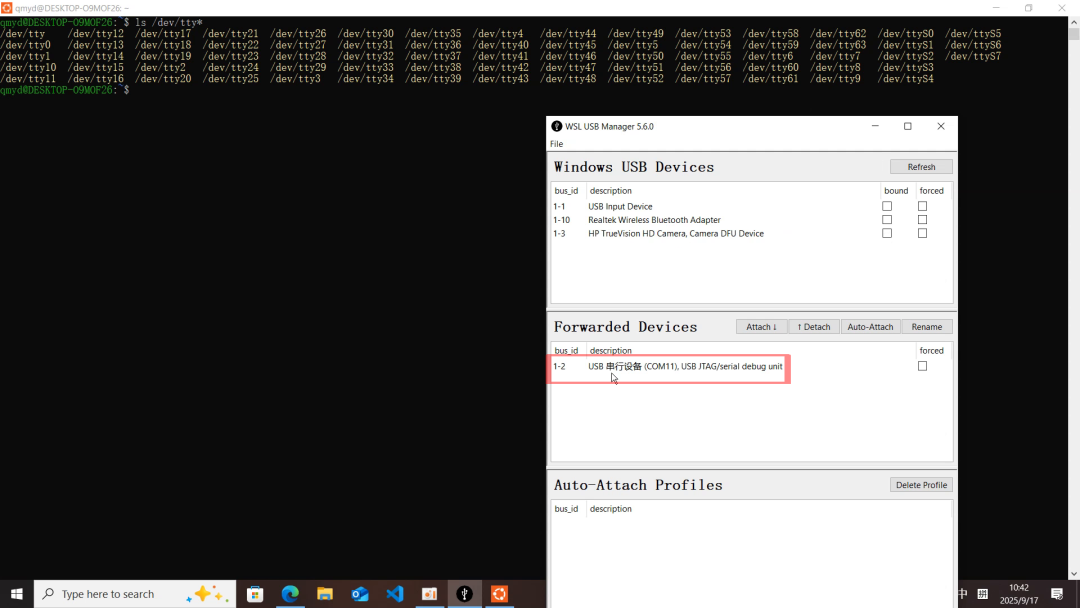

Modify Project Configuration
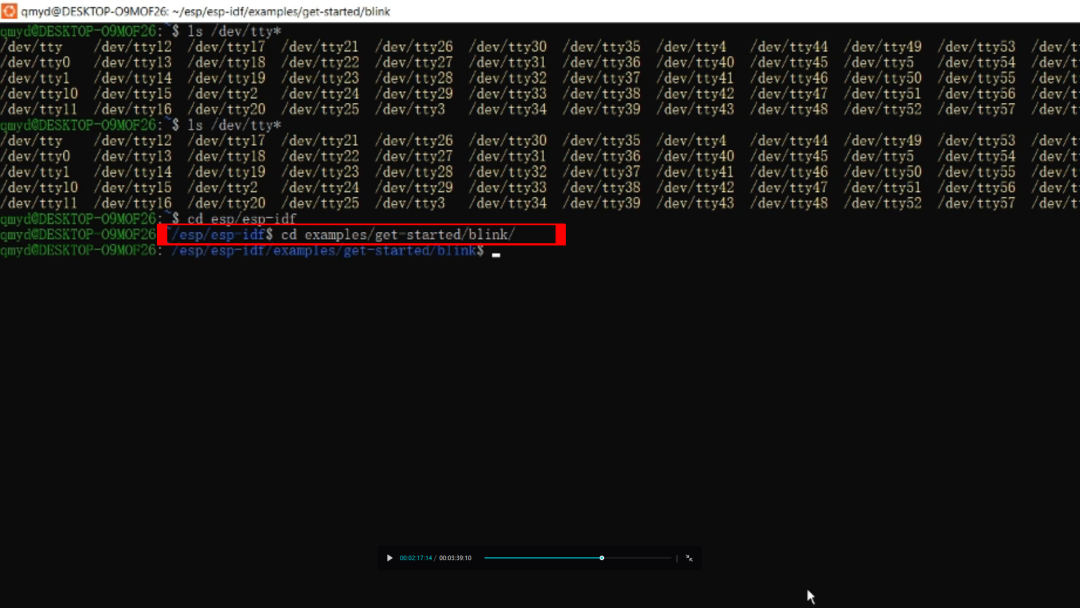
1. Enter the blink example directory of the ESP-IDF.
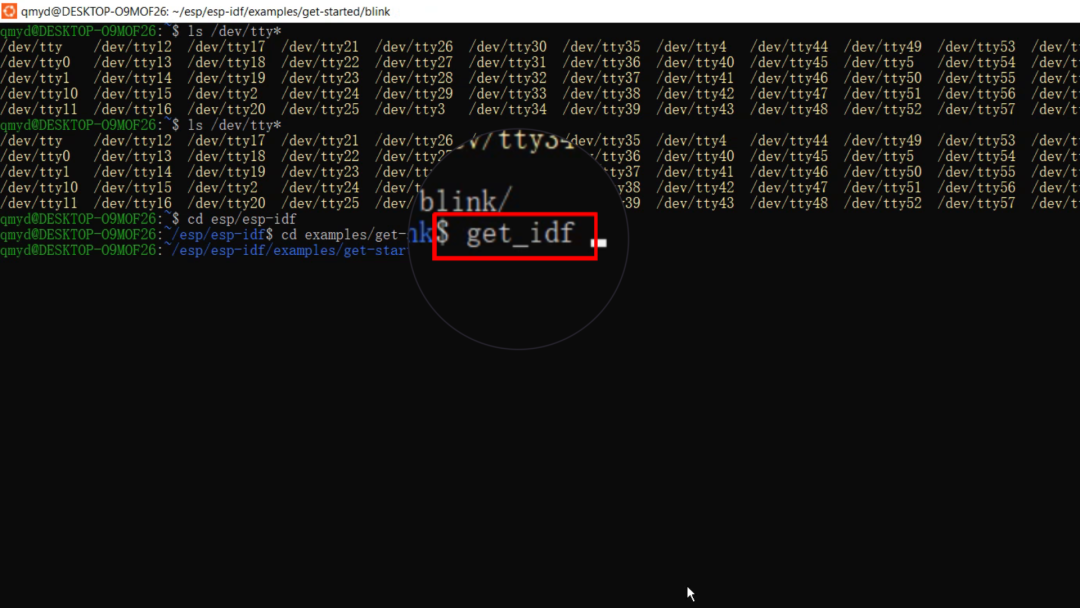
2. Enter the commandget_idf to activate the IDF environment and set the compilation target chip to ESP32-P4.
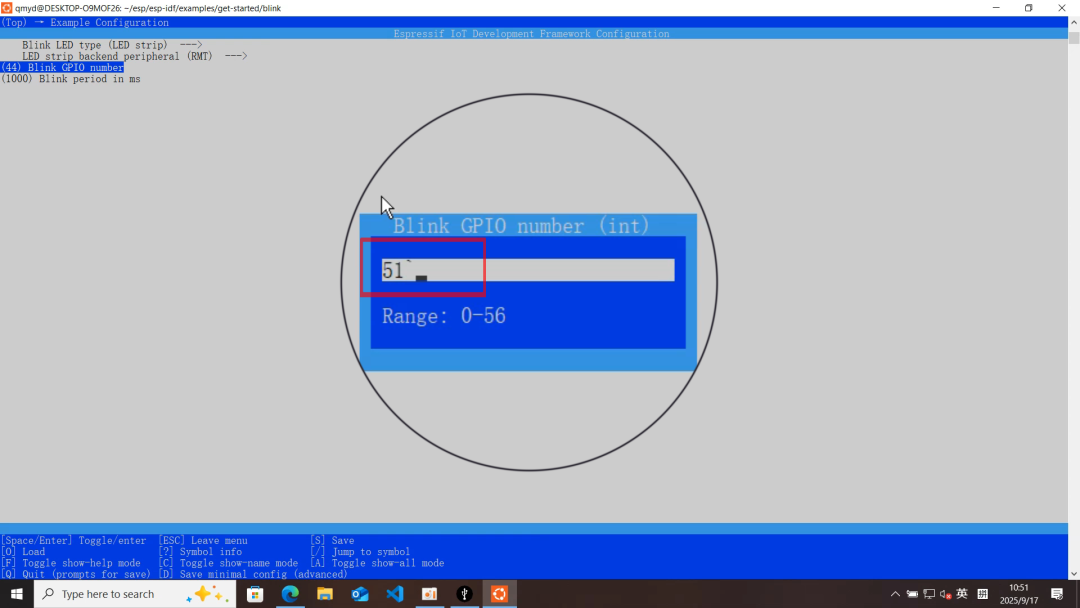
3. Configure the RGB pin to 51 throughmenuconfig and save and exit.

Compile and Flash
1. Enter the following command:idf.py flash monitor, compile the blink project and flash it to the development board.
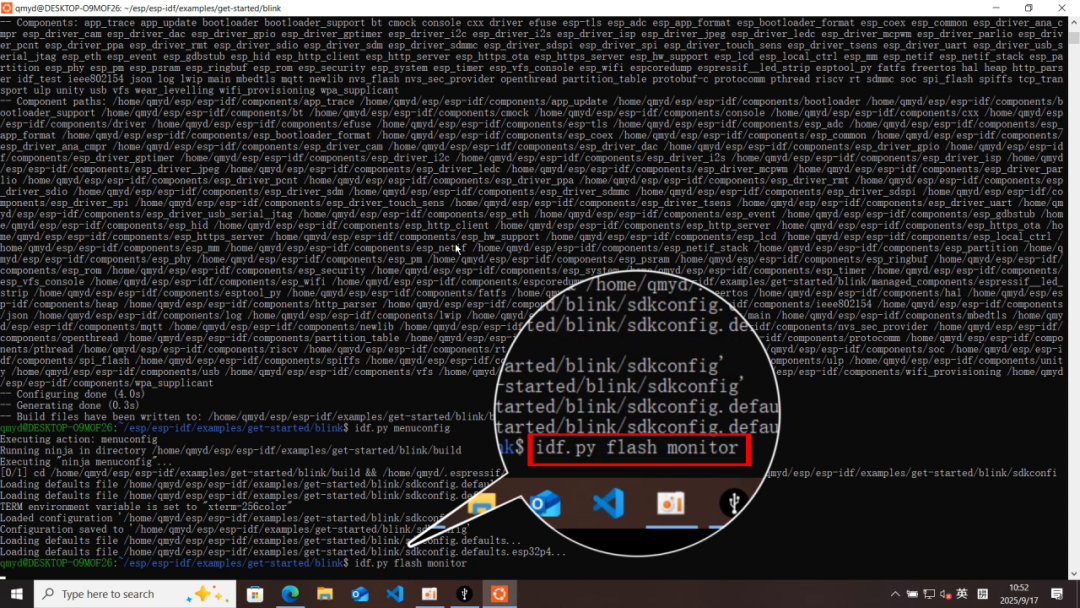
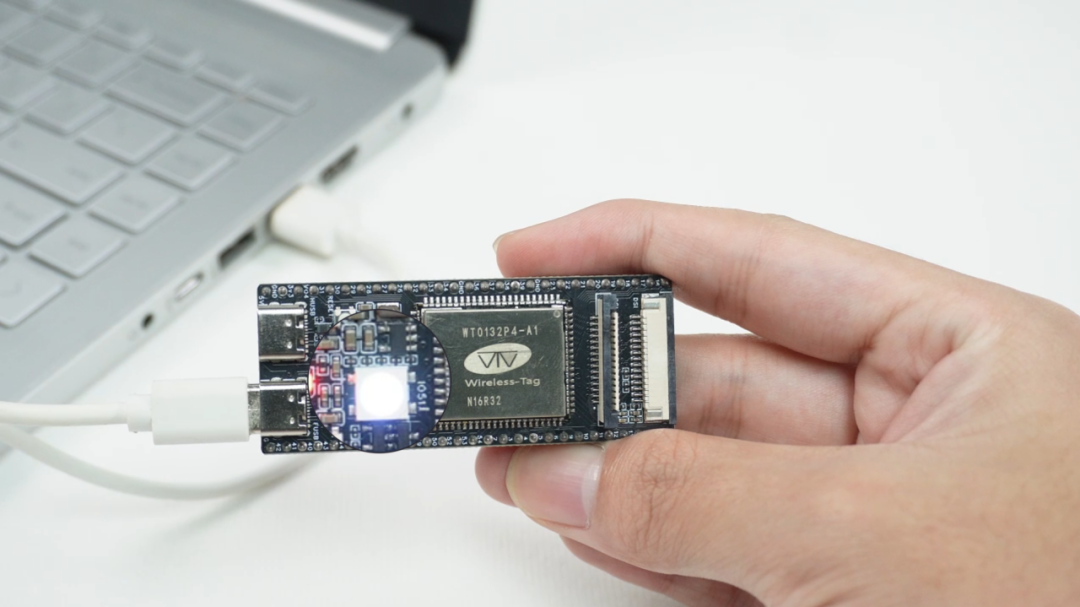
2. After successful flashing, you will see the on-board LED flashing white light in a regular pattern (default interval of 1 second), achieving the lighting function.
The WT9932P4-TINY development board from Qiming Cloud, combined with the rich examples in ESP-IDF, is a cost-effective choice for embedded beginners.
Currently, we have synchronized the open-source project GitHub repository and Lichuang hardware design materials to facilitate developers in accessing resources and getting started quickly.
Open Source Resources:
[User Guide + Schematic]https://www.wireless-tag.com/product-item-87.html?timestamp=1757323989482
[GitHub]https://github.com/wireless-tag-com/WT9932P4-TINY
[Lichuang]https://oshwhub.com/tiny-development-board-studio/wt9932p4-tiny-2
[Wiki Site]https://wiki.wireless-tag.com/docs/zh/WT9932P4-TINY/board_resources.html
[Scan to Purchase Immediately]


About Us
Qiming Cloud, as a first-level agent of Espressif Technology, is committed to providing customers with high-performance, cost-effective IoT communication products and solutions. As an expert in AI intelligent hardware, Qiming Cloud not only provides hardware products but also offers one-stop services, including technical support and customized solutions, to help customers accelerate the implementation of IoT projects. If you are interested in our products or have related technical inquiries and customization needs, please feel free to contact us!
END

Wireless-tag | Qiming Cloud
Past ReviewPast Review
[Giveaway] What does an AI toy that keeps parents and kids engaged look like?
A module the size of a fingernail hides a dual-core CPU + Wi-Fi and Bluetooth dual-mode, with an on-board ceramic antenna!
Only costing a few dollars, the modified ESP32-S3 little red desktop pet is so cool it’s hard to believe!