Yesterday, I had a preliminary understanding of the Boost library, and today I will start learning about the functionality of each specific component within the Boost library. In daily development, we often work with dates and times, so let’s first see how it is implemented in Boost and what functionalities it provides. In the Boost library, this is handled by the date_time library. As is customary, let’s first take a look at the official documentation.
In the directory E:\pyproj\boost_1_89_0\libs\date_time (my Boost package is extracted to E:\pyproj\boost_1_89_0), I found a README.md and an index.html file. Let’s open these files to see what they contain. The README.md file mainly provides a brief introduction to this library and informs us that it only has header file dependencies. This is convenient as it means we do not need to compile it in advance. Opening the index.html file, we find a detailed introduction to the functionalities of this library, as shown in the following image:
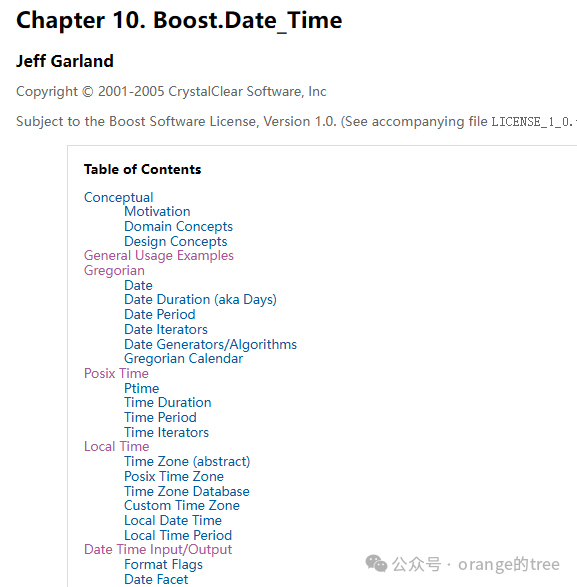
According to the table of contents, the first chapter mainly introduces the functionalities of this library and some conceptual information, which we can skim through. The second chapter contains example code, which we will skip for now. The third chapter begins to truly introduce the usage of the library. This chapter mainly discusses date-related classes, specifically the Gregorian calendar (which is the calendar we commonly use). The page opens as shown in the following image:
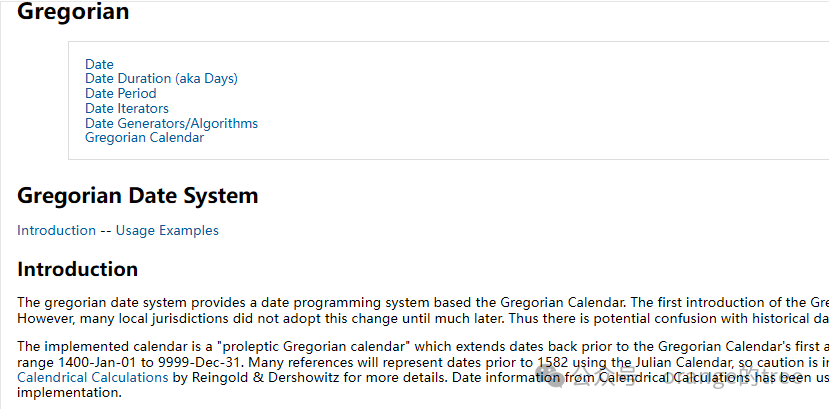
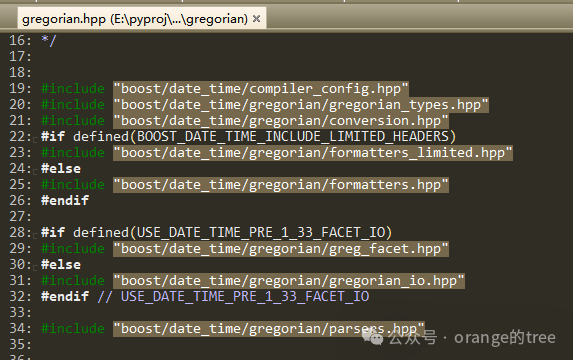
The page indicates that it mainly introduces dates, date durations (in days), date ranges, date iterators, date generators/algorithms, and the Gregorian calendar. It also states that the supported date range is from 1400-01-01 to 9999-12-31. According to the introduction, to use this library, you need to include the header file #include “boost/date_time/gregorian/gregorian.hpp” (which includes all types and I/O) or #include “boost/date_time/gregorian/gregorian_types.hpp” (which only contains types without I/O). In fact, if we open the gregorian.hpp file, we will find that it directly includes the gregorian_types.hpp file and then includes the gregorian_io.hpp file, as shown in the following image:
Now, let’s start learning about its functionalities one by one.
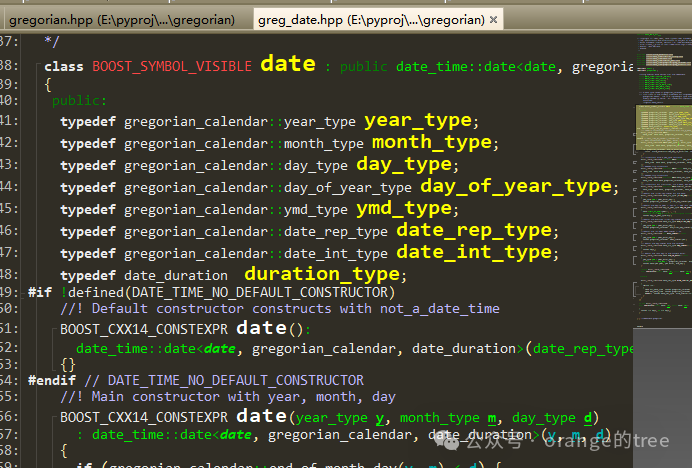
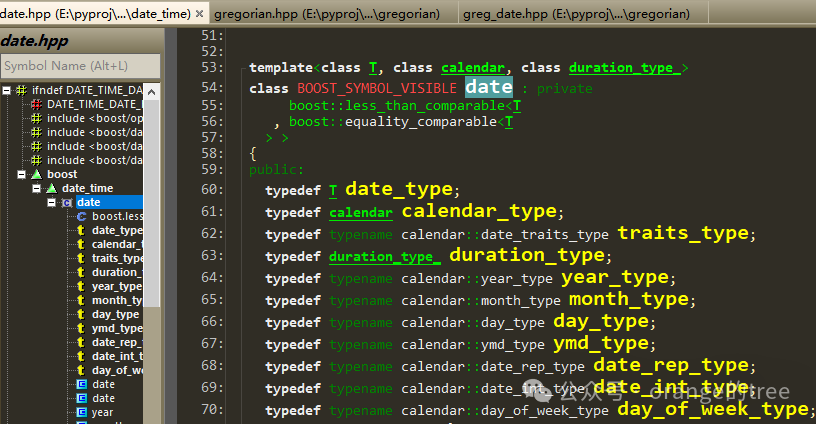
First, let’s look at boost::gregorian::date, which is the main interface class for date programming. Searching for the source code of this class, we find that it also inherits from the class boost::date_time::date. The source code for both classes is shown in the following images:
This class supports special concepts such as infinite time and invalid time, which are defined in the boost::date_time using the enumeration special_values and referenced in the boost::gregorian namespace, as shown in the following images:
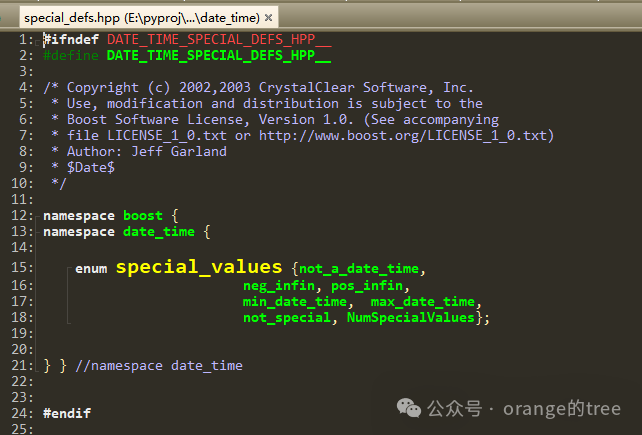
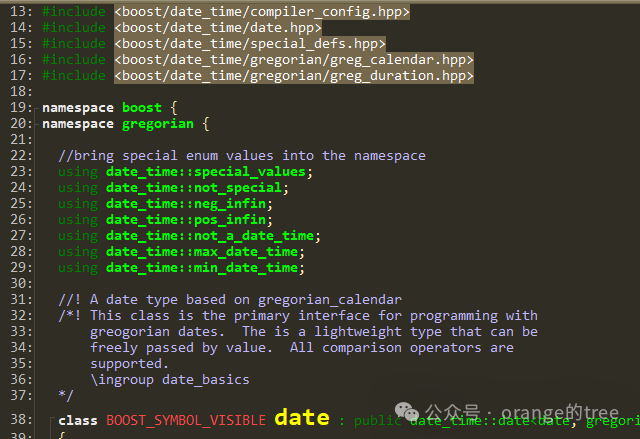
not_a_date_time represents an invalid time, neg_infin represents negative infinity, pos_infin represents positive infinity, and min_date_time and max_date_time represent the minimum and maximum date times, respectively.
After reviewing the class source code, let’s start writing code to test the methods of these classes. The code is as follows:
#include <iostream>
#include <boost/date_time/gregorian/gregorian.hpp>

using namespace boost::gregorian;

int main()
{
    date d1;    // The default constructor creates a not_a_date_time date object. The constructor can be disabled by defining DATE_TIME_NO_DEFAULT_CONSTRUCTOR
    date d2(2025, 9, 19);
    date d3(d2);
    date d4(not_a_date_time);
    std::string ds1("2025/9/18");
    date d5(from_string(ds1));
    std::string ds2("20250117");
    date d6(from_undelimited_string(ds2));
    date d7(day_clock::local_day());
    date d8(day_clock::universal_day());
    date d9 = d5.end_of_month();    // Returns the last day of the month for the date d5
    date d10(pos_infin);
    tm d_tm = to_tm(d2);
    tm d_tm2;
    d_tm2.tm_year = 125;
    d_tm2.tm_mon  = 0;
    d_tm2.tm_mday = 1;
    date d11 = date_from_tm(d_tm2);
    std::cout << "d2 year: " << d2.year() << ", month: " << d2.month() << ", day: " << d2.day() << std::endl;
    date::ymd_type ymd = d5.year_month_day();
    std::cout << "d5 year: " << ymd.year << ", month: " << ymd.month << ", day: " << ymd.day << std::endl;
    std::cout << "d8: " << d8 << std::endl;
    std::cout << "d9: " << d9 << std::endl;
    std::cout << "d6 week: " << d6.day_of_week() << std::endl;  // What day of the week
    std::cout << "d6 day: " << d6.day_of_year() << std::endl;     // What day of the year
    std::cout << "d1 is not a date? " << (d1.is_not_a_date() ? "YES" : "NO") << std::endl;
    std::cout << "d3 is not a date? " << (d3.is_not_a_date() ? "YES" : "NO") << std::endl;
    std::cout << "d10 is pos infin? " << (d10.is_pos_infinity() ? "YES" : "NO") << std::endl;
    std::cout << "d7 is: " << to_simple_string(d7) << std::endl;
    std::cout << "d7 is: " << to_iso_string(d7) << std::endl;
    std::cout << "d7 is: " << to_iso_extended_string(d7) << std::endl;
    std::cout << "d2 year: " << d_tm.tm_year << ", month: " << d_tm.tm_mon << ", day: " << d_tm.tm_mday << std::endl;
    std::cout << "d11: " << d11 << std::endl;
    return 0;
}
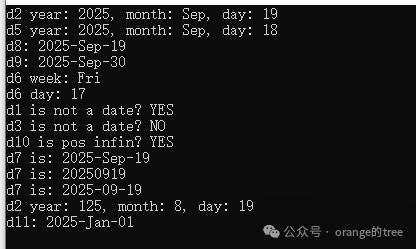
The output of the program is shown in the following image:
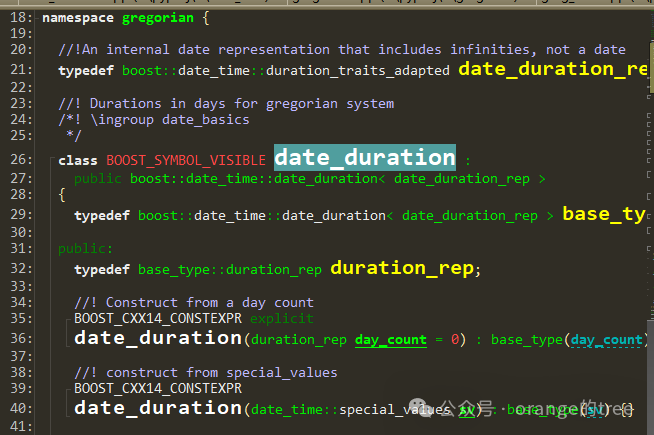
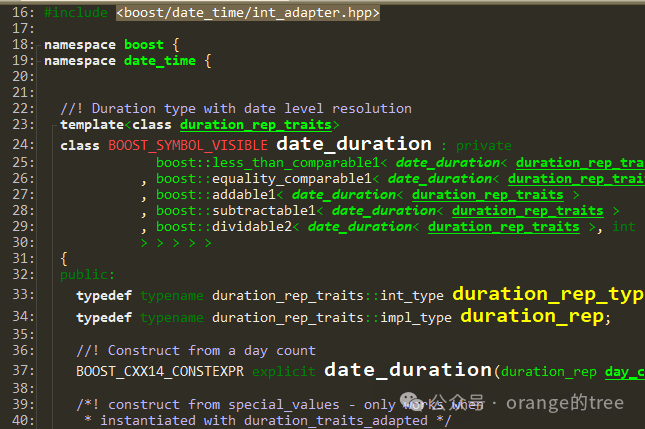
Next, let’s look at the date duration class boost::gregorian::date_duration. Checking the source code, we find that it inherits from the class boost::date_time::date_duration. The two classes are shown in the following images:
I don’t have time today, so I’ll stop learning here for now. I will analyze this class in detail later.