1. Orange Pi Zero Development Board

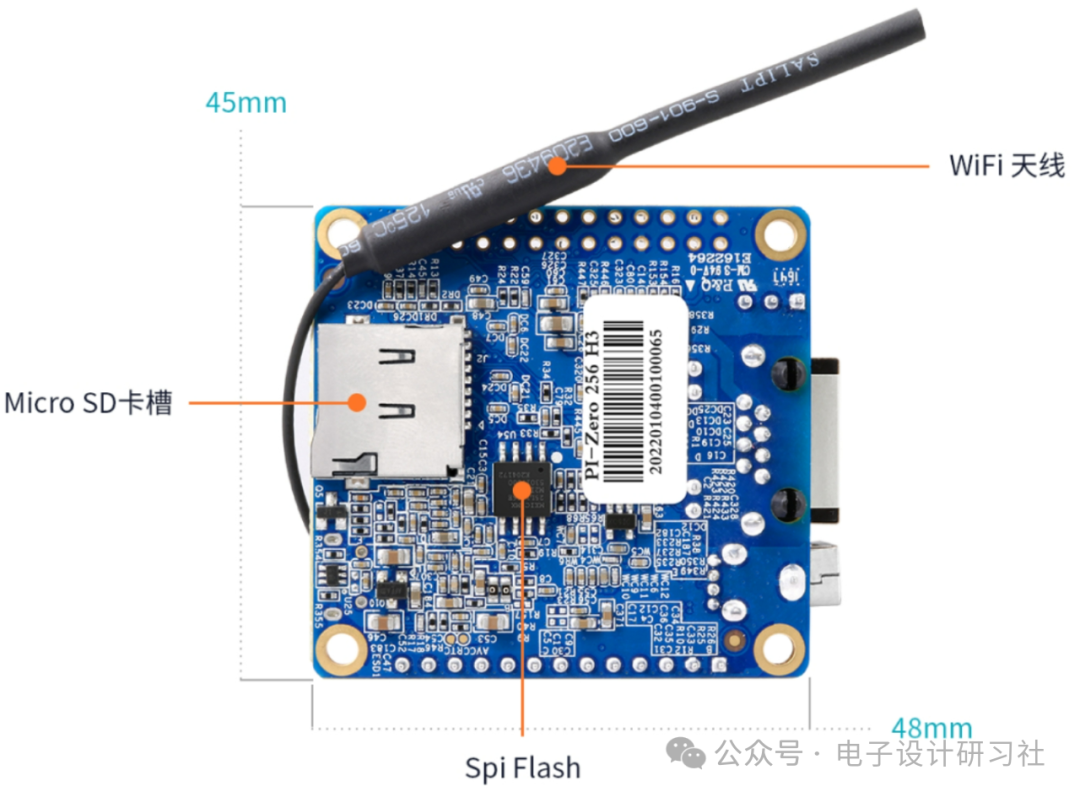
2. Checking Available Space on Orange Pi Zero System
Using the Orange Pi image: OrangePi_zerolts_ubuntu_xenial_server_linux3.4.113_v2.0.7.img
After booting the system, it shows that the root filesystem (rootfs) is only 1GB, and the available space is only 292MB.
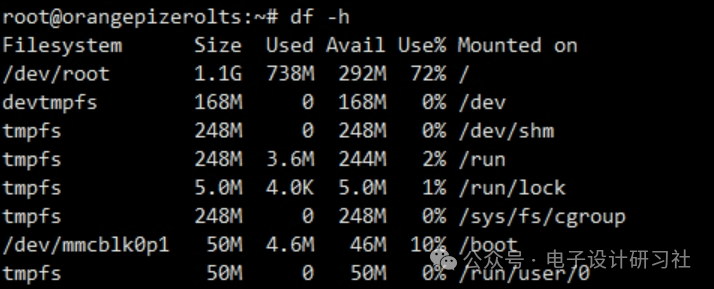
Checking disk usage:
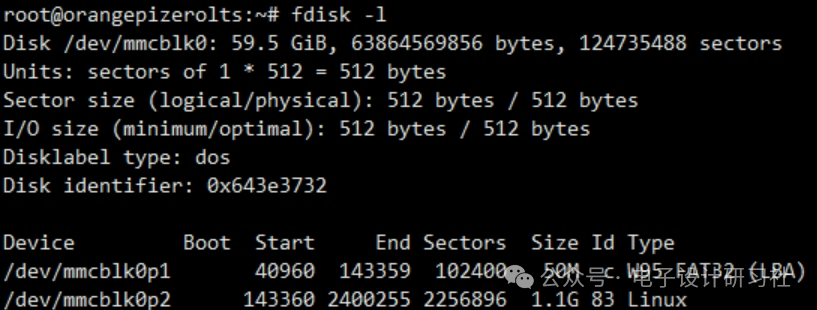
3. Expanding /dev/mmcblk0p2
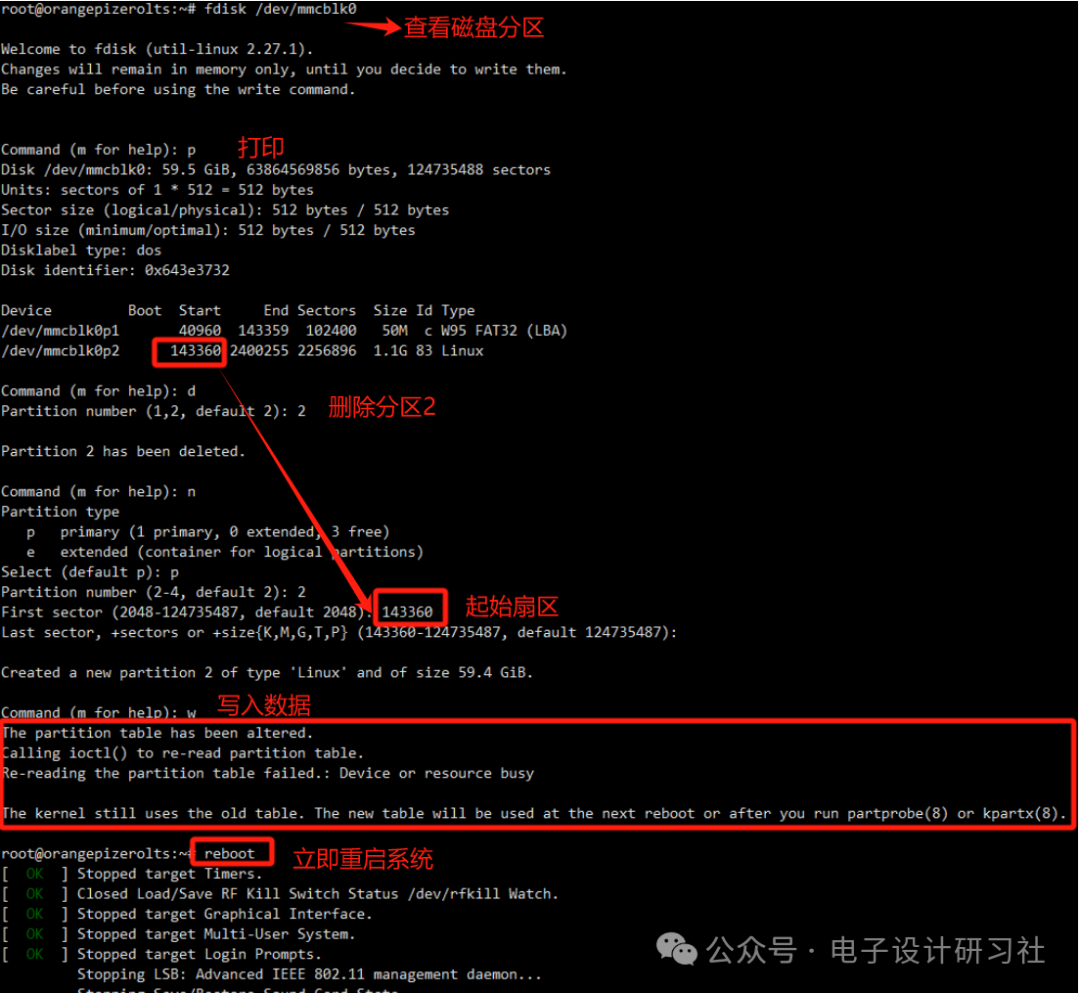
Key Points:
(1) The starting sector for expansion must be the starting address (Start) of /dev/mmcblk0p2.
(2) If an error occurs after executing w to write, regardless of the displayed information, immediately restart the system.
4. Expansion Results
After the system restarts, use the resize2fs command to adjust the filesystem size:
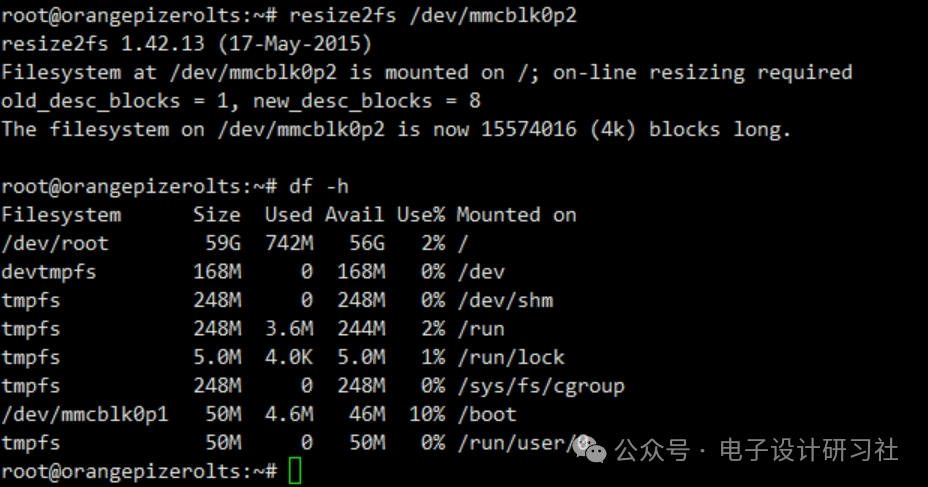
The final root filesystem (rootfs) has been expanded to 56GB.