Clickthe blue text to follow us
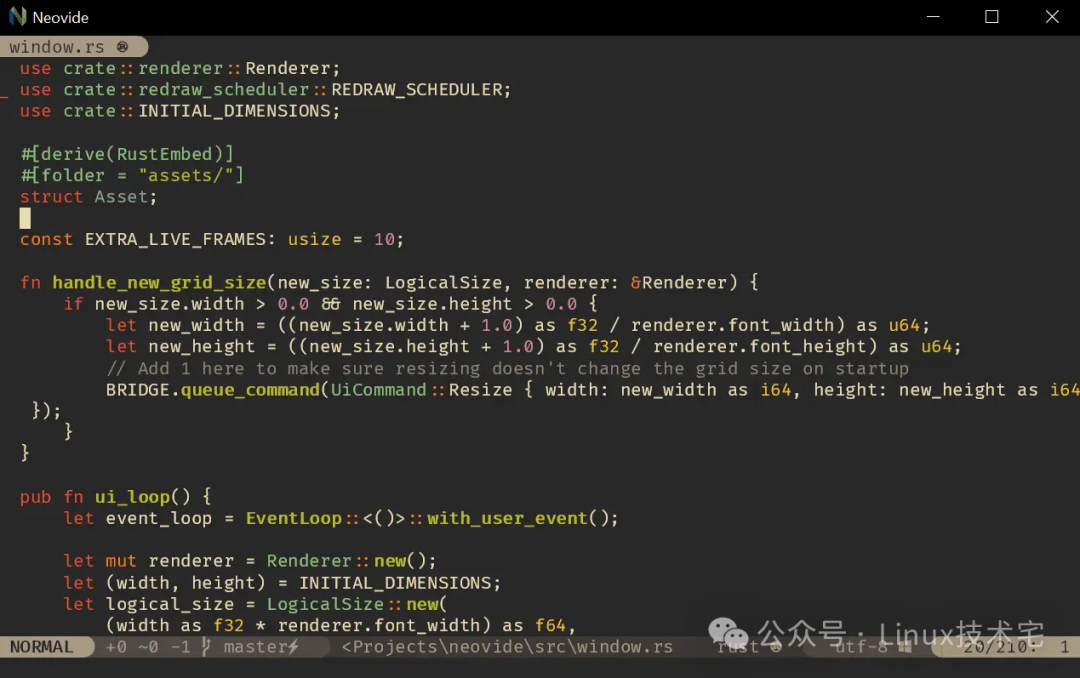
1. Core Features and Advantages
1.High-Performance Graphics Rendering
•GPU Acceleration: Utilizing Rust’s high-performance features and GPU acceleration technology to achieve smooth interface rendering, especially suitable for large codebases or complex text operations.•Cross-Platform Support: Seamlessly runs on Windows, macOS, and Linux systems, meeting multi-environment development needs.
2.Deep Integration and Extensibility
•Complete Plugin Compatibility: Supports all Neovim plugins (such as LSP, Tree-sitter, Telescope, etc.), allowing users to seamlessly migrate existing configurations.•Real-Time Configuration Synchronization: Ensures that the Neovim instance and Neovide interface configuration are consistently synchronized in real-time through an event-driven architecture, supporting dynamic hot reloading.
3.Modern User Experience
•Multiple Themes and Animation Effects: Offers various theme options, supporting cursor particle animations, smooth scrolling, and other visual enhancement features.•WSL and Remote Connections: Supports Windows Subsystem for Linux (WSL) and remote development environments, enabling seamless collaboration across systems.
4.Developer-Friendly Design
•Type-Safe Configuration System: Manages configuration items using Rust’s type safety mechanism to avoid runtime errors.•Modular Architecture: Manages derived packages through Cargo workspaces, enhancing code reusability and build efficiency.
2. Deployment and Installation Guide
1. System Requirements
•Operating System: Windows 10/11, macOS 10.15+, or mainstream Linux distributions (such as Ubuntu 20.04+).•Neovim Version: ≥ 0.10 (latest stable version recommended).•Graphics Card: Integrated graphics card that supports OpenGL (performance may be limited in virtual machine environments).
2. Installation Options
Windows
•Option 1: Precompiled Binary
1. Download the latest <span>.exe</span> file from GitHub Releases[1].2. Ensure the <span>nvim</span> executable path is added to the system <span>PATH</span> environment variable.3. Double-click to run <span>neovide.exe</span>.
•Option 2: Scoop Package Manager
scoop bucket add extrasscoop install neovide•Option 3: Source Compilation
1. Install the Rust toolchain:
curl --proto '=https' --tlsv1.2 -sSf "https://sh.rustup.rs" | sh2. Install build dependencies:
choco install cmake llvm -y3. Compile and install:
cargo install --git https://github.com/neovide/neovidemacOS
•Option 1: Homebrew
brew install --cask neovide•Option 2: Source Compilation
1. Install Rust and CMake:
brew install rustup-init cmakerustup-init2. Clone the repository and build:
git clone https://github.com/neovide/neovidecd neovidecargo install --path .Linux (using Ubuntu as an example)
•Option 1: Precompiled Binary
1. Download the latest <span>.AppImage</span> or <span>.deb</span> package from GitHub Releases[2].2. Grant execute permissions and run:
chmod +x neovide.AppImage./neovide.AppImage•Option 2: Source Compilation
1. Install dependencies:
sudo apt install -y curl git cmake libssl-dev pkg-config libfreetype6-dev libasound2-dev libexpat1-dev libxcb-composite0-dev2. Install Rust:
curl --proto '=https' --tlsv1.2 -sSf "https://sh.rustup.rs" | sh3. Compile and install:
cargo install --git https://github.com/neovide/neovide3. Common Troubleshooting
•Startup Failure: Check if <span>nvim</span> is in the <span>PATH</span> and version ≥ 0.10.•Rendering Issues: Update graphics drivers to ensure OpenGL support.•Missing Dependencies: Install the corresponding development packages based on error messages (e.g., <span>libxkbcommon-x11</span>, <span>libfontconfig1-dev</span>).
3. Open Source Address and Community Resources
•GitHub Repository: https://github.com/neovide/neovide[3]
•Stars: 14.3k (as of August 2025), actively maintained with frequent community contributions.•Core Features: GPU acceleration, multi-theme support, WSL integration, configuration hot reloading, etc.
•Documentation and Tutorials:
•Official Wiki[4] provides detailed configuration guides and FAQs.•Neovide Configuration System Analysis[5] delves into technical implementation details.
•Community Support:
• Submit issues or feature requests via GitHub Issues.• Participate in Discord or Reddit community discussions (e.g., r/neovim[6]).
4. Recommendations and Applicable Scenarios
•Reasons for Recommendation:
•Outstanding Performance: Rust’s memory safety and concurrency features ensure stability during long-term operation.•Enhanced Experience: GPU acceleration and animation effects significantly improve editor interaction smoothness.•Seamless Migration: Fully compatible with the Neovim ecosystem, reducing the learning curve.
•Applicable Scenarios:
•Large Project Development: Smoothly handle complex codebases, supporting LSP and Tree-sitter.•Cross-Platform Collaboration: Seamlessly switch between Windows, macOS, and Linux.•Modern Workflow: Combine with plugins like Telescope and Fzf for efficient fuzzy searching and file navigation.
References
<span>[1]</span> GitHub Releases:https://github.com/neovide/neovide/releases<span>[2]</span>GitHub Releases:https://github.com/neovide/neovide/releases<span>[3]</span>:https://github.com/neovide/neovide<span>[4]</span>Official Wiki:https://github.com/neovide/neovide/wiki<span>[5]</span>Neovide Configuration System Analysis:https://blog.csdn.net/gitblog_01012/article/details/150716496<span>[6]</span>r/neovim: https://www.reddit.com/r/neovim/
END
Like us

Share us

Like us