Introduction
MindIE (Mind Inference Engine) is Huawei’s Ascend inference acceleration suite designed for AI applications across various scenarios. By providing layered open AI capabilities, it supports diverse AI business needs, enabling a multitude of models and releasing the computational power of Ascend hardware devices. It supports multiple mainstream AI frameworks and interfaces with various types of Ascend AI processors, providing multi-level programming interfaces to help users quickly build inference applications based on the Ascend platform.
The DeepSeek-R1-Distill model is a series of small, dense models that extract knowledge from DeepSeek-R1 through distillation techniques. These models retain the advanced inference capabilities of larger models (like DeepSeek-R1) while offering smaller model sizes and efficient computational performance. These distilled models are based on the Qwen2.5 and Llama3 series, which have been widely used and recognized in the research community.
The Orange Pi AIpro development board adopts the Ascend AI technology route, excelling in appearance, performance, and technical service support. It provides powerful computing capabilities with specifications of 20TOPS and 8TOPS, covering mainstream application scenarios for ecological developers, allowing users to practice various innovative scenarios and providing supporting software and hardware.
The combination of DeepSeek, Orange Pi, and MindIE successfully deployed DeepSeek-R1-Distill-Qwen-1.5B, DeepSeek-R1-Distill-Qwen-7B, and DeepSeek-R1-Distill-Llama-8B on the AI development board Orange Pi AIpro (20T/24GDDR), showcasing the immense potential of edge computing in AI.
Open Source Links:
https://www.hiascend.com/software/modelzoo/models/detail/1ca4ef12682a42999efe09c0c80c76d3
https://www.hiascend.com/software/modelzoo/models/detail/fe210c6671554ecb84fd3a09051f0844
https://www.hiascend.com/software/modelzoo/models/detail/199a16c30e764c90aefefa1fd943f90f
Running DeepSeek Distillation Models on Orange Pi
01
Environment Preparation
Hardware: One Orange Pi AIPro (20T/24GDDR) development board, one TF card, a TF card reader, screen connection cable, monitor, development board power supply, etc.
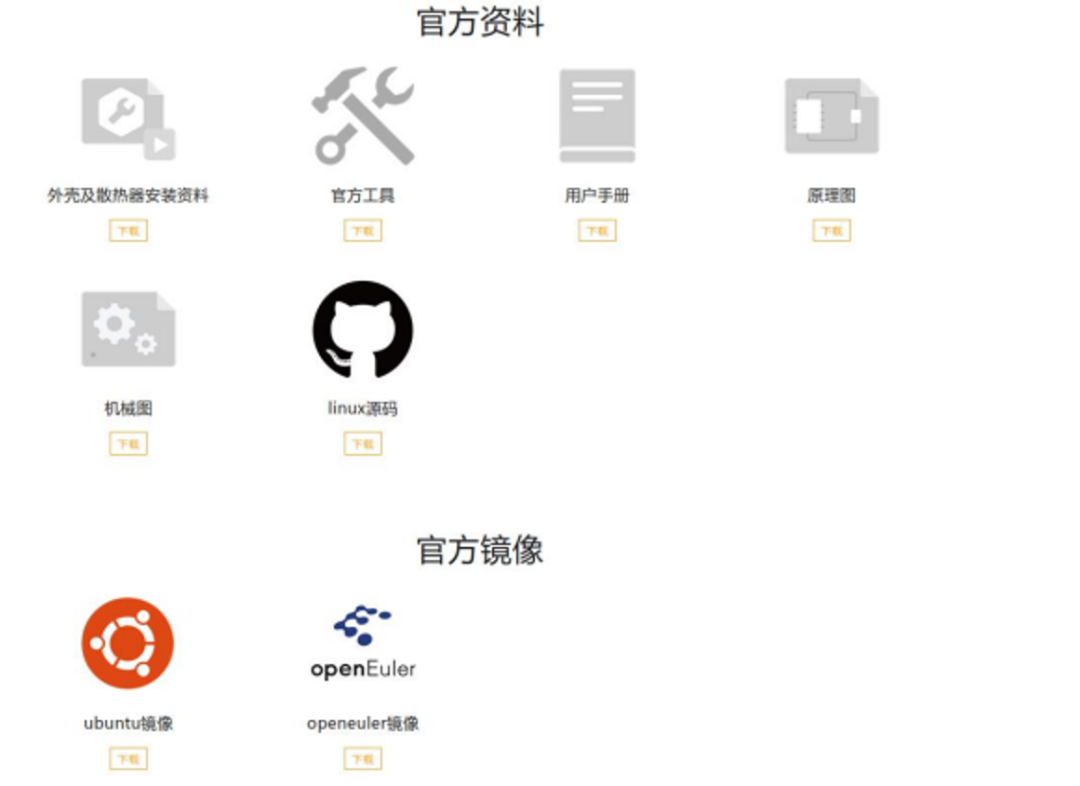
First, download the Ubuntu 22.04 image and relevant materials from the official website. (http://www.orangepi.cn/html/hardWare/computerAndMicrocontrollers/service-and-support/Orange-Pi-AIpro(20T).html)
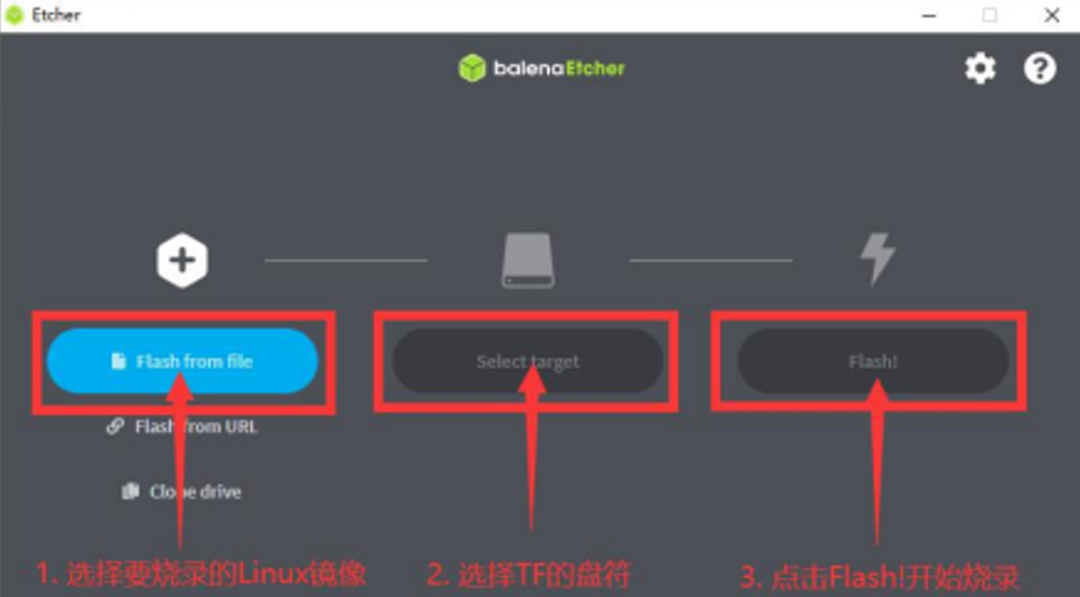
Then insert the TF card into the reader, open the image burning software balenaEtcher to burn the image, and upon completion, it will display Successful.
Insert the burned TF card into the slot, connect the keyboard, mouse, and display, and start the development board.
02
Install Python Dependencies
Install Python 3.10:
wget https://www.python.org/ftp/python/3.10.2/Python-3.10.2.tgztar -xvf Python-3.10.2.tgz -C /usr/local/sudo apt update sudo apt install -y build-essential zlib1g-dev libncurses5-dev libgdbm-dev libnss3-dev libssl-dev libreadline-dev libffi-dev libsqlite3-dev wget libbz2-devcd /usr/local/Python-3.10.2 ./configure --prefix=/usr/local/python3.10 make sudo make install# You can verify whether Python 3.10 has been successfully installed and set as the default Python version by running the following commandpython3.10 –version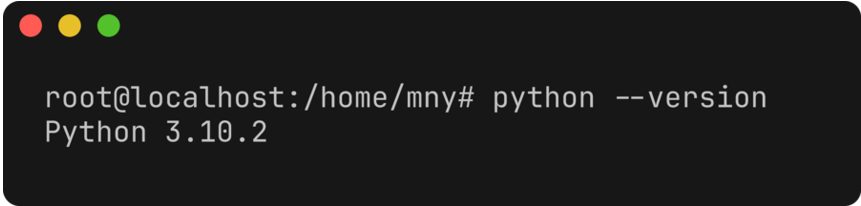
Install the plugin torch_npu that allows the Ascend NPU to be compatible with the PyTorch framework. Download link:pip install torch==2.1.0pip install ./torch_npu-2.1.0.post10-cp310-cp310-manylinux_2_17_aarch64.manylinux2014_aarch64.whl03
Install CANN
Upgrade the Ascend heterogeneous computing architecture (CANN) development tools. Download the cann-toolkit (https://mindie.obs.cn-north-4.myhuaweicloud.com/xiangchengpai_20250211/Ascend-cann-toolkit_8.1.RC1_linux-aarch64.run), cann-kernels (https://mindie.obs.cn-north-4.myhuaweicloud.com/xiangchengpai_20250211/Ascend-cann-kernels-310b_8.1.RC1_linux-aarch64.run), and cann-nnal (https://mindie.obs.cn-north-4.myhuaweicloud.com/xiangchengpai_20250211/Ascend-cann-nnal_8.1.RC1_linux-aarch64.run) installation packages, and run the command:
chmod +x Ascend-cann-toolkit_8.1.RC1_linux-aarch64.runchmod +x Ascend-cann-kernels-310b_8.1.RC1_linux-aarch64.runchmod +x Ascend-cann-nnal_8.1.RC1_linux-aarch64.run./Ascend-cann-toolkit_8.1.RC1_linux-aarch64.run --install --force./Ascend-cann-kernels-310b_8.1.RC1_linux-aarch64.run --install./Ascend-cann-nnal_8.1.RC1_linux-aarch64.run --installsource /usr/local/Ascend/ascend-toolkit/set_env.shsource /usr/local/Ascend/nnal/atb/set_env.sh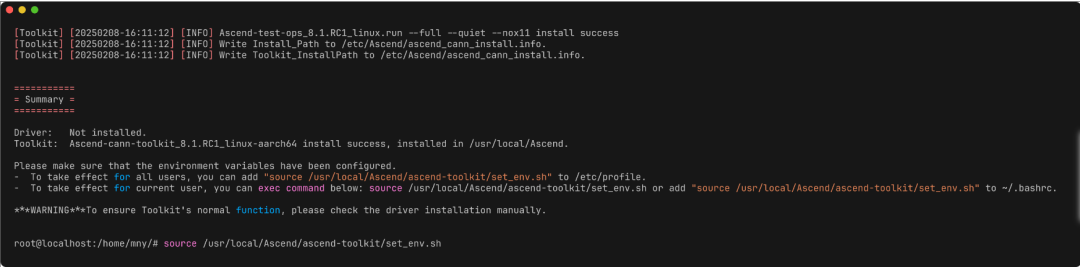
04
Install MindIE
Download the large language model inference component MindIE-LLM under Huawei’s MindIE inference solution, download link: (https://mindie.obs.cn-north-4.myhuaweicloud.com/xiangchengpai_20250211/Ascend-mindie-atb-models_2.0.RC1_linux-aarch64_py310_torch2.1.0-abi0.tar.gz)
mkdir MindIE-LLMcd MindIE-LLMtar -zxf ../Ascend-mindie-atb-models_2.0.RC1_linux-aarch64_py310_torch2.1.0-abi0.tar.gzpip install atb_llm-0.0.1-py3-none-any.whlsource set_env.sh
05
Model Download and Deployment
Download model code:
# Download DeepSeek-R1-Distill-Qwen-1.5Bgit clone https://modelers.cn/MindIE/DeepSeek-R1-Distill-Qwen-1.5B-OrangePi.git# Download DeepSeek-R1-Distill-Qwen-7Bgit clone https://modelers.cn/MindIE/DeepSeek-R1-Distill-Qwen-7B-OrangePi.git# Download DeepSeek-R1-Distill-Llama-8Bgit clone https://modelers.cn/MindIE/DeepSeek-R1-Distill-Llama-8B-OrangePi.gitInstall dependencies:
cd DeepSeek-R1-Distill-{model}-OrangePipip install -r ./requirements.txtDownload weights:
-
DeepSeek-R1-Distill-Qwen-1.5B (Int8) (https://modelers.cn/models/MindIE/DeepSeek-R1-Distill-Qwen-1.5B-OrangePi/tree/main/deepseek-qwen-1.5B-w8a8)
-
DeepSeek-R1-Distill-Qwen-1.5B (FP16) (https://huggingface.co/deepseek-ai/DeepSeek-R1-Distill-Qwen-1.5B)
-
DeepSeek-R1-Distill-Qwen-7B (FP16) (https://huggingface.co/deepseek-ai/DeepSeek-R1-Distill-Qwen-7B)
-
For generating [DeepSeek-R1-Distill-Qwen-7B INT8 quantized weights, please refer to the README (https://gitee.com/ascend/ModelZoo-PyTorch/tree/master/MindIE/LLM/DeepSeek/DeepSeek-R1-Distill-Qwen-7B-OrangePi) section “Local Deployment w8a8 Quantization”.
-
DeepSeek-R1-Distill-Llama-8B (FP16) (https://huggingface.co/deepseek-ai/DeepSeek-R1-Distill-Llama-8B)
-
For generating [DeepSeek-R1-Distill-Llama-8B INT8 quantized weights, please refer to the README (https://gitee.com/ascend/ModelZoo-PyTorch/tree/master/MindIE/LLM/DeepSeek/DeepSeek-R1-Distill-Llama-8B-OrangePi) section “Local Deployment w8a8 Quantization”.
Modify the weight config.json, changing the torch_dtype field to float16 and the max_position_embedding field to 4096.
06
Execute Inference
After completing the above steps, you can test by entering questions in the terminal:
cd $MindIE_LLM_PATHpython -m examples.run_fa_edge \ --model_path ${weight_path} \ --input_text 'What is deep learning?' \ --max_output_length 128 \ --is_chat_model
Command Line Parameter Explanation
–model_path Weight path
–input_text Specify input content
–max_output_length Specify maximum output length
–is_chat_model Enable this option when executing FP16 model inference

Exclusive Insights & First-Hand Information
All Here
Ascend AI Developers
Ascend Official Website
【Ascend Community】
https://www.hiascend.com/
【Ascend Forum】
https://bbs.huaweicloud.com/forum/forum-726-1.html
【CANN Training Camp】
https://www.hiascend.com/developer/canncamp