Arduino GFX is a powerful Arduino graphics library that supports various types of displays and data bus interfaces, injecting endless possibilities into your Arduino projects.
Flexible Compatibility
Arduino GFX is not built from scratch; it incorporates the essence of several well-known graphics libraries such as Adafruit_GFX, LovyanGFX, TFT_eSPI, and Ucglib, and improves and expands upon them, enhancing its compatibility and functionality.
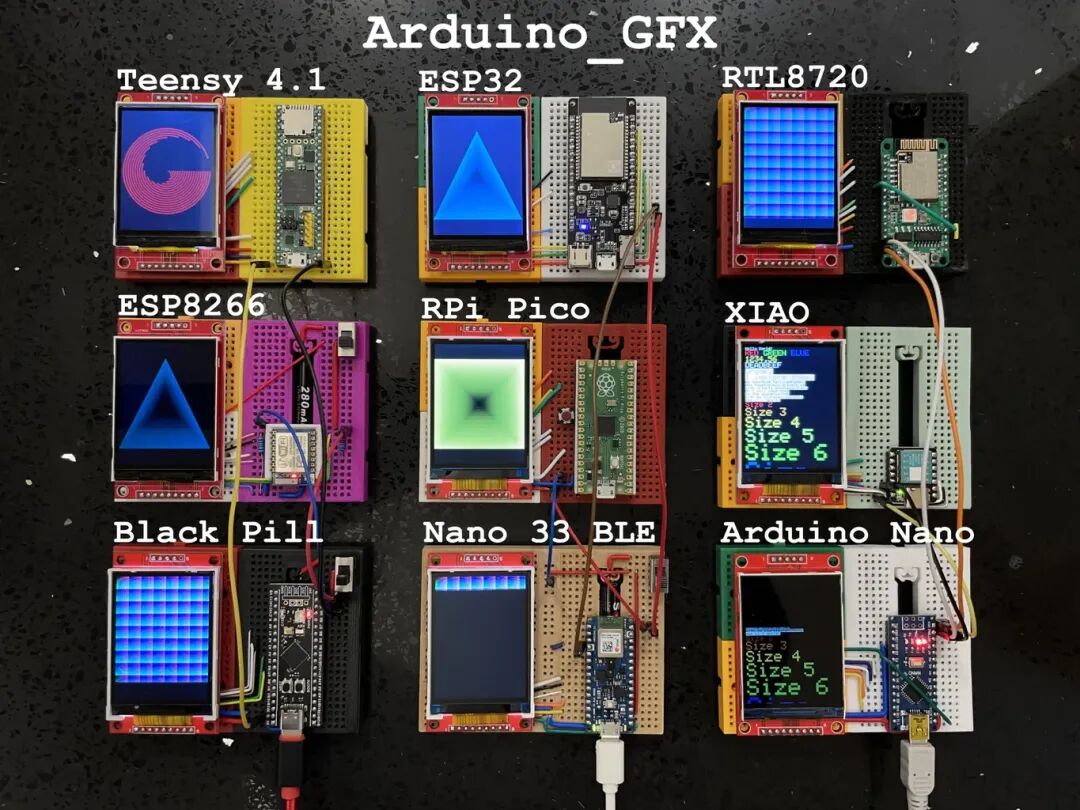
Easy to Get Started
The design philosophy of Arduino GFX is simplicity and ease of use, allowing even beginners to get started easily.
Simple Declaration
#include <Arduino_GFX_Library.h>
Arduino_DataBus *bus = new Arduino_HWSPI(16 /* DC */, 5 /* CS */);
Arduino_GFX *gfx = new Arduino_ILI9341(bus, 17 /* RST */);
Simple Usage
gfx->begin();
gfx->fillScreen(BLACK);
gfx->setCursor(10, 10);
gfx->setTextColor(RED);
gfx->println("Hello World!");
Quick Start
If you are new to Arduino GFX, it is highly recommended to try the “PDQgraphicstest” example program. In the Arduino IDE, select “File” -> “Examples” -> “GFX for Arduino” -> “PDQgraphicstest” to open the example program.
The example program contains multiple tabs, with the first tab being the main program “PDQgraphicstest”, and the subsequent tabs containing related header files, such as “Arduino_GFX_databus.h”.

Supported Development Boards
Arduino GFX supports various development boards; you just need to select and uncomment the macro definition for your development board in “Arduino_GFX_dev_device.h”. For example, if you are using the LilyGo T-Deck, you need to uncomment “#define LILYGO_T_DECK”.
Custom Devices and Displays
If your development board or display is not on the supported list, don’t worry.
-
• By default, Arduino GFX uses Arduino SPI as the data bus, which you can modify in “Arduino_GFX_databus.h”.
-
• By default, Arduino GFX uses the ILI9341 LCD as the display, which you can modify in “Arduino_GFX_display.h”.
Rich Features
Arduino GFX provides a wealth of graphical drawing features, such as:
-
• Drawing basic shapes like points, lines, rectangles, circles, ellipses, triangles, and polygons
-
• Drawing text
-
• Setting colors, fonts, and font sizes
-
• Filling shapes
-
• Rotating, scaling, and translating shapes
-
• And more
Application Scenarios
Arduino GFX can be applied in various projects, such as:
-
• Creating electronic photo frames
-
• Developing games
-
• Designing dashboards
-
• Building smart home systems
-
• And more
Conclusion
Arduino GFX is a powerful, easy-to-use, and highly compatible graphics library that can help you easily implement various stunning graphical interface effects in your Arduino projects. Whether you are a beginner or an experienced developer, Arduino GFX is a tool worth trying.
Project Address:https://github.com/moononournation/Arduino_GFX