
The “APM32 Core” series summarizes user experiences with APM32 series products, all of which are reprinted from the 21ic forum’s Jihai Semiconductor section. The full text has not been modified, and reprinting without the original author’s permission is prohibited.
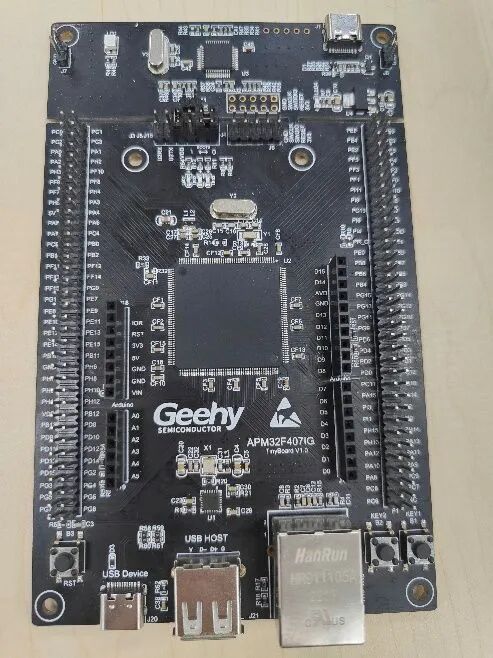
Recently, I obtained the APM32F407IG-Tiny board, which is well-made, especially with the built-in DAPLink downloader. It has a rich set of peripheral resources, making it suitable for mbed-os porting. The official mbed studio comes with the DAPLink firmware, but if we want to use mbed studio for development, we need to manually rewrite the onboard DAPLink firmware. So how do we rewrite it? This document provides a brief introduction.
1. APM32F407IG Specifications
System
· Arm® Cortex®-M4F
· Operating frequency 168MHz
· Built-in 16-channel DMA
· Supports FPU and DSP instructions
Memory
· Flash 512/1024KB
· SRAM 192+4KB
· SDRAM 2MB
Power Management
· Operating voltage 1.8~3.6V
· Supports power-on/power-off/under-voltage reset
· Supports programmable power voltage detector
Timers
· 16-bit advanced timers: 2
· 16/32-bit general-purpose timers: 8/2
· 16-bit basic timers: 2
· Watchdog timers: 2
· 24-bit system tick timer: 1
Analog Peripherals
· 12-bit ADC: 3, number of channels: 24
· 12-bit DAC: 1, dual-channel
I/O
· Up to 140 I/O
· All can be mapped to external interrupt vectors
Communication Peripherals
· U(S)ART: 6
· I2C: 3
· SPI(I2S): 3(2)
· USB_OTG: 3
· CAN: 2
· SDIO: 1
· EMMC
· Ethernet MAC: 1
2. Overview of DAPLink
• Arm Mbed DAPLink is an open-source software project that supports programming and debugging applications running on Arm Cortex CPUs. DAPLink is typically referred to as interface firmware, running on a secondary MCU connected to the application MCU’s SWD or JTAG port. This configuration can be found on almost all development boards. It enumerates as a USB composite device, creating a bridge between the development computer and the CPU debug access port. DAPLink enables developers to:
• MSC – Drag-and-drop programming of flash memory
• CDC – Virtual COM port for logging, tracing, and terminal emulation
• CMSIS-DAPv2 WinUSB (no driver vendor-specific bulk) – Debug channel compliant with CMSIS standards
• CMSIS-DAPv1 HID – Debug channel compliant with CMSIS standards
• WebUSB CMSIS-DAP HID – Debug channel compliant with CMSIS standards
Compared to the DAPLink that comes with the F407, it adds drag-and-drop programming and serial port integration features.
3. Firmware Update
Before proceeding, we need to ensure that Git and Python (version 3.7 or higher) are installed on our computer. I will not elaborate on the installation of Git and Python here. Below are the official websites for Git and Python, where you can download them yourself. (Here, I only describe the firmware update process on Windows.)
Git official website: https://git-scm.com
Python official website: https://www.python.org
3.1 Resources Required for Firmware
1. APM32F407IG firmware update hex file: https://github.com/GeehySemi/mbed-os-DAPLINK-Hardware
2. DAPLink source code: https://github.com/ARMmbed/DAPLink
3. A USB cable to connect the PC to the development board
4. Two Dupont wires to connect the APM32 LINK to the F407 development board’s serial port
5. A tool for firmware programming (e.g., J-Link)
3.2 Firmware Update Steps
3.2.1 Refer to the APM32 LINK schematic to connect the programmer to the development board
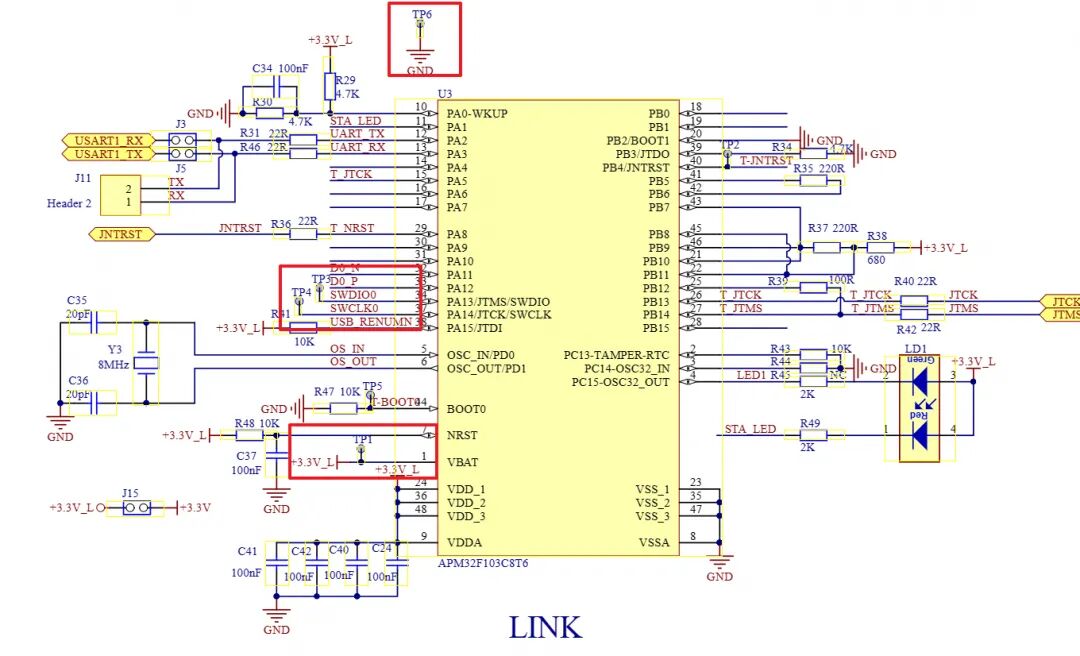
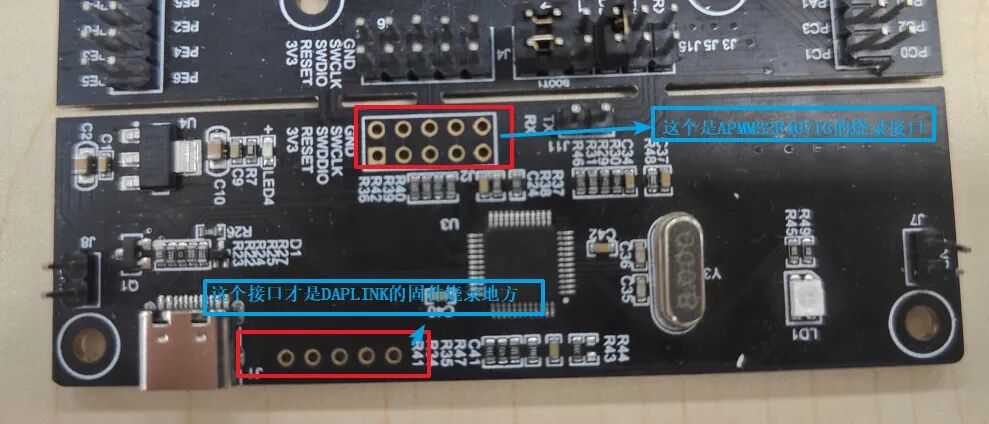
We should connect the wires to the pin header near the USB interface, as this is the firmware programming interface for the LINK, while the row of pins above is the programming interface for the APM32F407IG development board.
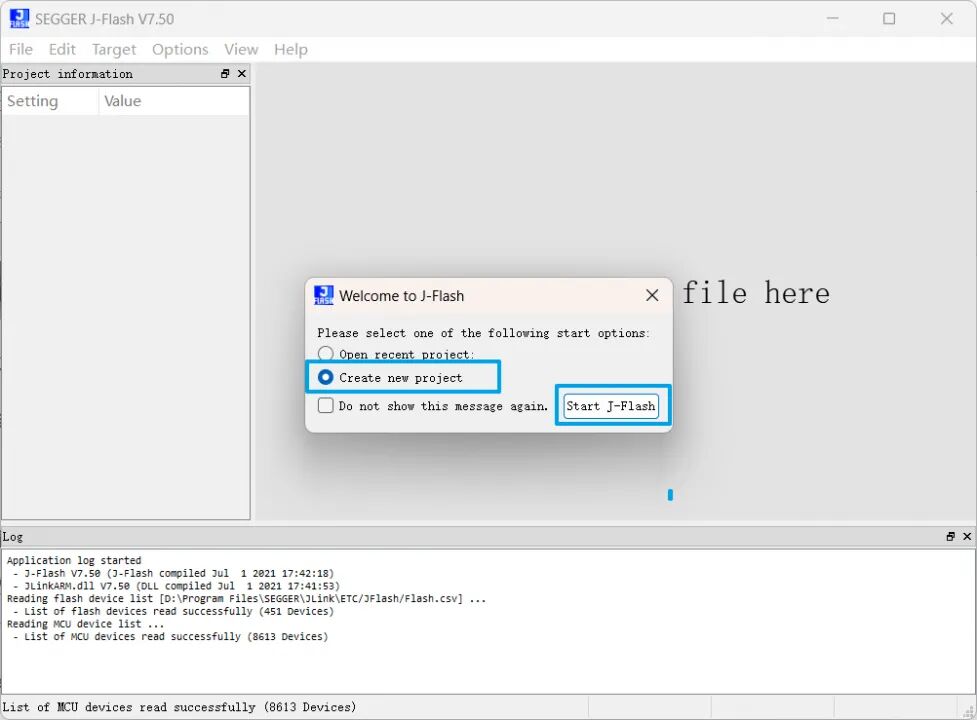
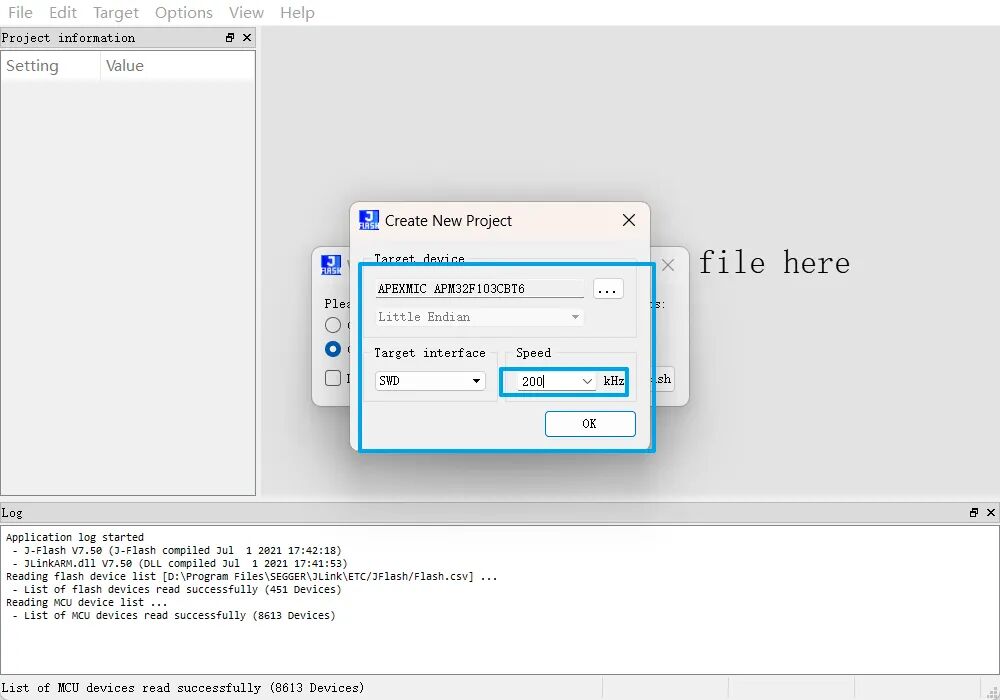
3.2.2 After connecting the wires, open the programming tool. I am using J-Flash; open the J-Flash tool and create a new project.
3.2.3 Search for the chip option and select APM32F103CB

3.2.4 Change the Speed to 200KHz
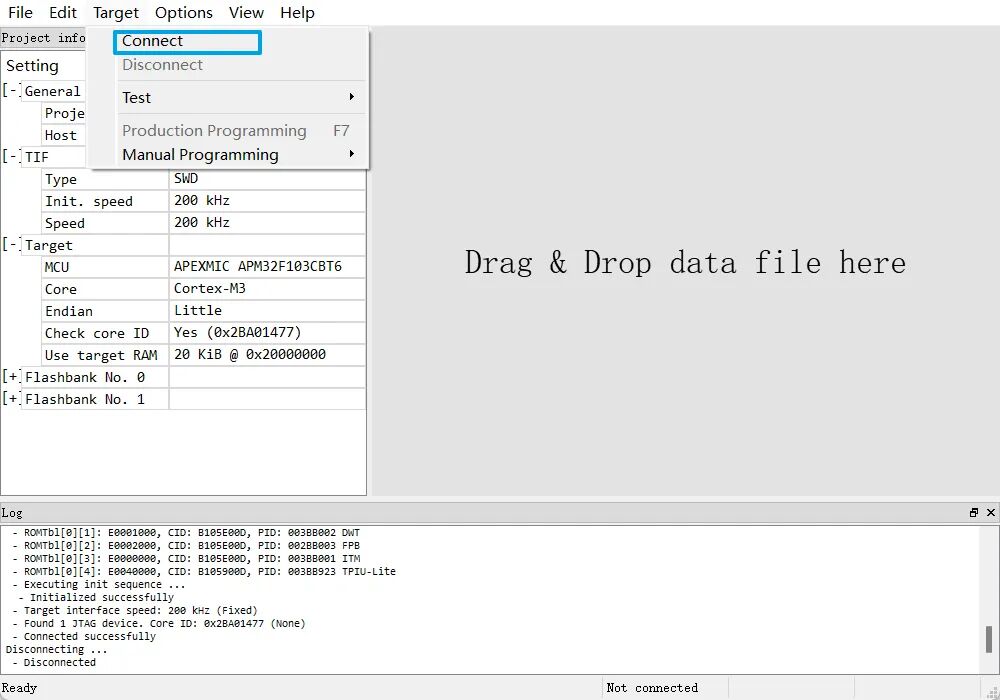
3.2.5 Click “Connect”
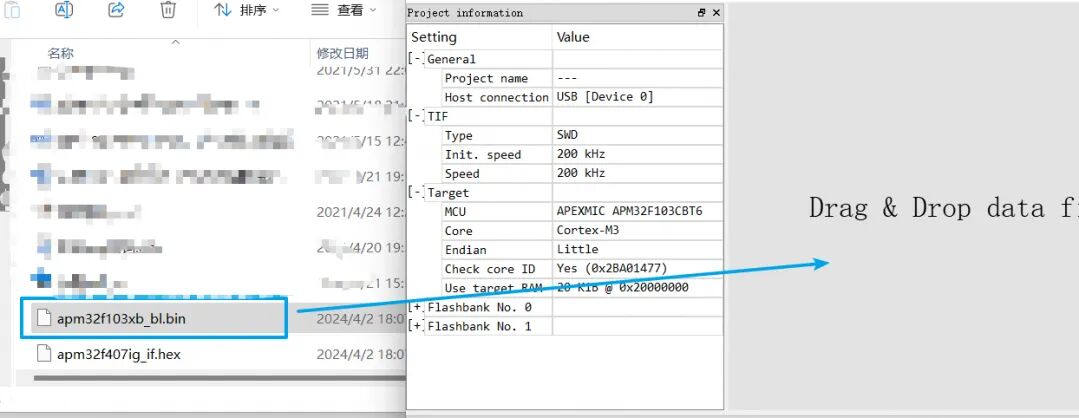
3.2.6 Drag the prepared bl.bin file into J-Flash
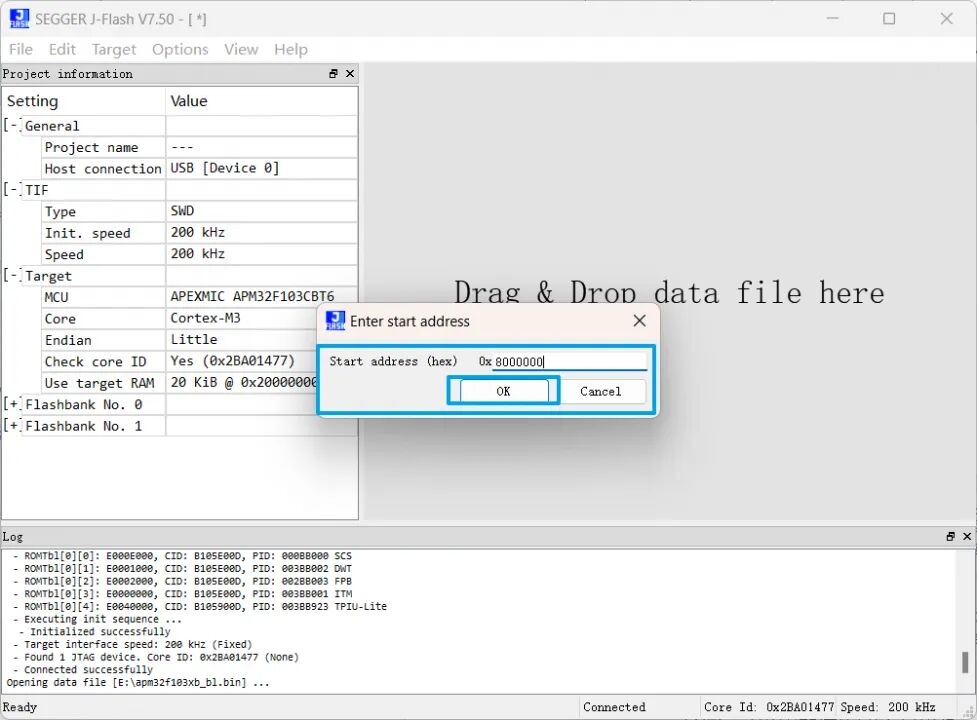
3.2.7 Confirm the address is 0x08000000 and click OK
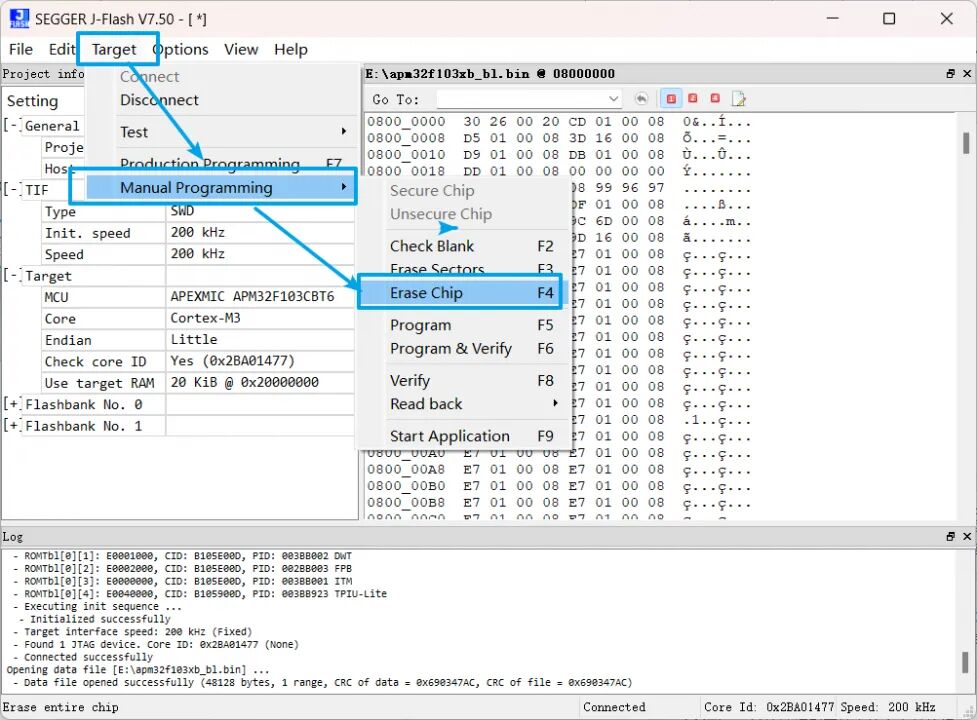
3.2.8 Erase the original firmware
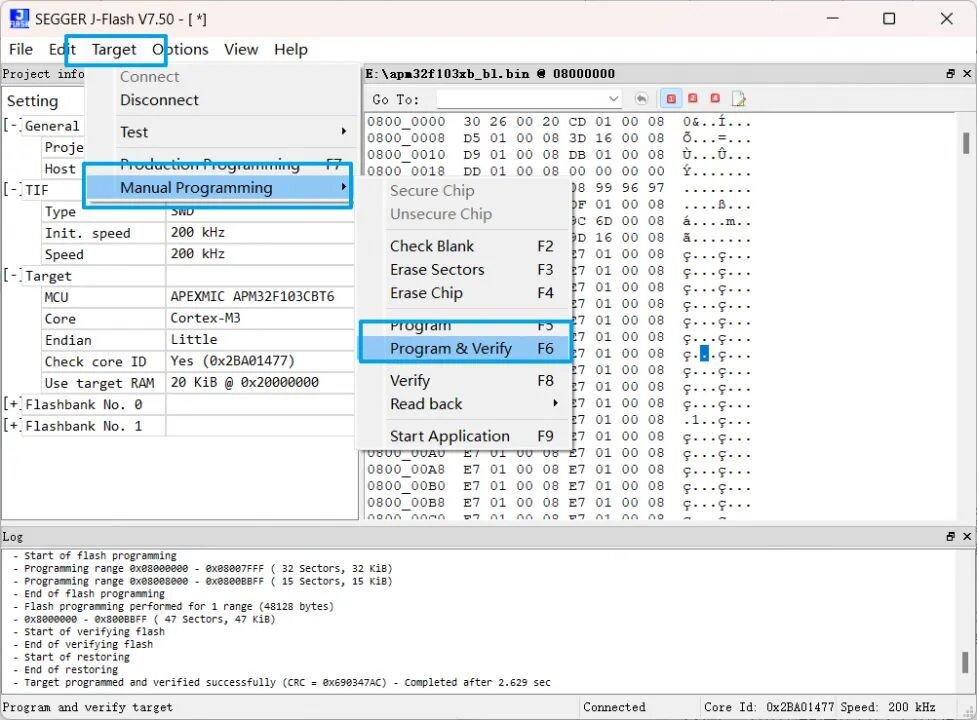
3.2.9 Download the new firmware
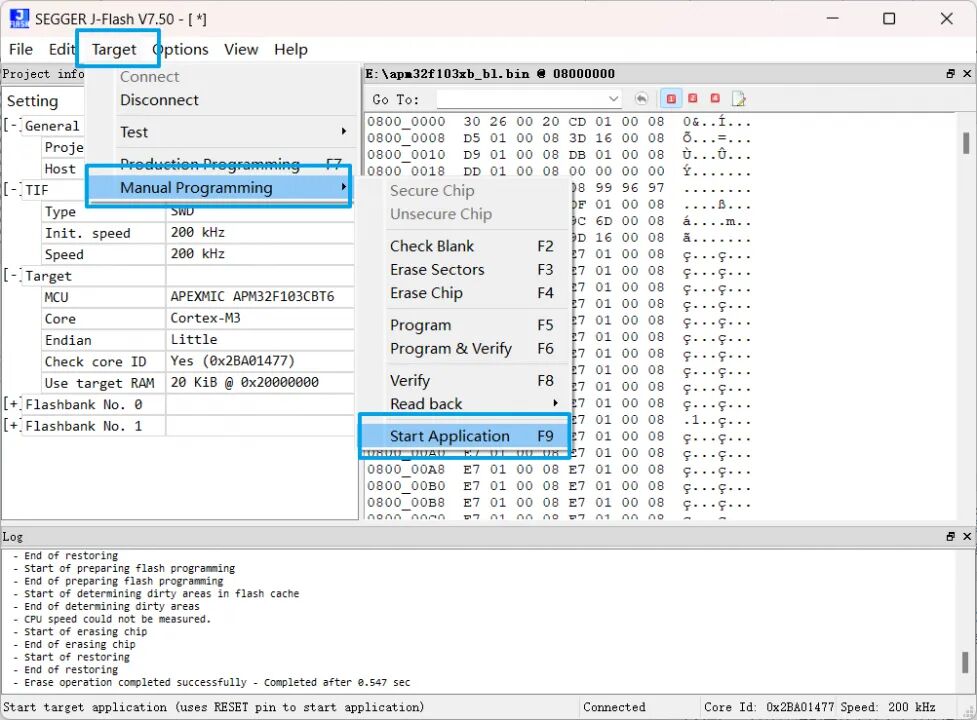
3.2.10 Run the new firmware
3.2.11 Connect the PC and the development board with a USB cable, and the computer will recognize a disk
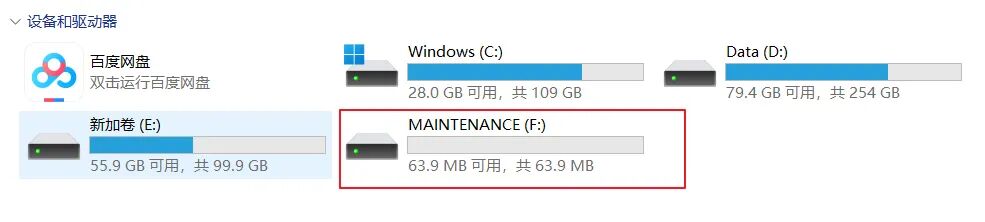
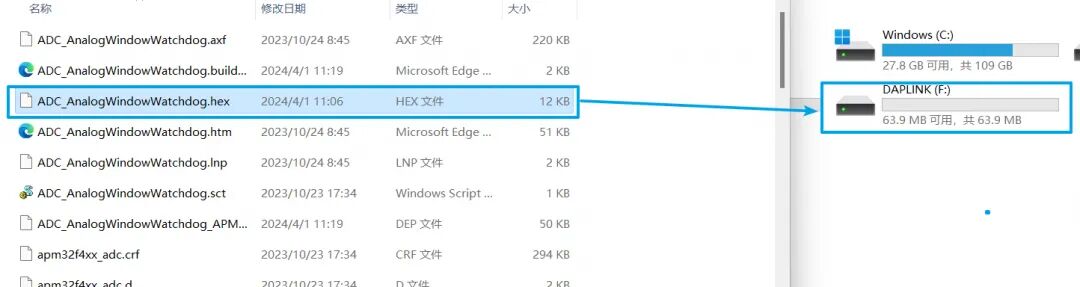
3.2.12 Drag the prepared firmware update hex file directly onto the disk

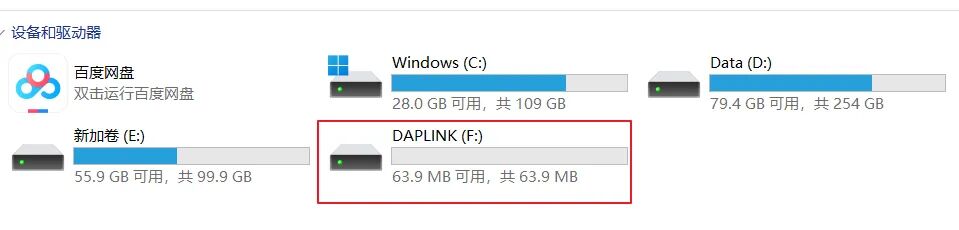
If the disk changes to DAPLINK, it indicates that the firmware update was successful.
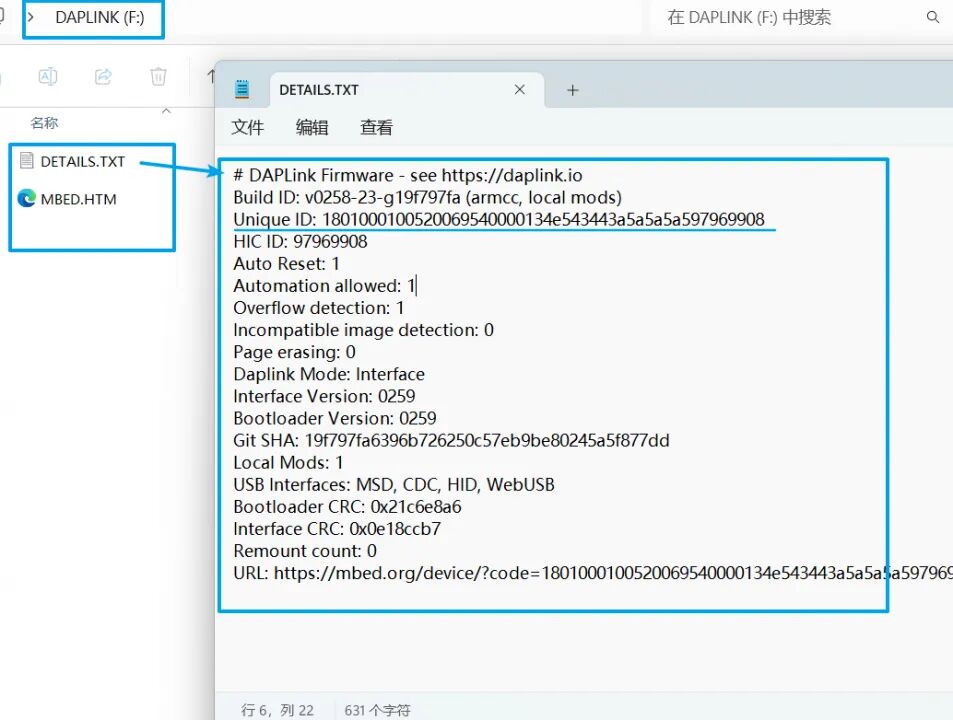
And you can click to view the information inside.
3.3 Verify Firmware Update
We can download the official SDK for the APM32F4 series from the Geehy website to verify whether the firmware has been successfully updated.
3.3.1 Open ADC_AnalogWindowWatchdog, click the magic wand, and configure to compile and generate the hex file.

3.3.2 Drag the generated hex file into the generated disk recognized by the PC. You can check the information inside the disk; if there is no FAIL.txt, the program has been successfully programmed.
3.3.3 Connect the RX and TX interfaces of DAPLINK to PA9 and PA10 respectively. Open the serial debugging assistant, set the baud rate to 115200, reset the development board, and if the serial port successfully prints data, it indicates that the firmware update was successful.

This concludes the method for updating the DAPLink firmware on the APM32F407IG-Tiny.
The author of the article has provided example files in the original post; please visit the original 21ic forum to download if needed.
Original article link: https://bbs.21ic.com/icview-3369458-1-1.html
Or click below to read the original text to jump



↑↑↑ Click the card above to follow Jihai ↑↑↑