1. Introduction to the JSON LibraryThe JSON module in Python provides core functionality for handling JSON data, with commonly used functions primarily for JSON serialization (converting objects to JSON strings) and deserialization (converting JSON strings to objects).2. Commonly Used Functions(1) dumps(obj, …) function: Converts a Python object (such as a dictionary, list, etc.) into a JSON formatted string.Optional parameters: indent (for formatting indentation), ensure_ascii (to ensure ASCII encoding, default is True), sort_keys (to sort keys) etc.
import json
data={"name":"Alice","age":"30"} # Dictionary type
print(type(data))
json_str=json.dumps(data,indent=2) # Formatted output with indentation
print(json_str)
print(type(json_str))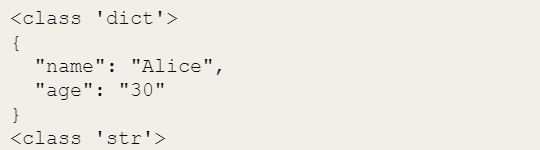 (2) json.dump(obj, fp, …) function: Converts a Python object to a JSON string and directly writes it to a file object (fp, such as an opened file), similar to dumps but eliminates the need for manual file writing.
import json
data={"name":"Alice","age":"30"} # Dictionary type
with open("data.json", "w") as f: json.dump(data, f, indent=2) # Directly write to file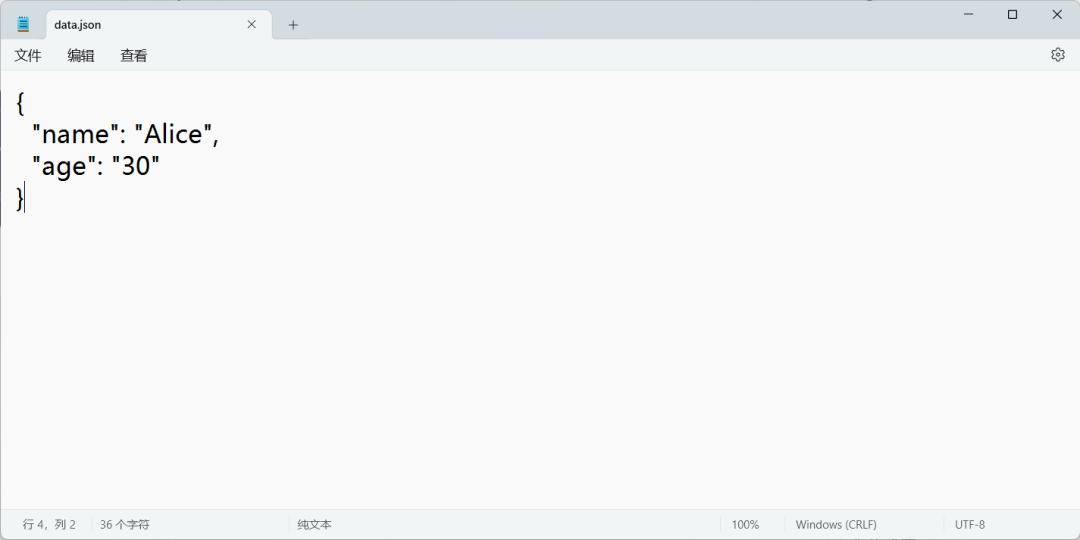 (3) json.loads(s, …) function: Converts a JSON formatted string (s) into a Python object (dictionary, list, etc.).
import json
json_str = '{"name": "Bob", "age": 25}'
print(type(json_str))
data = json.loads(json_str) # Convert to dictionary
print(data)
print(type(data)) (4) json.load(fp, …) function: Reads JSON data from a file object (fp) and converts it into a Python object without manually reading the file content.
import json
with open("data.json", "r") as f: data = json.load(f) # Read from file and convert
print(data)
print(type(data)) (5) Summary:loads()/dumps() are responsible for strings in memory, while load()/dump() handle file streams; remember the four parameters: indent, ensure_ascii, default, and object_hook, which can solve most JSON scenarios.