ToDay1:
1. The First Python Program for Cost Engineers
I’m sure everyone is eager to start their Python programming journey! However, a new question arises: where should we write Python programs, and how do we run them? As a cost engineer, we often need to handle a large amount of list data, quantity calculations, and price analysis. Python can help us efficiently complete these tasks, such as quickly verifying list item characteristics and batch processing Excel data. Therefore, learning to write and run Python programs in the right environment is crucial for improving work efficiency. Next, we will explore how to write Python programs in suitable tools and master the methods to run programs, starting our Python programming journey in the field of cost engineering!
2. Tools for Writing Code
There are many tools available for writing and running Python code. For beginners like cost engineers, I personally recommend using PyCharm. It is not only powerful but also does not require complex configurations, making it very user-friendly for newcomers. PyCharm offers an intuitive interface and rich features, such as code auto-completion, error prompts, project management, courses, and code exercises, which can help you quickly get started with Python programming, whether it’s for list verification, quantity calculations, or other cost-related tasks.
Python download link:http://python.ayztps.cn/
PyCharm download link:http://pycharm.ayztps.cn/
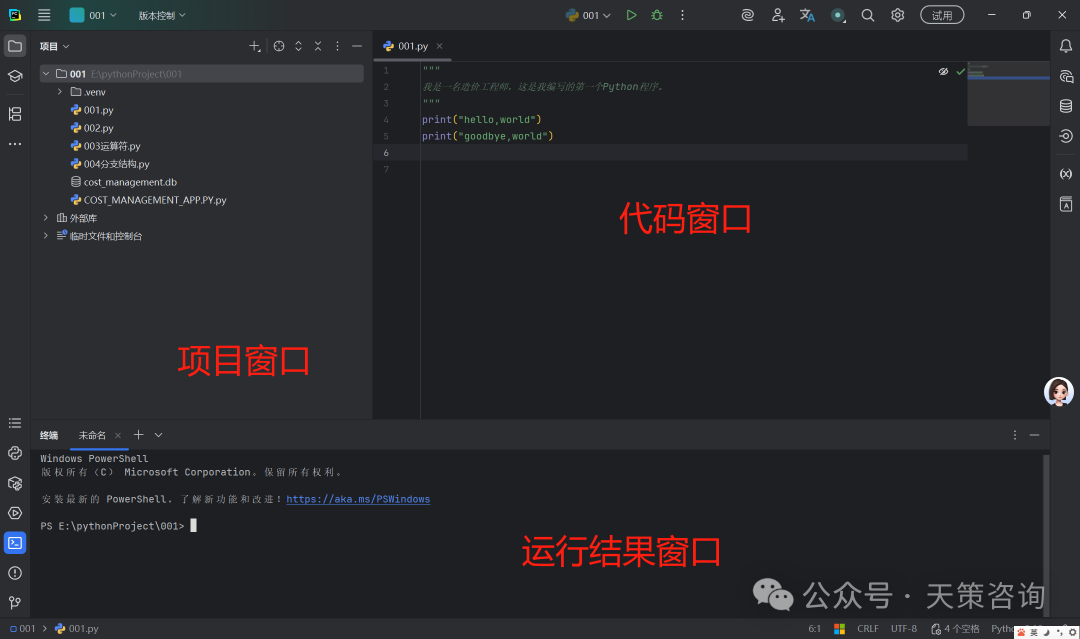
3. Hello, Cost Engineer
print ("hello, Cost engineer")print ("你好,造价工程师")This is our first piece of code. It is particularly important to note that the parentheses and single quotes in the code must be entered in English input mode. If you mistakenly use Chinese parentheses or single quotes, an error message will appear when running the code. In the code above, we used a function called print. It helps us output specified content to the screen. The string ‘hello, world’ in the parentheses of the print function represents a piece of text. In Python, strings can be represented using single quotes (‘ ‘) or double quotes (” “).
4. Commenting Your Code
Comments are an indispensable part of programming languages, used to explain the purpose of the code, thereby enhancing its readability. Additionally, comments can help us “hide” code segments that we do not need to run temporarily. When you need to reuse these codes, you can simply remove the comment symbol. In simple terms, comments make the code more readable without affecting the actual execution results.
In Python, there are two common ways to comment:
1. Single-line comments: Start with # and a space, which can comment out everything from # to the end of the line. For example:
# This is a single-line commentprint("你好,造价工程师!") # This line of code will output "Hello, world!"2. Multi-line comments: Start with three quotes (usually double quotes) and end with three quotes, typically used to add longer explanatory content. For example:
"""This is a multi-line comment. It can contain multiple lines of text to explain the functionality of the code in detail."""print("你好,造价工程师!")By using comments appropriately, we can make the code clearer and easier to maintain, especially when dealing with complex cost calculations or list verifications. Comments can help other developers (or your future self) understand the logic of the code more quickly.
In summary, we have successfully run our first Python program. Isn’t it a great sense of achievement?! As long as you keep learning, in a while, we will be able to accomplish more cool tasks with Python, such as automating the processing of list data, quickly verifying project characteristics, and batch calculating quantities. In today’s digital age, programming has become a skill that many people must master, just like English, especially for cost engineers, it is a key tool for improving work efficiency and competitiveness..