In the previous article, we discussed how HTTP/2 brings lower bandwidth requirements, less network overhead, and reduced server memory usage. Now, let’s test whether the websites you operate and those of your competitors have implemented HTTP/2.
Here are 4 methods to test if a website is using HTTP/2
1 Geekflare Online Testing Tool
Method: Open the URL https://gf.dev/http2-test, enter the domain name you want to test, and click “check HTTP/2”.

The query result is as follows: The Google.com website is using HTTP/2.

2 HTTP/2 and SPDY Indicator Chrome Extension
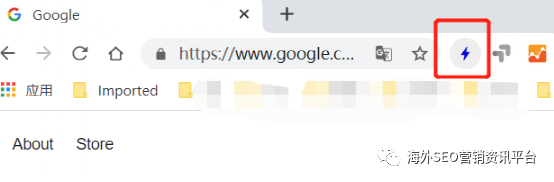
This extension displays a lightning icon in the address bar; if the page has HTTP/2 enabled, it will be blue, if SPDY is enabled, it will be green, and if neither is available, it will be gray.
Installation URL:
As shown: The google.com website is using h2, and the lightning icon is displayed in blue.
3 Keycdn Online Tool
Method: Open the URL https://tools.keycdn.com/http2-test, enter the domain name of the website you want to check, and click test.

4 Claire Chrome Extension Claire displays information for sites using CloudFlare, indicating whether they use IPv6, Railgun, and HTTP/2. When you browse a website using Cloudflare, an orange cloud is displayed in the multifunction toolbar; otherwise, a gray cloud is shown.
Installation URL:
https://chrome.google.com/webstore/detail/claire/fgbpcgddpmjmamlibbaobboigaijnmkl/ Method is the same as 2.

The above four tools can help you check if your website has implemented HTTP/2. If not, you can communicate with your technical team for implementation, which is helpful for improving Google crawling and enhancing website speed.