Have you ever encountered this situation: seeing a Douyin command shared by a friend on WeChat, excited to open it, but despite copying the command, you just can’t open it, leaving you confused about what to do? After reading this article, you will no longer struggle to open Douyin commands or Douyin Lite commands. Below, I will share 3 super simple ways to open them and the usage rules, so even beginners can easily learn!

1. Basic Method: Copy and Paste for Easy Access
Specific Operation Scenario Example
For example, if you receive a Douyin command in the WeChat chat box: “8.88 a:/ Copy this message, open Douyin to see super interesting pet videos!” This is a typical Douyin command format.
Step-by-Step Breakdown
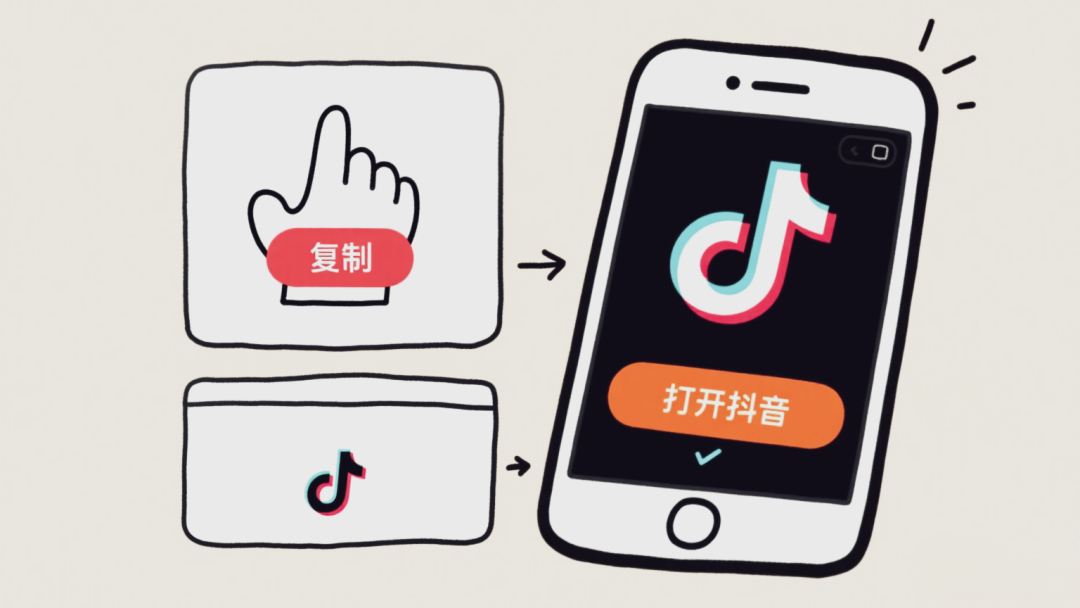
First, long press the command until a selection menu appears, then click “Select All” to ensure the entire command is selected, and then click “Copy”. Next, exit WeChat, find the Douyin APP or Douyin Lite APP on your phone’s home screen (if it’s a Douyin Lite command, open Douyin Lite) and click to open it.
At this point, a magical scene occurs, a prompt box will automatically pop up on the screen saying “Open to see”, click “Open to see” to directly enter the corresponding video, product, or event page.
Handling Exceptions
If the “Open to see” prompt box does not pop up, don’t worry. It may be that the Douyin APP does not have permission to read the clipboard. You can open your phone’s settings, find the Douyin application, and enable the “Clipboard Read Permission” in the permission management, then try the operation again. Additionally, it may be that the command was not copied completely, so long press the command again, carefully check for any omissions, and copy it completely before opening Douyin.
Applicable Audience Note
This method is particularly suitable for novice friends, as it is simple and direct, just follow the steps and you will learn it quickly.
2. Advanced Technique: Click in WeChat for One-Click Access
Specific Operation Scenario Example
When you receive a Douyin command in this format: “【Douyin Video Share】 Come and see this super popular dance video, copy this message, open Douyin to see, click here→”, the blue ” ” is the key link.
Step-by-Step Breakdown
First, find the blue link part in the command in WeChat, which is the “key” to Douyin content. Then, gently click this link, and WeChat will automatically recognize it and enter a Douyin video detail page, where you can see the video cover, title, and a brief introduction.
Finally, on the Douyin video detail page, find the prominent “Go See” button, click “Go See”, and the system will automatically jump to the Douyin APP (provided you have Douyin installed on your phone) and play the corresponding video. If Douyin is not installed, the page will prompt you to download it, just follow the instructions.
If clicking the link prompts “Cannot open”, it may be due to unstable network, you can switch networks, for example, from WiFi to mobile data, or vice versa. It may also be that the link has expired, in which case you will need to ask the person who shared it to resend the command.
This technique is very convenient and quick for those who are used to operating within WeChat and do not want to frequently switch apps.
3. Backup Plan: Manually Paste in the Search Box
Specific Operation Scenario Example
If you receive a command that is a string of characters, like “【Douyin Command】h786d:/ This is a good product recommendation”, but neither of the first two methods works, you can try this method.
Step-by-Step Breakdown: First, long press the command and select “Copy”. Then open the Douyin APP or Douyin Lite APP, click the search box at the top of the page, long press the search box, and after the menu appears, click “Paste” to paste the command you just copied, and finally click “Search”. This way, you can find the corresponding content through manual search.
If no relevant content is found after searching, first check if the command was copied incorrectly, or if the command has expired. If the command is fine, it may be that the content corresponding to this command has been deleted, and you won’t be able to view it.
This method is suitable as a backup plan when the first two methods do not work, and it has strong compatibility.
4. Douyin Command Usage Rules
1. Validity Period: Most commands have a time limit, such as limited-time discounts or event links, which cannot be used after expiration, so if you see something you like, open it as soon as possible.
2. Reliable Source: Do not click on commands sent by strangers casually, especially those involving monetary transactions or personal information, as you may encounter scams.
3. May Be Blocked: If the command contains sensitive words or violates content, it will be blocked by the platform, preventing redirection.
4. Usage Frequency: Some commands can be used multiple times, such as product sharing commands; however, some event commands may limit participation to once per person, depending on the event description.
Key Point! There are mainly three methods to open Douyin commands and Douyin Lite commands: first, copy and paste, waiting for Douyin to automatically pop up; second, click the link directly in WeChat; third, manually paste and search in the search box. At the same time, when using commands, pay attention to validity periods, source safety, and other rules. Mastering these, you will be able to easily open Douyin commands when you see them in WeChat without any hassle! Be sure to save this and share it with family and friends, so everyone can follow the steps and easily navigate Douyin commands!