What Is The Difference Between WiFi and WLAN?

Nowadays, smartphones are a must-have for everyone, and mobile networks are indispensable. However, have you noticed that some wireless networks in your phone settings are called wifi while others are called wlan? While enjoying the convenience of wireless networks, be sure to keep your eyes open to avoid getting ripped off! Although wifi settings are … Read more


RK3399 Supports WiFi Screen Mirroring Without Extra Software

RK3399 Supports WiFi Screen Mirroring Without Extra Software

Click the blue text above to follow us~ Wireless screen mirroring is a seemingly small yet extremely useful feature that allows us to project the screen of our smartphones/computers onto a larger screen. The VSMT has implemented WiFi screen mirroring on the RK3399 platform, allowing you to project the screen of your smartphone/tablet/computer onto the … Read more

Detailed Introduction to WiFi Chip Manufacturers and Module Solutions

Detailed Introduction to WiFi Chip Manufacturers and Module Solutions

Unknowingly, WiFi has almost conquered the entire world. Now, whenever you go online, you might find it hard to live without WiFi. The year 2016 is expected to be the year of explosive growth for IoT WiFi applications. The traditional WiFi chips commonly found in products like smartphones and tablets mainly come from foreign manufacturers … Read more

Low Power WiFi Bluetooth Module B35S Overview

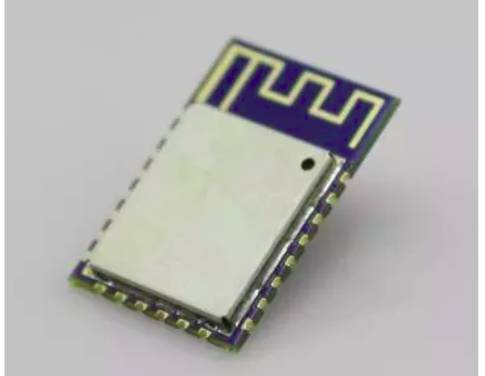
HLK-B35S is a low-cost serial-to-wireless network module launched by Hailin Technology, combining BLE5.2 Bluetooth and 2.4G WiFi with a low power consumption of microamp level, suitable for industries such as IoT, smart home, and wearable devices. 1 Product Introduction Serial-to-WiFi + BLE Bluetooth Module The HLK-B35S Bluetooth module is a highly integrated wireless communication solution … Read more

Why Does a Router Have Two WiFi Signals?

Why Does a Router Have Two WiFi Signals?

Why does a router have two WiFi signals? Have you noticed that one router can have two Wi-Fi signals? Even though there is only one router at home, there are two Wi-Fi networks, one of which is followed by the label “5G”. 📶 When the router was installed, neither the service provider nor the installer … Read more

WiFi Displaying Disabled? Click to View Solutions

WiFi Displaying Disabled? Click to View Solutions

🧐 The sudden disconnection of WiFi showing as disabled may not only be an issue with the optical modem but could also stem from the router, with various possible causes. 👉 I have compiled the reasons for WiFi displaying as disabled and the corresponding solutions. If you encounter the same issue, feel free to take … Read more

From Chip to Module: The Complete R&D and Production Process

From Chip to Module: The Complete R&D and Production Process

This article is adapted from RFsister Maker RF Space. The development of the Internet of Things (IoT) and smart homes has deepened the interaction between people and objects, making our lives richer, communication more convenient, and connections tighter. The connection between people and objects (devices) relies on wireless networking via the Internet, yet there are … Read more

Getting Started with ESP32 and Arduino (Part 3): Connecting to WiFi and Retrieving Current Time

Getting Started with ESP32 and Arduino (Part 3): Connecting to WiFi and Retrieving Current Time

The ESP32 has a built-in WiFi module, making it very simple and convenient to connect to WiFi. The code is as follows: #include <WiFi.h> const char* ssid = "WIFI_NAME"; const char* password = "WIFI_PASSWORD"; void setup() { Serial.begin(115200); WiFi.begin(ssid, password); while (WiFi.status() != WL_CONNECTED) { // statement delay(500); Serial.println("Connecting to WiFi…"); } Serial.println("Connected to the … Read more

Getting Started with ESP32 and Arduino (Part 3): Connecting to WiFi and Retrieving Current Time

Getting Started with ESP32 and Arduino (Part 3): Connecting to WiFi and Retrieving Current Time

The ESP32 has a built-in WiFi module, making it very simple and convenient to connect to WiFi. The code is as follows: #include <WiFi.h> const char* ssid = "WIFI_NAME"; const char* password = "WIFI_PASSWORD"; void setup() { Serial.begin(115200); WiFi.begin(ssid, password); while (WiFi.status() != WL_CONNECTED) { // statement delay(500); Serial.println("Connecting to WiFi…"); } Serial.println("Connected to the … Read more