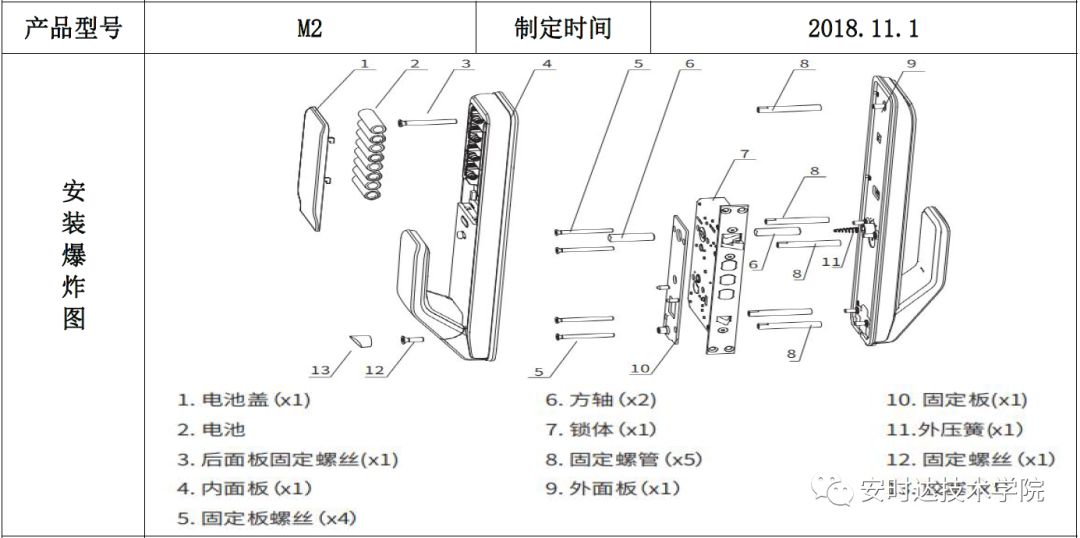
 Installation Exploded View
Note:The M2 square shaft spring must be installed, otherwise the outside key cannot open the door, and the inside cannot push or pull.
Bluetooth Version Configuration
Bluetooth version configuration: standard configuration (Mi Home APP connection)
M2 Installation Steps:
(The M2 network version does not require a Zigbee module and connects through the Mi Bluetooth gateway device)
Steps: After installing the lock, follow these steps to add the door lock
1. Find “Mi Home” in the phone’s “App Store” and download the Mi Home APP, register with your phone (if you have a Xiaomi account, log in directly)
2. Open the phone’s Bluetooth and location, log in to the APP, click the + sign in the upper right corner or add device, search for “nearby devices” to add Yudian M2;
(Note: You cannot directly match the M2 smart lock using the phone’s Bluetooth)
3. After adding the device, delete the initial password, add a new fingerprint and new password; then click sync on the home screen; the entire lock addition is complete
M2 Installation Precautions:
1. If you need to delete the door lock and re-add it, you need to press the reset button behind the battery cover to initialize, and then re-add;
2. The Mi Home APP must be used in a networked environment
3. Before adding, the phone’s Bluetooth and location must be turned on; after the APP connects to the door lock, other phones with the Mi Home APP cannot add the door lock again
4. The installer is prohibited from binding the user’s smart lock
Network Version Configuration
Network version configuration: standard configuration + Xiaomi Bluetooth gateway device
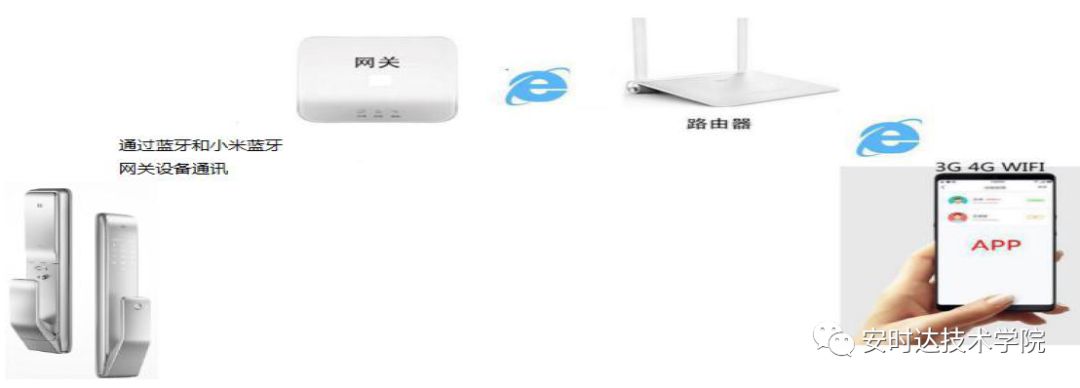
M2 Installation Guide
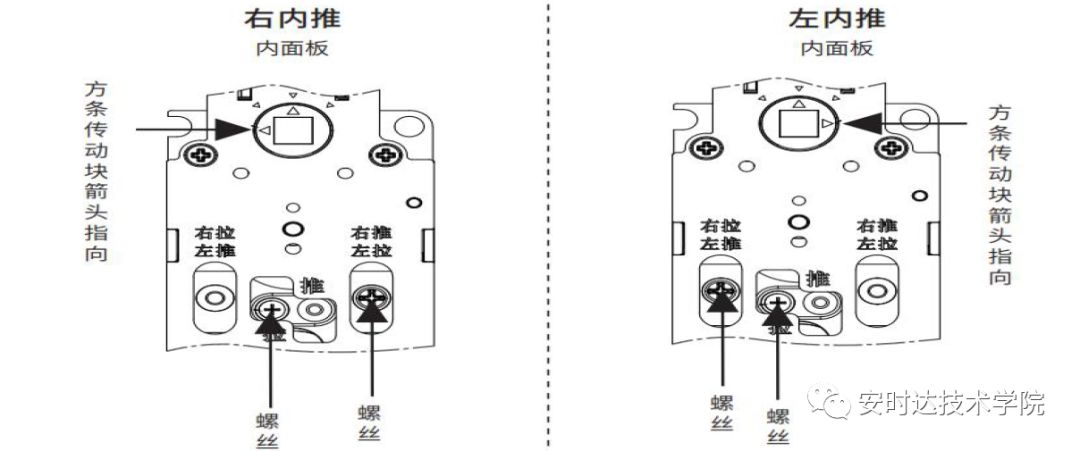
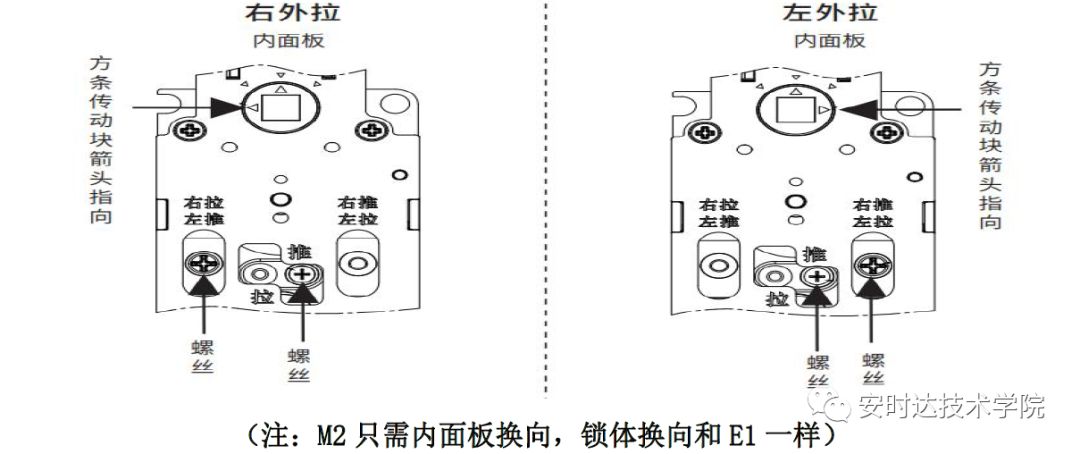
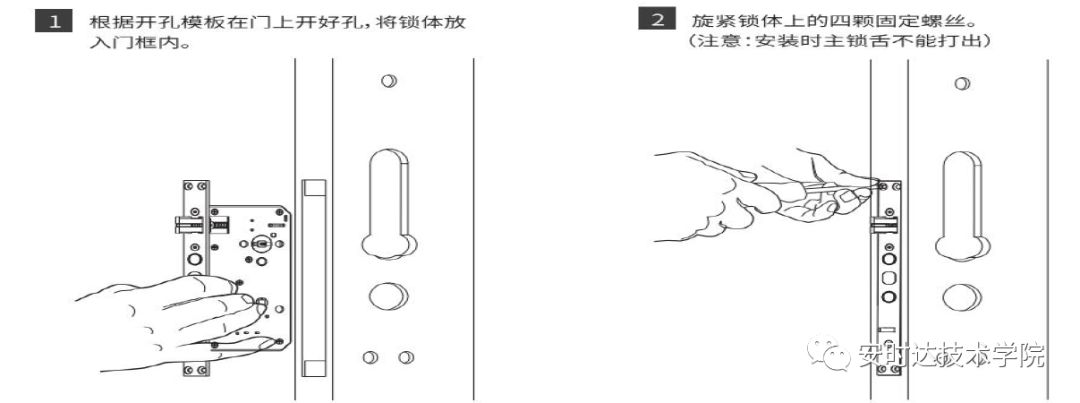
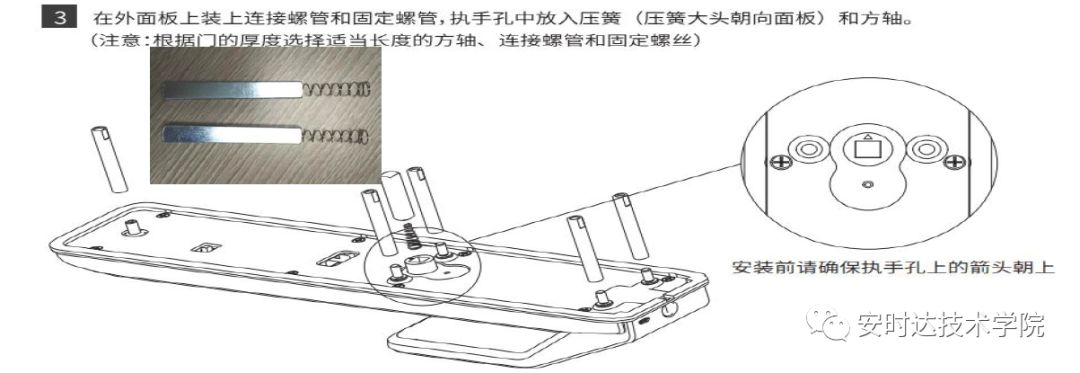
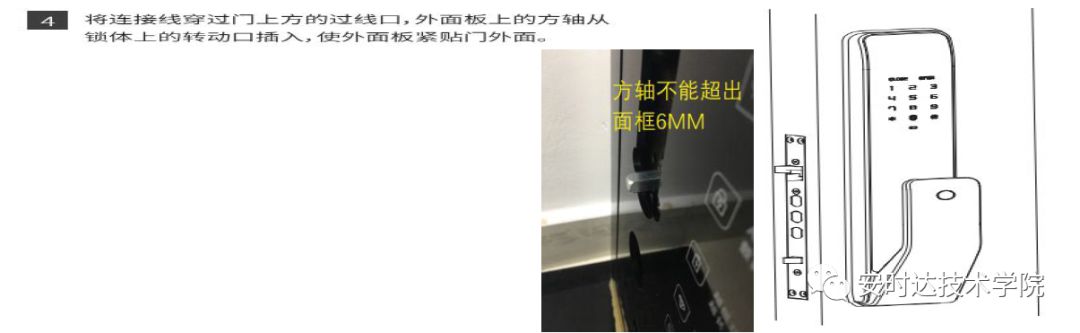
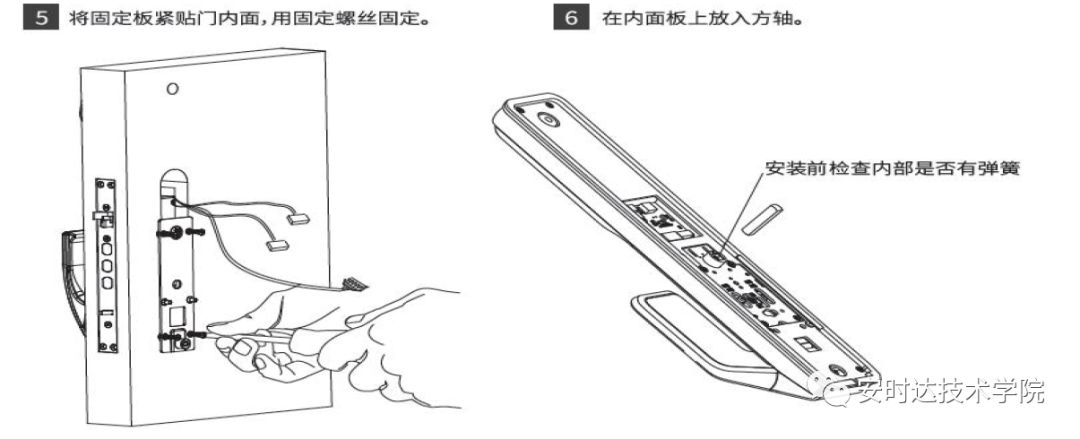
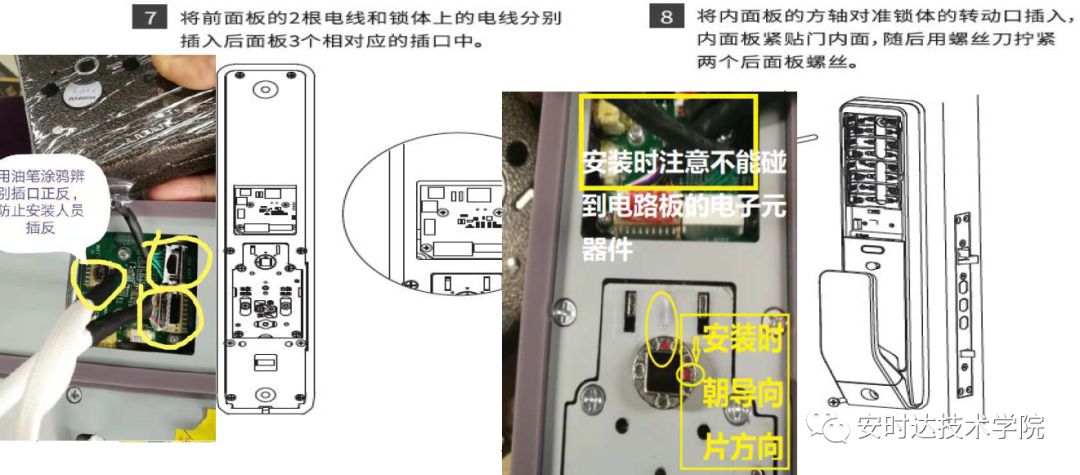
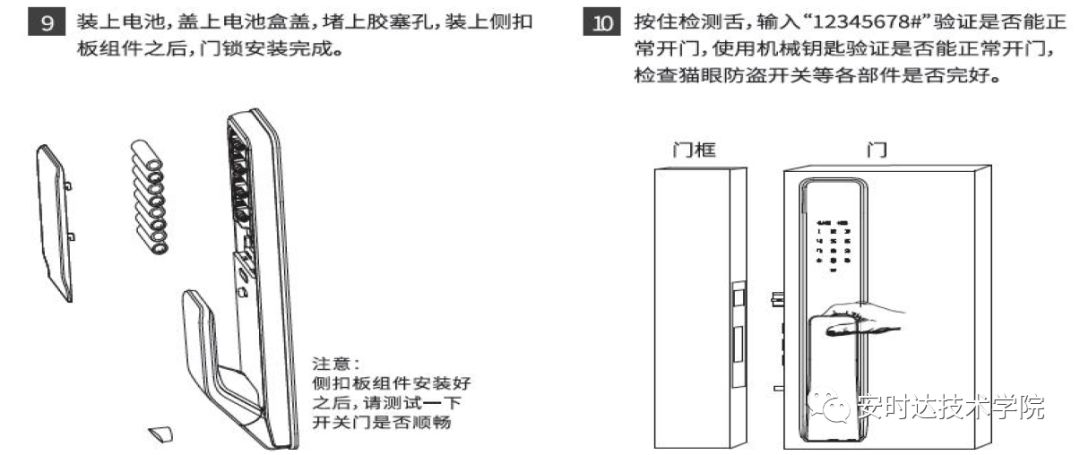
Installation Precautions
1. Before installation, use the Yudian M2 automatic push-pull lock hole template to compare with the original lock’s handle (square shaft) centerline, and use a marker to draw the handle center point and centerline on the door. Compare the hole positions to see if all holes can be covered to avoid exposing holes after installation. If installation is not possible or there are product issues, please do not damage the packaging, keep it intact, and do not tear open the accessory bag (if installation is not possible, please contact 400 002 9889).
2. During installation, the spring must be placed in the handle hole, otherwise it will lead to inability to open the door normally (not placing the spring in the front handle hole will cause the mechanical key to be unable to unlock).