
Click the above Computer Enthusiasts to follow us
On Tuesday, a friend asked me about monitors, and today I can finally talk about monitors. In addition to display resolution, there are actually many technical reference indicators for monitors. However, among these complicated technical indicators, I have selected the most important points to discuss, which I believe will help everyone in choosing monitors or even laptops.

High Definition Is Not Color
Many monitors or laptops emphasize high-definition screens in their promotions, and many people assume that high-definition = good color, which is actually incorrect. High definition only represents the degree of resolution, and there is a small misunderstanding that needs to be clarified. So-called high-definition (HD) screens generally refer to resolutions above 720P (1280×720), such as 1600×900 or 1366×768; full high-definition (Full HD) refers to 1080P (1920×1080), and 2K screens have a resolution greater than 2560×1440, sometimes referred to as QHD; as for 4K monitors, their resolution must reach at least 3840×2160, often labeled as “UHD.” However, these are all just resolutions and do not involve color performance at all.

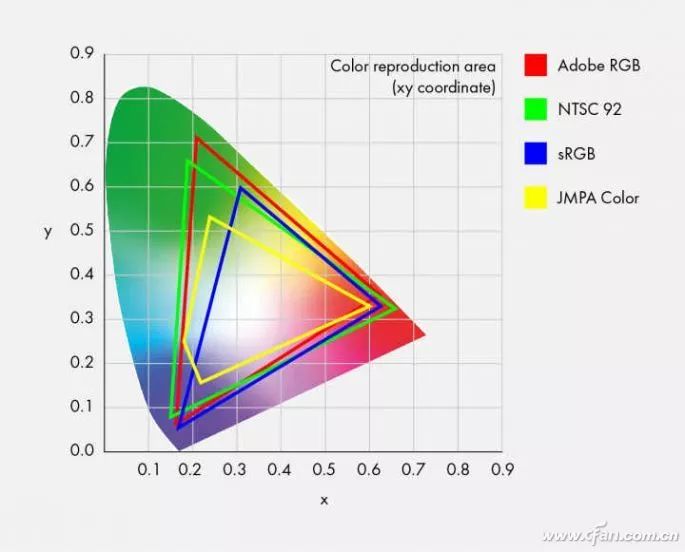
Currently, monitors indicate their color quality by stating how much of the sRGB color space they can cover, usually over 90%. However, achieving over 90% sRGB color coverage is not particularly difficult for most monitors. So if a monitor doesn’t even mention sRGB, the color quality is definitely not great. The true standard for demonstrating a monitor’s excellent color quality is actually another standard—NTSC color space. The sRGB color space mentioned earlier only corresponds to 72% of the NTSC color space, so don’t be fooled.
Glossy Screens Are Inferior to Matte Screens
I have always strongly opposed glossy screens and advocated for matte screens, for a very simple reason—glare. The glare from glossy screens makes the eyes very uncomfortable; you can even see yourself and your surroundings when the screen displays the boot screen. This not only affects the observation of the content on the monitor but also makes it easier to feel eye fatigue. Therefore, when choosing a monitor or laptop, it is better to avoid products with glossy screens.

Game Graphics: Choose One of Two
Good color does not necessarily mean good gaming performance; friends must remember this. Color refers to the screen’s ability to cover colors, which we discussed earlier; gamers are more concerned with the continuity of the picture and response time. Essentially, these are two unrelated demands. Taking the technical specification most needed by gamers—the refresh rate—as an example, the higher the refresh rate, the smoother the picture; the lower the refresh rate, the more jitter and tearing occur, leading to more eye fatigue.
Currently, ordinary monitors have a refresh rate of 59/60Hz, while monitors for gamers have refresh rates of 144Hz, 200Hz, and even 240Hz. Additionally, AMD and NVIDIA have specific technical certification standards for refresh rates, meaning monitors can be roughly divided into three categories:
1. Ordinary monitors with a refresh rate of 59Hz/60Hz;
2. High refresh rate monitors with 144Hz, 165Hz, 200Hz, 240Hz;
3. Monitors with AMD or NVIDIA certification agreements;
We won’t discuss the first type for gamers; the latter two are significantly more expensive than ordinary monitors, showing a clear price difference. At the same time, the third category of monitors with AMD or NVIDIA certification needs to be further divided. The AMD certification is a free open standard, so the price difference from the second category is not large; NVIDIA’s certification requires hardware embedding, so the price is much higher. The benefit of these two types of certified monitors is that they can match graphics cards for a 1:1 refresh rate, which almost eliminates the problem of picture tearing (as long as the graphics card performance is sufficient).

HDR Also Has High, Medium, and Low Levels
Finally, let’s talk about HDR. HDR is not a new technology; it has long been applied in photography or television. HDR stands for High-Dynamic Range, which means high dynamic lighting rendering images. HDR can have a wider dynamic range, providing better contrast and color accuracy. For example, for movie and game players in dark scenes, ordinary monitors usually display a mass of black, but on monitors with HDR, this mass of black actually shows a very precise image, making it very suitable for movie buffs and gamers.
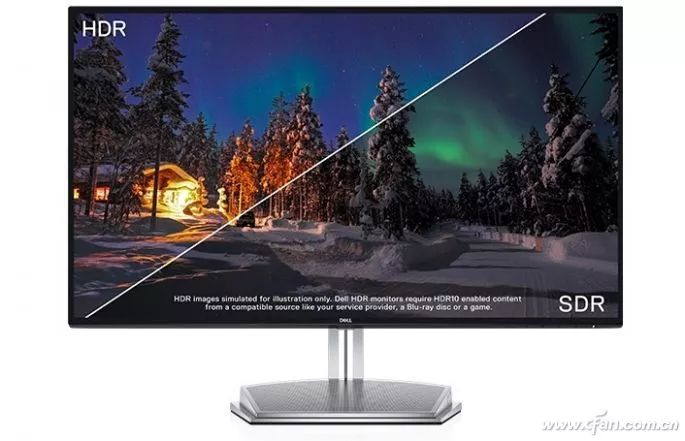
However, to implement HDR technology, monitors must have the relevant hardware design; therefore, HDR also has three levels of standards for monitors. If you plan to purchase a monitor with HDR technology, you might consider these standards when choosing—DisplayHDR 1.0 standard is aimed at over 99% of the LCD monitors on the market, defining three different levels with varying requirements for monitor brightness, color space, color depth, etc., but all must have true 8-bit color display panels (approximately 15% market share), specifically:
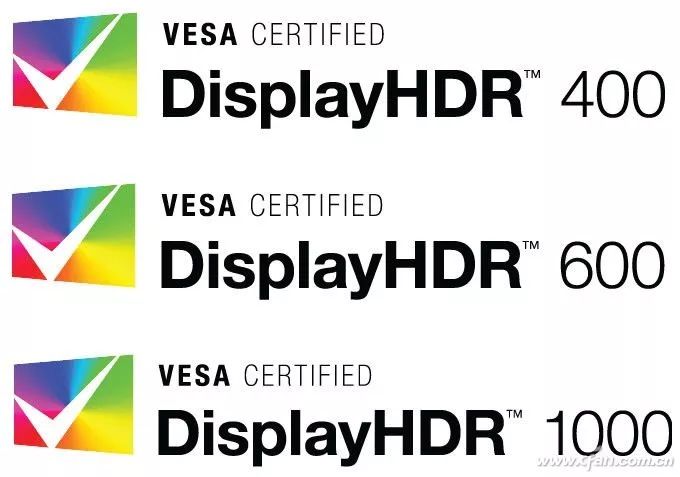
1. DisplayHDR 400, supports global dimming, peak brightness not less than 400nit, sustained brightness not less than 320nit, and ITU-R BT.709 color space (basically similar to sRGB) covering not less than 95%, and supports HDR-10;
2. DisplayHDR 600, aimed at high-end monitors and laptops, requires the screen to have 10-bit processing capability, peak brightness of 600nit, sustained brightness of 350nit, black and white brightness response time not exceeding 8 frames, color space coverage of 99% ITU-R BT.709, 90% DCI-P3 65;
3. DisplayHDR 1000, aimed at professional monitors, peak brightness of 1000nit, sustained brightness of 600nit, with significant improvements in color gamma.

Click “Read Original” for more exciting content