Lesson 7 of C Language: Loops = Making Programs Repeat Tasks 🔁
Master loops from scratch, write repetitive tasks in 5 minutes
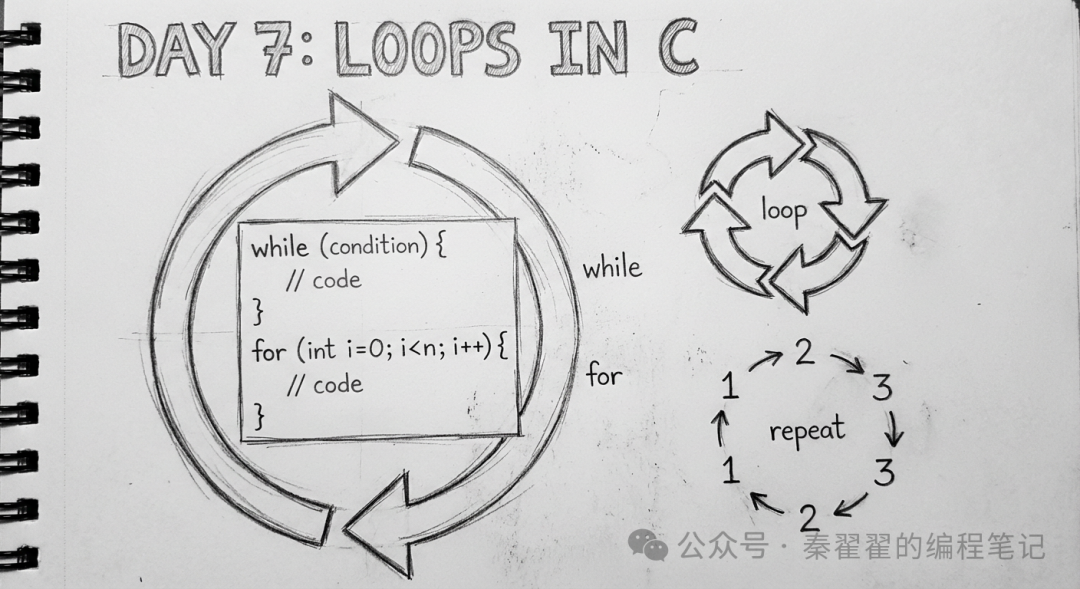
Imagine doing push-ups: you need to do 100, counting each time from 1, 2, 3… up to 100. This is the essence of “loops”—repeating the same task many times according to rules, with each repetition having a “count +1”.
Loop = Continue doing as long as the condition is met; stop when the condition is not met.
What is a loop?
-
Tasks that need to be repeated: printing from 1 to 100, calculating the sum from 1 to n, solving 100 problems…
-
Each repetition must follow a fixed sequence: check condition → perform action → update count.
The two most common types of loops in programming are: <span>while</span> and <span>for</span>. Today, we will learn both! 🎯
While Loop: Keep doing as long as the condition is true
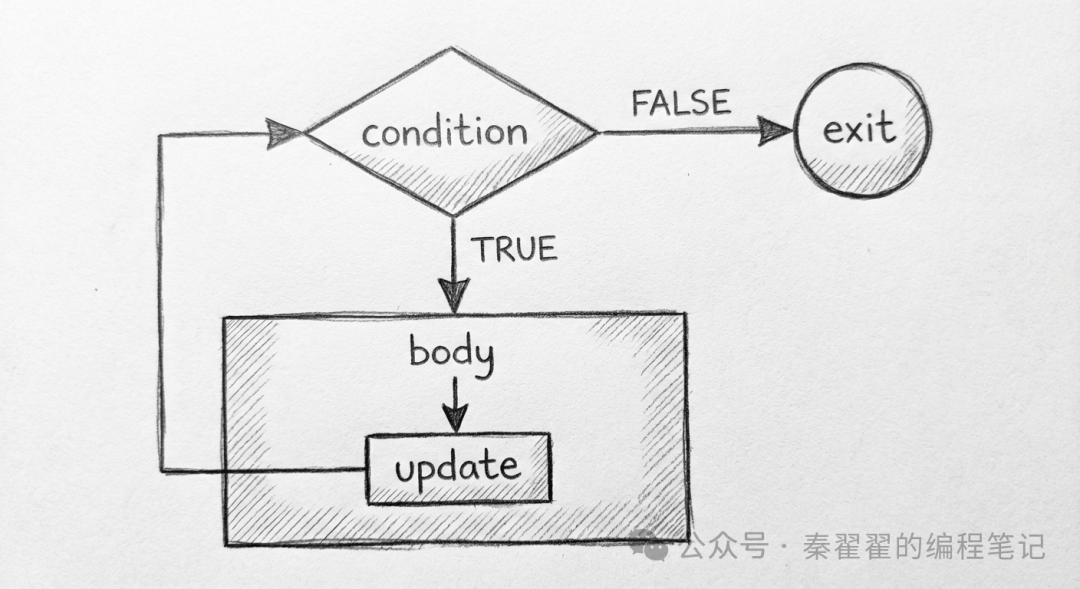
Basic Syntax
while (condition) {
    // Loop body: repeat here when condition is true
}
Classic “Counter” Pattern: Initialize → Check → Execute → Update
#include <stdio.h>

int main() {
    int i = 1;                 // 1) Initialize
    while (i <= 5) {           // 2) Condition check
        printf("%d ", i);     // 3) Loop body
        i = i + 1;             // 4) Update (otherwise it will loop infinitely)
    }
    return 0;
}
Output: 1 to 5.
Summary: <span>while</span> is more like “natural language”—as long as… keep doing…, with updates usually inside the loop body.
For Loop: Initialize, condition, and update all in one line
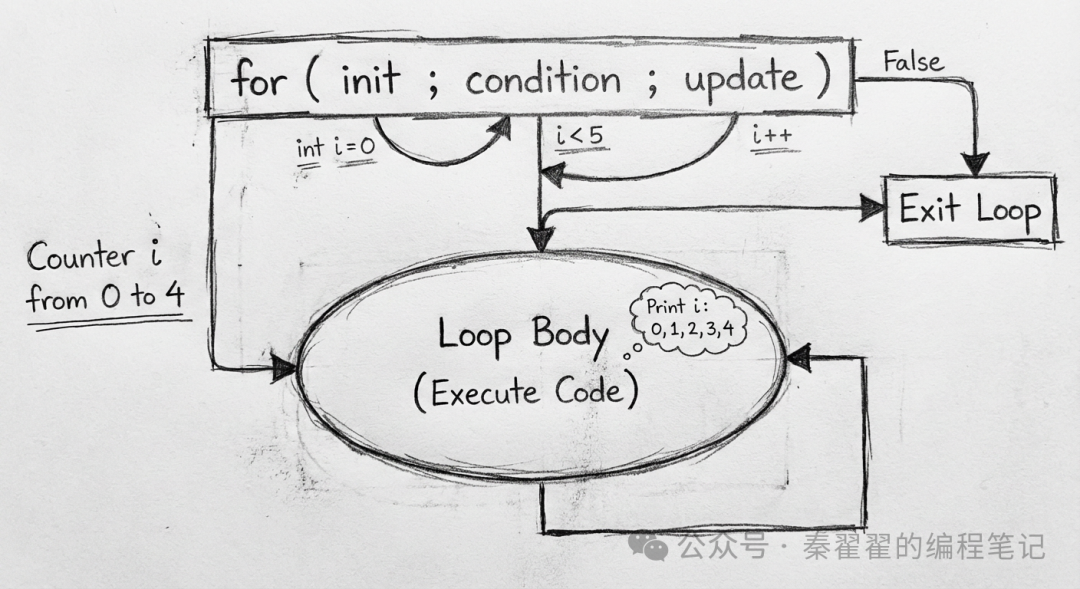
Basic Syntax (Three-part Structure)
for (initialization; condition; update) {
    // Loop body
}
-
Initialization: executed only once before the loop starts.
-
Condition: checked before each loop iteration; if true, enter; if false, exit.
-
Update: executed after each loop iteration.
Comparison with while
-
<span>while</span>: suitable for “check first, then do”; updates are written in the loop body, more flexible. -
<span>for</span>: combines the three steps of the “counter” into one, more concise and faster to read.
For example, printing from 1 to 5:
#include <stdio.h>

int main() {
    for (int i = 1; i <= 5; i++) {
        printf("%d ", i);
    }
    return 0;
}
Hands-on Practice: Two Useful Programs
1) Print 1 to 10 (for version)
#include <stdio.h>

int main() {
    for (int i = 1; i <= 10; i++) {
        printf("%d ", i);
    }
    printf(" ");
    return 0;
}
Output: <span>1 2 3 4 5 6 7 8 9 10</span>
2) Calculate the sum from 1 to n (while version)
#include <stdio.h>

int main() {
    int n;
    printf("Please enter a positive integer:");
    scanf("%d", &n);

    int sum = 0;
    int i = 1;
    while (i <= n) {
        sum += i;
        i++;
    }
    printf("The sum from 1 to %d is: %d ", n, sum);
    return 0;
}
Try inputting 100 to experience the “speeding up” effect of loops! 💨
⚠️ Common Loop Errors and Pitfalls
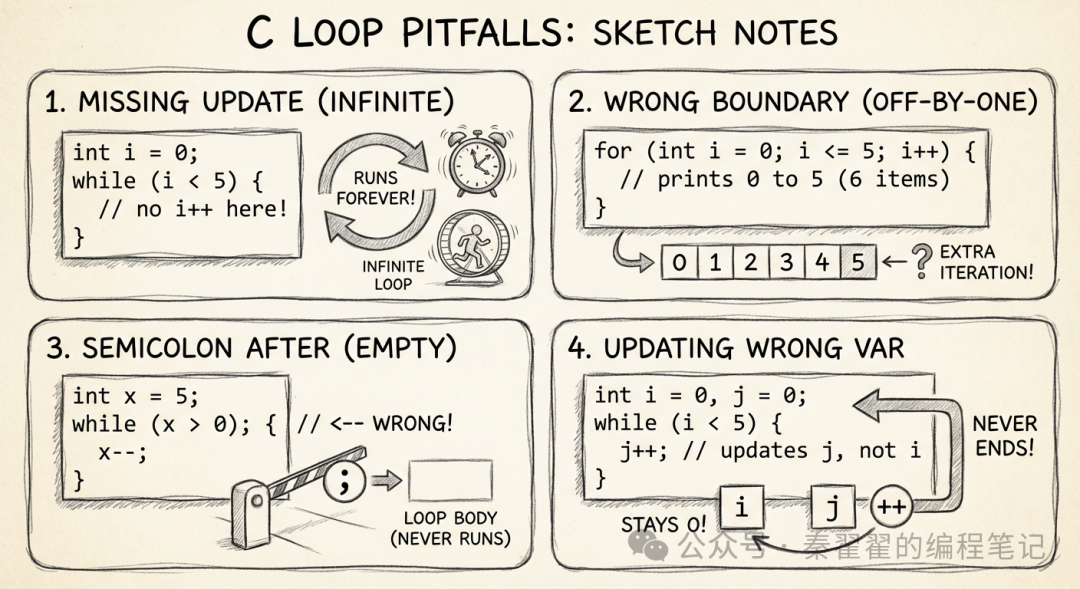
1) Forgetting to update the variable → infinite loop
int i = 1;
while (i <= 5) {
    printf("%d ", i);
    // i++;  // Forgot to update, condition is always true, stuck!
}
2) Boundary error (Off-by-one)
for (int i = 0; i <= 5; i++) {  // This will loop 6 times (0~5)
    // If you only want 5 times, should write i < 5
}
3) Extra semicolon leading to empty loop
for (int i = 0; i < 5; i++); {  // The semicolon at the end causes the for loop body to be empty
    printf("Hi ");             // This will execute 1 time, not 5 times
}
4) Updating the wrong variable
int i = 0, j = 0;
while (i < 5) {
    j++;        // Should update i, but updated j, i is always < 5
}
Tip: If you encounter a loop that doesn’t end, it’s often due to issues with “condition or update”; print key variables to locate the problem step by step. 🧭
Small Extension: Equivalent Writing of for and while
// for
for (int i = 0; i < 3; i++) {
    printf("%d ", i);
}

// Equivalent while
int i = 0;
while (i < 3) {
    printf("%d ", i);
    i++;
}
Which to choose? Use <span>for</span> for counting loops whenever possible, as it is more compact and readable; use <span>while</span> for more complex scenarios for greater flexibility.
🎯 Today’s Takeaways
-
✅ Understood the essence of loops: executing repeatedly based on conditions and updating state in each iteration.
-
✅ Mastered the “initialization → condition → execute → update” pattern of
<span>while</span>. -
✅ Mastered the three-part structure of
<span>for</span>: initialization; condition; update. -
✅ Can write common loop tasks: printing sequences, calculating sums.
-
✅ Aware of common pitfalls in loops: infinite loops, boundary errors, extra semicolons, updating the wrong variable.
🏆 Small Challenge
1) Input a positive integer n, use <span>for</span> to print all even numbers (2, 4, 6…≤n). 2) Use <span>while</span> to calculate the sum of squares from 1 to n (1²+2²+…+n²). 3) Advanced: Print a specific row of the multiplication table from 1 to 9 (input row number k, print <span>k×1</span> to <span>k×9</span>).
Tip: Write and run as you go; if you encounter a loop that doesn’t end, check the “condition and update” points!
Tomorrow’s Preview: On Day 8, we will learn about “Arrays”—storing multiple data at once, enhancing loops like a tiger with wings! 📦📚