-
Introduction
-
Configure Project
-
Modify OPBT
-
Program Flash
-
Other Operations
-
Conclusion
Introduction
The Renesas RH850 P1H-C series, previously unaware of the significant impact of OPBT on the program, led to accidental operations on its registers, resulting in the board being locked and unable to reprogram. This article records the points to note when using the RFP tool to program the Option Byte, as well as how to program using the RFP tool.
Configure Project
When configuring the project for the first time, a connection is required. Create a new project with the following configuration 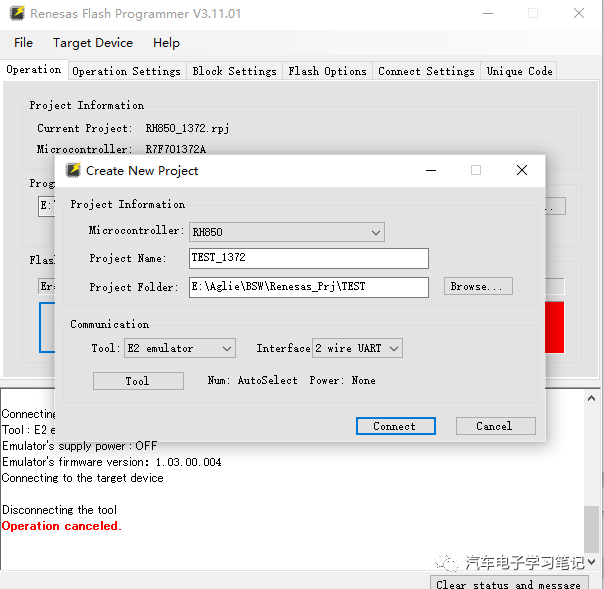 Select Tool E2 (if using E1, select E1), other settings can remain default, ensure the hardware is powered on, then click Connect.
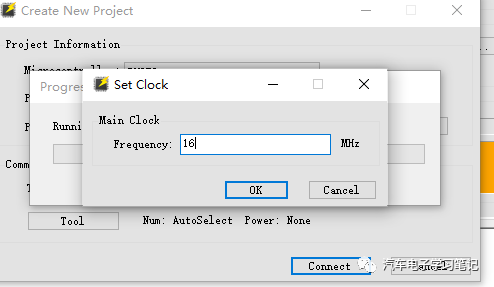 Configure the external crystal frequency based on the actual hardware, set here to 16MHz, this must be configured correctly, otherwise connection will fail.
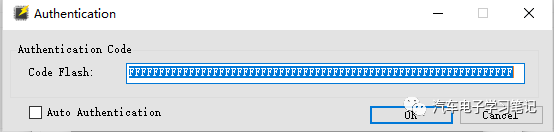 Configure Code Flash Authentication Code, default settings are fine.
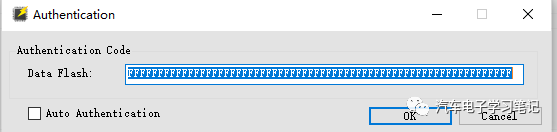 Configure Data Flash Authentication Code, default settings are fine. Once connected, it shows the following:
 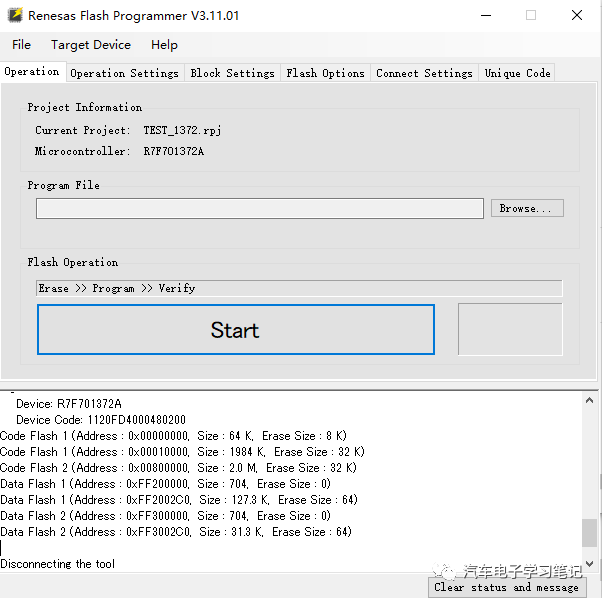 Automatically identified the MCU as 1372A.
Modify OPBT
It is particularly important to note that the Lock-Bit and OTP (Once Time Program) in Flash Options should not be Set, as this will lead to a locked chip.
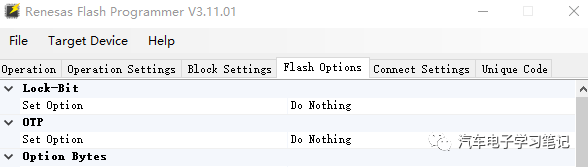 When modifying the Option Byte, do not set it arbitrarily; it needs to be configured based on the actual hardware and MCU. A detailed article about the Option Byte will be written later. Here, for the 1372 microcontroller with a 16M crystal, the configuration is as follows:
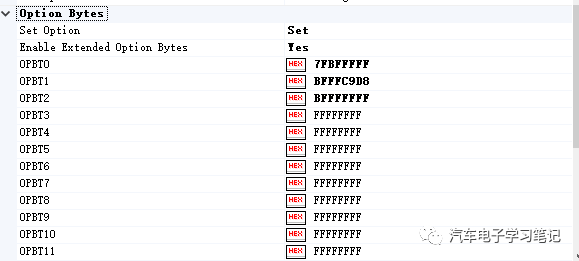

If the OPBT is incorrect, it may cause other debuggers to fail to program, incorrect clock may lead to CAN transceiver anomalies, and a series of problems can occur. Before writing the OPBT, you can first read the current OPBT from the hardware. If the new write has issues, you can rewrite the original value. The read operation is as follows: click Read Flash Options, and the popped-up Authentication Code can remain default 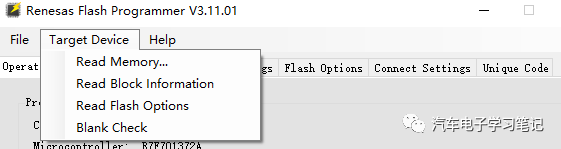 The read OPBT can be checked, and selecting the Feedback option will write the read values into the Flash Options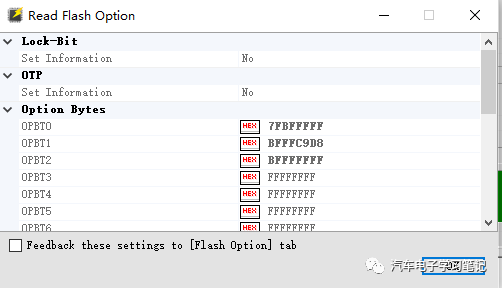
Program Flash
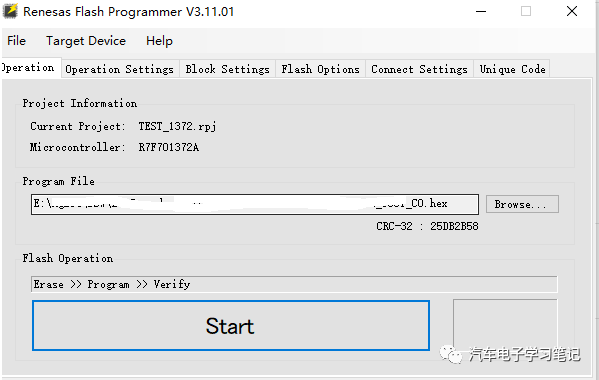
Select the file to be programmed.
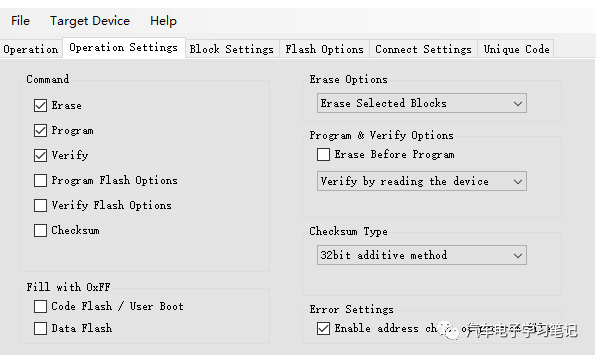
 Select Erase Program Verify for Command, other settings can remain default
  After configuring, click Start to begin programming, and the popped-up Authentication Code can remain default.
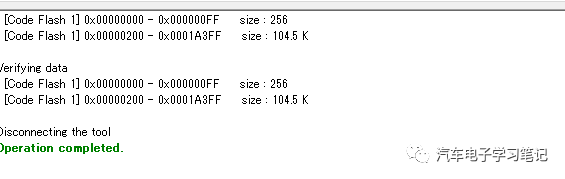
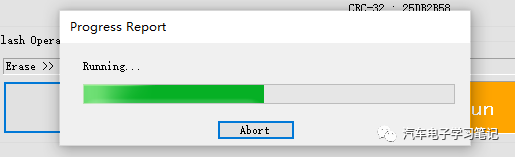 Prompt after programming is completed.
Other Operations
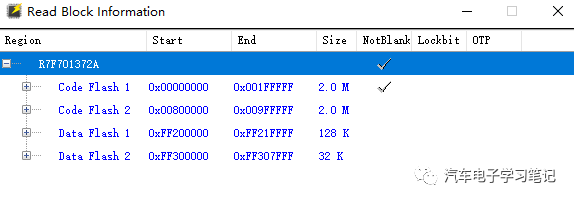
Click Read Block Information to view the block status. If locked, Lockbit or OTP will show √ 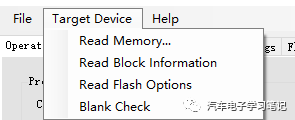
 Click Read Memory to read memory information into hex or mot files.
Conclusion
When developing with the Renesas RH850 series chips, extreme caution is necessary, as a development board is not cheap at the start.