Learning about PLCs is not enough if you only understand the PLC itself. The PLC is the “brain,” while the peripheral devices are its “eyes, ears, hands, and feet.” A qualified automation engineer must be proficient in how these peripheral devices work in conjunction with the PLC.
Below are the core peripheral devices that one should master when learning about PLCs, categorized for your understanding:
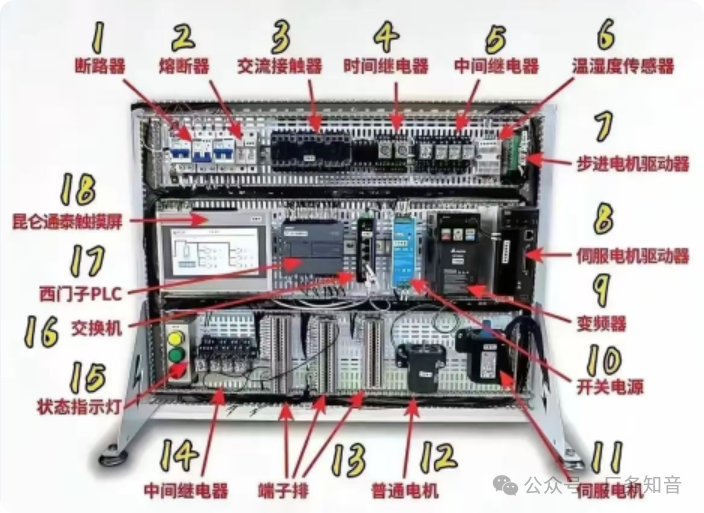
1. Input Devices – The “Senses” of the Brain
These devices convert external physical signals (such as button presses, position reached, temperature changes) into electrical signals that the PLC can recognize (usually 24V DC switch signals).
1)Main Control Devices:
oButtons/Switches: Emergency stop buttons, self-resetting buttons, selection switches. The most basic sources of input signals.
oSelector Switches: Used for selecting multiple modes (e.g., manual/automatic/debug).
2)Sensors:
oProximity Switches: Detects whether a metal object is nearby without contact. Divided into inductive (metal), capacitive (non-metal), and magnetic (cylinder magnetic ring).
oPhotoelectric Sensors: Uses light beams to detect the presence of objects, with a long detection range. Divided into through-beam, reflective, and diffuse reflective types.
oLimit Switches: Mechanical contacts used to detect the extreme positions of moving parts.
3)Other Detection Elements:
oEncoders: Measure speed, position, and direction. Divided into incremental and absolute types, they are core components of servo/stepper control.
oVision Sensors: Advanced “eyes” used for complex detection (e.g., defects, characters, positioning).
oSafety Devices: Safety light curtains, safety door locks, two-hand buttons, usually connected to the PLC’s safety input points or dedicated safety relays.
Learning Focus: The difference between NPN and PNP wiring methods (sourcing vs. sinking) and their connections, which is the most error-prone area!

2. Output Devices – The “Hands and Feet” of the Brain
These devices receive command signals from the PLC and perform specific actions.
1)Actuators:
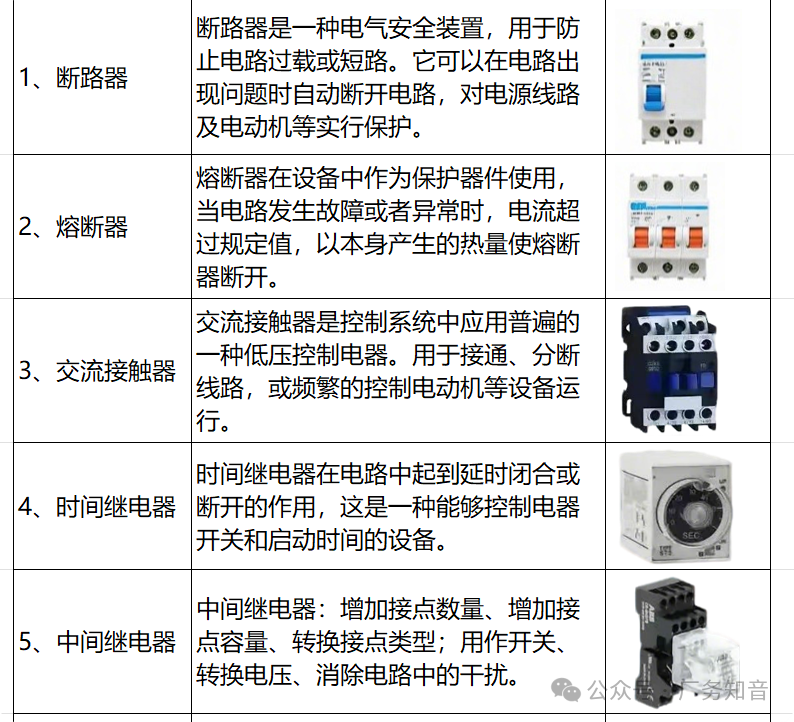
oContactors: Used to switch large power circuits (e.g., motors) on and off with a smaller control current.
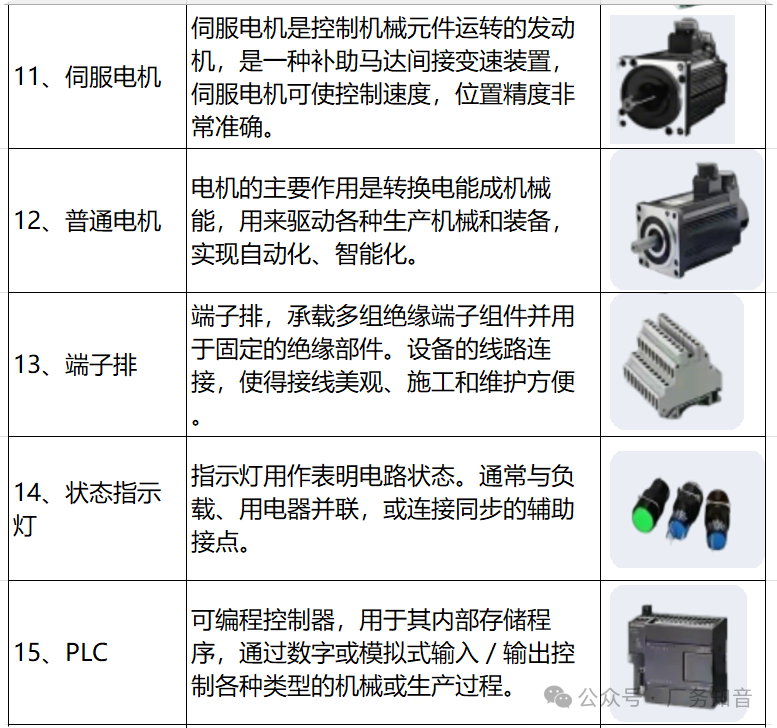
oIntermediate Relays: PLC output points have limited driving capacity, often used to “amplify” signals, allowing one output point to control multiple loads or loads of different voltage levels.
2)Indicators and Alarms:
oIndicator Lights: Buzzers, signal lights, used to display device status (running, stopped, fault).
3)Other Driving Devices:
oSolenoid Valves: Control the on/off of air or oil circuits, thus driving cylinders and hydraulic cylinders.
oProportional Valves/Servo Valves: Receive analog signals for precise pressure/flow control.
3. Human-Machine Interface Devices – The “Expressions and Language” of the Brain
The window through which operators communicate with the PLC system.
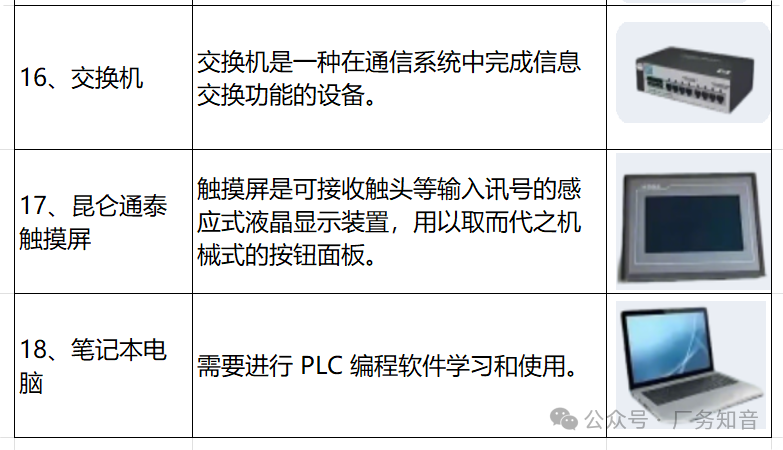
1)HMI: The core of the core. Touch screens used to display device status, parameters, alarm information, and allow operators to input commands and modify parameters.
oLearning Focus: Master at least one mainstream HMI software (such as Siemens WinCC, Kunlun Tongtai, Weicon) for basic usage, and learn how to establish variable connections with the PLC.
2)Text Displays: A simplified version of HMI, capable of displaying only text and numbers.
3)Upper Computer Software: SCADA systems running on computers, more powerful than HMIs, used for monitoring and data collection across the entire factory.
4. Drive Systems – The “Muscles” of the Brain
The part that actually performs the “fine movements” after the PLC issues commands.
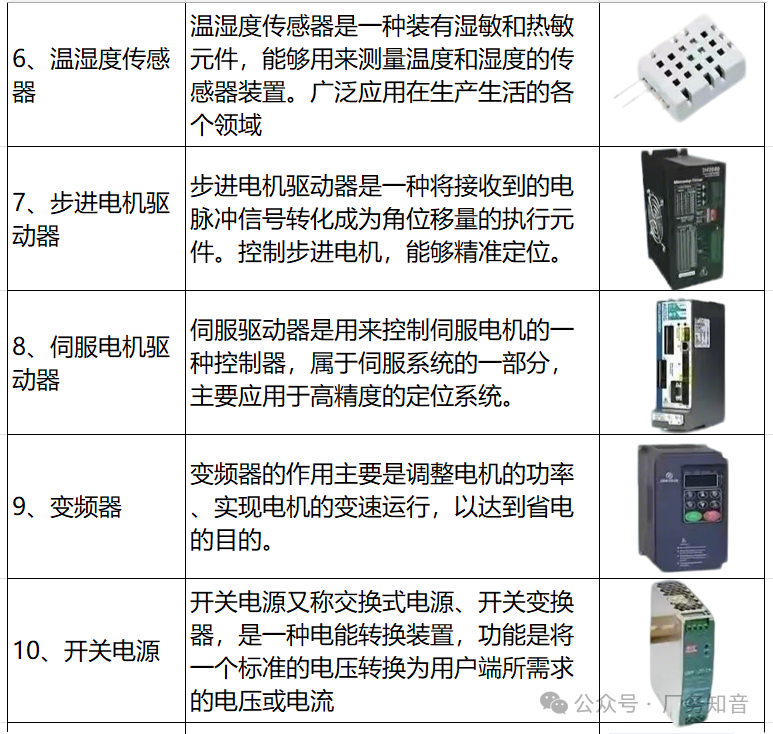
1)Frequency Converters: Control the speed of AC motors by changing frequency and voltage. The PLC controls the frequency converter through communication or analog/digital signals.
oLearning Focus: Master the basic parameter settings of frequency converters (such as frequency source, start/stop control), wiring, and multi-segment speed control.
2)Servo Drives: Used in situations requiring high precision in position and speed control. Typically controlled via pulses or communication.
oLearning Focus: Understand the Pulse Control (PTO) mode, and learn how to control the position and speed of servo motors by sending pulses from the PLC.
3)Stepper Drives: A simplified version of servo systems, used in situations with slightly lower precision and torque requirements, with control methods similar to servos.
5. Communication Devices – The “Nervous System” of the Brain
Modern automation systems are no longer islands; network communication between devices is crucial.
1)Communication Protocols:
oSerial Communication: RS-232, RS-485, Modbus RTU.
oIndustrial Ethernet: Profinet, Ethernet/IP, Modbus TCP, EtherCAT. This is the current mainstream.
2)Related Devices:
oCommunication Modules: Expansion modules for PLCs, used to add communication ports or support specific protocols.
oSwitches: Industrial-grade switches for building local area networks.
oGateways/Adapters: Convert between different protocols (e.g., Modbus to Profinet).
Summary and Learning Path Recommendations
1) Start from the basics: Thoroughly understand the wiring and control logic of buttons, indicator lights, relays, and contactors. This is the foundation of everything.
2) Dive into sensors: Hands-on experience with proximity switches and photoelectric switches, ensuring you understand the differences between NPN and PNP, and learn how to apply them in PLC programming.
3) Conquer the drive layer: Start with frequency converters, then learn stepper/servo systems. This is a leap from simple relay control to precision motion control. Be sure to wire and set parameters yourself.
4) Master HMI: Find a touch screen and try to create a simple interface to control PLC points and display data. You will immediately understand the importance of “variables.”
5) Embrace communication: Try using the PLC’s communication port (e.g., RS485) to control a frequency converter, or connect a smart instrument using the Modbus protocol. This is a key step to becoming an expert.
Core Idea: Don’t just read books! The best way to learn is to purchase a simple PLC learning kit (usually includes PLC, HMI, sensors, servo/stepper, etc.), or use simulation software to wire, program, and debug hands-on. The process of encountering and solving problems is when you grow the fastest.
By mastering these peripheral devices, you will truly be able to “use” a PLC. Wishing you success in your studies!
For more information, please click on the topic to view: HVAC Systems Water Treatment Systems Power Systems Intelligent Operation and Plant Management Gasification Systems Plant Safety