In SINUMERIK ONE, there is a “PI service” function, but the manual does not clearly define what “PI service” is. I understand it to mean that the PLC issues commands for the NC to complete a specific task. The basic program of the PLC in SINUMERIK ONE provides the FB7 basic program (Request PI service — Request PI service). Previously, there was an article titled “ONE PLC Programming — Using Basic Program Block FB7” that introduced calling FB7 to “select NC programs”; and another article titled “FC9 Trigger Interrupt to Execute Asynchronous Subroutine” that introduced calling FB7 to “bind interrupt number and asynchronous subroutine”. Today, we will test calling FB7 to “load tools”. We have previously introduced the steps for loading tools, which is initiated by the “Load” button on the interface, and the PLC should respond to the NC command after completing the action.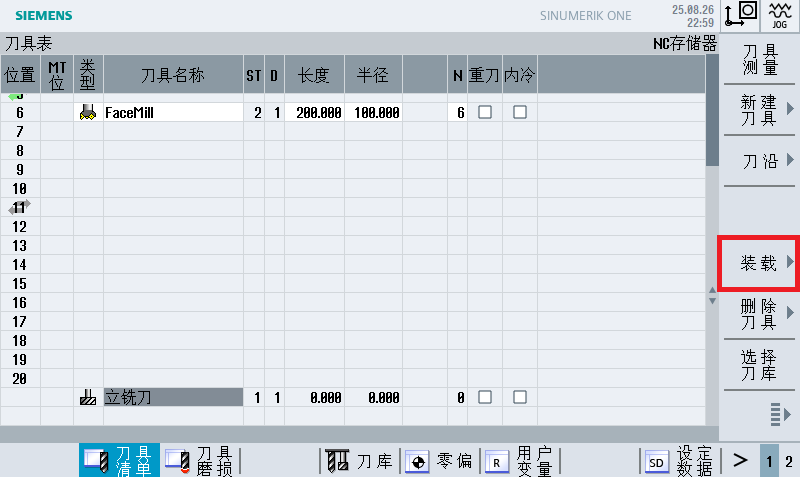 However, sometimes we use a SIMATIC screen (from Siemens Automation) on the tool magazine side, and this screen cannot install and use the SINUMERIK Operate interface. So how do we operate the tool magazine? At this point, we will use FB7, which provides multiple “PI services”.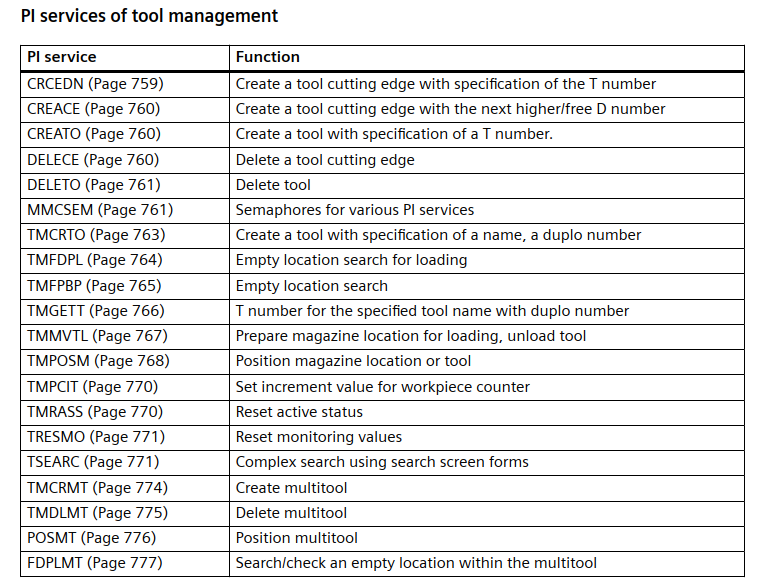
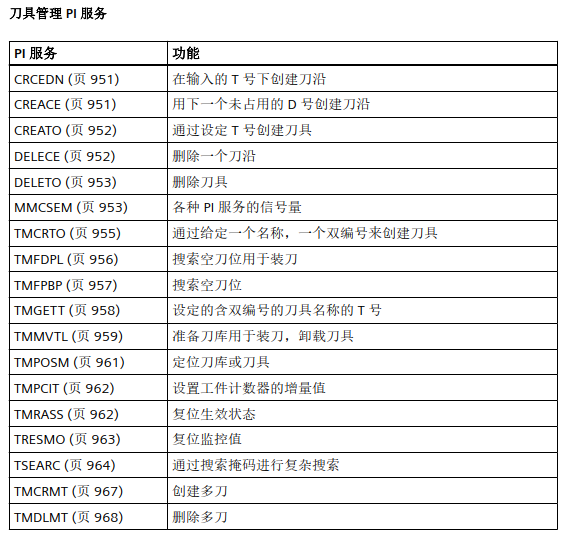 Today we will test the “TMMVTL” PI service. In section 11.6.4.25 “PI Service: TMMVTL” of the “PLC Basic Program” manual, it is mentioned that before and after executing this PI service, the PI service MMCSEM must be called with the parameter “WVar1” with function number 3 (TMMVTL).MMCSEM is also a PI service.
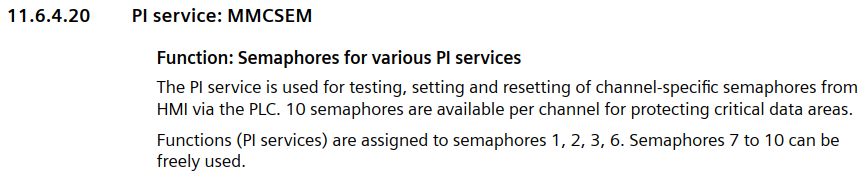 The explanation in the documentation means that “MMCSEM” is used to set and reset the signal light, which should avoid conflicts. For the “loading” task, it can be initiated from the interface or from the PLC’s PI service. If both sides issue the “load” command simultaneously, which one does the system listen to? Therefore, by setting the signal light, conflicts can be avoided.In the test, we directly call FB7 and fill in the parameters:
CALL “LBP_ReqPIService”, “LBP_ReqPIService_DB_1”
Req :=”FB7_MMCSEM_start”
PIService :=”LBP_PIServices”.MMCSEM
Unit :=1
Addr1 :=NULL
Addr2 :=NULL
Addr3 :=NULL
Addr4 :=NULL
WVar1 :=3
WVar2 :=1
WVar3 :=
WVar4 :=
WVar5 :=
WVar6 :=
WVar7 :=
WVar8 :=
WVar9 :=
WVar10 :=
WVar11 :=
WVar12 :=
WVar13 :=
WVar14 :=
WVar15 :=
WVar16 :=
Error :=”FB7_MMCSEM_Error”
Done :=”FB7_MMCSEM_Done”
State :=”FB7_MMCSEM_State”
Where:
PIService =”LBP_PIServices”.MMCSEM: indicates the request for PI service “MMCSEM”
WVar1=3, the meaning is as follows:
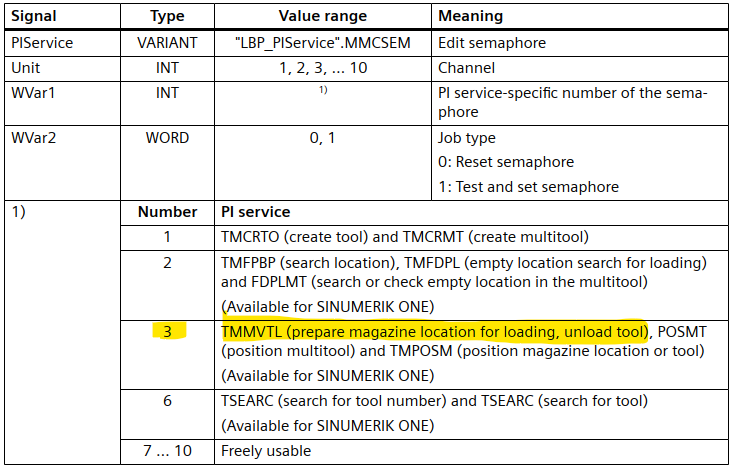
WVar2=1: set the signal light
Trigger the “Req” signal (set), if everything is normal, the “Done” signal is “1”, indicating that the signal light is set correctly.
Next, we call FB7 again
CALL “LBP_ReqPIService”, “LBP_ReqPIService_DB”
Req :=”FB7_TMMVTL_start”
PIService :=”LBP_PIServices”.TMMVTL
Unit :=1
Addr1 :=NULL
Addr2 :=NULL
Addr3 :=NULL
Addr4 :=NULL
WVar1 :=1
WVar2 :=2
WVar3 :=9999
WVar4 :=9
WVar5 :=1
WVar6 :=
WVar7 :=
WVar8 :=
WVar9 :=
WVar10 :=
WVar11 :=
WVar12 :=
WVar13 :=
WVar14 :=
WVar15 :=
WVar16 :=
Error :=”FB7_TMMVTL_Error”
Done :=”FB7_TMMVTL_Done”
State :=”FB7_TMMVTL_State”
Where:
PIService =”LBP_PIServices”.TMMVTL: indicates the call to PI service “TMMVTL”“
WVar1=1: indicates loading the internal tool number “1”
WVar2=2 and WVar3=9999: indicates the source is tool magazine position 9999, position 2 (i.e., the second loading point)
WVar4=9 and WVar5=1: indicates the destination is tool magazine position 1, position 9
Below is the initial state:
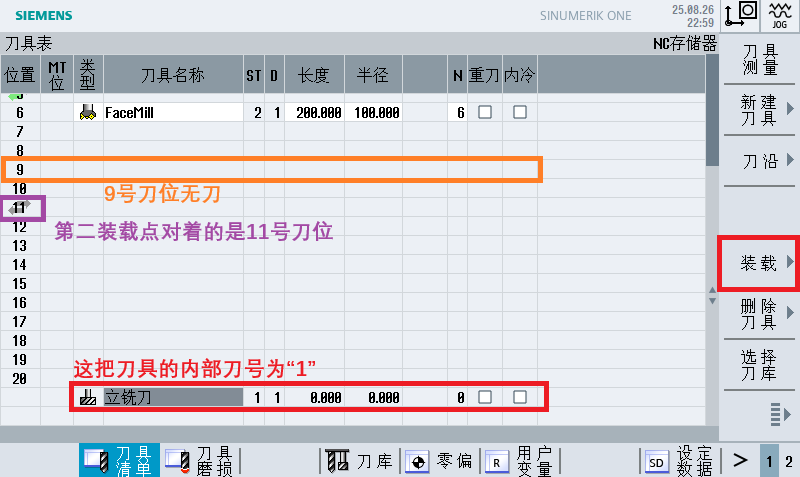
At this point, set the “Req” signal, and the “Done” signal of FB7 is 1
If we check DB71 (the interface data block for manual tool magazine operation), we can find the NC command,
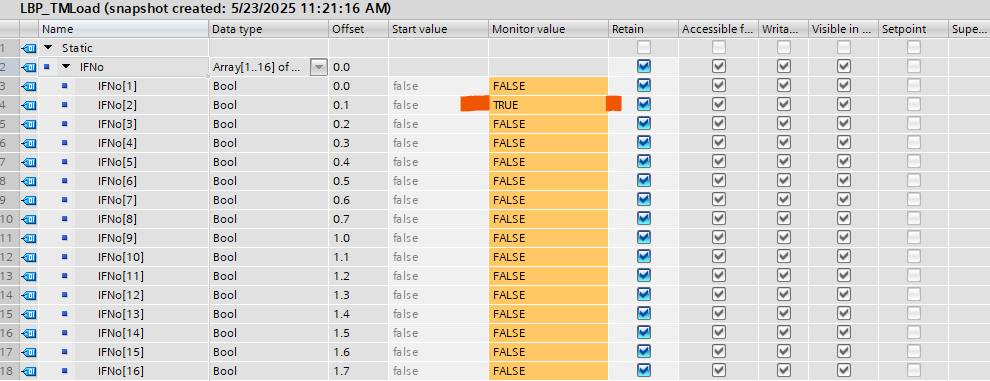
It is loading the tool through the second loading point
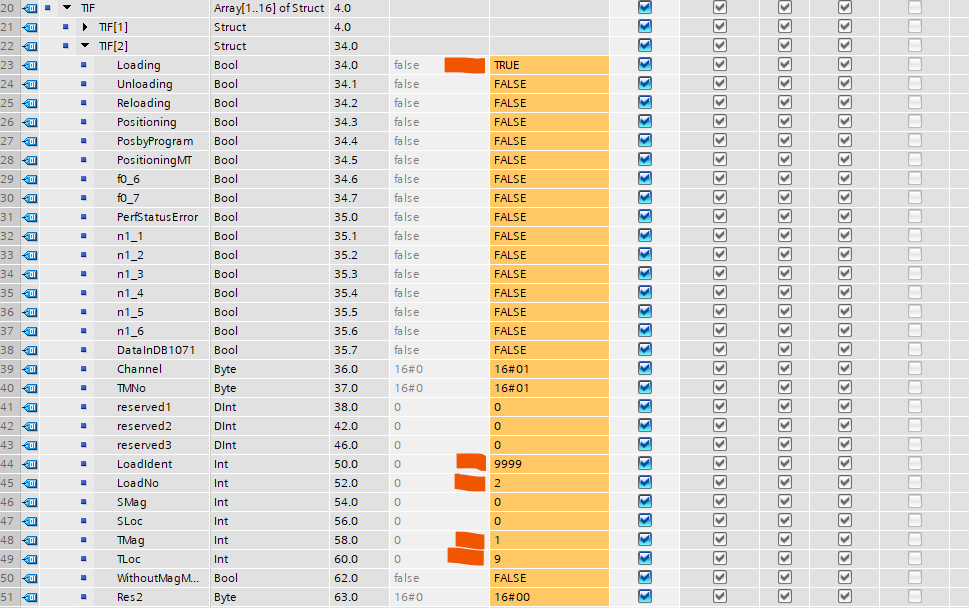
Status after loading is complete
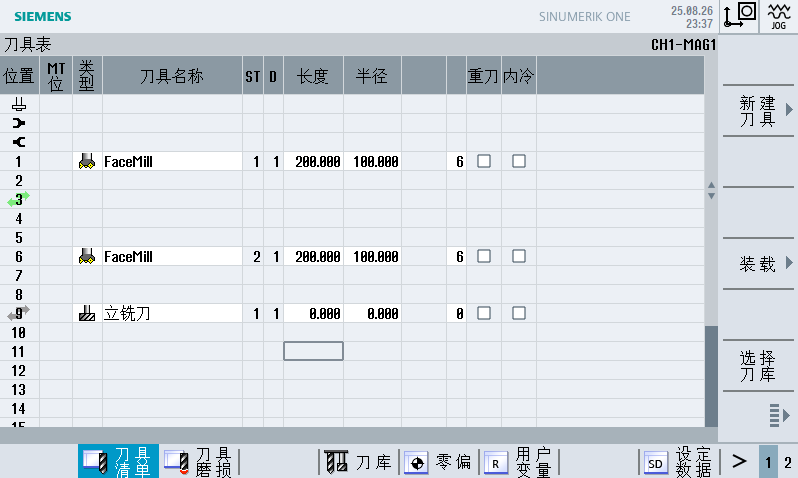
After the task is completed, we also need to call FB7 to release the signal light:
CALL “LBP_ReqPIService”, “LBP_ReqPIService_DB_1”
Req :=”FB7_MMCSEM_start”
PIService :=”LBP_PIServices”.MMCSEM
Unit :=1
Addr1 :=NULL
Addr2 :=NULL
Addr3 :=NULL
Addr4 :=NULL
WVar1 :=3
WVar2 :=0
WVar3 :=
WVar4 :=
WVar5 :=
WVar6 :=
WVar7 :=
WVar8 :=
WVar9 :=
WVar10 :=
WVar11 :=
WVar12 :=
WVar13 :=
WVar14 :=
WVar15 :=
WVar16 :=
Error :=”FB7_MMCSEM_Error”
Done :=”FB7_MMCSEM_Done”
State :=”FB7_MMCSEM_State”
Note that at this time, “WVar2=0” resets the signal light
Today, this was just a temporary test, so all parameters were filled in directly.
If you find this article useful, please help share it, thank you!