Let me explain the methods to open Douyin commands.
Many people may encounter a situation when using WeChat where a friend forwards a link to Douyin, PDD, or Taobao, but clicking it does not respond.
Then many people are confused, wondering how to open it?
Don’t worry, today I will detail several methods to handle this situation:
First, the Click Method
Some shared links are blue, which generally means they can be clicked directly to jump to Douyin, as it will prompt you to [Open to See]. After clicking, you will be directed to Douyin.
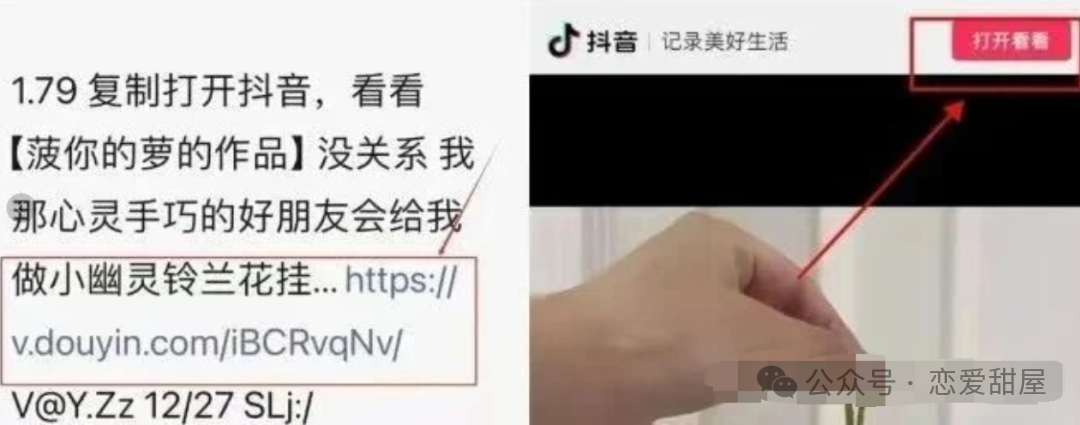
However, some links may not redirect directly anymore and will prompt you to copy the URL. In this case, you can use the following two methods.
Second, the Copy and Paste Method
This method generally does not allow direct clicking of the link, so you need to copy all the text including the command.
Then open Douyin directly, and you will usually be prompted to open the shared content. At this point, click to open and you will be redirected.
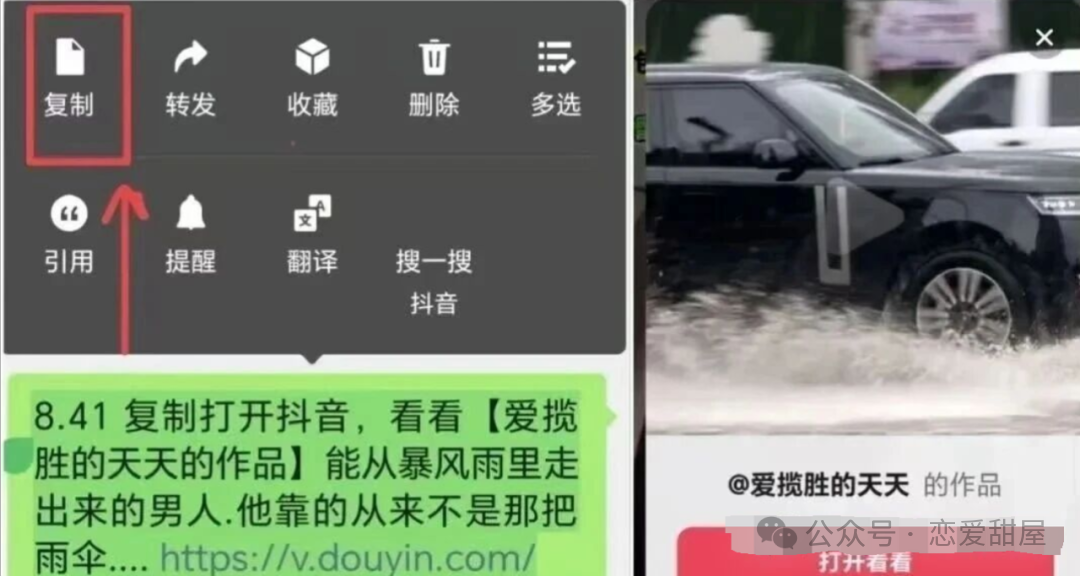
Additionally, you can also paste the copied content directly into the search bar in Douyin, and it will redirect you to the shared content.
Another method is to copy the blue URL, then open a browser and paste it. It will prompt you to open it with another app, and you can select Douyin to be redirected to the shared content.
Third, the Image Recognition Method
Currently, Douyin also has a sharing method using a QR code command, which is an image that you need to save to your photo album first.
Then open Douyin, select your photo album in the search bar, and recognize the image, which will also redirect you to the shared content.
When opening commands, there are also some points to note:
1. Validity Period
When someone shares with you, you need to open it promptly; otherwise, it will expire and require the sender to resend it. However, these commands generally remain valid for 24 hours, except for some special commands.
2. Permission Settings
Some phones may not have the necessary permissions set up, preventing other applications from opening. You need to adjust this in your settings.
For example: turn off “Pure Mode” on Android, disable “Paste Permission” on iPhone, and also enable clipboard reading permissions for Douyin.
3. Caution
Why caution? Because you need to pay attention to the format of the link, which should start with https://v.douyin.com/. If it redirects you to a page asking for a password or bank card information, exit immediately and delete the information.
This is because your friend may have had their account hacked!
Alright, that concludes today’s sharing. I hope it helps you.