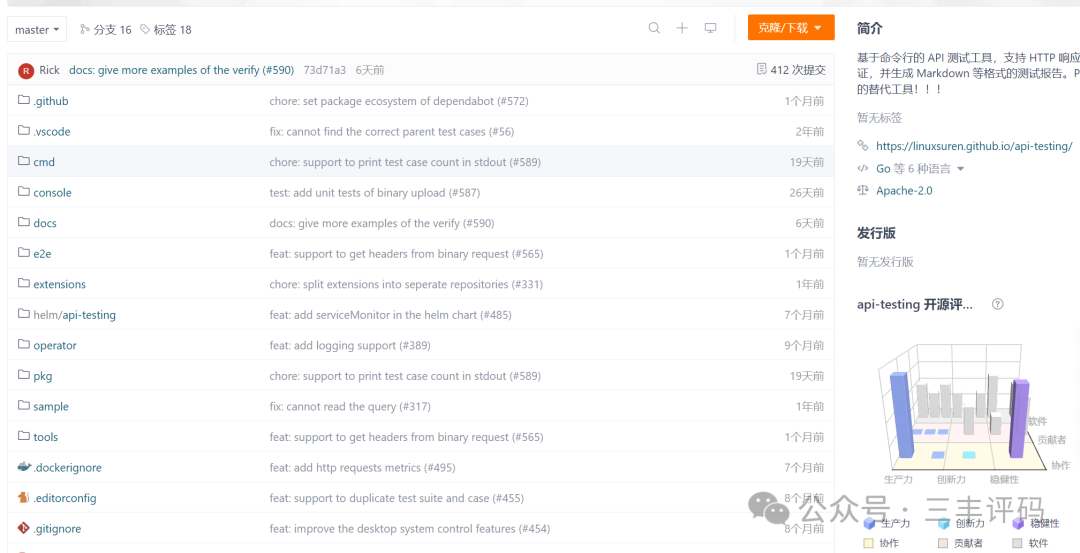
IntroductionA command-line based API testing tool that supports HTTP response validation and generates test reports in Markdown and other formats. An alternative to Postman!!!
API Testing is an open-source interface testing tool based on YAML files, which can run both locally and on the server.
When choosing a tool, there are many aspects to consider and compare. The following points highlight the features or advantages of this tool:
- Open Source: atest adopts the MIT open-source license, one of the most popular permissive open-source licenses. Some tools may have rich features and beautiful interfaces, but compared to open-source projects, free tools may suddenly become paid; moreover, your user experience is often hard to directly feedback into the product, leaving you to passively accept changes.
- Quality and Reliability: As a tool for testing scenarios, atest has a unit test coverage of 89%, with unit test code and business logic code being equally substantial. Additionally, every code change must pass through code scanning, unit testing, and other pipelines.
- Compact Size: The entire tool is only 18MB and supports Windows, Linux, and macOS platforms.
- Only a simple executable binary file, unlike some tools that install mysterious system startup items and services on your operating system.
- Based on YAML files, once submitted to a Git repository, it naturally supports team collaboration without the need to register additional accounts.
- Provides both simple and advanced modes for return value assertions, including JSON Schema and validation for Kubernetes resources.
- Supports performance testing.
- Can trigger the execution of individual or entire test files directly in VS Code.
Features
- Supported Protocols: HTTP, gRPC, tRPC
- Supports exporting test results in various formats: Markdown, HTML, PDF, Stdout
- Easy-to-use Mock service, supports OpenAPI
- Supports conversion to JMeter file format
- Supports response body field checks or eval
- Uses [JSON schema] to validate response parameters (https://json-schema.org/)
- Supports pre-processing and post-processing of API requests
- Can run in server mode and supports gRPC and HTTP endpoints
- VS Code extension support
- Github extension support
- Supports various storage methods (Local, ORM Database, S3, Git, Etcd, etc.)
- HTTP API record
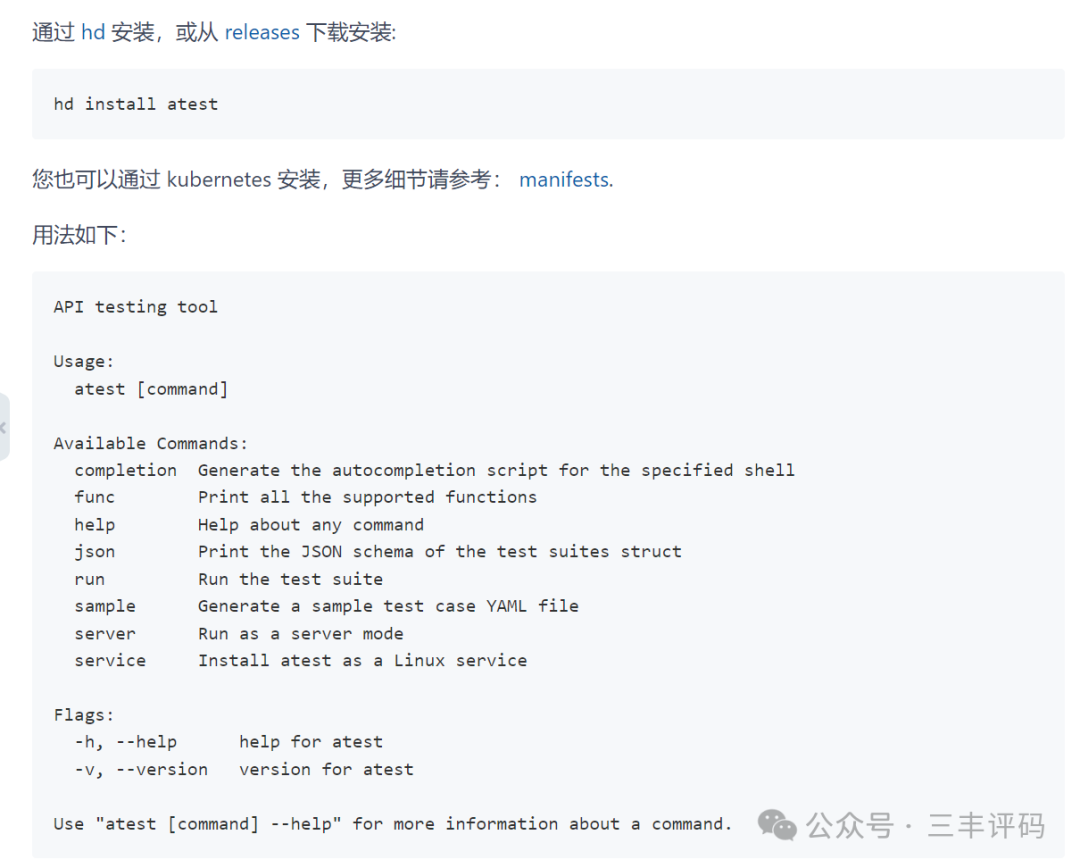
- Supports multiple installation methods (CLI, Container, Native-Service, Operator, Helm, etc.)
- Integrates with Prometheus and SkyWalking for monitoring
Using in Docker
To run <span>atest</span> in server mode in Docker, you can access the UI console of <span>atest</span> via <span>8080</span>:
docker run --pull always -p 8080:8080 ghcr.io/linuxsuren/api-testing:masterUsing <span>atest-collector</span> in Docker:
docker run -p 1234:8080 -v /var/tmp:/var/tmp \ ghcr.io/linuxsuren/api-testing atest-collector \ --filter-path /api \ -o /var/tmp/sample.yaml# you could find the test cases file from /var/tmp/sample# cat /var/tmp/sample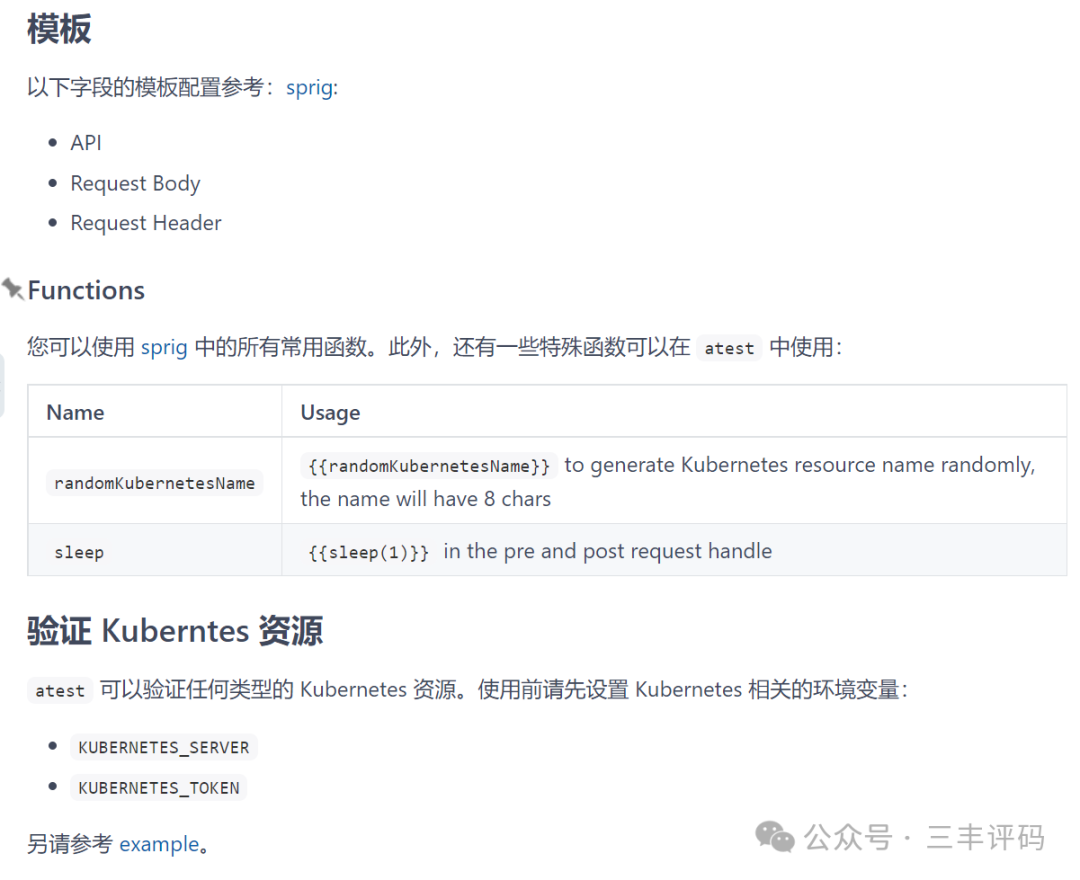
Open Source Address
https://gitee.com/linuxsuren/api-testingWe guess you might like:
[Open Source] 105.5K stars, a developer-centric rapid development platform, fully open source, 100% free for individuals and enterprises.
[Open Source] Real-time monitoring system, no Agent required, performance clustering, custom monitoring and status page building capabilities.
[Open Source] 100% open-source corporate training system, beautiful interface, easy to operate, one-click deployment of your private training platform!
[Open Source] “Hot Reload” mode for rapid development of AI applications
[Open Source] Data visualization tools: reports, dashboards, and displays
Add WeChat to join relevant discussion groups,
Note “Microservices” to join the group for discussion
Note “Low Start” to join the low start group for discussion
Note “AI” to join the AI big data and data governance group for discussion
Note “Digital” to join the IoT and digital twin group for discussion
Note “Security” to join the security-related group for discussion
Note “Automation” to join the automation operation and maintenance group for discussion
Note “Trial” to apply for product trials
Note “Channel” for cooperation on channel information
Note “Customization” for project customization, full source code delivery