It is very important for bioinformatics learners to master Linux because: First, Linux supports large files (such as genomic data) and large-scale data processing better than other operating systems; Second, Linux provides a powerful command line interface that can efficiently handle massive data (for example, batch processing 1000 genomic files), automating and reproducing analysis workflows, greatly enhancing research efficiency; Third, the vast majority of core bioinformatics tools (such as BWA, Bowtie, STAR, FastQC) are primarily or initially developed and optimized on the Linux platform; Moreover, it is open-source/free! If you plan to experiment with Linux, you can start by installing MobaXterm for a “pain-free” experience. This is because the “terminal tool” MobaXterm comes with Cygwin built-in, supporting many commonly used Linux commands and simulating the Linux command line environment! Of course, if you are more familiar with computers, you can also use WSL, a virtual machine, or install a dual system~The steps to install MobaXterm are:
1. Connect to the official download page:
https://mobaxterm.mobatek.net/download.html
2. Choose the free Home Edition and click Download now

3. Either the Portable Edition or Installer Edition is fine. The former can be used after extraction, which is recommended; if there are issues, you can switch to the Installer Edition.

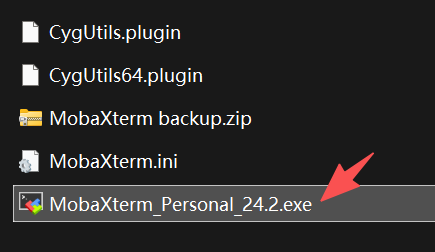
4. After extracting the downloaded portable edition file, you will see an exe file; double-click it
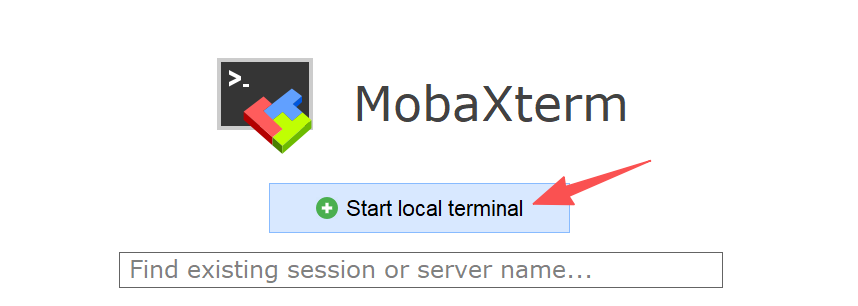
5. MobaXterm will open, then click Start new terminal
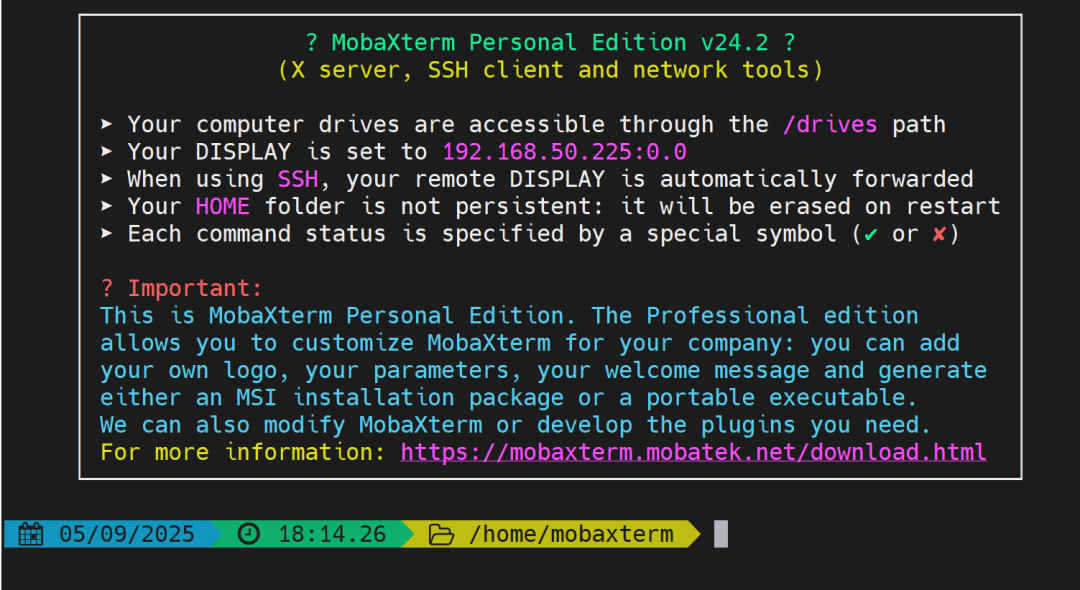
6. You can now try out Linux commands!
Bug Tip: Some users may experience crashes after step 5; in this case, you can switch to the Installer Edition and reinstall
7. For example, type a basic command
ls, press Enter, and you can view the files and folders in the current directory!

In just 7 simple steps, come and give it a try!
In future articles, we will continue to introduce essential Linux commands for bioinformatics learners!