Original compilation, please contact the backend administrator for reprinting permission.
Thanks to Siemens engineers for their technical support.
Recently, Siemens updated the methods for retrieving preprocessing images for different DR models. The editor will introduce the methods and steps for retrieving preprocessing images for different Siemens DR models in three articles.
The three articles correspond to:
(1) YSIO, Multix Fusion, Multix Select DR series models
(2) YSIO MAX, Multix Fusion MAX, Mobilett Mira Max series models
(3) VX Plus series models
Siemens DR Preprocessing Image Retrieval
Part (1)
YSIO, Multix Fusion, Multix Select DR
Series Models
VC, VD Software Platform
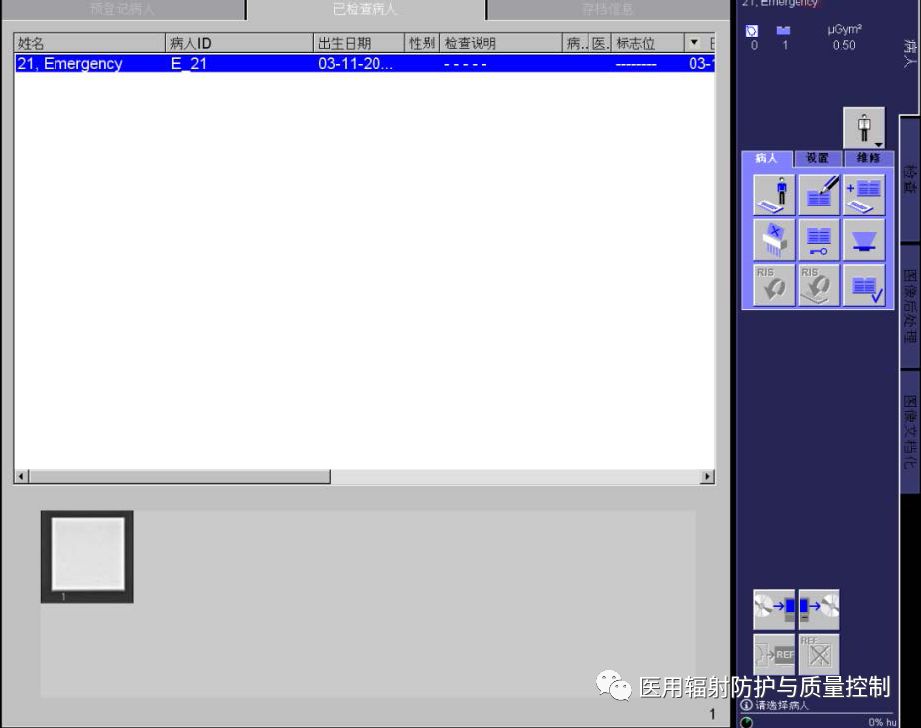
Step 1: After exposure, open the patient page to view the images taken.
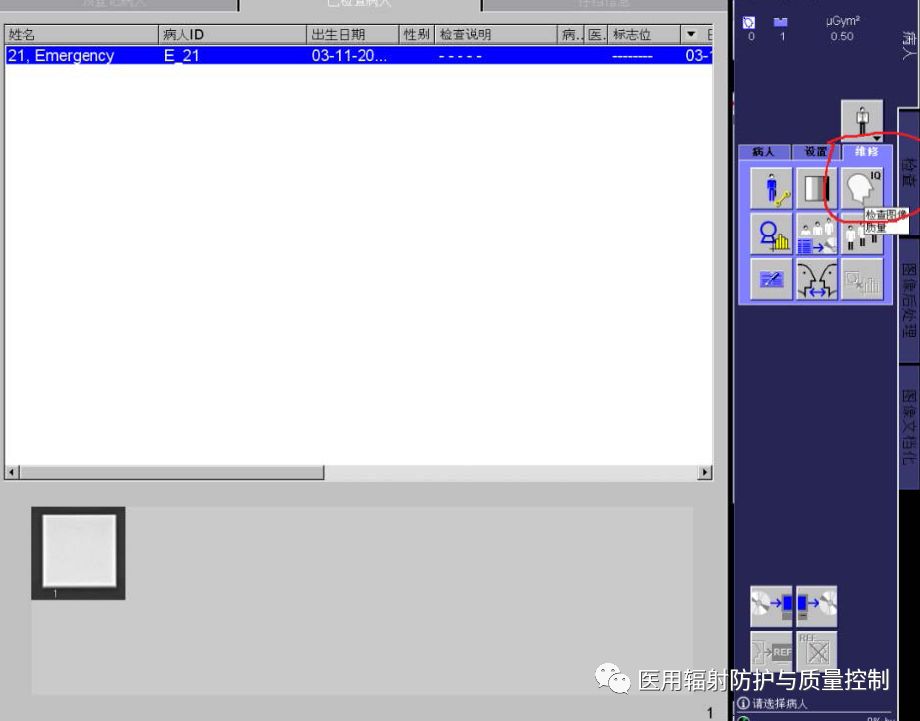
Step 2: Click “Maintenance”, then click “IQ”
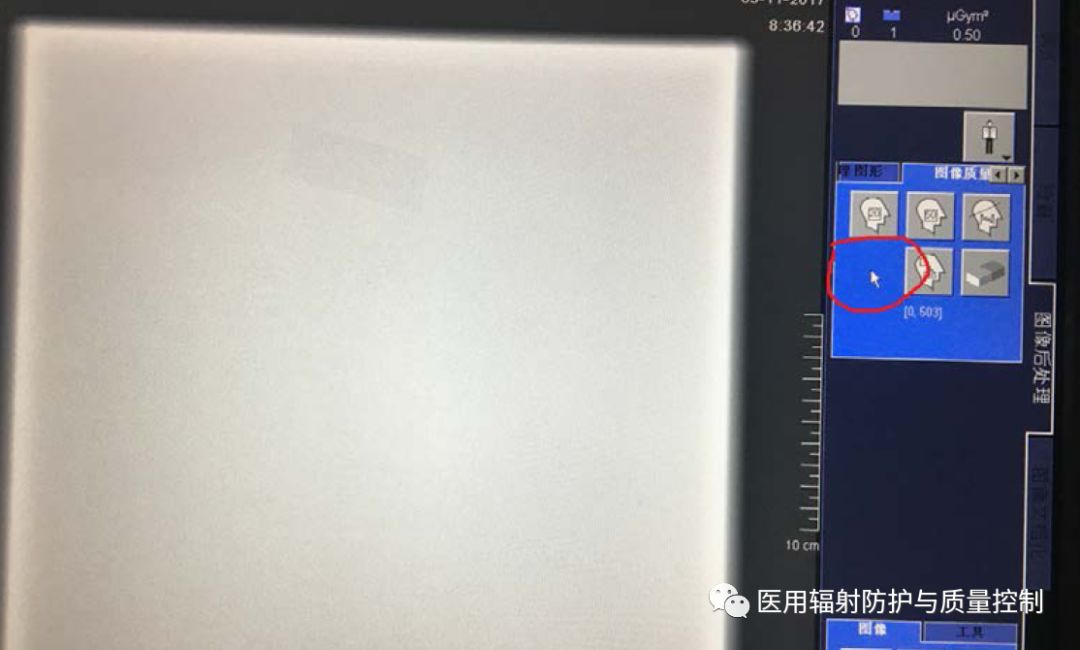
Step 3: (From this step, a maintenance engineer needs to operate on-site) After clicking “IQ”, the following interface will appear, which contains hidden functions. When the mouse is pointed to the following position, the hidden key needs to be operated (see image 1 below), the sequence is: first press F12, then hold the left mouse button, and simultaneously click “ENTER”, the following interface will appear (see image 2 below):
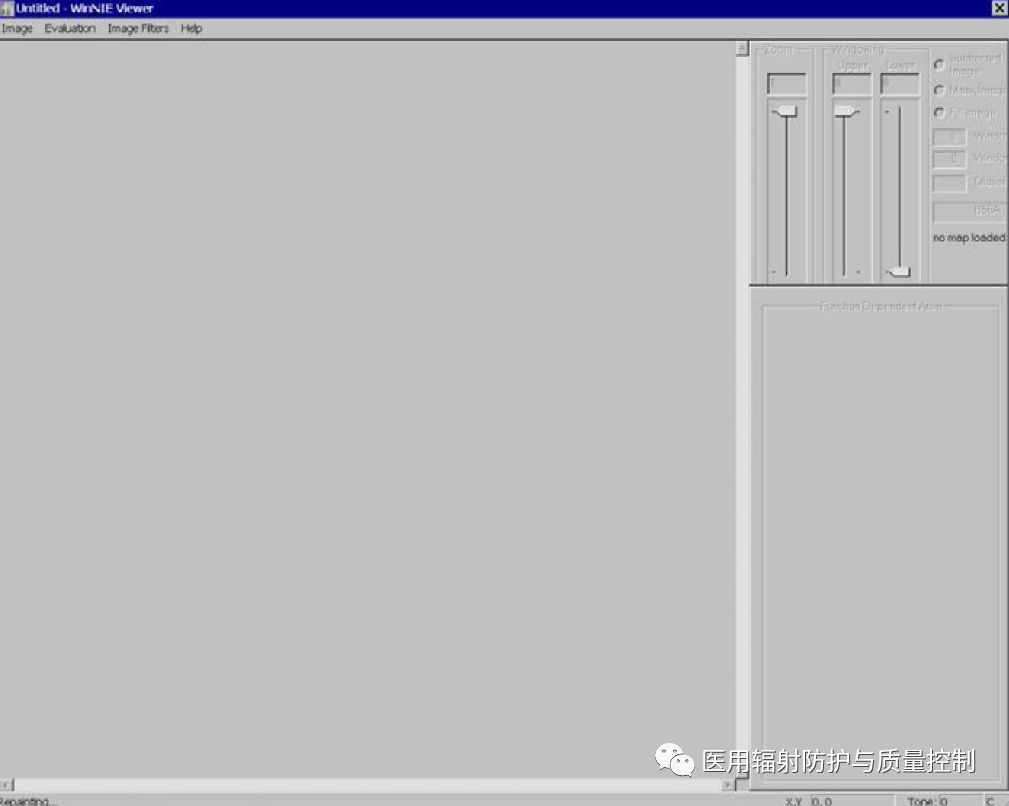
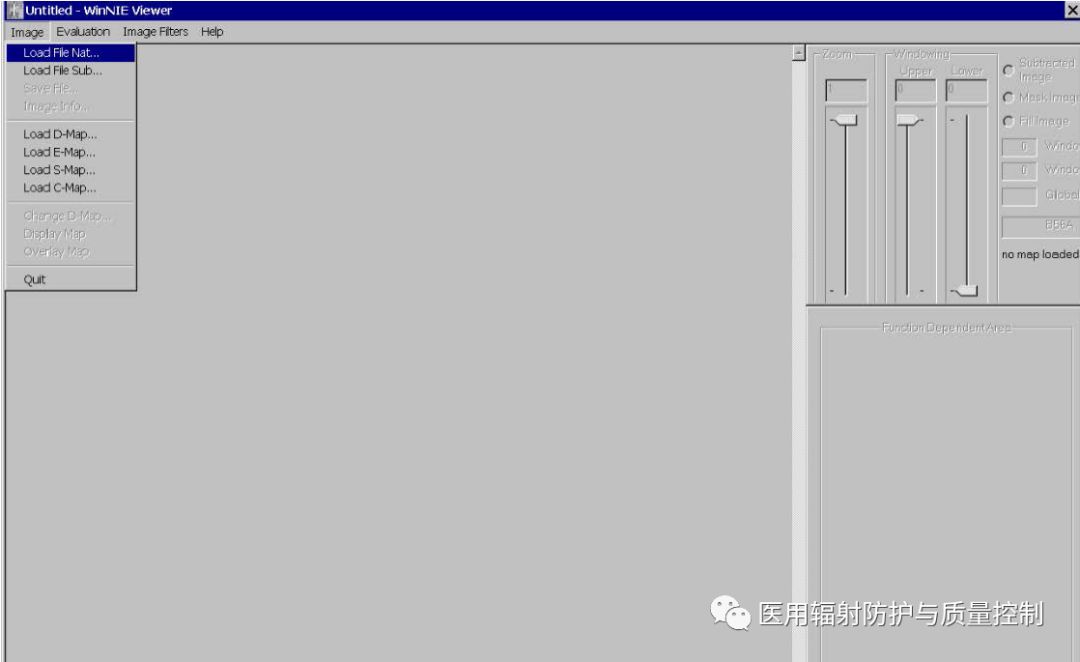
Step 4: Click “image” in image B, then click “Load File Nat”
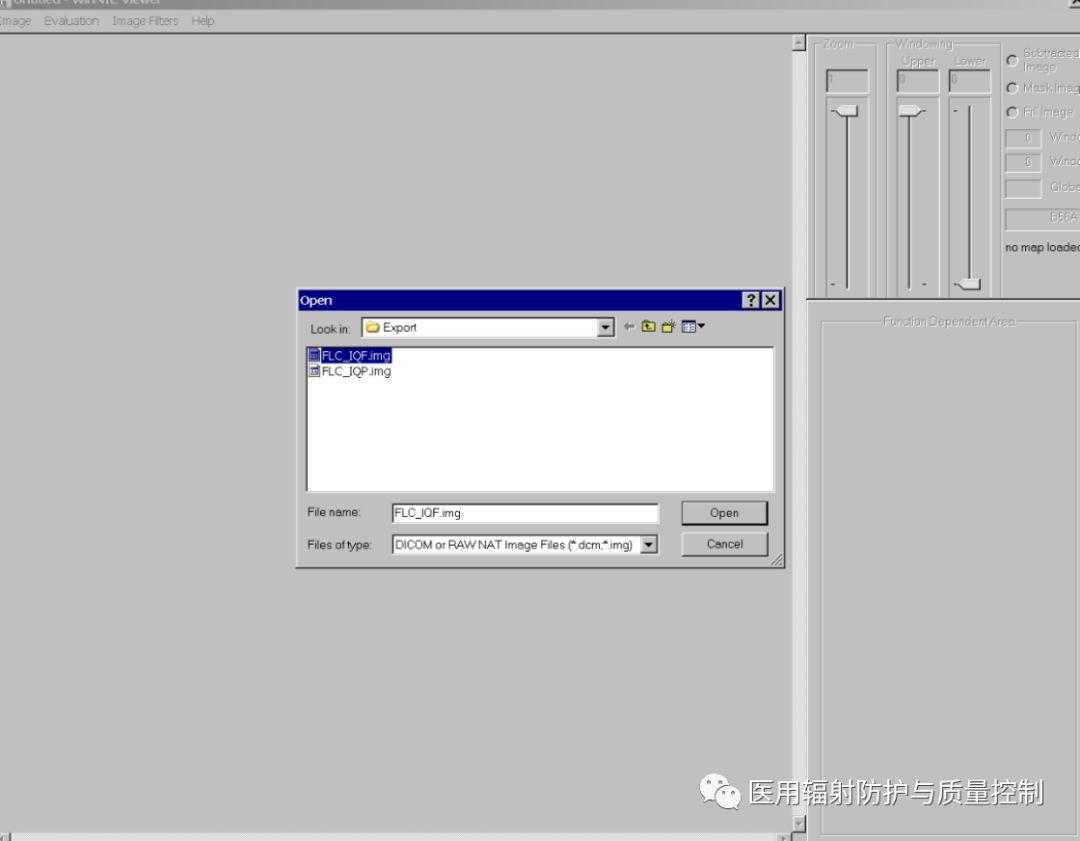
Step 5: After selecting “FLC_IQF.img”, the following interface will appear
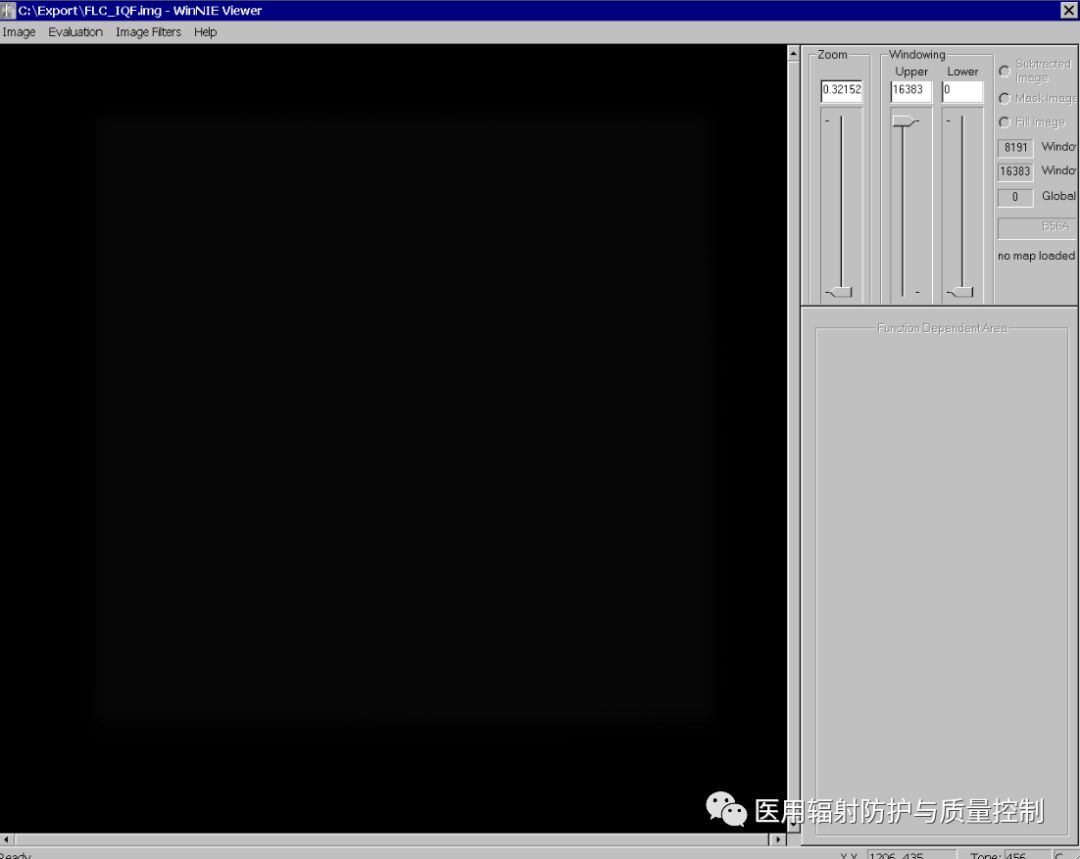
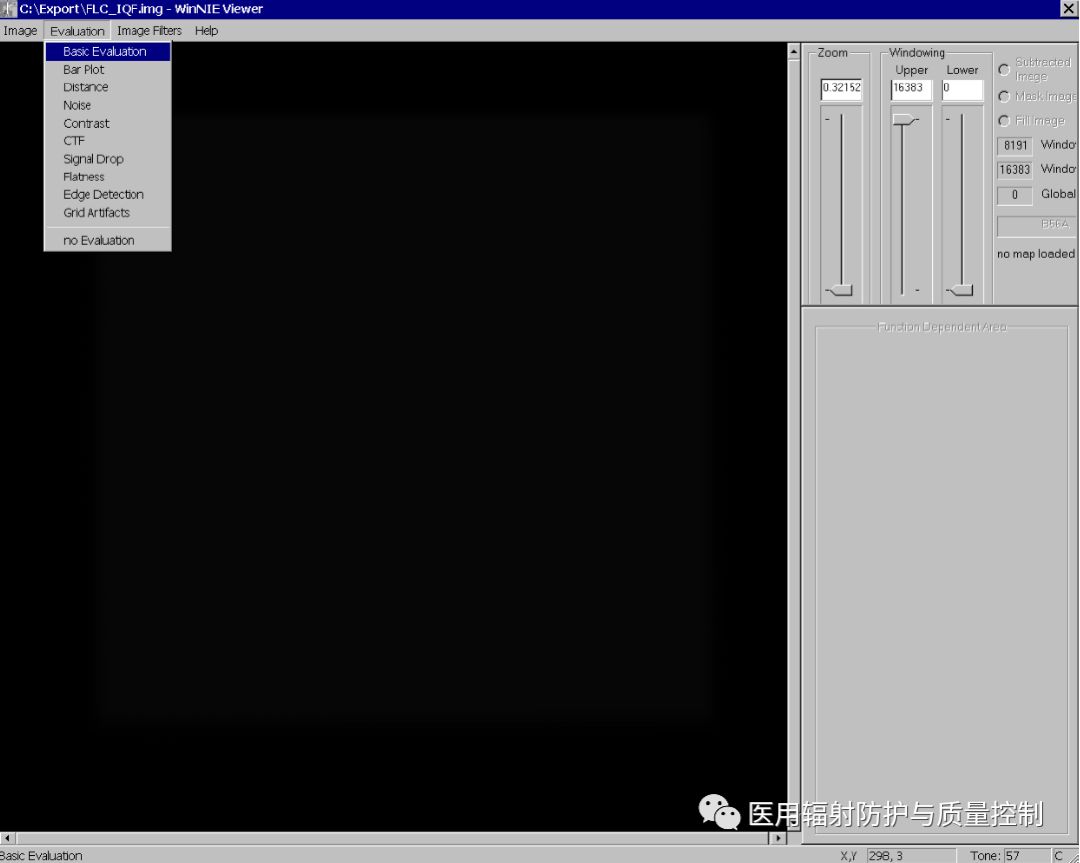
Step 6: Click “evaluation” in image C, then click “basic evaluation”
Step 7: You can adjust the window width, window level, and ROI size.
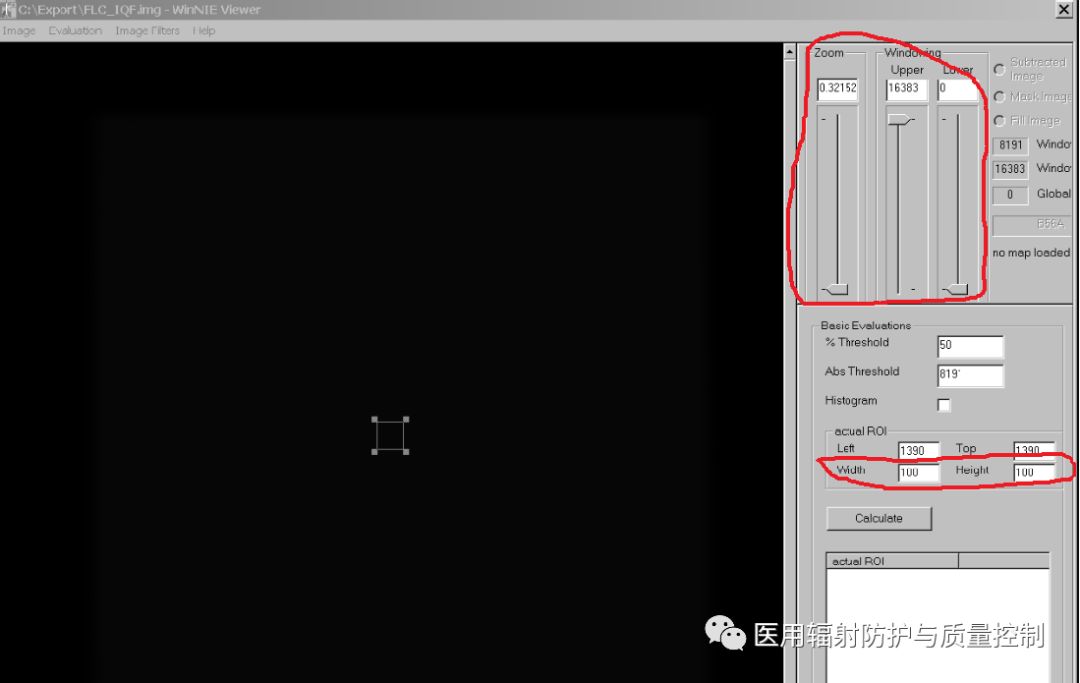
Step 8: Click Calculate to obtain the average pixel value of the original image.
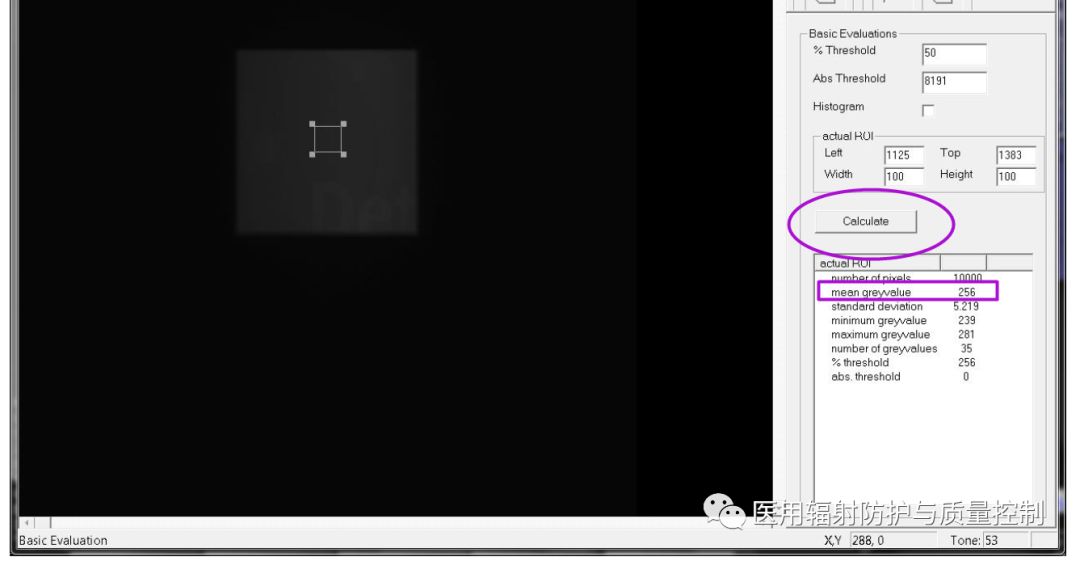
These are the steps for retrieving preprocessing images during quality control testing of Siemens YSIO, Multix Fusion, and Multix Select DR models.
For further reading on quality control testing of radiological therapy equipment, please click the link below.
Related Reading on Radiological Quality Control Testing:
Quality Control Testing Tool – No-Wash Film
Personal Dose Monitoring for External Exposure, Everything You Need to Know Is Here!
Principles, Applications, and Dose Control of DSA Equipment
How to Measure the Precision of CT Positioning Lights?
Detection and Correction of CT Noise
Introduction to Contrast Detail Threshold Detection Methods for Mammography X-Ray Equipment
How to Detect the Philips Scanning Mammography Machine Microdose
Correction Methods for Measurement Instrument Reading Response Time During Protection Testing
Carestream DR Quality Control Testing Steps for Retrieving Preprocessing Images
Liaoning Kaipu Medical Preprocessing Image Retrieval Methods and Tool Usage
How to Retrieve Preprocessing Images on the Philips DR Eleva Platform
GE DR Quality Control Testing Steps for Retrieving Preprocessing Images
Thank you for your attention!
Welcome to contribute! Share knowledge about radiation protection!
If further communication is needed, please email [email protected]