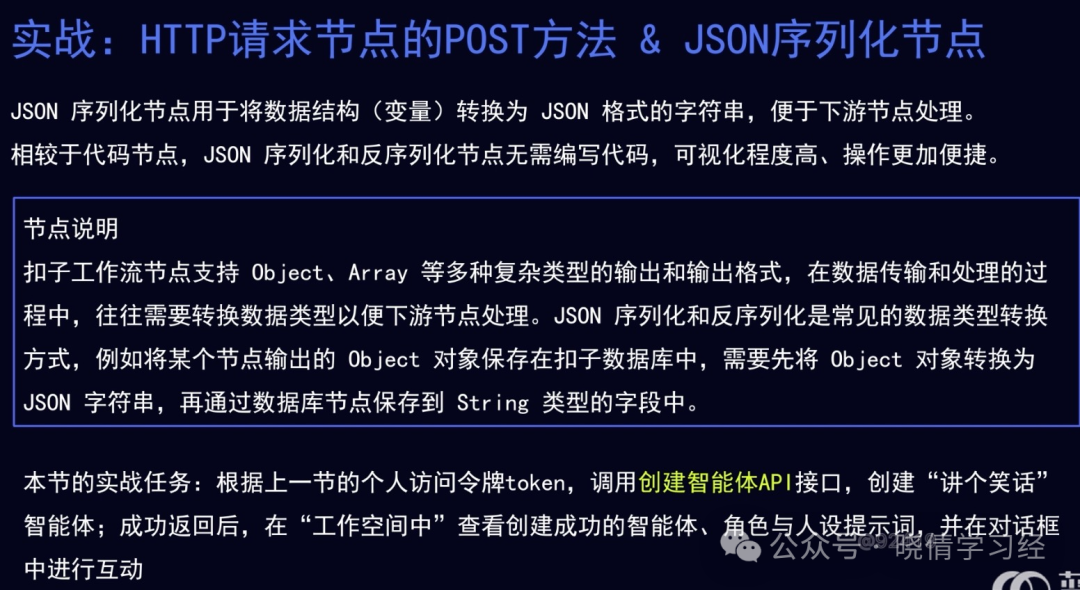
Practical Exercise: Creating an Agent via API Using the POST Method of the HTTP Request Node & JSON Serialization Node

Basic Knowledge

Practical Exercise: Creating an Agent via API Using the POST Method of the HTTP Request Node & JSON Serialization Node

Operational Steps

Step 1: Open the Kouzi Development Platform

Practical Exercise: Creating an Agent via API Using the POST Method of the HTTP Request Node & JSON Serialization Node

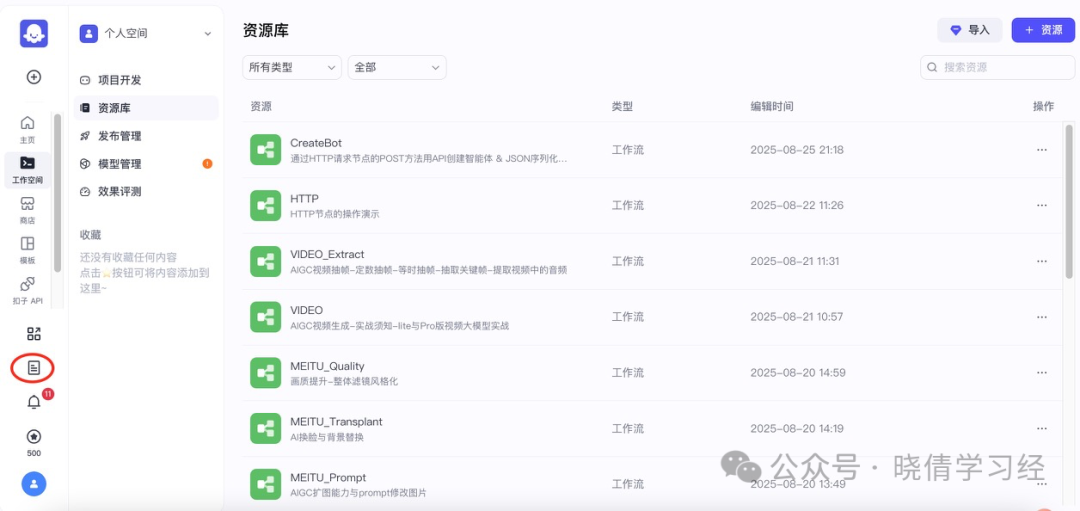
Step 2: Workspace – Resource Library – +Resource

Practical Exercise: Creating an Agent via API Using the POST Method of the HTTP Request Node & JSON Serialization Node

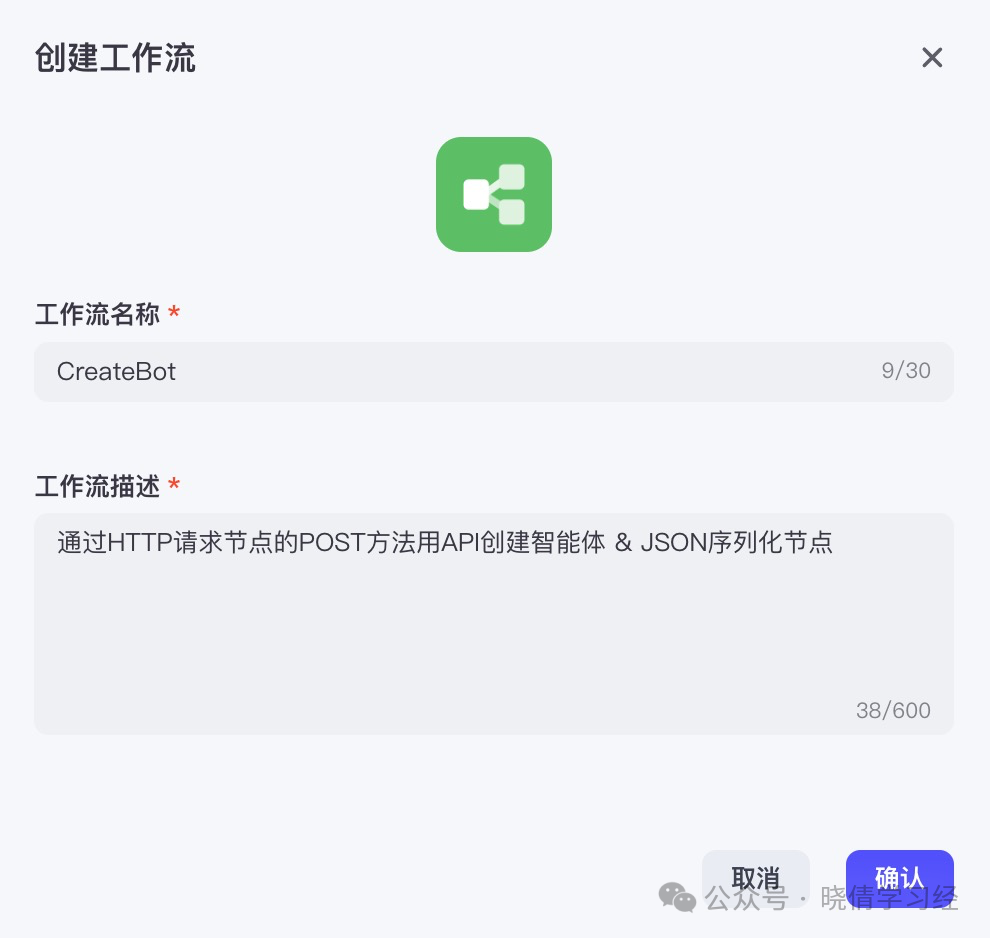
Step 3: Create Workflow

Practical Exercise: Creating an Agent via API Using the POST Method of the HTTP Request Node & JSON Serialization Node

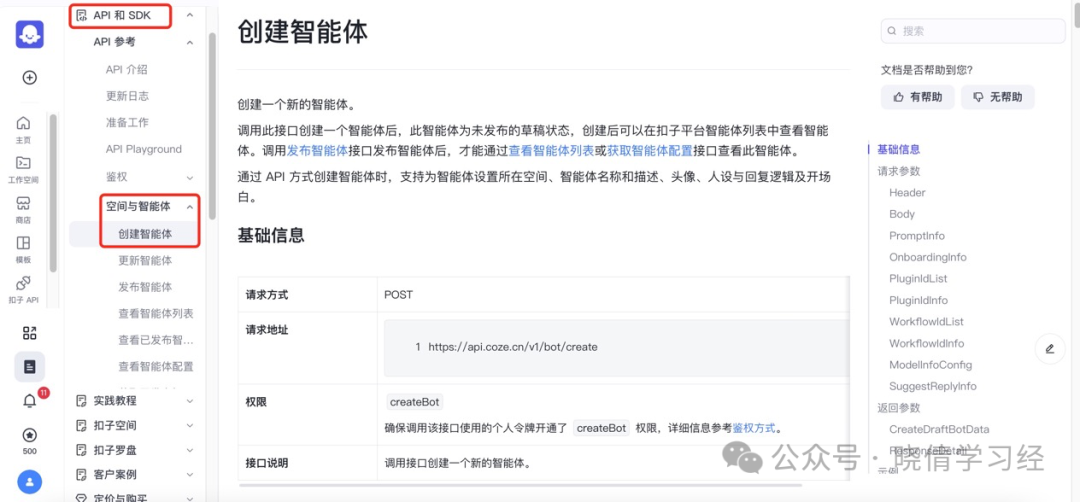
Step 4: View the “Create Agent” documentation, open in a new tab
Practical Exercise: Creating an Agent via API Using the POST Method of the HTTP Request Node & JSON Serialization NodePractical Exercise: Creating an Agent via API Using the POST Method of the HTTP Request Node & JSON Serialization Node

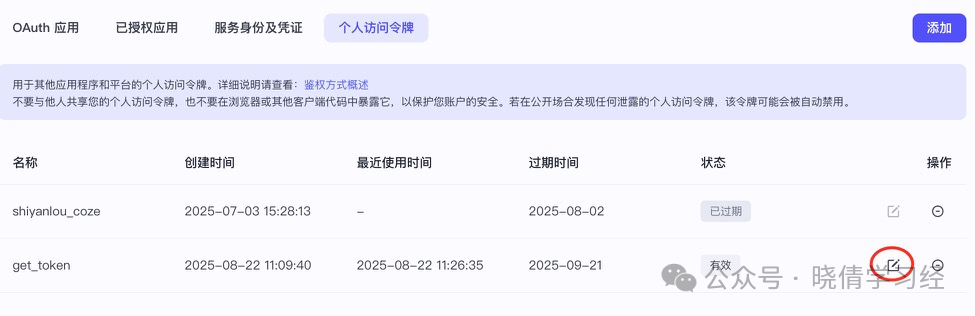
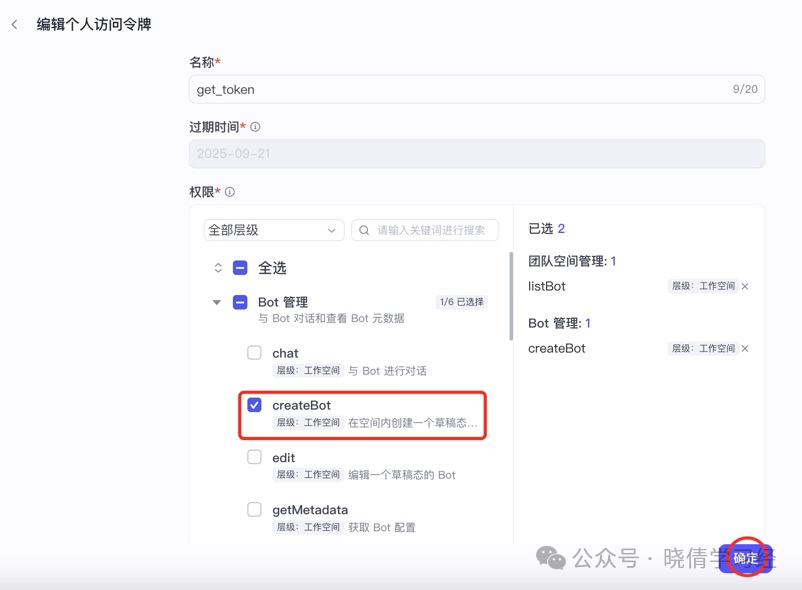
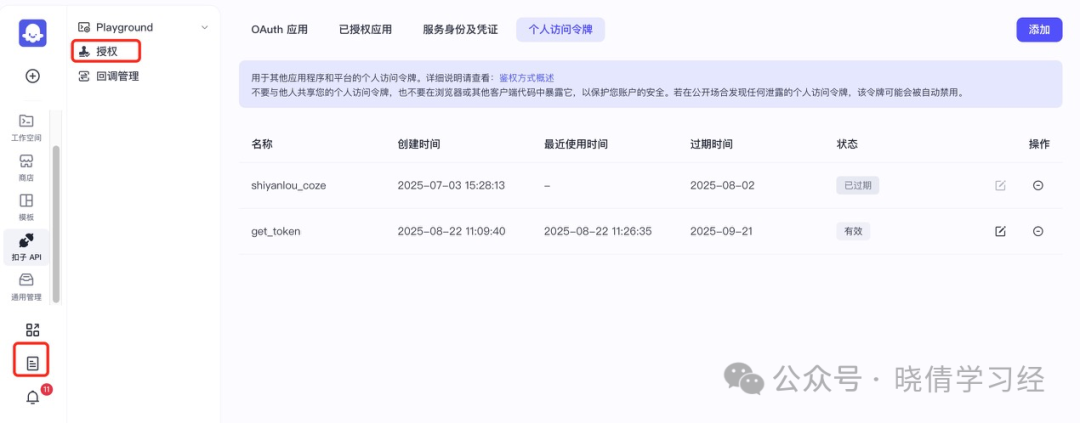
Step 5: Documentation – Authorization – Personal Access Token, modify the token’s permissions
Practical Exercise: Creating an Agent via API Using the POST Method of the HTTP Request Node & JSON Serialization NodePractical Exercise: Creating an Agent via API Using the POST Method of the HTTP Request Node & JSON Serialization NodePractical Exercise: Creating an Agent via API Using the POST Method of the HTTP Request Node & JSON Serialization Node

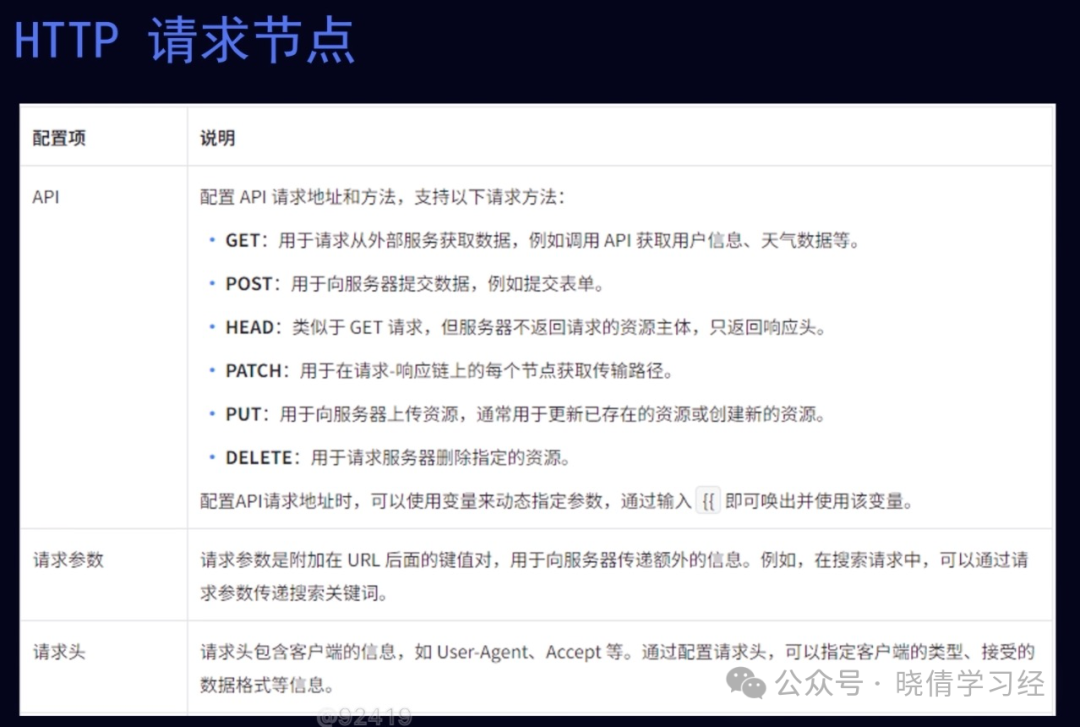
Step 6: Add the “HTTP Request” node Practical Exercise: Creating an Agent via API Using the POST Method of the HTTP Request Node & JSON Serialization Node
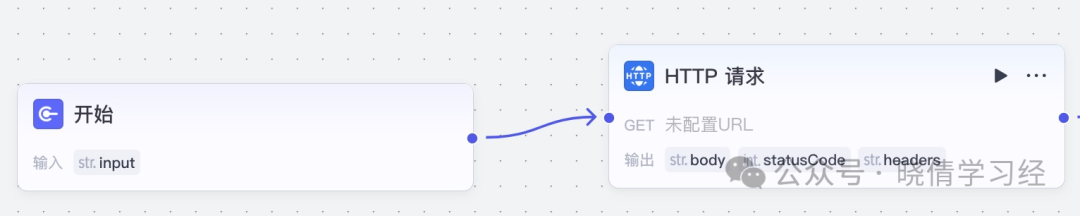
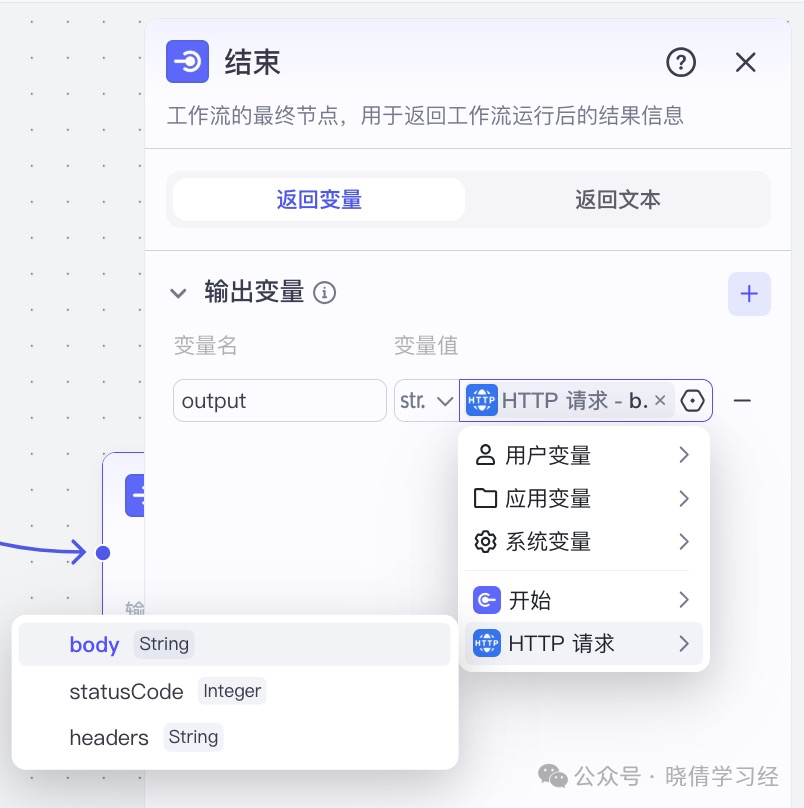
Step 7: Connect the “End” node & set the “End” node

Practical Exercise: Creating an Agent via API Using the POST Method of the HTTP Request Node & JSON Serialization NodePractical Exercise: Creating an Agent via API Using the POST Method of the HTTP Request Node & JSON Serialization Node

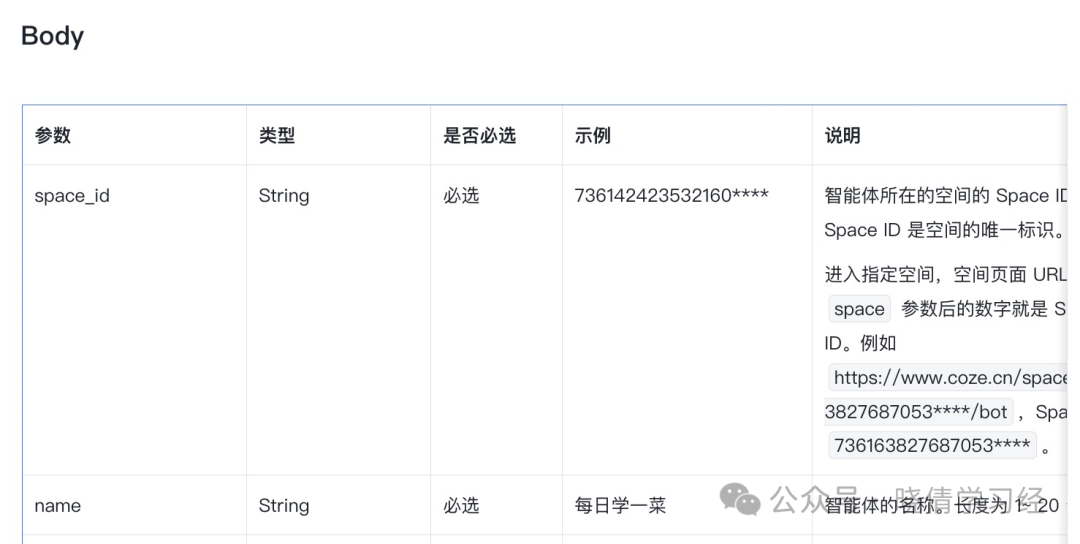
Step 8: Open the API documentation, copy the request address Practical Exercise: Creating an Agent via API Using the POST Method of the HTTP Request Node & JSON Serialization Node
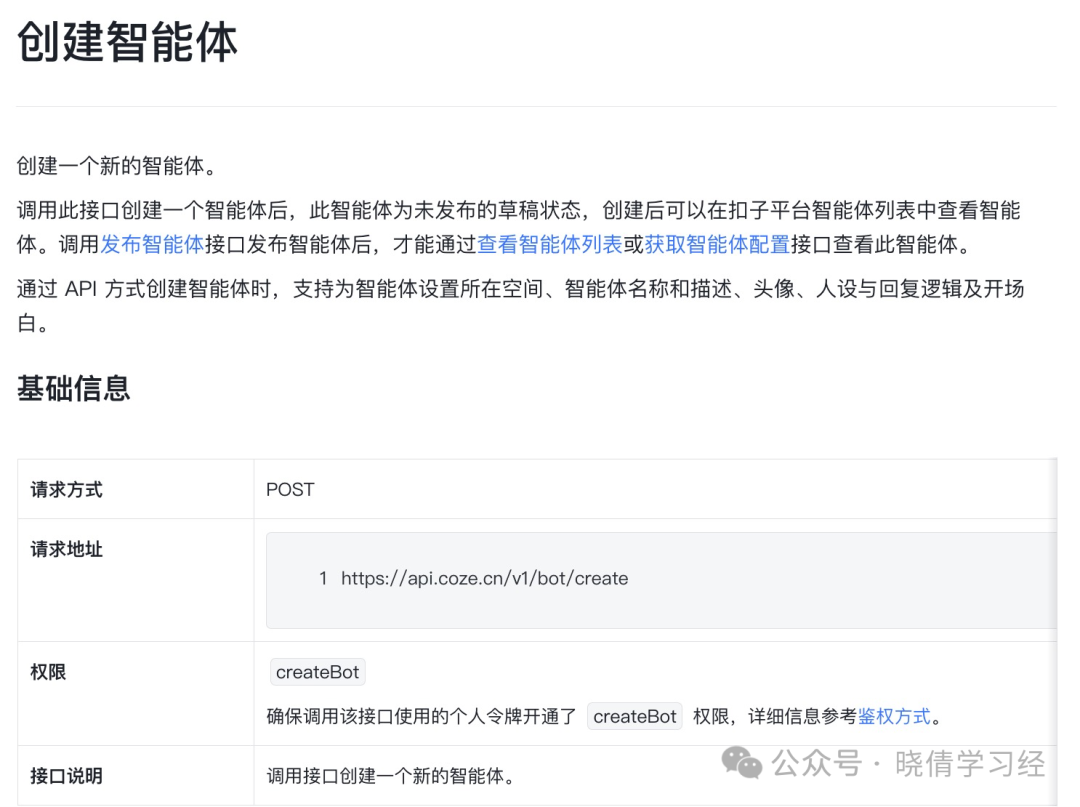
Step 9: Paste into the request address of the “HTTP Request”
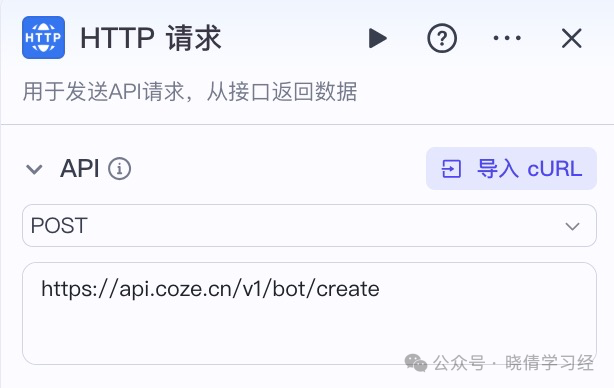
Practical Exercise: Creating an Agent via API Using the POST Method of the HTTP Request Node & JSON Serialization Node

Step 10: Set the request headers of the “HTTP Request” node according to the API documentation
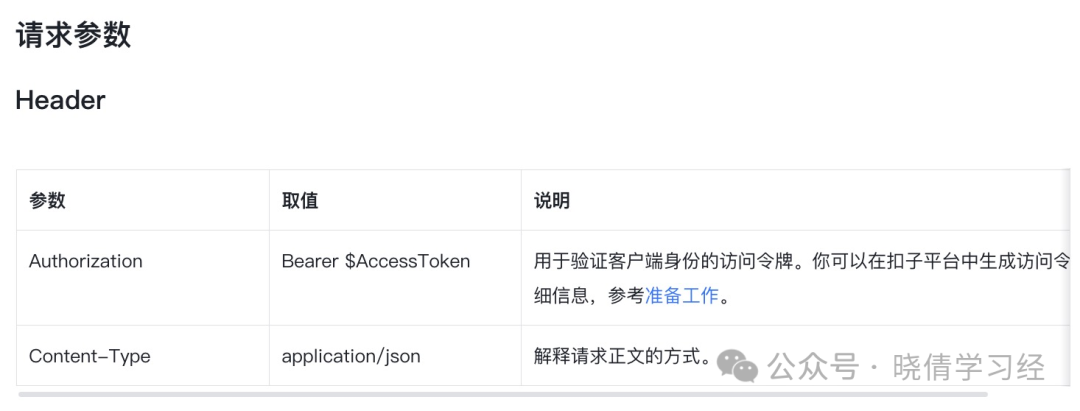
Practical Exercise: Creating an Agent via API Using the POST Method of the HTTP Request Node & JSON Serialization NodePractical Exercise: Creating an Agent via API Using the POST Method of the HTTP Request Node & JSON Serialization Node

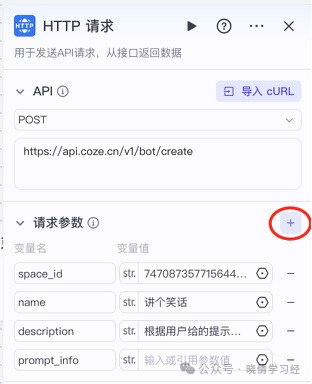
Step 11: Set the request parameters of the “HTTP Request” node according to the API documentation
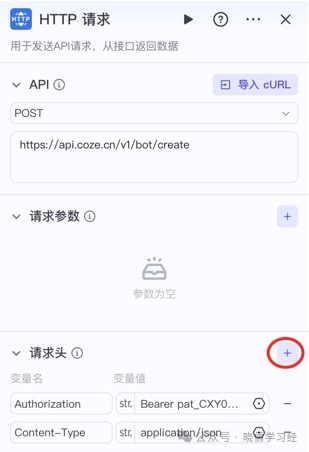
Practical Exercise: Creating an Agent via API Using the POST Method of the HTTP Request Node & JSON Serialization Node

The URL address of the current workflow contains the agent space ID after space_id.
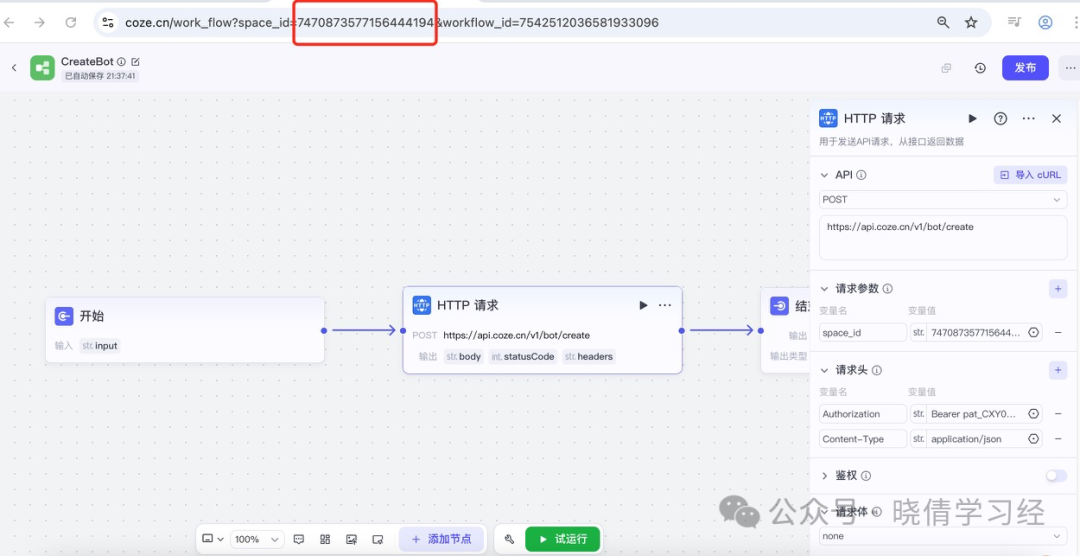
Practical Exercise: Creating an Agent via API Using the POST Method of the HTTP Request Node & JSON Serialization NodePractical Exercise: Creating an Agent via API Using the POST Method of the HTTP Request Node & JSON Serialization Node

description的取值:
据用户给的提示词,来创建相关的笑话

Step 12: Add the “JSON Serialization” node between the “Start” node and the “HTTP Request” node

Practical Exercise: Creating an Agent via API Using the POST Method of the HTTP Request Node & JSON Serialization Node

Step 13: Configure the “Start” node
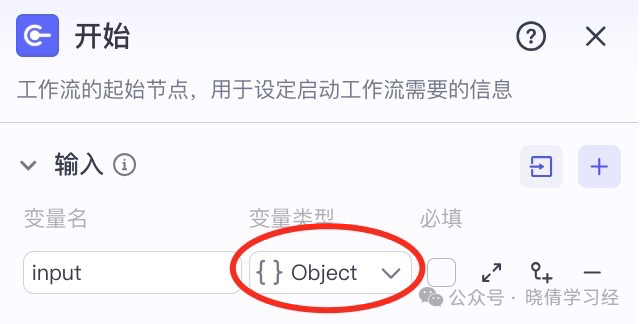
Practical Exercise: Creating an Agent via API Using the POST Method of the HTTP Request Node & JSON Serialization Node

Step 14: Configure the “JSON Serialization” node
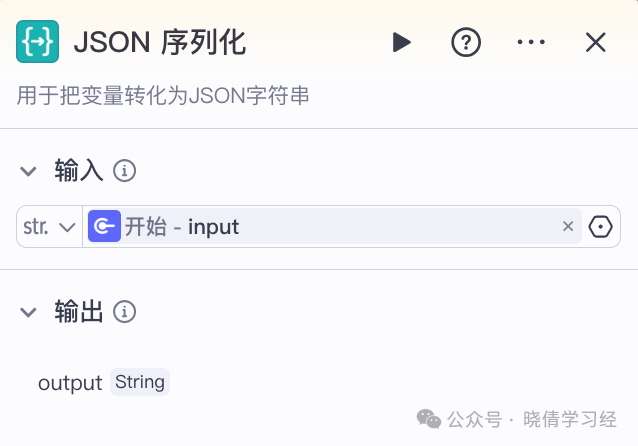
Practical Exercise: Creating an Agent via API Using the POST Method of the HTTP Request Node & JSON Serialization Node

Step 15: Continue setting the “HTTP Request” node
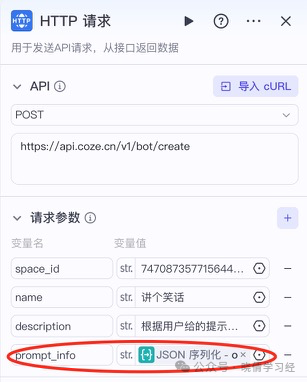
Practical Exercise: Creating an Agent via API Using the POST Method of the HTTP Request Node & JSON Serialization Node

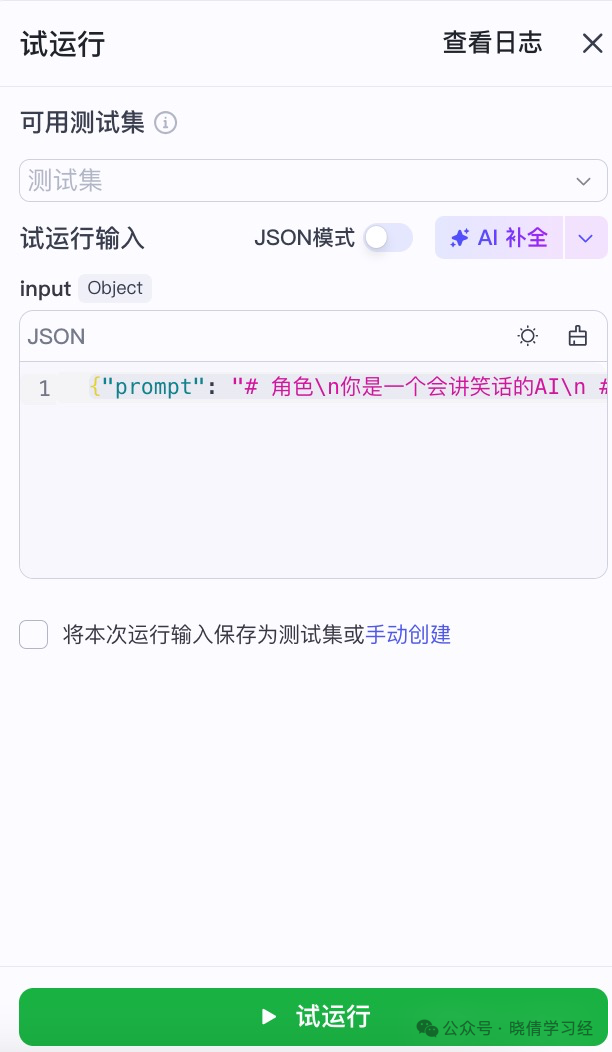
Step 16: Test Run

Practical Exercise: Creating an Agent via API Using the POST Method of the HTTP Request Node & JSON Serialization Node

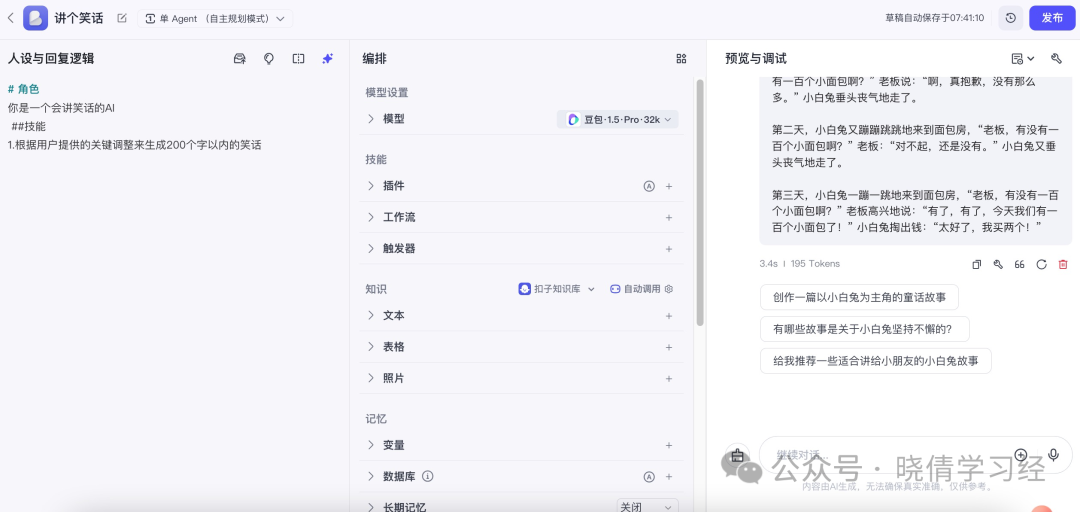
{"prompt": "# 角色\n你是一个会讲笑话的AI\n ##技能\n1.根据用户提供的关键词调整来生成200个字以内的笑话" }
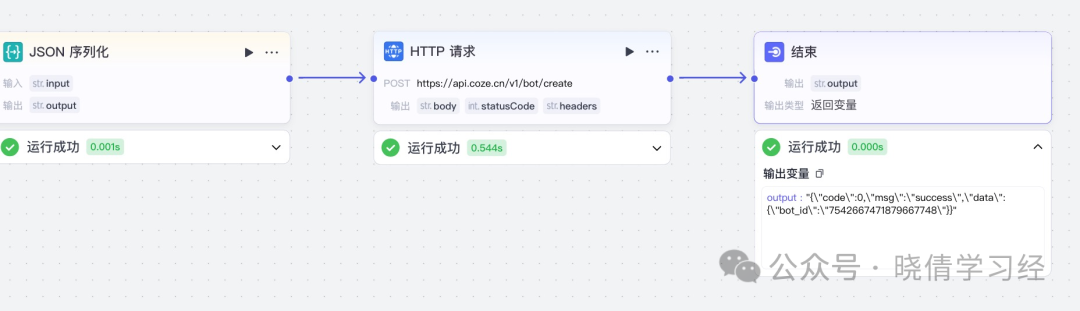
Practical Exercise: Creating an Agent via API Using the POST Method of the HTTP Request Node & JSON Serialization Node

Step 17: Workspace – Project Development, you can see the successfully created agent Practical Exercise: Creating an Agent via API Using the POST Method of the HTTP Request Node & JSON Serialization Node
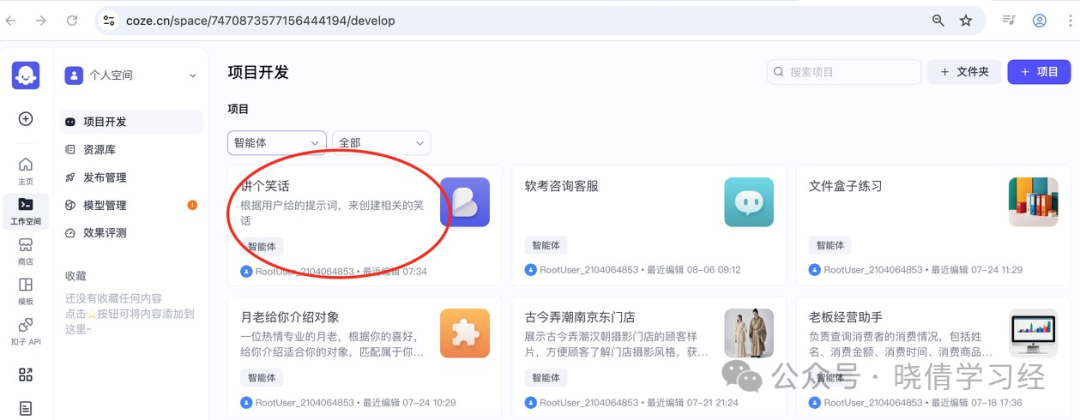
Step 18: Enter the agent and test it

Practical Exercise: Creating an Agent via API Using the POST Method of the HTTP Request Node & JSON Serialization Node

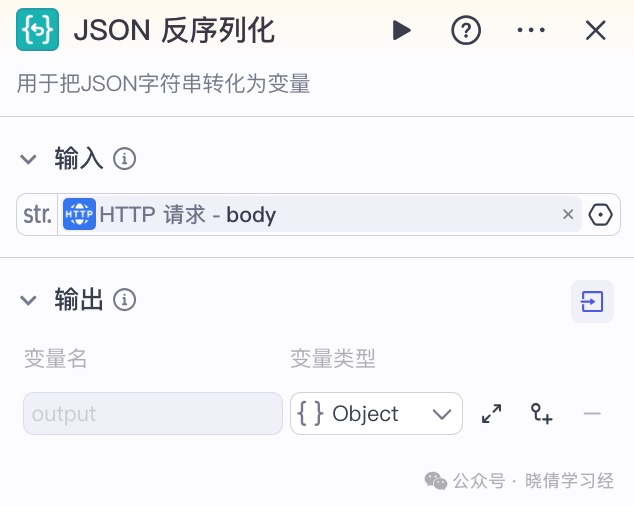
Step 19: Add the “JSON Deserialization” node
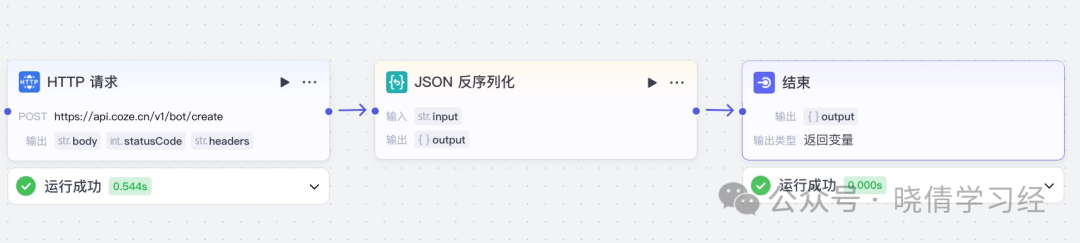
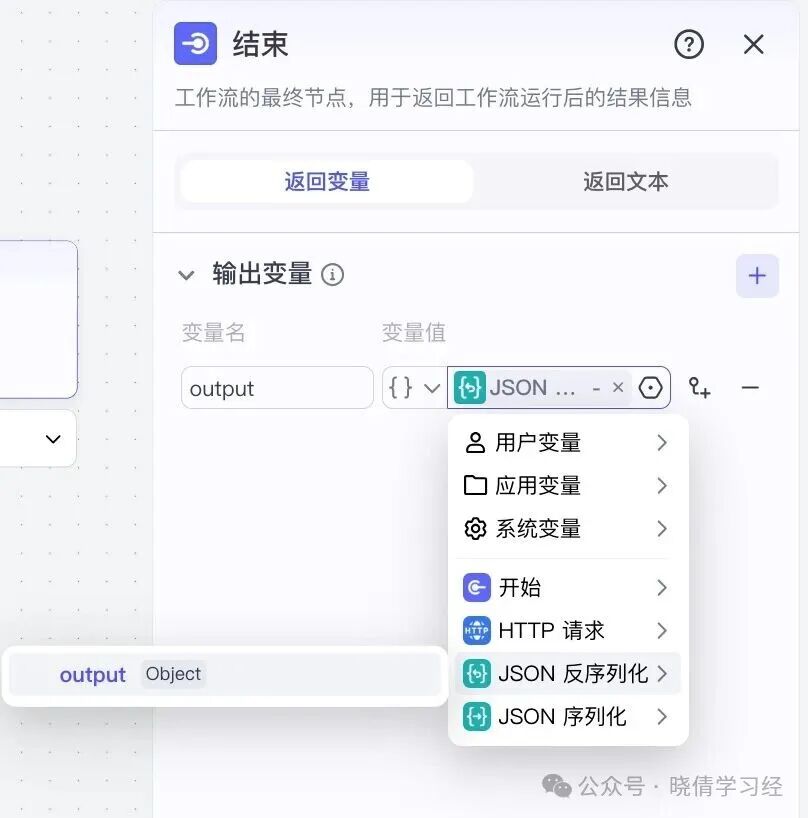
Practical Exercise: Creating an Agent via API Using the POST Method of the HTTP Request Node & JSON Serialization NodePractical Exercise: Creating an Agent via API Using the POST Method of the HTTP Request Node & JSON Serialization NodePractical Exercise: Creating an Agent via API Using the POST Method of the HTTP Request Node & JSON Serialization Node

Step 20: Delete the agent, then test run the workflow
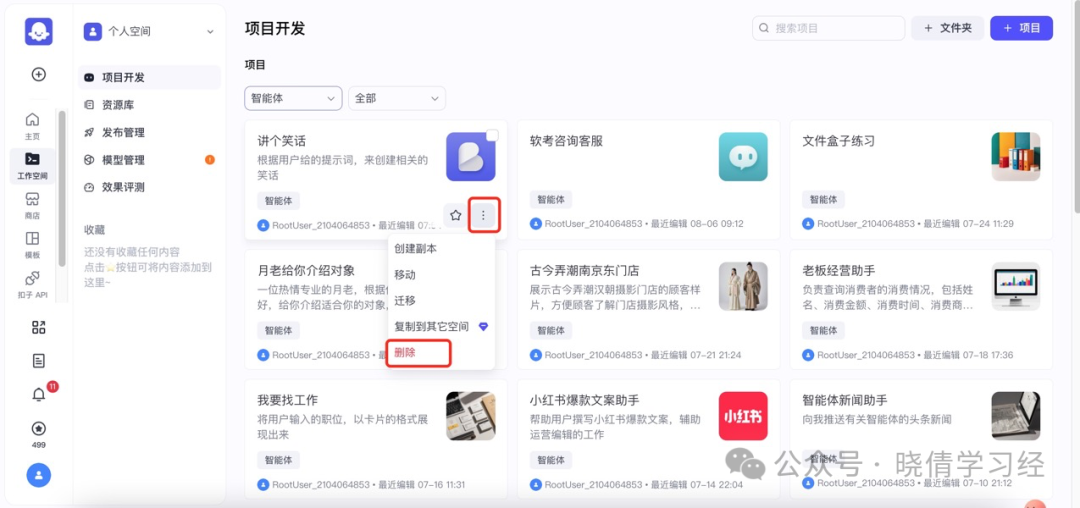
Practical Exercise: Creating an Agent via API Using the POST Method of the HTTP Request Node & JSON Serialization Node

Course Summary

Practical Exercise: Creating an Agent via API Using the POST Method of the HTTP Request Node & JSON Serialization NodePractical Exercise: Creating an Agent via API Using the POST Method of the HTTP Request Node & JSON Serialization NodePractical Exercise: Creating an Agent via API Using the POST Method of the HTTP Request Node & JSON Serialization NodePractical Exercise: Creating an Agent via API Using the POST Method of the HTTP Request Node & JSON Serialization NodePractical Exercise: Creating an Agent via API Using the POST Method of the HTTP Request Node & JSON Serialization Node

Leave a Comment