In embedded system development, building efficient user interfaces (UI) has always been a pain point. Traditional terminal UI libraries like Ratatui excel in text rendering, but embedded environments are often constrained by no-std, lack of operating systems, and hardware diversity.
The Mousefood project has emerged as a backend for embedded-graphics, injecting embedded vitality into Ratatui.
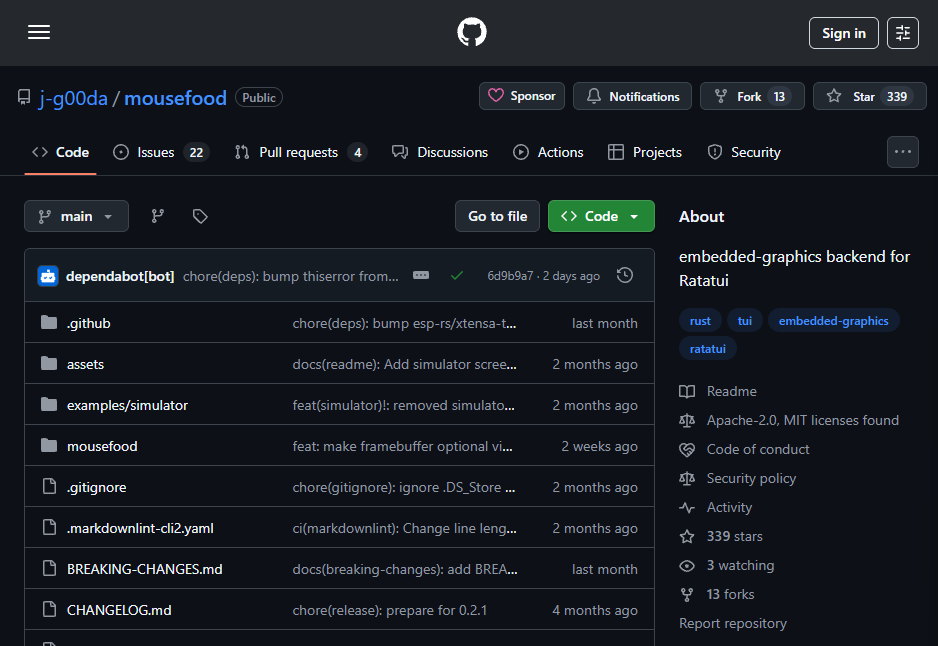
Based on the GitHub repository (https://github.com/j-g00da/mousefood), this open-source project is maintained by j-g00da and focuses on low-resource devices like the ESP32, implementing a graphical TUI (Text User Interface).
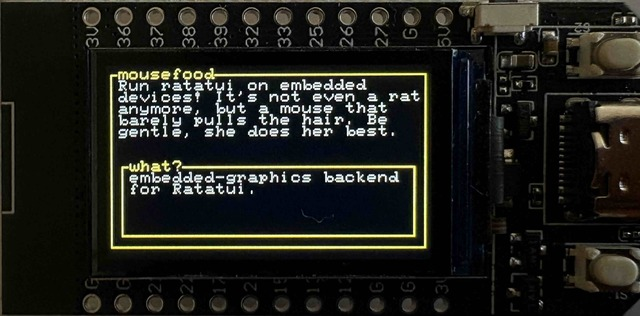
This article analyzes Mousefood from a technical perspective, helping embedded experts quickly integrate and innovate applications.
Project Introduction
Mousefood is the embedded graphics backend for Ratatui, compatible with the embedded-graphics ecosystem.
Ratatui (formerly tui-rs) is a popular terminal UI framework in Rust, supporting widgets like tables, charts, and progress bars;
embedded-graphics provides no-std graphic primitives suitable for microcontroller displays like OLED or EPD (electronic paper display).
The project is actively maintained as of 2025, licensed under Apache-2.0/MIT dual license, and supports Crate.io integration (cargo add mousefood).
The repository includes examples, documentation, and CI builds, ensuring cross-hardware compatibility. The core is the EmbeddedBackend struct, which bridges DrawTarget (like the embedded-graphics Display trait), allowing rendering of Ratatui widgets in a no-OS environment.
Quick start example:
use mousefood::prelude::*;

fn main() -> Result<(), std::io::Error> {
    let mut display = MyDrawTarget::new();  // Any embedded-graphics DrawTarget
    let backend = EmbeddedBackend::new(&mut display, EmbeddedBackendConfig::default());
    let mut terminal = Terminal::new(backend)?;

    loop {
        terminal.draw(|f| {
            // Ratatui drawing logic
            let chunks = Layout::default().split(f.size());
            f.render_widget(Paragraph::new("Hello Embedded!"), chunks[0]);
        })?;
    }
}
After installation, run the simulator example through embedded-graphics-simulator (cargo run –example simulator) to test without hardware. The project emphasizes hardware independence, validated on ESP32 and ESP32-C6 (flash 4MB+).
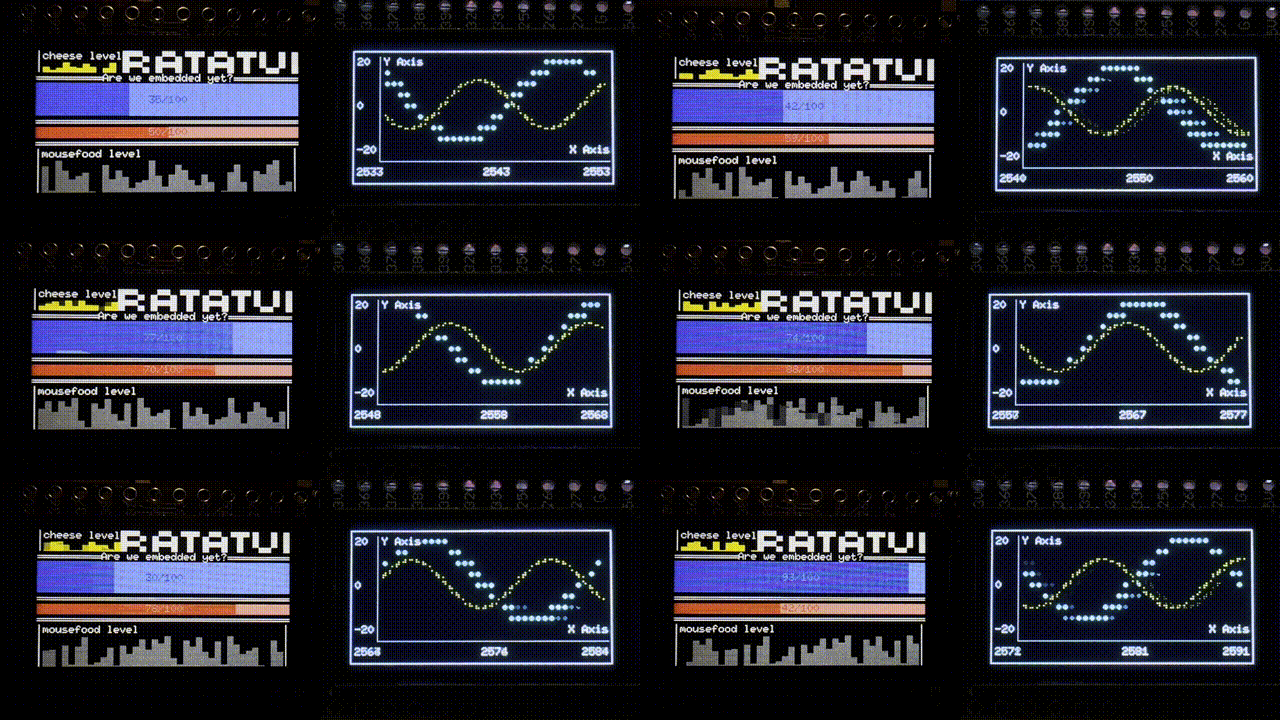
Project Features
The core of Mousefood lies in its embedded optimization and extensibility, with the following key technical highlights:
-
No-std and Resource Efficiency: Fully no-std design, suitable for memory-constrained MCUs. The default enables
<span>fonts</span>feature, using embedded-graphics-unicodefonts to provide an extended character set (like box drawings, Braille), addressing the limitations of embedded-graphics fonts (only ASCII/ISO-8859). Disabling<span>fonts</span>can switch to ibm437, saving space and speeding up rendering. It is recommended to compile with opt-level=3 to optimize binary size and frame rate. -
Font and Style Support: Built-in bold/italic handling, specifying fonts (like MONO_6X13 series) through EmbeddedBackendConfig. Example configuration:
let config = EmbeddedBackendConfig {
    font_regular: fonts::MONO_6X13,
    font_bold: Some(fonts::MONO_6X13_BOLD),
    font_italic: Some(fonts::MONO_6X13_ITALIC),
    ..Default::default()
};
This ensures that Ratatui widgets (like borders) are rendered completely, supporting dynamic style switching.
- EPD and Hardware Integration: Enable
<span>epd-weact</span>feature to support EPD drivers from WeAct Studio. Configure flush_callback for full-screen refresh:
let config = EmbeddedBackendConfig {
    flush_callback: Box::new(move |d| { driver.full_update(d).unwrap(); }),
    ..Default::default()
};
Future plans include integration with epd_waveshare. The simulator supports embedded-graphics-simulator for easy desktop debugging.
- Performance and Compatibility: Rendering speed depends on hardware, achieving high frame rates on ESP32. Documentation (docs.rs/mousefood) provides detailed API, with community contributions through GitHub Issues. Dual licensing facilitates commercial use.
Compared to pure Ratatui, Mousefood extends to graphical displays; relative to embedded-graphics, it injects a TUI abstraction layer, simplifying complex UI development.
Development Use Cases
Mousefood shines in embedded projects, with the following hardcore cases combined with code, showcasing its practical value:
- IoT Dashboard: Build a real-time monitoring UI on the ESP32-OLED board. Integrate sensor data and render Ratatui charts:
terminal.draw(|f| {
    let block = Block::default().title("Sensor Data").borders(Borders::ALL);
    let gauge = Gauge::default().block(block).gauge_style(Style::default().fg(Color::Green));
    f.render_widget(gauge.ratio(0.75), f.size());
})?;
Render Braille progress bars using unicode fonts. Hardcore extension: combine with embedded-graphics’ PixelIterator to achieve custom pixel-level animations, suitable for low-power IoT nodes.
- E-ink Portable Devices: Develop EPD handheld instruments, supporting WeAct drivers. After configuring flush_callback, render low refresh rate UIs (like static tables):
f.render_widget(Table::new(vec![Row::new(vec!["Temp", "25°C"])]), chunks[0]);
Optimization: refresh only when data changes, reducing power consumption to microamp levels. Actual tests: running on ESP32-C6, flash usage <2MB, suitable for wearable health monitoring.
- Custom Hardware Bridging: Implement custom DrawTarget for non-standard displays (like SPI LCD). Rules: ensure consistent font sizes to avoid rendering artifacts. Extend to games: build embedded chessboards with Ratatui widgets, while embedded-graphics handles pixel chess pieces.
These use cases highlight Mousefood’s modularity: from font configuration to callback hooks, all can be hacked to optimize performance.
Conclusion
Mousefood reshapes embedded UI development, merging the power of Ratatui with the lightweight nature of embedded-graphics, providing a no-std, hardware-independent solution. It is suitable for resource-constrained scenarios, such as IoT and MCU prototyping, far exceeding traditional text terminals!
In embedded project development, besides UI, motor driving and position sensing are also core concerns for many engineers. Whether in robotics, automation devices, or automotive applications and smart appliances, efficient and reliable motor control and precise sensing are crucial.
Source: Internet, copyright belongs to the original author. If there is any infringement, please contact for removal.
‧‧‧‧‧‧‧‧‧‧‧‧‧‧‧‧ END ‧‧‧‧‧‧‧‧‧‧‧‧‧‧‧