Next, we will detail the contents of the Defense Evasion and Credential Access menus.
Defense Evasion Section
In this section, we mainly discuss the tools <span>exe2hex</span> and <span>macchanger</span>.
01exe2hex
<span>exe2hex</span> is actually a tool that converts commonly used programs or scripts into batch files such as txt, cmd, or bat. Some machines’ <span>WAF</span> may restrict the upload/download of exe files. Therefore, a method using exe2hex to bypass these defense mechanisms is proposed. It transforms the file into an encoded format, which is then reconstructed into an <span>exe</span> and executed.
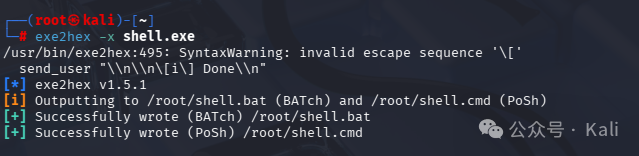
Example: For instance, we can convert an exe file into a bat script and execute the following command!
exe2hex -x shell.exe
02macchanger
<span>MAC</span> addresses are directly written into the network card by the manufacturer and cannot be changed. However, we can simulate a MAC address through software to achieve deception! The tool <span>macchanger</span> is designed for this purpose.
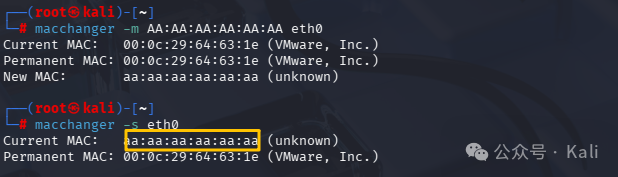
macchanger -m AA:AA:AA:AA:AA:AA eth0
Sets the MAC address of the <span>eth0</span> network card to <span>AA:AA:AA:AA:AA:AA</span>
Credential Access Section
In this section, there are many tools, so the content is quite extensive! Some content has been covered in previous articles; for details, please refer to the historical articles.
01Brute Force
This menu mainly introduces commonly used brute force tools, such as <span>hydra</span>.
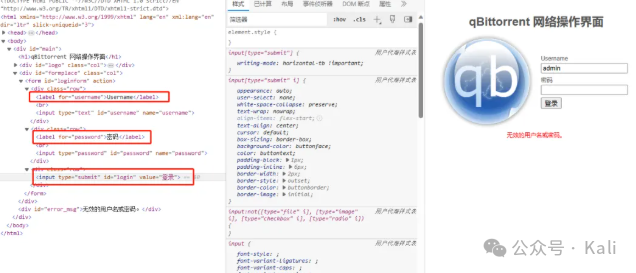
<span>hydra</span> is a powerful password cracking tool, also known as Hydra, supporting multiple platforms including Linux, Windows, and Mac. It supports cracking various password protocols. For details, refer to historical articles!
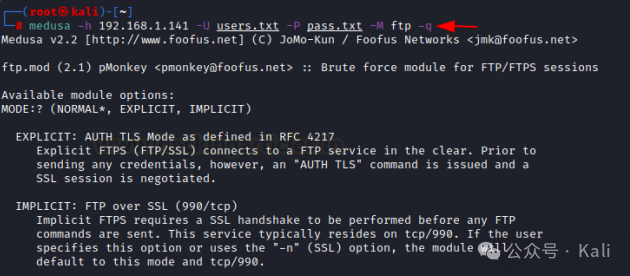
<span>Medusa</span> is a fast, modular recovery tool that supports large-scale parallel testing. It can test the account security of multiple hosts simultaneously.
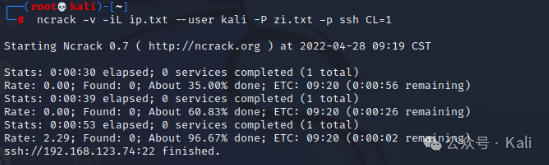
<span>Ncrack</span> is a high-speed network authentication cracking tool. It uses a modular approach, similar to the <span>Nmap</span> command line syntax and dynamic engine, designed to adjust its behavior based on network feedback. It allows for fast and reliable large-scale auditing of multiple hosts.
Example:
#ssh
ncrack -vv -U kali.txt -P zi.txt 192.168.123.7 :22
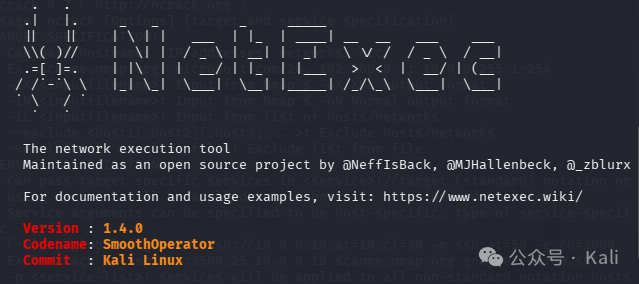
<span>NetExec</span> is a powerful automated network security assessment and vulnerability testing tool. For detailed usage, refer to historical articles.
<span>Patator</span> is an aggregation password recovery tool.
Example:
# Select ssh module
patator ssh_login
patator ssh_login host=192.168.50.1 user=FILE0 password=FILE1 0=/root/username.txt 1=/root/password.txt
<span>thc-pptp-bruter</span> is used to recover <span>PPTP</span> passwords. The format is as follows:<span>cat dictionary file | thc-pptp-bruter -u username server ip</span>
cat wordlist.txt | thc-pptp-bruter -u admin 192.168.1.8
02Operating System Credential Dumping
The tools in this section mainly target the dumping of Windows passwords, i.e., obtaining the accounts and passwords from the computer’s memory, such as the famous tool <span>mimikatz</span>.
<span>chntpw</span> can be used to edit the Windows registry, reset user passwords, and elevate users to administrator status.
Example:
# List all users
chntpw –l <sam file>
# Modify username password
chntpw –u <user> <sam file>
<span>creddump7</span> is a Python tool used to extract various credentials and secrets from the Windows registry.
# Extract cached domain hashes
python cachedump.py <system hive> <security hive>
# Extract LSA secrets
python lsadump.py <system hive> <security hive>
# Extract local password hashes
python pwdump.py <system hive> <SAM hive>
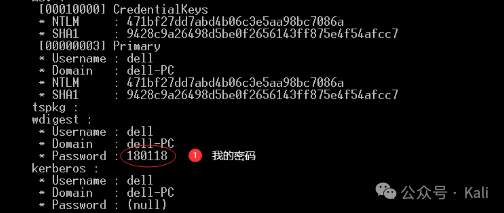
<span>mimikatz</span> is a powerful tool developed by French developer Gentil Kiwi for the Windows platform. Run <span>mimikatz.exe</span> with administrator privileges and then enter the following commands:
privilege::debug
sekurlsa::logonpasswords
<span>samdump2</span> Windows system accounts are stored in the SAM database. By obtaining the WIN SAM file (the SAM storage location is: <span>c:\windows\system32\config</span>), passwords can be recovered.
sandump2 SYSTEM SAM
03Create Password and Word Lists
The current toolbar mainly lists several dictionary file generation tools. Let’s take a look!
<span>cewl</span> will crawl based on the specified URL and depth, then print out a dictionary that can be used for password cracking.
cewl https://blog.bbskali.cn
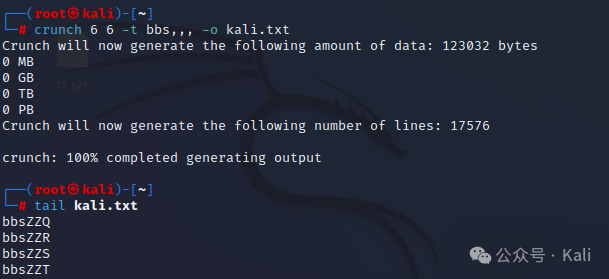
<span>Crunch</span> is a tool developed in C language that can create custom, modifiable word lists. For specific generation methods, refer to historical articles.
<span>rsmangler</span> has similar functionality. The command to generate is:
rsmangler -m 6 -x 8 --file - > mangled.txt
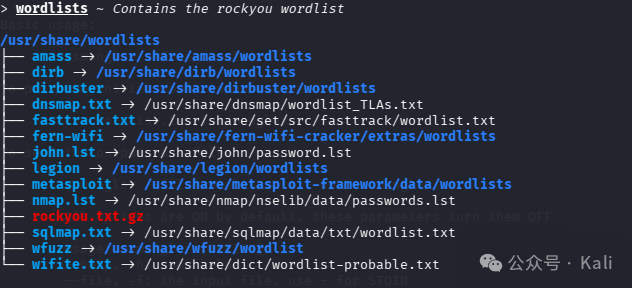
<span>wordlists</span> comes with many dictionary files by default in Kali. By entering this command, we can view the paths of related dictionaries.
04Hash Identification
Before decryption, we need to know the type of current MD5 encryption. The usage of these two tools has been previously written about; refer to the articles.
05Password Cracking
In the current toolbar, we mainly discuss two major password recovery tools: <span>hashcat</span> and <span>john</span>. Many detailed usage methods have been written previously. You can search for them using the keywords below.
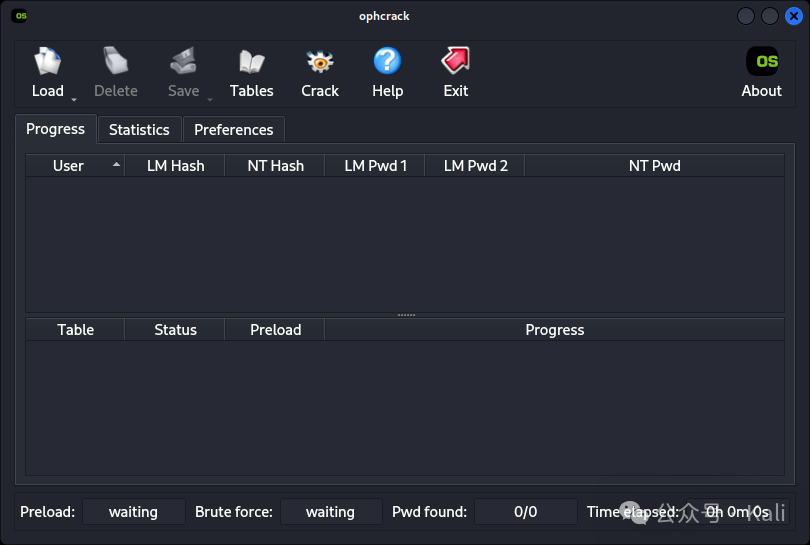
<span>ophcrack</span> mainly targets Windows login passwords. Before using it, we need to download the rainbow table. Ophcrack focuses on cracking two types of hashes: LM-Hash and NTLM-Hash.
06Pass-The-Hash
<span>Evil-winrm</span> is an open-source tool developed in Ruby. This tool has many cool features, including remote login with plaintext passwords, SSL encrypted login, NTLM hash login, key login, file transfer, log storage, and more.
Example: Use evil-winrm for remote sessions on the target system.
evil-winrm -i 192.168.5.38 -u kali -p admin12345
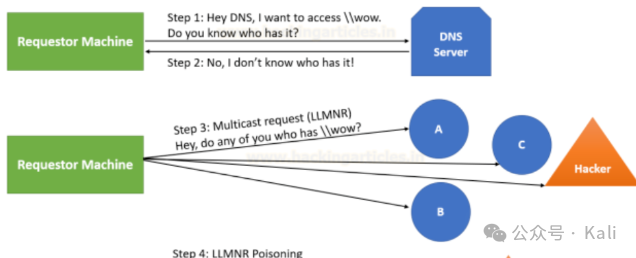
<span>responder</span> is a widely used tool in penetration testing scenarios, allowing red team members to move laterally across the network. For specific usage, refer to historical articles.
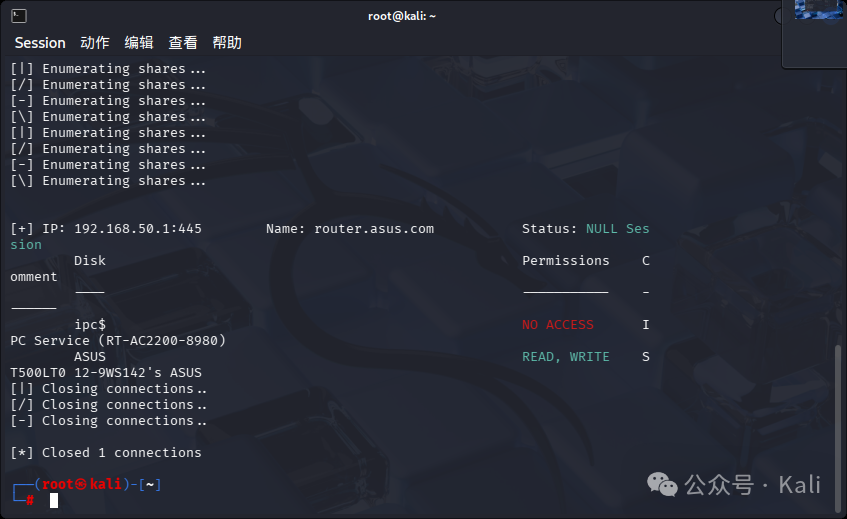
<span>smbmap</span> allows users to enumerate Samba shared drives across the entire domain. It lists shared drives, drive permissions, shared content, etc.
Example: Scan for SMB shared devices in the current local area network.
smbmap -H 192.168.50.1
<span>xfreerdp3</span> is a remote desktop connection tool. Example:
xfreerdp3 /u:username /p:password /w:1366 /h:768 /v:IP
07WIFI In this section, several common WiFi exploitation tools are listed. More exciting articles can be found in our collection. For more exciting articles, please follow us.