In today’s digital age, short video platforms like WeChat Channels have become an important channel for people to obtain information and entertainment. Many users wish to download their favorite channel content for offline viewing or for secondary creation. This article will provide a detailed guide on how to build a video downloading and extraction bot for WeChat Channels, along with a complete source code deployment guide.
Below you can obtain the complete source code + detailed setup tutorial↓↓【Reply with ‘setup’] jdhb44
 Editor
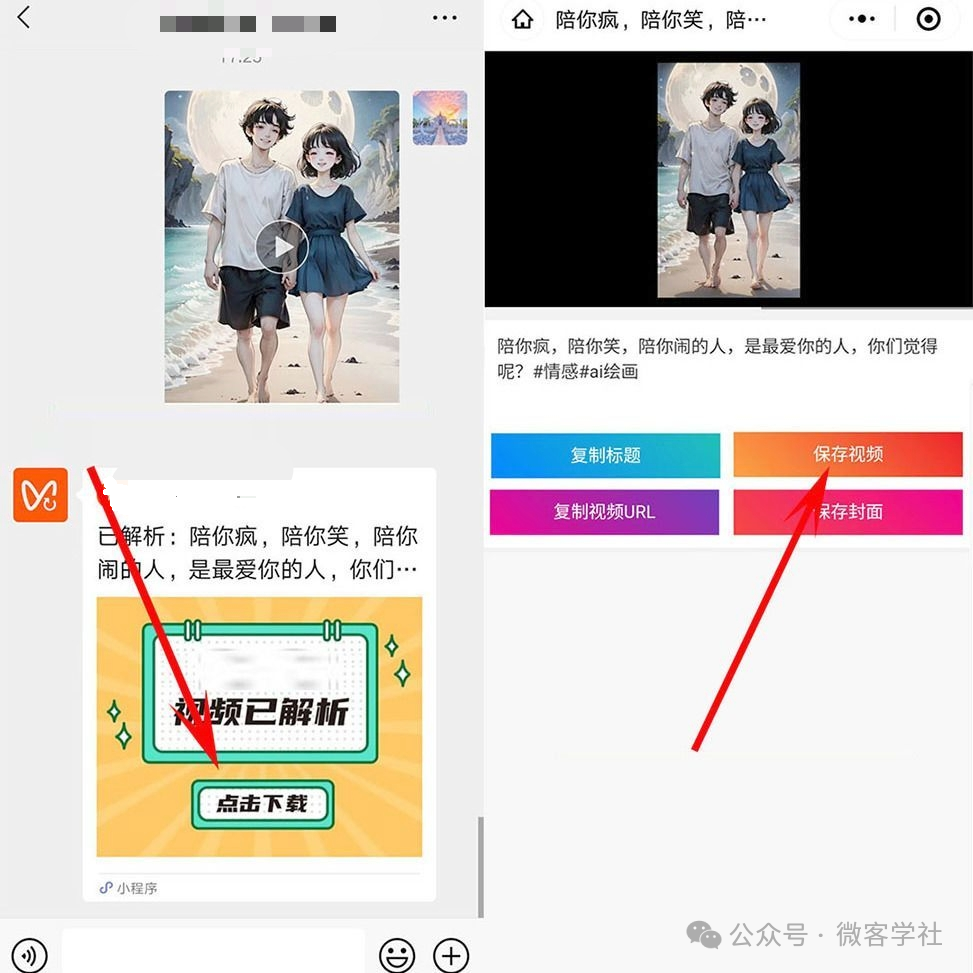
1. Technical Principles of Video Downloading from WeChat ChannelsThe core of downloading videos from WeChat Channels lies in parsing the real download address of the video. Due to the uniqueness of WeChat Channels, the video links are usually encrypted and require specific technical means for parsing.1. Video Address Parsing: By analyzing the network requests of the channel page, the real playback address of the video can be found. This usually requires packet capture tools like Fiddler or Charles to capture network requests.2. Anti-scraping Mechanism: WeChat Channels have a strong anti-scraping mechanism, including request header validation, IP restrictions, etc. Therefore, when developing the downloading bot, it is necessary to simulate normal browser behavior, including setting reasonable User-Agent, Referer, and other request header information.3. Video Downloading: Once the real video address is obtained, you can use Python’s requests library or other downloading tools to save the video file locally.
 Editor
2. Development Environment PreparationBefore starting development, the following development environment needs to be prepared:1. **Python Environment**: It is recommended to use Python 3.7 or higher.2. **Development Tools**: It is recommended to use PyCharm or VS Code as development tools.3. **Dependency Libraries**: Install necessary Python libraries, including requests, beautifulsoup4, selenium, etc.3. Source Code Analysis of the Video Downloading BotBelow is a simple example of Python source code for a WeChat Channels video downloading bot:
import requests
from bs4 import BeautifulSoup
import re
def get_video_url(video_page_url):
   headers = {
       'User-Agent': 'Mozilla/5.0 (Windows NT 10.0; Win64; x64) AppleWebKit/537.36 (KHTML, like Gecko) Chrome/91.0.4472.124 Safari/537.36',
       'Referer': 'https://channels.weixin.qq.com/'
   }
   response = requests.get(video_page_url, headers=headers)
   soup = BeautifulSoup(response.text, 'html.parser')
   script_text = soup.find_all('script')[-1].text
   video_url = re.search(r'video_url":"(.*?)"', script_text).group(1)
   return video_url
def download_video(video_url, save_path):
   headers = {
       'User-Agent': 'Mozilla/5.0 (Windows NT 10.0; Win64; x64) AppleWebKit/537.36 (KHTML, like Gecko) Chrome/91.0.4472.124 Safari/537.36'
   }
   response = requests.get(video_url, headers=headers, stream=True)
   with open(save_path, 'wb') as f:
       for chunk in response.iter_content(chunk_size=1024):
           if chunk:
               f.write(chunk)
if __name__ == '__main__':
   video_page_url = 'https://channels.weixin.qq.com/xxx'  # Replace with the actual video channel page URL
   video_url = get_video_url(video_page_url)
   download_video(video_url, 'video.mp4')
4. Source Code Deployment Steps1. **Install Dependency Libraries**: Run the following command in the command line to install the necessary Python libraries:
pip install requests beautifulsoup4 selenium2. **Configure Proxy**: If you need to bypass IP restrictions, you can configure a proxy IP. Add the following content to the code:
proxies = {
    'http': 'http://your_proxy_ip:port',
    'https': 'https://your_proxy_ip:port'
}
response = requests.get(url, headers=headers, proxies=proxies)
3. **Run the Script**: Save the above code as `video_downloader.py`, and then run it in the command line:
python video_downloader.py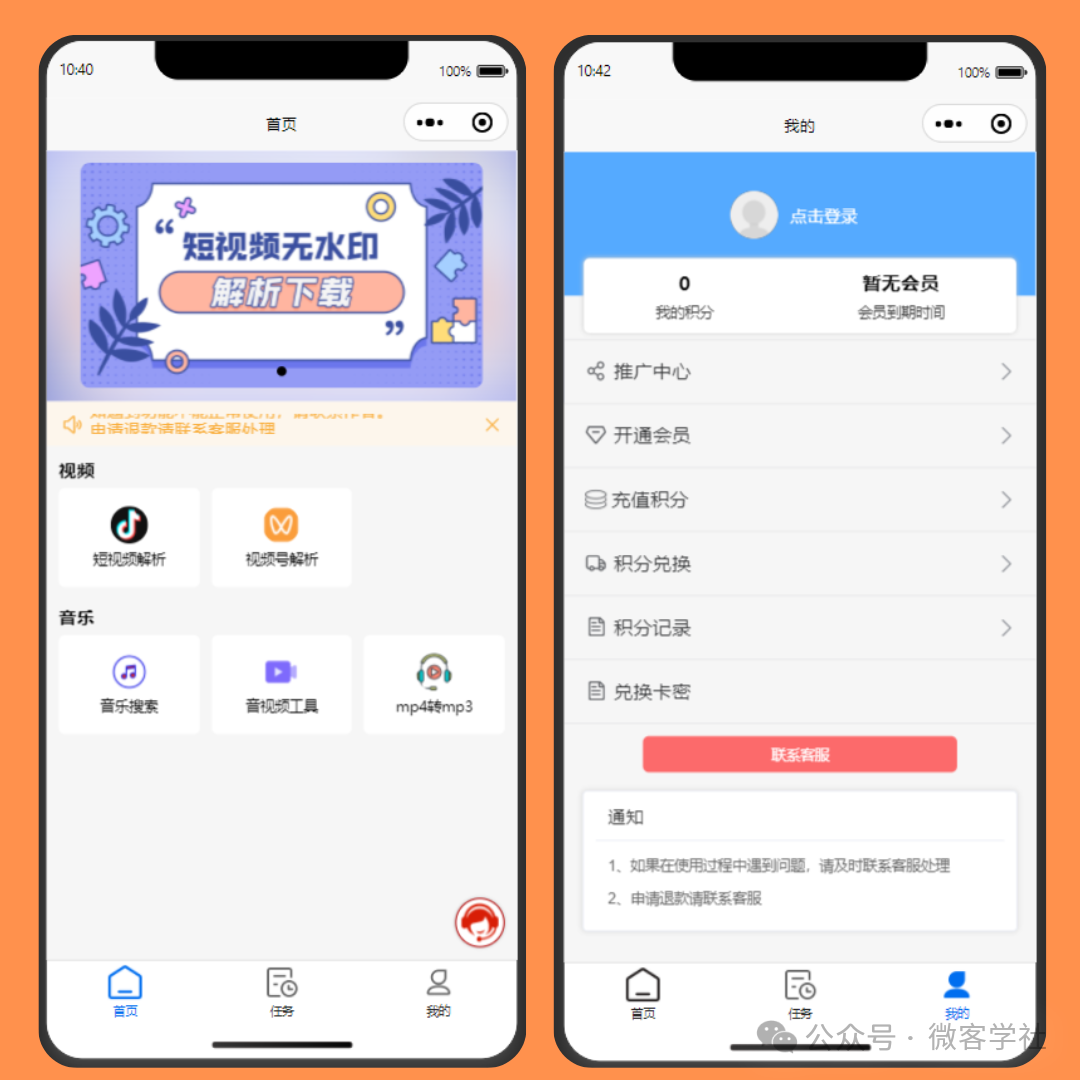
5. Advanced Functionality Extensions1. **Batch Downloading**: You can crawl the channel homepage or search page to obtain links to multiple videos and then download them in batches.
def batch_download(video_urls, save_dir):
    for i, url in enumerate(video_urls):
        video_url = get_video_url(url)
        download_video(video_url, f'{save_dir}/video_{i}.mp4')
2. **GUI Interface**: Use PyQt or Tkinter to add a graphical user interface to the downloading bot for easier use by non-technical users.3. **Cloud Deployment**: Deploy the bot on a cloud server for 24/7 uninterrupted operation, and provide services through an API interface.6. Precautions1. Legal Risks: Downloading content from WeChat Channels may involve copyright issues; please ensure it is only used for personal learning or research, avoiding commercial use.2. Anti-scraping Mechanism: WeChat may update its anti-scraping strategies, requiring regular maintenance and updates to the code to adapt to changes.3. Performance Optimization: For large-scale downloading tasks, it is recommended to use multithreading or asynchronous IO to improve download efficiency.7. Common Problem Solutions1. Unable to obtain video address: Check if the request headers are set correctly, or try using Selenium to simulate browser behavior.
from selenium import webdriver
driver = webdriver.Chrome()
driver.get(video_page_url)
vide_url = driver.execute_script('return document.querySelector("video").src')
driver.quit()
2. Slow download speed: You can try using CDN acceleration or change the downloading tool to aria2.3. Changes in the structure of the channel page: Regularly check the page structure and update the parsing logic.8. ConclusionThrough this article, you should have mastered the basic methods of building a video downloading bot for WeChat Channels. From technical principles to source code implementation, and then to deployment and extended functionality, each step is crucial. In actual development, various challenges may arise, but as long as you continue to learn and try, you will always find solutions. I hope this guide helps you successfully build your own WeChat Channels video downloading bot!