Data serialization and deserialization are essential tasks in the development of network communication, data storage, and cross-platform interactive applications.
bitsery is a header-only C++ binary serialization library designed for efficient data serialization and deserialization between memory and binary formats. It requires only a C++11 compliant compiler and has no other dependencies.
It is a cross-platform library that supports major operating systems such as Windows, Linux, and macOS. It has been tested on all major compilers and can read or write data from any data source, including file streams, network streams, and memory buffers. Moreover, the small memory footprint and fast processing speed of bitsery make it particularly suitable for resource-constrained embedded systems.
The official website of bitsery is: https://github.com/fraillt/bitsery
If the GitHub network is poor, you can visit the mirror site:
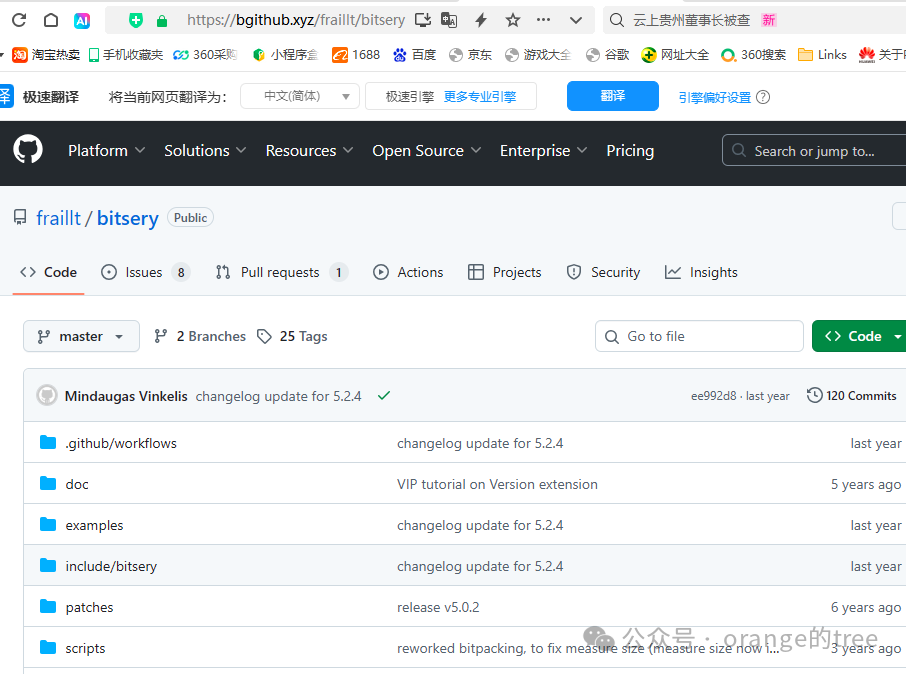
https://bgithub.xyz/fraillt/bitsery
The opened page is shown in the figure below:
I downloaded version 5.2.4. After unzipping the downloaded file, it is shown in the figure below:
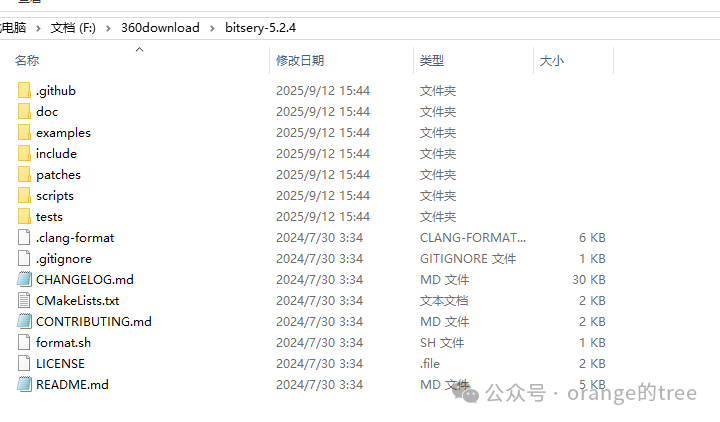
To develop using the bitsery library, you only need the files in the include folder of this unzipped folder. Below is a demonstration using Qt for development. Open the Qt Creator software and create a new pure C++ application project. As shown in the figure below:

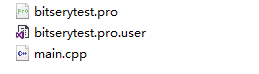
After completing the new project, the Qt project folder is shown in the figure below:
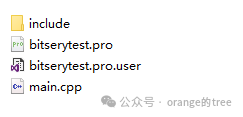
Copy the entire include folder from the unzipped bitsery library to this Qt project folder, as shown in the figure below:
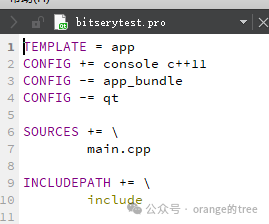
Modify the Qt project configuration pro file to add INCLUDEPATH, specifying the loading path for the bitsery header files, as shown in the figure below:
Edit the code as shown below:
#include <iostream>
#include <fstream>
#include <bitsery/bitsery.h>
#include <bitsery/adapter/buffer.h>
#include <bitsery/adapter/stream.h>
#include <bitsery/traits/vector.h>
#include <bitsery/traits/string.h>


using Buffer = std::vector<uint8_t>;
using OutputAdapter = bitsery::OutputBufferAdapter<Buffer>;
using InputAdapter = bitsery::InputBufferAdapter<Buffer>;

enum Sex : uint16_t{Male, Female};

struct Student
{
    char name[20];              // Name
    Sex sex;                    // Gender
    int age;                    // Age
    std::vector<float> grade;   // Scores in Chinese, Math, and English
};

template <typename S>
void serialize(S& s, Student& p)
{
    s.text1b(p.name);          // Serialize string
    s.value2b(p.sex);          // Serialize enum
    s.value4b(p.age);          // Serialize integer
    s.container4b(p.grade, 3); // Serialize container
}


int main()
{
    // Create a Student object
    Student mike{"Mike", Male, 12, {95.5, 98, 92.5}};
    Student info;
    Student finfo;

    // Serialize to memory stream
    Buffer buffer;
    auto size = bitsery::quickSerialization<OutputAdapter>(buffer, mike);

    // Serialized data
    for(size_t i = 0; i < size; i++)
    {
        std::cout << static_cast<int>(buffer.data()[i]) << " ";
    }
    std::cout << std::endl;

    // Deserialize
    auto state = bitsery::quickDeserialization<InputAdapter>({buffer.begin(), size }, info);
    assert(state.first == bitsery::ReaderError::NoError && state.second);

    // Original data
    std::cout << "Name: " << mike.name << ", Sex: " << (mike.sex == 0 ? "Male":"Female") << ", Age: " << mike.age
              << ", Chinese: " << mike.grade.at(0) << ", Math: " << mike.grade.at(1)
              << ", English: " << mike.grade.at(2) << std::endl;
    // Output result
    std::cout << "Name: " << info.name << ", Sex: " << (info.sex == 0 ? "Male":"Female") << ", Age: " << info.age
              << ", Chinese: " << info.grade.at(0) << ", Math: " << info.grade.at(1)
              << ", English: " << info.grade.at(2) << std::endl;

    // Open file stream to write serialized data
    auto fileName = "stuFile.bin";
    std::fstream s{ fileName, s.binary | s.trunc | s.out };
    if (!s.is_open())
    {
        std::cout << "cannot open " << fileName << " for writing!\n";
        return 0;
    }
    bitsery::Serializer<bitsery::OutputBufferedStreamAdapter> ser{ s };
    ser.object(mike);
    ser.adapter().flush();
    s.close();

    // Open file to read content and deserialize
    s.open(fileName, s.binary | s.in);
    if (!s.is_open())
    {
        std::cout << "cannot open " << fileName << " for reading!\n";
        return 0;
    }
    auto res = bitsery::quickDeserialization<bitsery::InputStreamAdapter>(s, finfo);
    assert(res.first == bitsery::ReaderError::NoError && res.second);
    s.close();
    // Output result
    std::cout << "Name: " << finfo.name << ", Sex: " << (finfo.sex == 0 ? "Male":"Female") << ", Age: " << finfo.age
              << ", Chinese: " << finfo.grade.at(0) << ", Math: " << finfo.grade.at(1)
              << ", English: " << finfo.grade.at(2) << std::endl;
    return 0;
}
The compilation and execution results prove that the data in the structure is consistent after serialization and deserialization, as shown in the figure below:
