Restart the computer and repeatedly press the DEL key to enter the BIOS interface. Select the Advanced menu and find the option labeled intel (VMX) to enable it.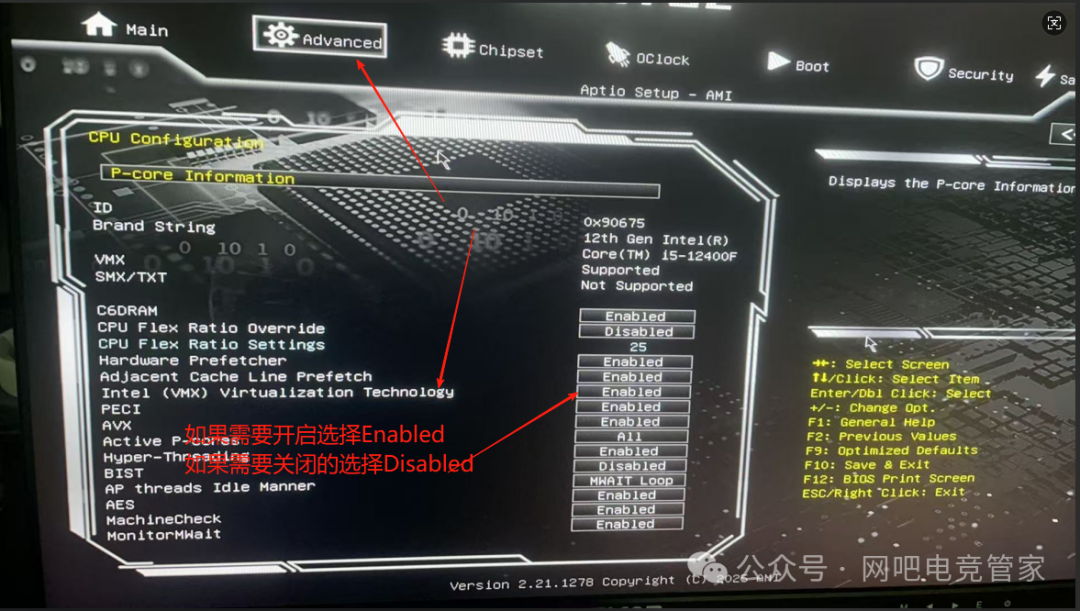 Then, go into the Chipset menu where you will find the option labeled VT-D as shown in the image below.
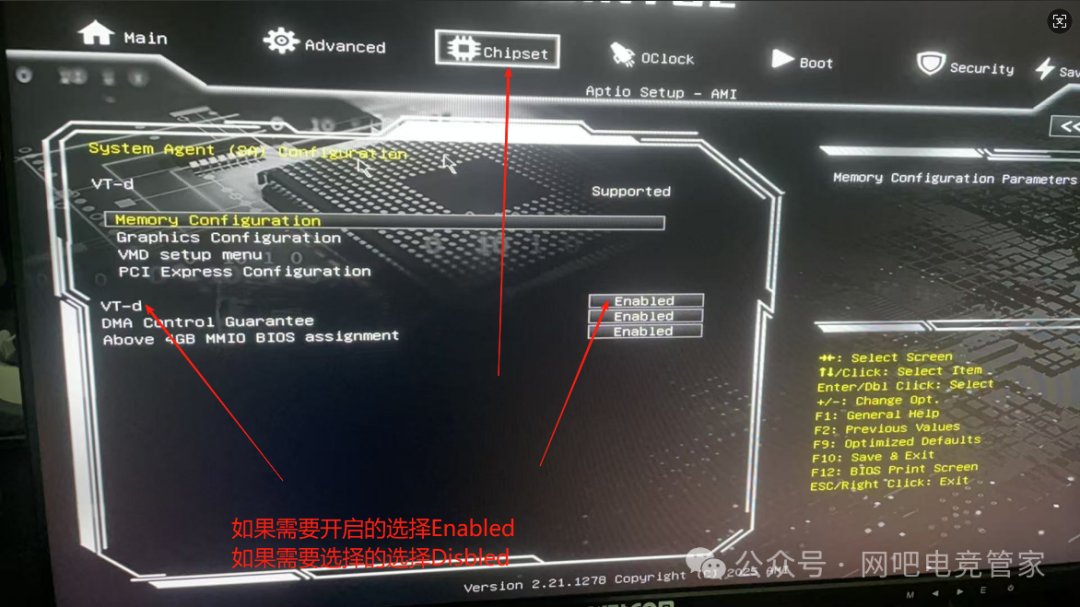 After making all the changes, press (F10) to save and restart for the changes to take effect.