Click on the “Kernel Path“, select “Top/Star Public Account“
Valuable Benefits, Delivered First-Hand!

1. GDB Debugging Postgres Kernel
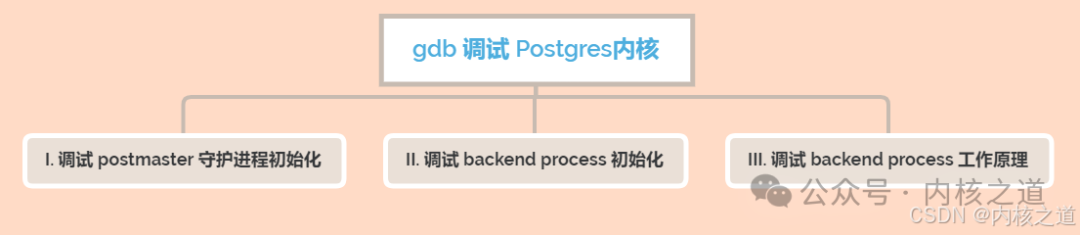
GDB debugging of the Postgres kernel can generally be divided into three main categories.
- Debugging the initialization process of the Postgres kernel postmaster daemon
- Debugging the initialization implementation of the Postgres kernel backend process
- Debugging the implementation of the backend process handling client DQL, DML, etc.
As shown in the figure below:
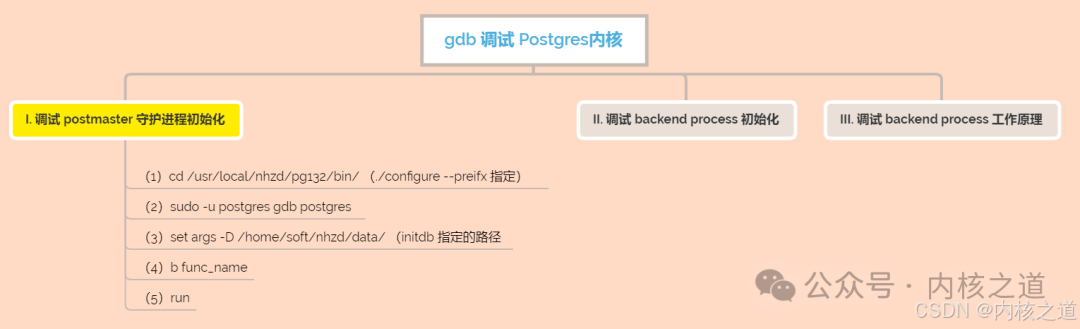
1.1 Debugging Postmaster
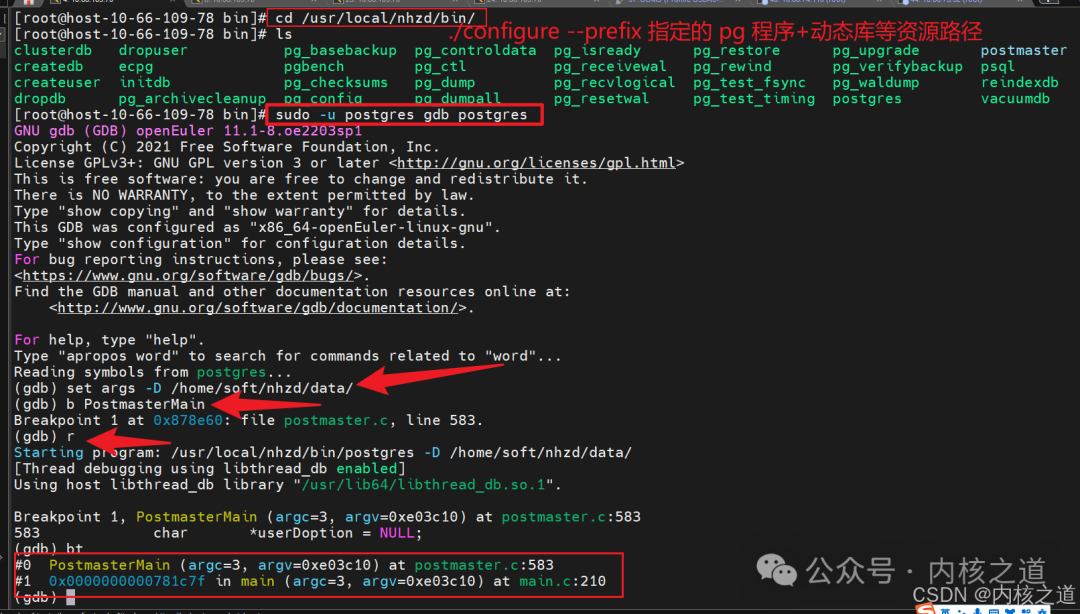
(1) GDB debugging effect
1.2 Debugging Backend Process
- Debugging Steps
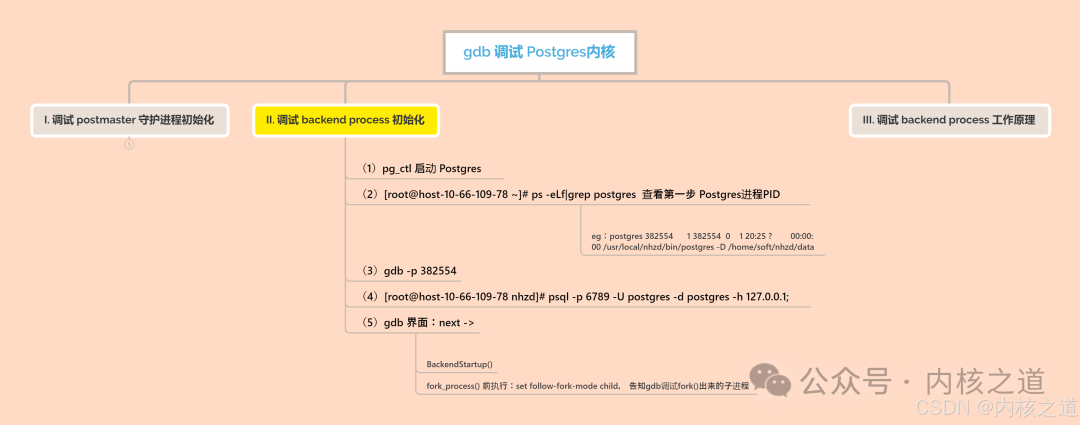
(1) Start the postmaster service
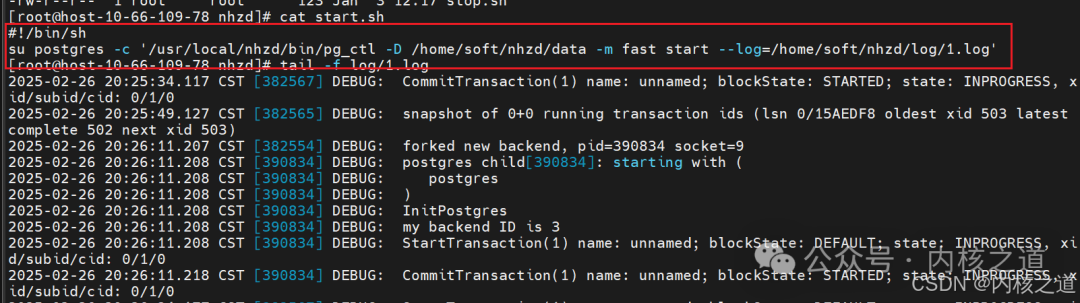
(2) Get the postmaster process PID

(3) gdb -p postmaster-PID
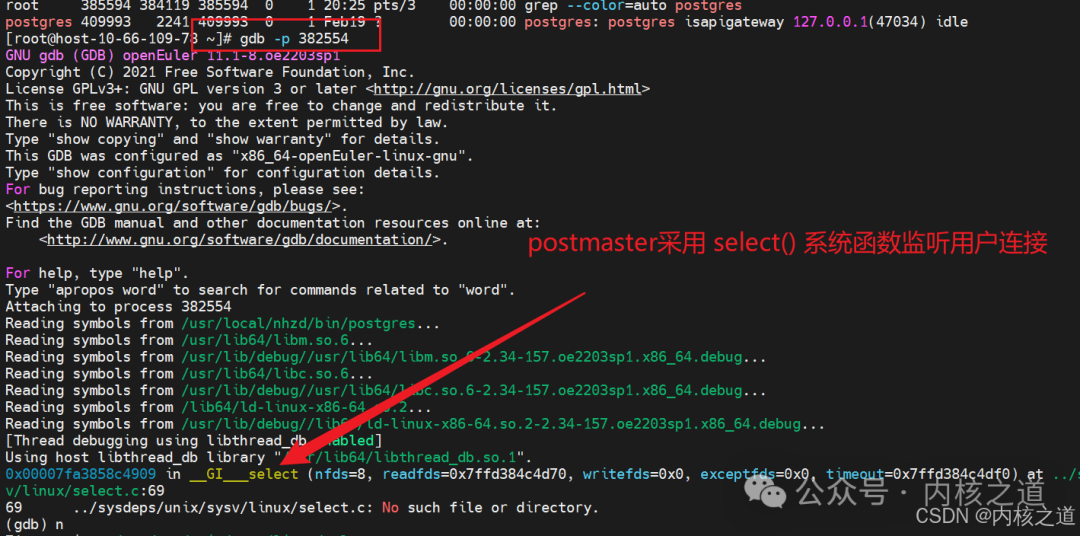
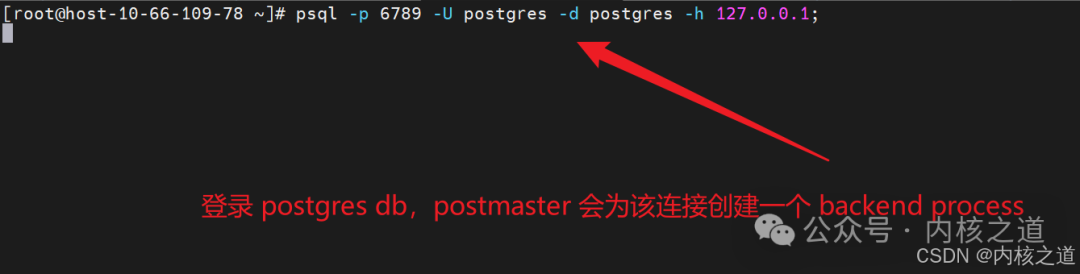
(4) psql login to the postgres database
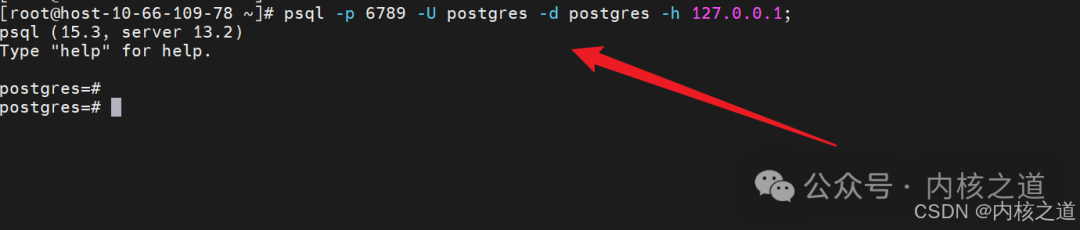
1.3 Debugging Backend Process Handling User DQL, DML, etc.
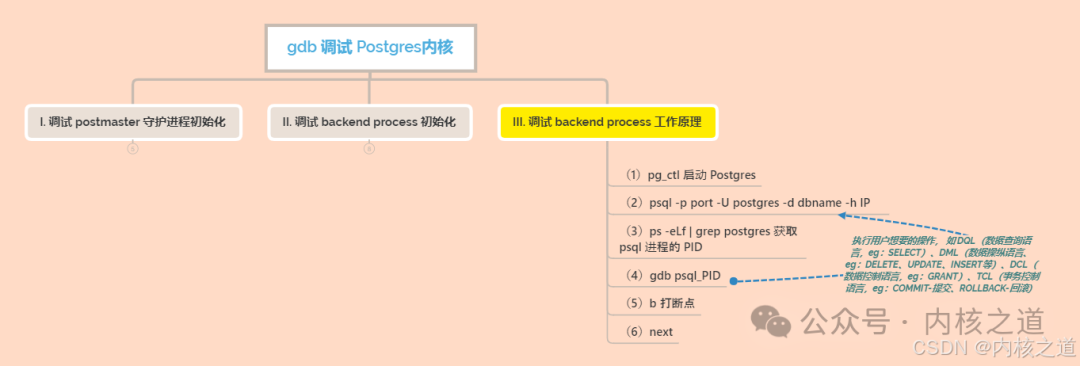
(1) psql login to the postgres database
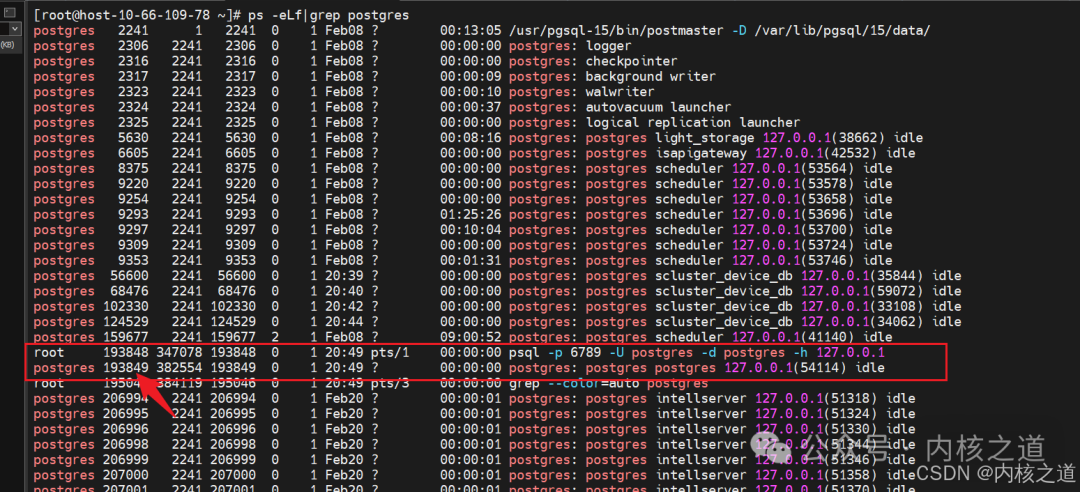
(2) Get the PID of the psql program
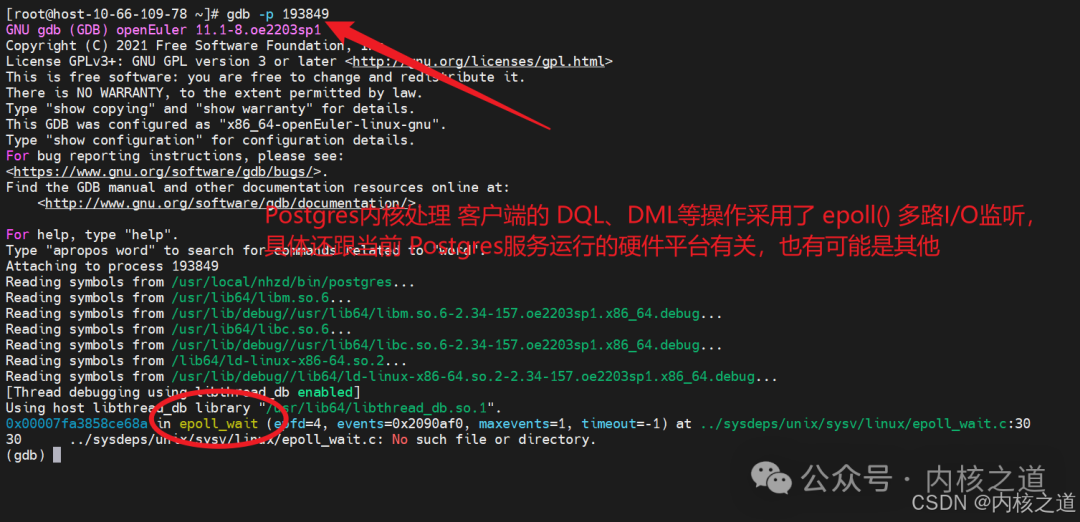
(3) gdb -p psql-PID
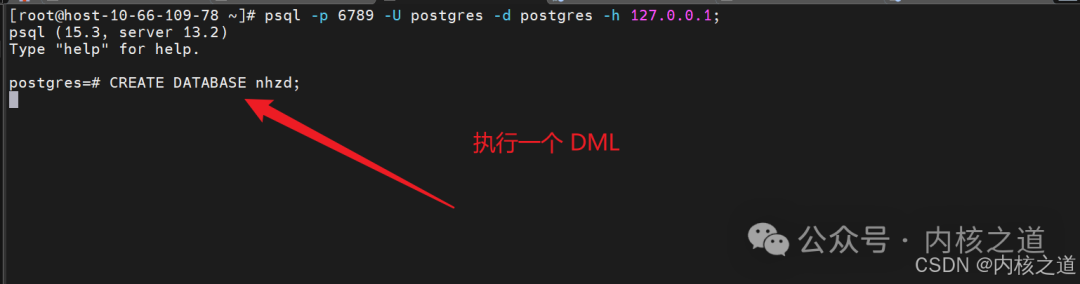
(4) Execute a DML
Thank you for your attention, more exciting content in the next issue.
Like, bookmark, and share with one click
– The End –