In embedded development, aside from development boards and oscilloscopes, the most frequent interaction is likely with terminal tools. Choosing the right terminal can double your debugging efficiency. Therefore, I have compiled a list of several high-frequency, practical, and straightforward terminal tools. While these tools may not cover every scenario, they are definitely robust enough for daily embedded debugging.
🖥️ 1. Versatile Terminal Tools (Remote + Serial + Network)
These tools are comprehensive and particularly suitable for scenarios that require handling multiple connection methods simultaneously, such as remote debugging of Linux devices, viewing logs via serial, and transferring files.
1. MobaXterm
Why do I recommend it? The free version is already very powerful! It supports mainstream protocols like SSH, serial, Telnet, and VNC, and comes with a built-in X Server (which makes debugging GUI tools super easy), supports multi-tabbed interface and file drag-and-drop transfer (integrated SFTP), and crucially, the default UTF-8 encoding prevents garbled text, making command copy-pasting during debugging particularly smooth. Many engineers use it as their primary serial debugging tool, easily replacing SecureCRT.
2. WindTerm
Its features are lightweight and open-source, compatible with Windows/Linux/macOS. In addition to basic SSH, serial, and Telnet support, it also integrates an SFTP/SCP client, allowing file uploads and downloads without switching software. Session management is clear, supporting port forwarding and X11 forwarding, and the installation package is only about 30MB, making it very friendly for older computers with lower configurations.
3. SecureCRT & Xshell
These two are “established professionals”, powerful and stable, especially suitable for enterprise-level environments (such as scenarios requiring strict audit logs). They support deep customization of sessions, automation scripts, and advanced encryption options. However, both are paid software (although there are “learning versions” available online), and if your budget is limited, the first two free tools are actually quite appealing.
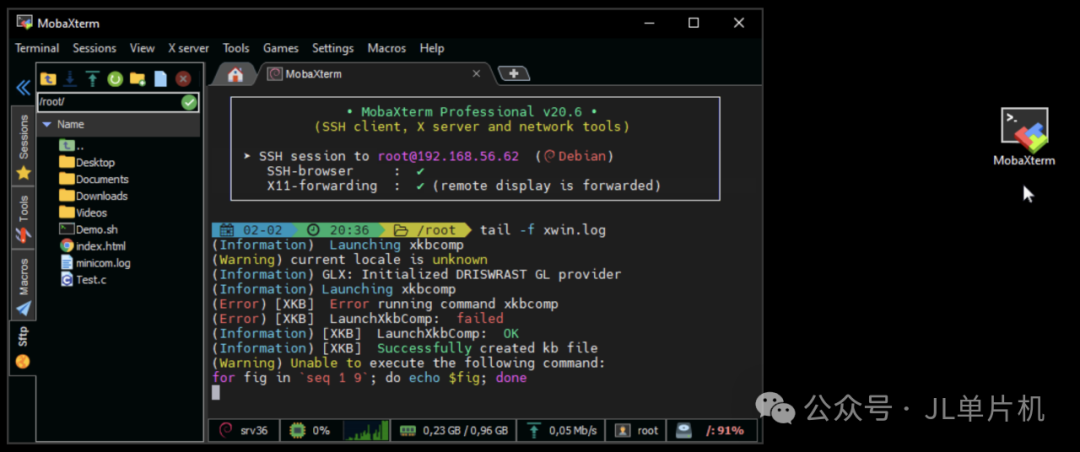
MobaXterm software screenshot
Xshell software screenshot
🔌 2. Lightweight Tools Focused on Serial Debugging
If your main task is just to connect a development board to view print information or transfer small files, the following two options are lightweight enough:
1. PuTTY
A classic that never goes out of style! Open-source and free, extremely lightweight (one exe file does it all), supports serial, SSH, and Telnet. Although its features are not as flashy as the previous tools (for example, it does not support tabs, and file transfers require other tools), it excels in simplicity and stability, with very low resource usage, making it particularly handy for temporary debugging or firmware flashing.
2. XCOM (commonly used in China)
Widely used in the domestic microcontroller community, especially with STC, GD32, and other domestic MCUs. The interface is intuitive, supporting custom protocol frames, HEX/ASCII format transmission, and data saving, making it particularly suitable for bare-metal debugging or communication with custom protocol host computers.
📁 3. File Transfer Assistants
When operating files in the terminal, these “golden partners” are indispensable:
1. FileZilla
An established FTP/SFTP client, supporting drag-and-drop uploads and downloads, remote file editing, and directory comparison. It is almost essential for embedded firmware transfers, web uploads, and configuration backups.
2. lrzsz (a gem for Linux)
In the Linux terminal, using rz/sz commands allows you to send and receive small files (like configuration files or scripts) via serial, enabling data transfer without the development board needing to be online, which is incredibly convenient! For larger files, FTP or network transfer is still recommended.
🌐 4. Essential Tools for Network Diagnostics
For debugging embedded networked devices, these tools can quickly locate network layer issues:
1. Wireshark
The pinnacle of network packet capture, essential for analyzing TCP/UDP/HTTP protocol interactions, locating packet loss, and retransmission issues. It can filter by specific device IP or port, allowing for a clear view of data flow.
2. tcpdump (the command-line version of Wireshark)
Directly captures packets on the device, suitable for Linux devices without a GUI. The commands are flexible, and results can be saved as pcap files for analysis in Wireshark.
3. iperf3
A professional tool for measuring network bandwidth, jitter, and packet loss. One end runs the server on the device, while the other runs the client on a PC, providing immediate network quality reports, especially useful for debugging Wi-Fi/Ethernet modules.
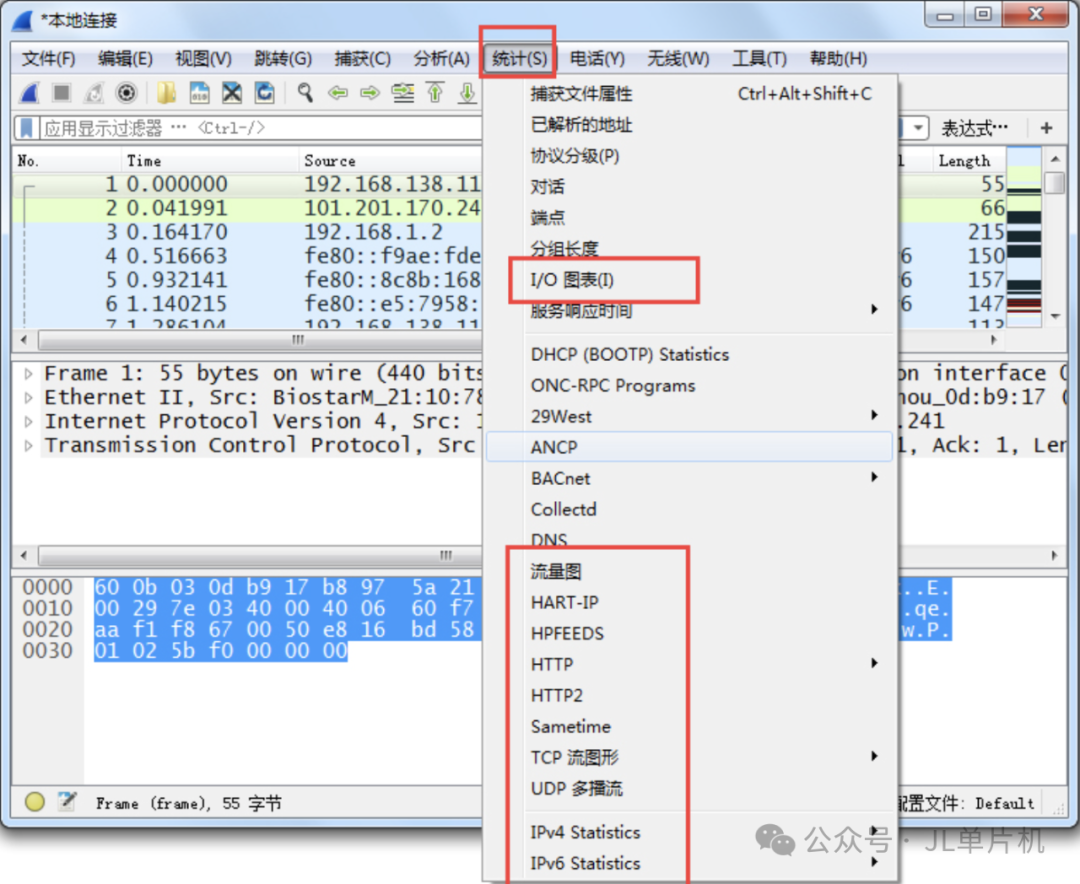
Wireshark software screenshot
🛠️ Appendix: Other Small Tools
● Serial Port Driver: Make sure to use CH340, the most common for domestic development boards; remember to install the driver in advance (available for both Windows and Linux);
● Version Comparison: Beyond Compare, a tool for synchronizing code and checking configuration differences;
● Text Editing: VS Code + C/C++ plugin or Vim, efficient for viewing code and modifying configurations;
● Network Scanning: arp-scan, nmap to find IPs of devices in the local area network.
💎 Final Summary
Tools are about quality, not quantity. MobaXterm + VS Code + Wireshark + FileZilla should cover 90% of embedded debugging needs.
Which terminal tool do you rely on the most? Feel free to share in the comments!