01
Overview
Mixly is an open-source graphical programming software designed to lower the barriers to hardware programming, making it especially suitable for maker education, IoT development, and beginners.
Microblue has developed a set of extension libraries based on Mixly to make programming easier!
Installing the Mixly extension library requires two steps (for flashing MicroPython firmware, please refer to previous articles):
- Use the ESP32.MPY-Jama software to upload the core library microblue.mpy
- Install the extension library microblue-mixly-esp32.zip in the Mixly software
Below are the specific operation steps
02
Uploading the Core Library
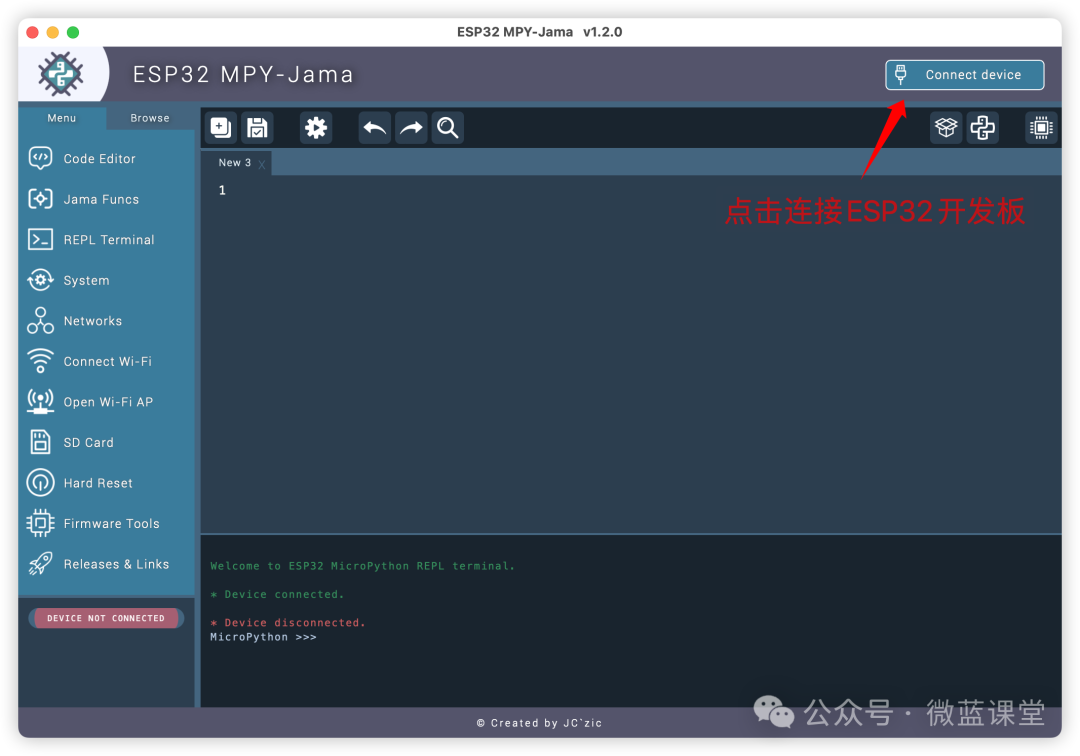
First, save the microblue.mpy file to a local folder on your computer, then download the ESP32-MPY-Jama software, open it, and upload this file to the ESP32 development board.
ESP32.MPY-Jama download link:https://github.com/jczic/ESP32-MPY-Jama/releases
If you cannot download it, feel free to message me for a cloud link.
1. Click to connect the device
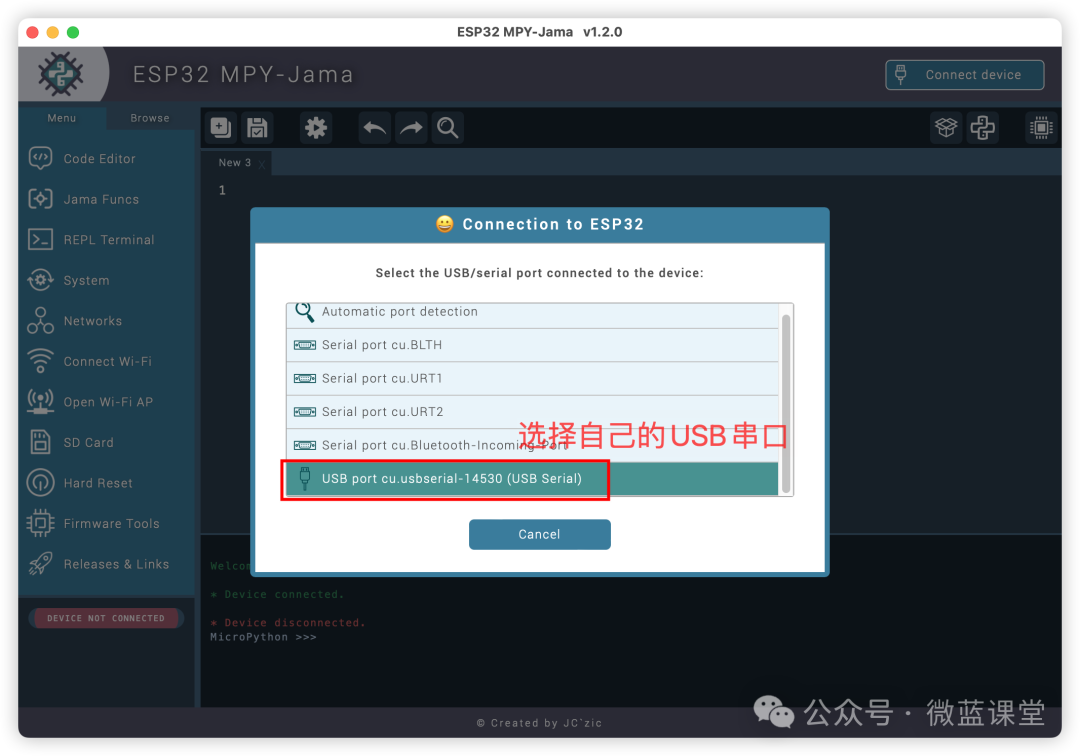
2. Connect the development board to your computer using a data cable, then select the USB serial port used by the development board
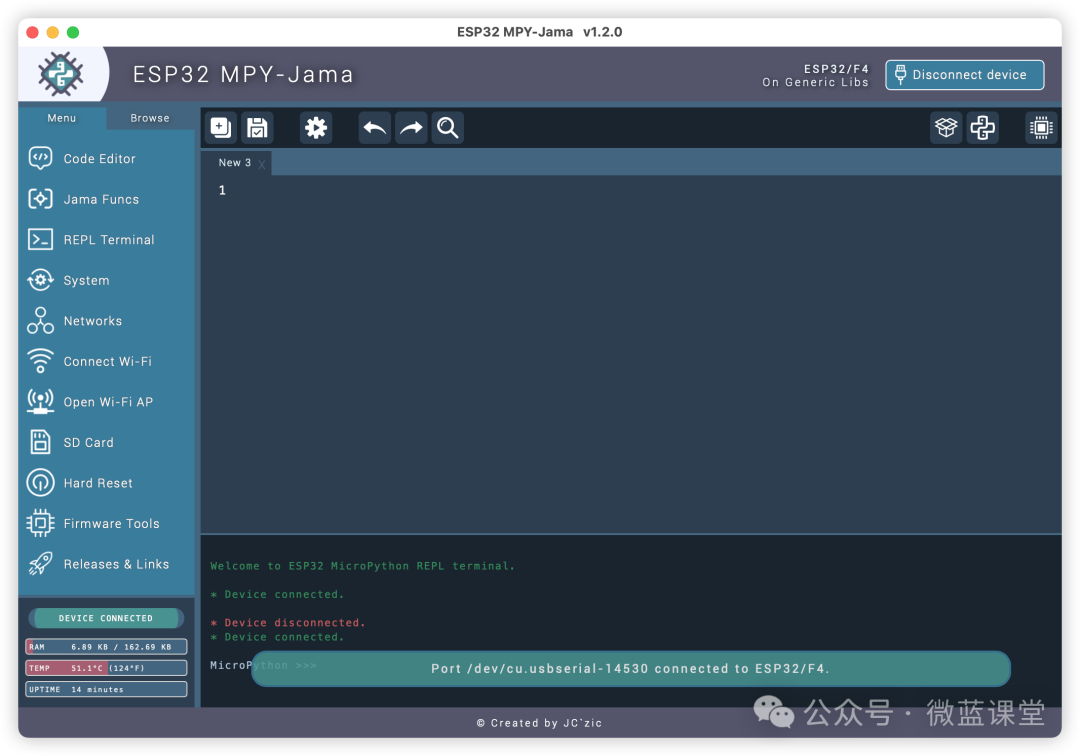
3. Successful connection will look like this
4. Click the browse tab, then click the upload button
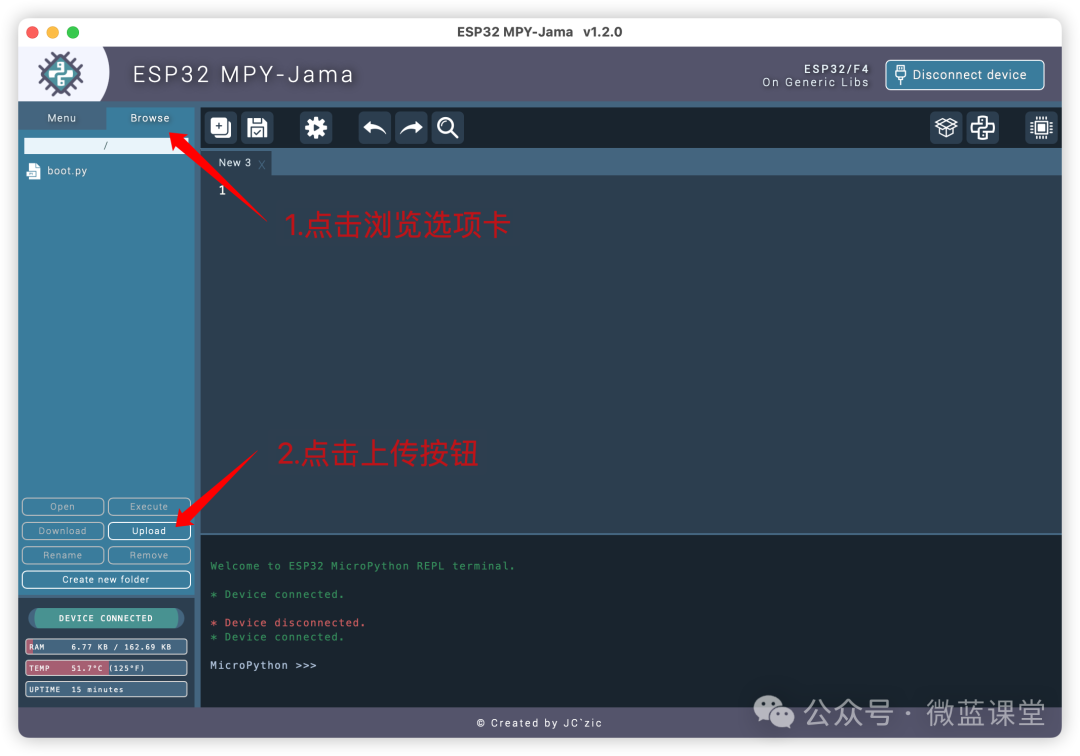
5. Select the microblue.mpy file and click open
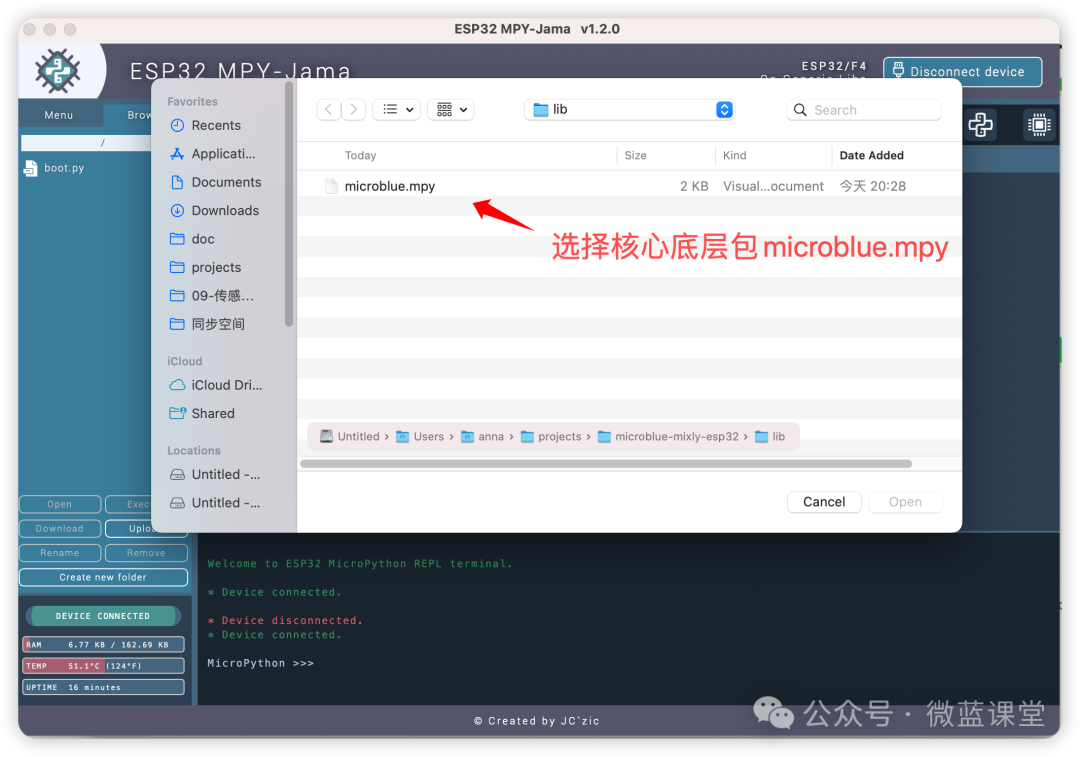
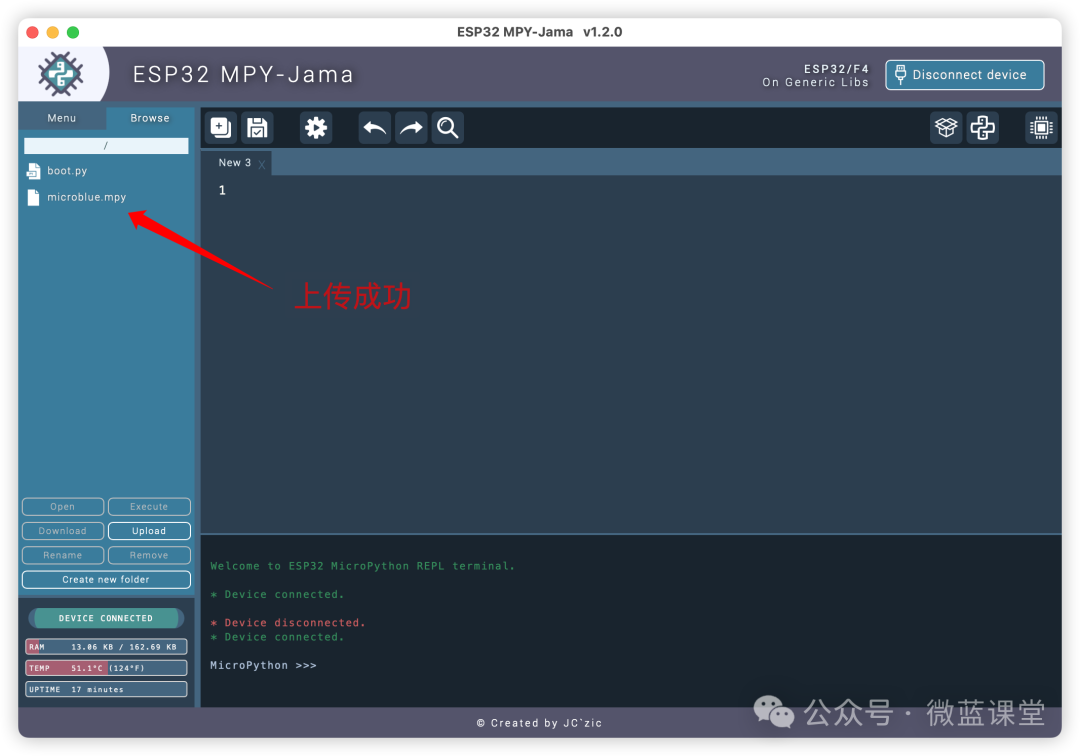
6. Upload successful, you will see an additional microblue.mpy file in the device folder
03
Installing the Extension Library
Download link for Mixly 2.0:https://mixly.cn/bnu-maker/mixl2.0rc
1. Open the Mixly 2.0 software, select Python ESP32 to enter.
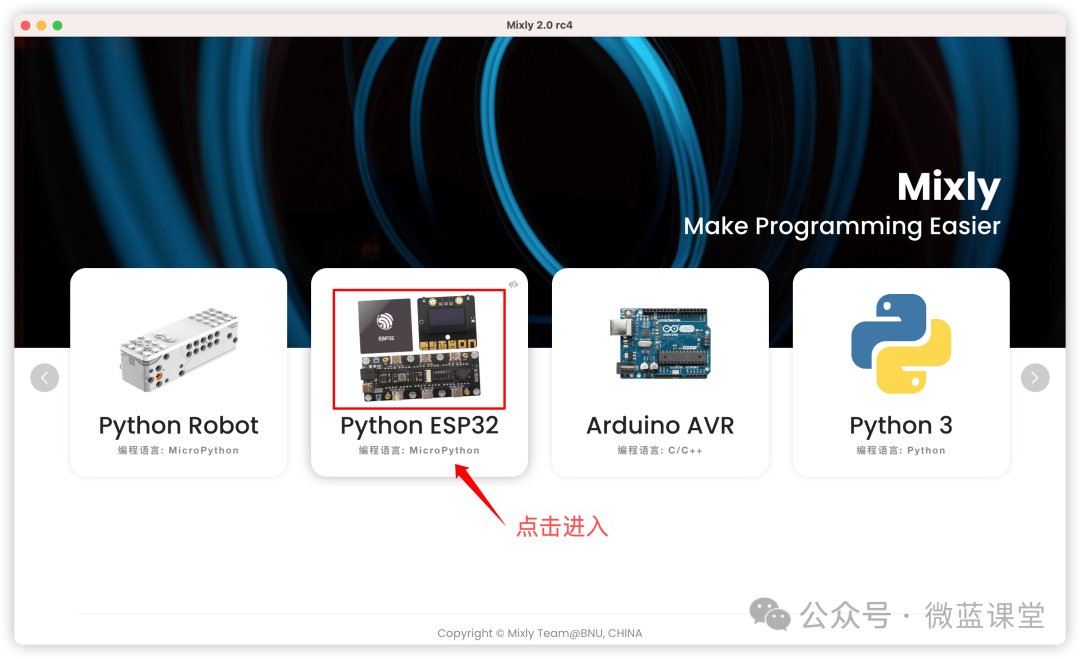
2. Click on the “Settings” in the upper right corner and manage libraries:
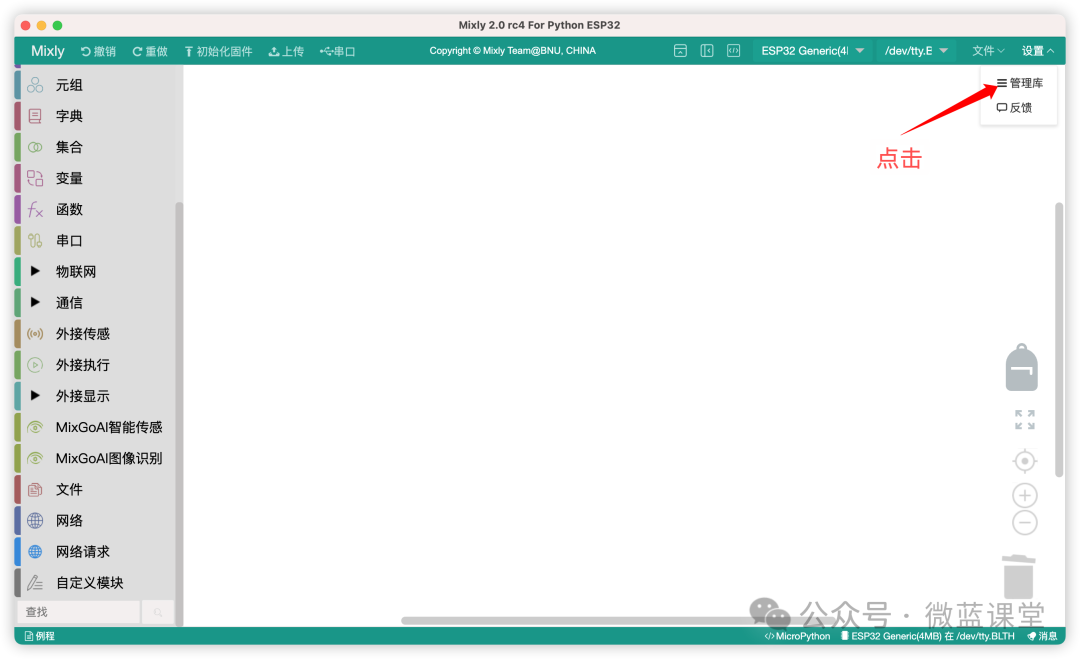
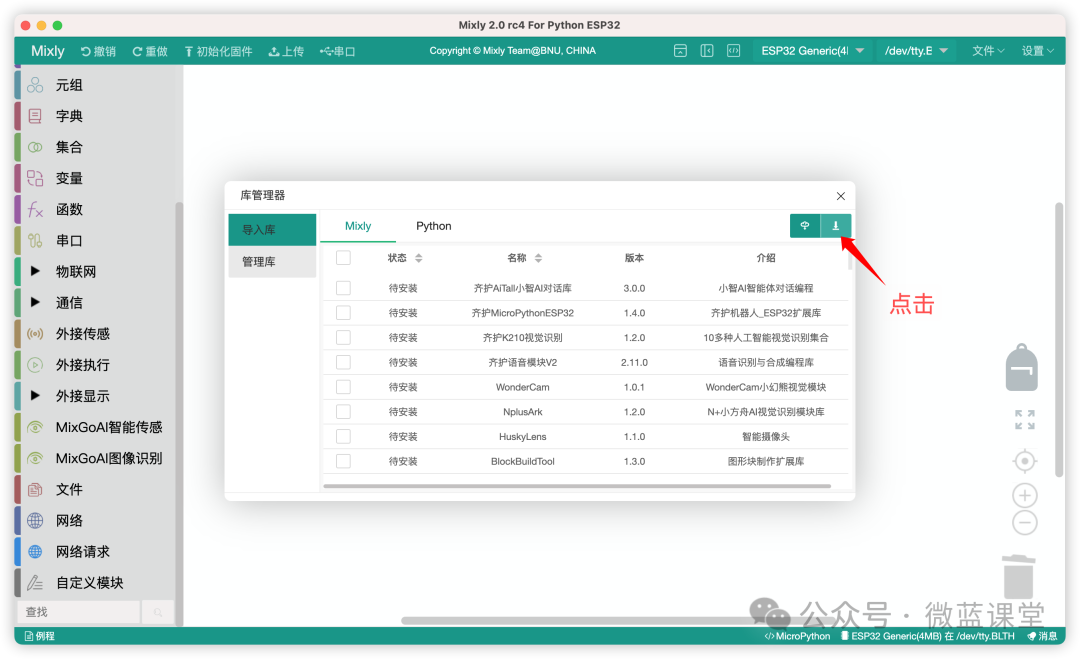
3. Click the “Local Import” button:
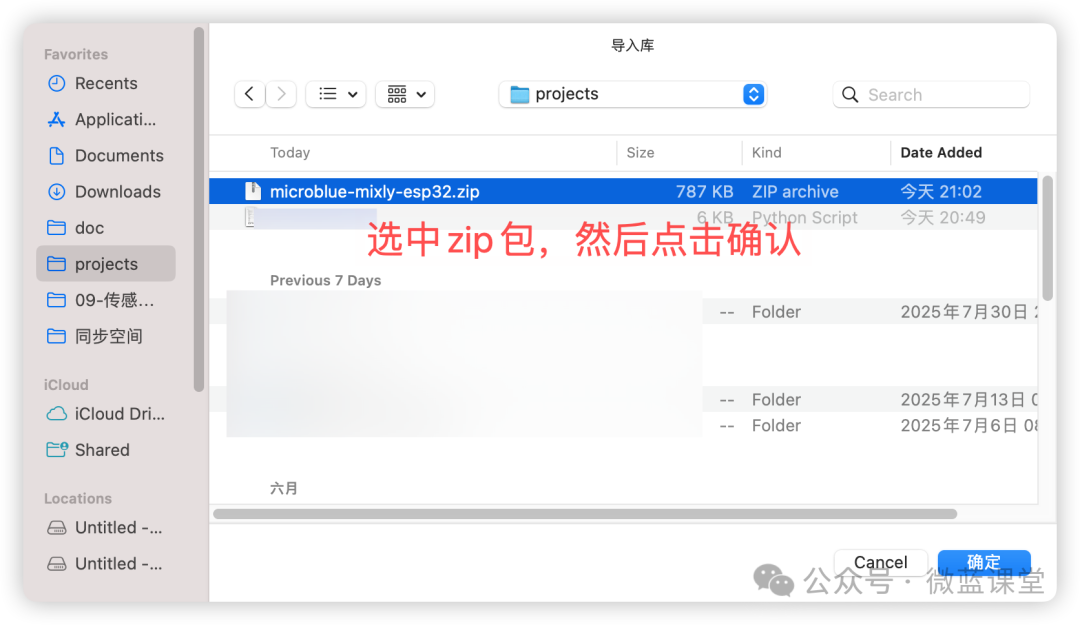
Select the microblue-mixly-esp32.zip file and click confirm
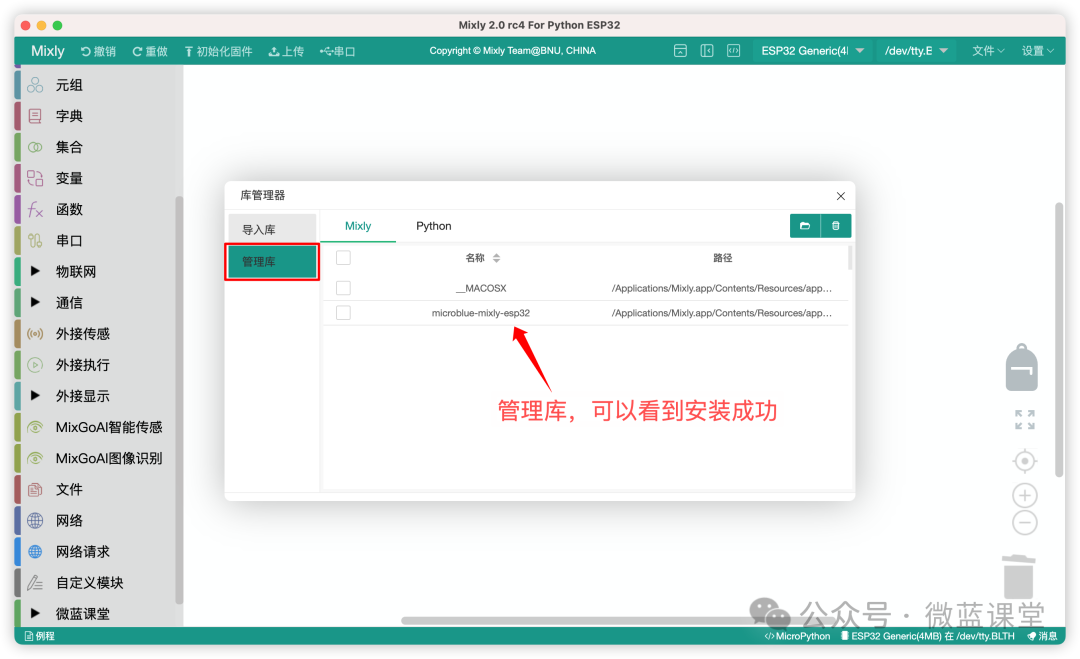
4. In the library management, you can see that it has been successfully installed
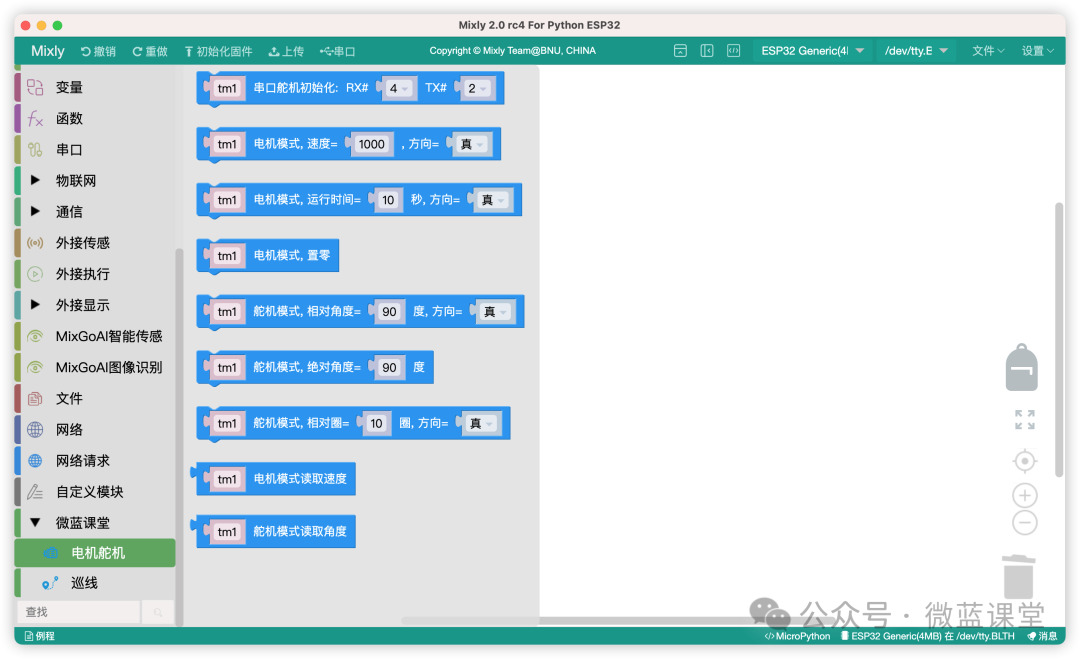
5. The graphical programming blocks now include the Microblue classroom programming module.
The programming blocks will continue to be enriched, sharing and liking is your support for me, thank you all
 Follow me for more sharing|Microblue Classroom