Click the “Computer Enthusiast” above to follow us
With the college entrance examination approaching, we wish all candidates success and acceptance into their first-choice schools!
After getting into college or high school, it’s time to embrace communal living. Communicating with roommates through study or gaming is essential. But when it comes to dorms, many people’s immediate thoughts are about the cramped and crowded spaces. Finding a place for a laptop can be challenging, let alone a desktop computer. However, as a wise person once said—space is like water in a sponge, squeeze it, and there will always be some (that wise person is me). In reality, many schools are increasingly focusing on student accommodation, and the usable space in dorms is growing, making it no longer a luxury to use a desktop in the dorm.
PS: The recommended configurations in this issue are also suitable for environments with limited space. Don’t turn away just because you see the word “dorm”; as the saying goes, one method opens up a thousand methods.
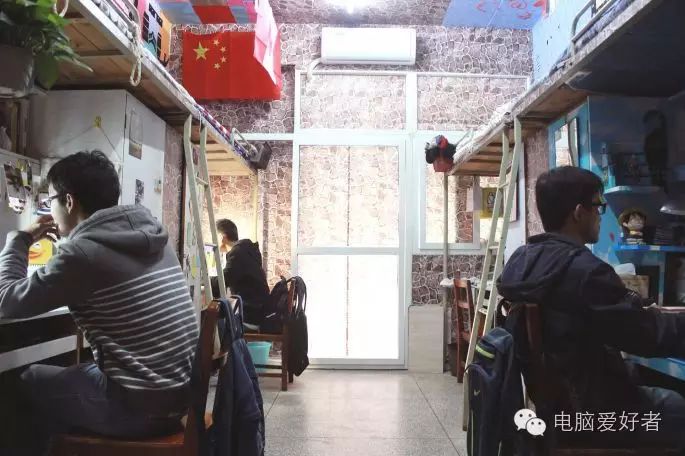
A clean, tidy, and safe college dormitory is important for both entertainment and study.
What should we pay more attention to?
1. Dust Prevention
Most student dormitories are much worse than typical homes, especially if the floors are rarely mopped and furniture is not carefully cleaned. Dust and small dirt particles can threaten computers and their peripherals, so when buying a computer, it’s essential to ensure dust prevention. It’s recommended to choose a case with a dust filter that is easy to clean, to prevent the computer from overheating and crashing due to dust accumulation. If you opt for a small case that is hard to clean, you should regularly clean the area around the case and maintain the dust filter. You can also purchase external magnetic dust filters for easier cleaning.
2. Power Limitations
Many dorms have limited power usage. Appliances with slightly higher power, like hair dryers and electric cookers, often can’t be used, and older dorms have lower total power capacity, making them susceptible to voltage fluctuations or even tripping. Power outages are not a problem for laptops, but they can be fatal for desktops. Therefore, when DIY-ing, it’s crucial to keep the total power consumption under control, ideally within 500W. For desktops used for important work, configuring a UPS (Uninterruptible Power Supply) is also a good choice. It can provide temporary power during outages, allowing time to save work and shut down properly, and it helps stabilize input voltage to prevent low voltage causing abnormal computer operation or high voltage damaging the computer.
Without further ado, let’s get straight to the configuration list. From large to small, there’s something for everyone!
Configuration One: All-Rounder Without Compromise — MATX Type
Many college dorms have bunk beds with desks underneath, which provides significant placement space, allowing us to choose a MATX type computer with good expandability and ample internal space.
|
CPU |
Core i5-6500 |
1499 RMB |
|
Motherboard |
ASRock H110M Combo-G |
549 RMB |
|
Memory |
ADATA DDR4 2133 8GB |
219 RMB |
|
Graphics Card |
PowerColor R9 370X 4G Plus |
1199 RMB |
|
Power Supply |
Antec VP450 |
259 RMB |
|
Storage |
SanDisk Enhanced 120GB + WD Blue 1TB |
279+309 RMB |
|
Case |
Shenma Tianji |
119 RMB |
|
Total |
4432 RMB |
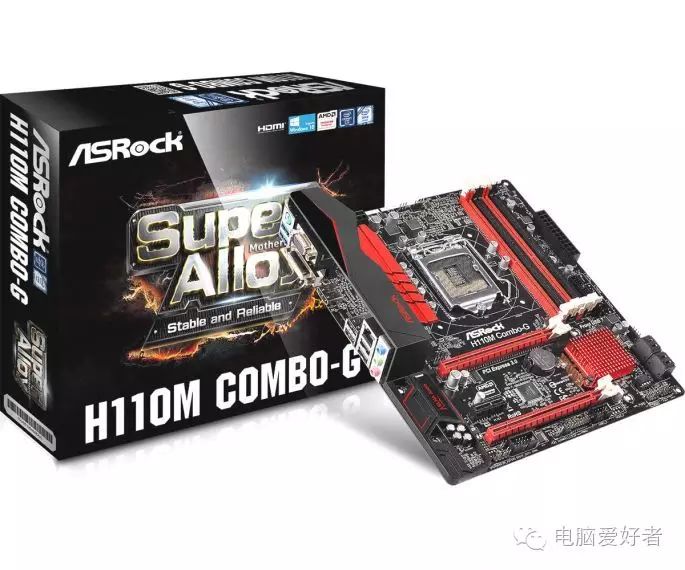
Low price does not mean compromise; choosing the right one is the best.
Configuration Two: Study Hard, No Gaming
|
CPU |
E3-1231v3 (Retail) |
1380 RMB |
|
Motherboard |
Gigabyte B85M-D3H |
499 RMB |
|
Memory |
ADATA DDR3 1600 8GB x2 |
219 x 2 RMB |
|
Graphics Card |
Sapphire FirePro W4100 |
1100 RMB |
|
Power Supply |
Zhiyuan Ice Mountain Gold Butterfly 450W |
339 RMB |
|
Storage |
Seagate 3TB |
599 RMB |
|
Cooler |
ID-COOLING IS-40 Pro |
99 RMB |
|
Case |
Shenma Carbon Cube |
239 RMB |
|
Total |
4963 RMB |
Why should design students torture themselves with laptops? Switch to a desktop to ease the long rendering pains. Since it’s for professional design, a high-efficiency CPU and professional graphics card are essential, so here we chose a low-power, high-performance configuration with E3 + FirePro W4100. A professional-grade graphics card also effectively prevents distractions from studying and playing games, giving parents more peace of mind!
Configuration Three: Invincible Mini Cannon — ITX Type
Although many universities have improved their dormitory environments, some schools still use old-fashioned bunk beds, which offer limited space and poor placement options. But this is not a problem; we have even smaller ITX type computers to choose from.
|
CPU |
Core i5-6500 |
1499 RMB |
|
Motherboard |
MSI Z170I GAMING PRO AC |
1599 RMB |
|
Memory |
Kingston DDR4 2133 Hyper 8GB x2 |
269 x 2 RMB |
|
Graphics Card |
Colorful iGAME 960 Ice Knight |
1350 RMB |
|
Power Supply |
SilverStone ST45SF |
479 RMB |
|
Storage |
Transcend MTS400 (128GB) + Seagate 1TB |
369 + 319 RMB |
|
Case |
SilverStone SG05 |
260 RMB |
|
Total |
6413 RMB |
Configuration Four: Simplest Solution — DIY All-in-One
This is a unique DIY solution. All-in-one computers are familiar to many, and many internet cafes use all-in-ones. Why can’t we assemble one ourselves? Similar monitor/case products have already emerged.
|
CPU |
E3-1231v3 (Retail) |
1380 RMB |
|
Motherboard |
ASRock B85M-ITX |
459 RMB |
|
Memory |
ADATA Rainbow 1600 8GB |
219 RMB |
|
Graphics Card |
Gigabyte GV-N75TD5-2GI |
749 RMB |
|
Power Supply |
Huntkey Jumper 350 |
229 RMB |
|
Storage |
Seagate 2TB Hybrid Drive |
599 RMB |
|
Cooler |
Cooler Master Hunter V200 |
68 RMB |
|
Case + Monitor |
ViewSonic E241EMG 23.6 inch |
1100 RMB |
|
Total |
4533 RMB |
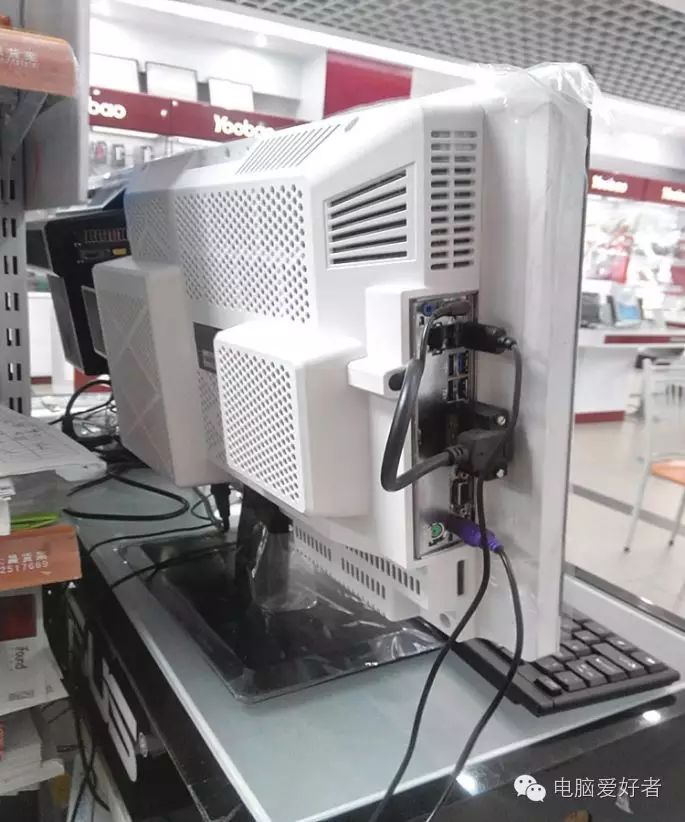
All-in-one computers leave more usable space for dorms with ample space.
Of course, we still want to say, while desktops have stronger gaming and entertainment capabilities, during school, more energy should be focused on studying. Don’t get too immersed in games and waste the beautiful time of youth.
Do you not see the editor who didn’t study well back then is now struggling to write code!